
Introduction
This manual provides essential information for the safe and effective use of your Surpassed NP-FM50/FM55H Li-ion Battery Pack. This high-quality replacement battery is designed for compatible Sony DCR-TRV series Handycam Camcorders, offering reliable power with a 7.4V voltage and 1600mAh capacity. It features high energy density, long recycle life, and no memory effect, allowing for flexible charging.
Safety Information
Please read and adhere to the following safety precautions to prevent damage to the battery and ensure user safety:
- DO NOT INCINERATE: Disposing of the battery in fire can cause explosion or leakage.
- DO NOT EXPOSE TO HIGH TEMPERATURES (140°F / 60°C): High temperatures can damage the battery and pose a fire risk.
- DO NOT DISASSEMBLE: Attempting to disassemble the battery can lead to electric shock, fire, or exposure to hazardous materials.
- Keep the battery away from water or other liquids.
- Store in a cool, dry place when not in use.

Image: The Surpassed NP-FM50/FM55H Li-ion Battery Pack, showing the 'Li-ion' label and printed safety warnings on its surface.
Setup
Initial Charging
Before first use, fully charge the battery. This battery is 100% decoded and compatible with original Sony chargers. Connect the battery to a compatible charger and plug the charger into a power outlet. The charging indicator on your charger will typically show the charging status.
Compatibility
This battery pack is compatible with Sony Handycam Camcorders that use NP-FM30, NP-FM50, NP-FM70, NP-FM71, NP-FM90, NP-FM91, NP-QM50, NP-QM51, NP-QM70, NP-QM71, NP-QM71D, NP-QM90, NP-QM91, NP-QM91D InfoLITHIUM M Series Lithium-ion Batteries. Specific compatible camcorder models include:
- Sony DCR-TRV345
- Sony DCR-TRV345E
- Sony DCR-TRV350
- Sony DCR-TRV350E
- Sony DCR-TRV351
- Sony DCR-TRV351E
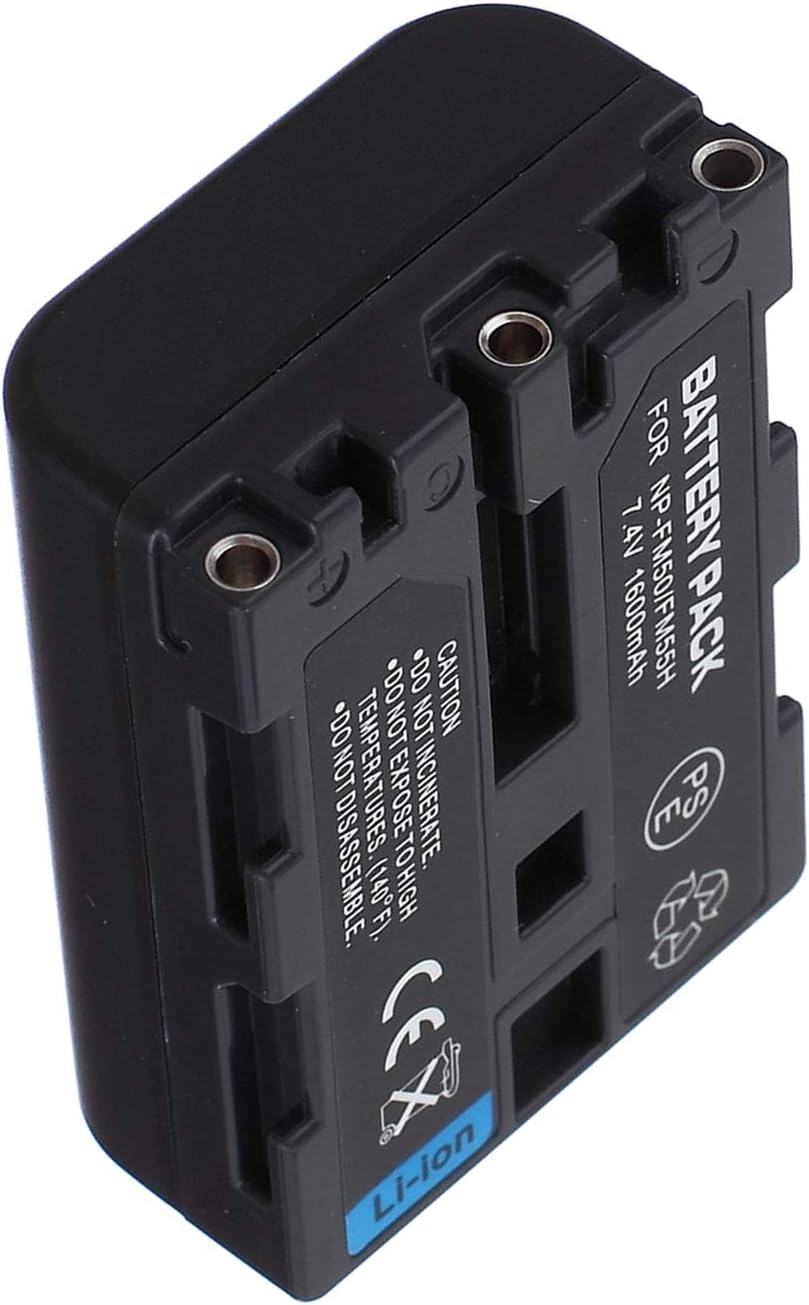
Image: Side view of the battery pack, highlighting the electrical contact points for charging and device connection.
Operating Instructions
Installing the Battery
- Ensure your camcorder is powered off before installing or removing the battery.
- Locate the battery compartment on your Sony Handycam camcorder.
- Align the battery with the compartment, ensuring the electrical contacts on the battery match those in the camcorder.
- Gently slide the battery into the compartment until it clicks securely into place. Do not force the battery.
Removing the Battery
- Power off the camcorder.
- Locate the battery release latch or button, typically near the battery compartment.
- Press or slide the latch/button to release the battery.
- Carefully slide the battery out of the compartment.

Image: Two battery packs displayed, illustrating different angles and the overall form factor for proper installation.
Maintenance
Proper maintenance ensures the longevity and performance of your battery pack.
- Charging: Charge the battery using a compatible charger. Since it has no memory effect, you can charge it at any time without fully discharging it first.
- Storage: If storing the battery for an extended period, charge it to approximately 50% capacity and store it in a cool, dry place. Avoid extreme temperatures.
- Cleaning: Keep the battery contacts clean using a dry, soft cloth. Dirty contacts can interfere with charging and power delivery.
- Disposal: Dispose of depleted batteries responsibly according to local regulations for Li-ion batteries. Do not dispose of in household waste.
Troubleshooting
Battery Not Charging
- Ensure the charger is properly connected to a power source and the battery.
- Check for any debris or corrosion on the battery and charger contacts. Clean if necessary.
- Verify that the charger is compatible with NP-FM50/FM55H type batteries.
Battery Not Powering Camcorder
- Ensure the battery is fully charged and correctly installed in the camcorder.
- Check the camcorder's battery compartment for any obstructions or damage.
- Test with another known-good battery if available to rule out a camcorder issue.
Short Battery Life
- Ensure the battery is fully charged before use.
- Operating in extremely cold environments can reduce battery performance.
- Over time, all rechargeable batteries experience a decrease in capacity. If the battery is old, consider replacement.
Specifications
| Model | NP-FM50/FM55H |
| Battery Type | Li-ion (Lithium Ion) |
| Voltage | 7.4V |
| Capacity | 1600mAh |
| Manufacturer | Surpassed |
| Compatible Battery Codes | NP-FM30, NP-FM50, NP-FM70, NP-FM71, NP-FM90, NP-FM91, NP-QM50, NP-QM51, NP-QM70, NP-QM71, NP-QM71D, NP-QM90, NP-QM91, NP-QM91D InfoLITHIUM M Series |
| ASIN | B07RSGRZWH |
Warranty
This Surpassed NP-FM50/FM55H Li-ion Battery Pack comes with a 1-year warranty from the date of purchase. Please retain your proof of purchase for warranty claims. The warranty covers manufacturing defects but does not cover damage caused by misuse, accidents, or unauthorized modifications.
Support
For any questions, concerns, or technical assistance regarding your Surpassed NP-FM50/FM55H Li-ion Battery Pack, please contact our customer support. We are dedicated to providing quality power products and excellent customer service.
Contact information can typically be found on the packaging or through the retailer where the product was purchased.