
Introduction
This instruction manual provides essential information for the safe and effective use of your Surpassed NP-FM50/FM55H Li-ion battery pack. This battery is designed as a replacement for various Sony MiniDV Handycam camcorders, including models DCR-TRV30, DCR-TRV30E, DCR-TRV33, and DCR-TRV33E. Please read this manual thoroughly before use and retain it for future reference.
Product Features
- High-quality Lithium-ion (Li-ion) replacement battery.
- Designed for high energy density and long cycle life.
- Provides reliable power for your digital video camera/camcorder.
- Features high capacity and is rechargeable.
- No memory effect, allowing charging at any time without reducing battery life.
Compatibility
This battery pack is compatible with the following Sony battery codes and camcorder models:
- Battery Codes: NP-FM30, NP-FM50, NP-FM70, NP-FM71, NP-FM90, NP-FM91, NP-QM50, NP-QM51, NP-QM70, NP-QM71, NP-QM71D, NP-QM90, NP-QM91, NP-QM91D InfoLITHIUM M Series Lithium-ion Batteries.
- Camcorder Models: Sony DCR-TRV30, DCR-TRV30E, DCR-TRV33, DCR-TRV33E MiniDV Handycam Camcorders.
Specifications
| Voltage | 7.4V |
| Capacity | 1600mAh |
| Battery Type | Li-ion (Lithium-ion) |
| Condition | New |
Setup and Installation
Before first use, ensure the battery is fully charged. Refer to the "Charging the Battery" section for instructions.
- Locate Battery Compartment: Identify the battery compartment on your Sony MiniDV Handycam camcorder. This is typically located on the rear or bottom of the device.
- Open Compartment: Open the battery compartment cover.
- Insert Battery: Align the battery pack with the terminals inside the compartment. Gently slide the battery into place until it clicks securely. Ensure the battery is inserted in the correct orientation.
- Close Compartment: Close the battery compartment cover firmly.

Image: Top view of the Surpassed NP-FM50/FM55H battery pack, displaying the 'BATTERY PACK' label, voltage, capacity, and Li-ion marking. This view helps in identifying the correct orientation for insertion.
Operating Instructions
Charging the Battery
Use a compatible Sony charger or a third-party charger designed for NP-FM series batteries. Do not use chargers not specified for this battery type.
- Connect Charger: Plug the battery charger into a power outlet.
- Insert Battery: Place the battery pack into the charging slot of the charger, ensuring proper alignment with the charging terminals.
- Monitor Charging: The charger's indicator light will typically show the charging status (e.g., red for charging, green for fully charged). Refer to your charger's manual for specific indicator meanings.
- Remove Battery: Once fully charged, remove the battery from the charger.

Image: Two Surpassed NP-FM50/FM55H battery packs. One is shown from the top, displaying the 'Li-ion BATTERY' label, while the other is inverted, revealing the connection terminals and regulatory markings. This illustrates the battery's design and contact points for charging.
Using the Battery
Once installed and charged, the battery will power your camcorder. Monitor the battery level indicator on your camcorder's display to avoid unexpected power loss during recording.
Maintenance and Storage
- Cleaning: Keep the battery terminals clean and free from dust or debris. Use a dry, soft cloth to wipe them if necessary.
- Storage: Store the battery in a cool, dry place away from direct sunlight and extreme temperatures. For long-term storage, it is recommended to store the battery with approximately 50% charge.
- Avoid Discharging: Do not allow the battery to completely discharge for extended periods, as this can reduce its overall lifespan.
- Temperature: Avoid exposing the battery to temperatures above 140°F (60°C).
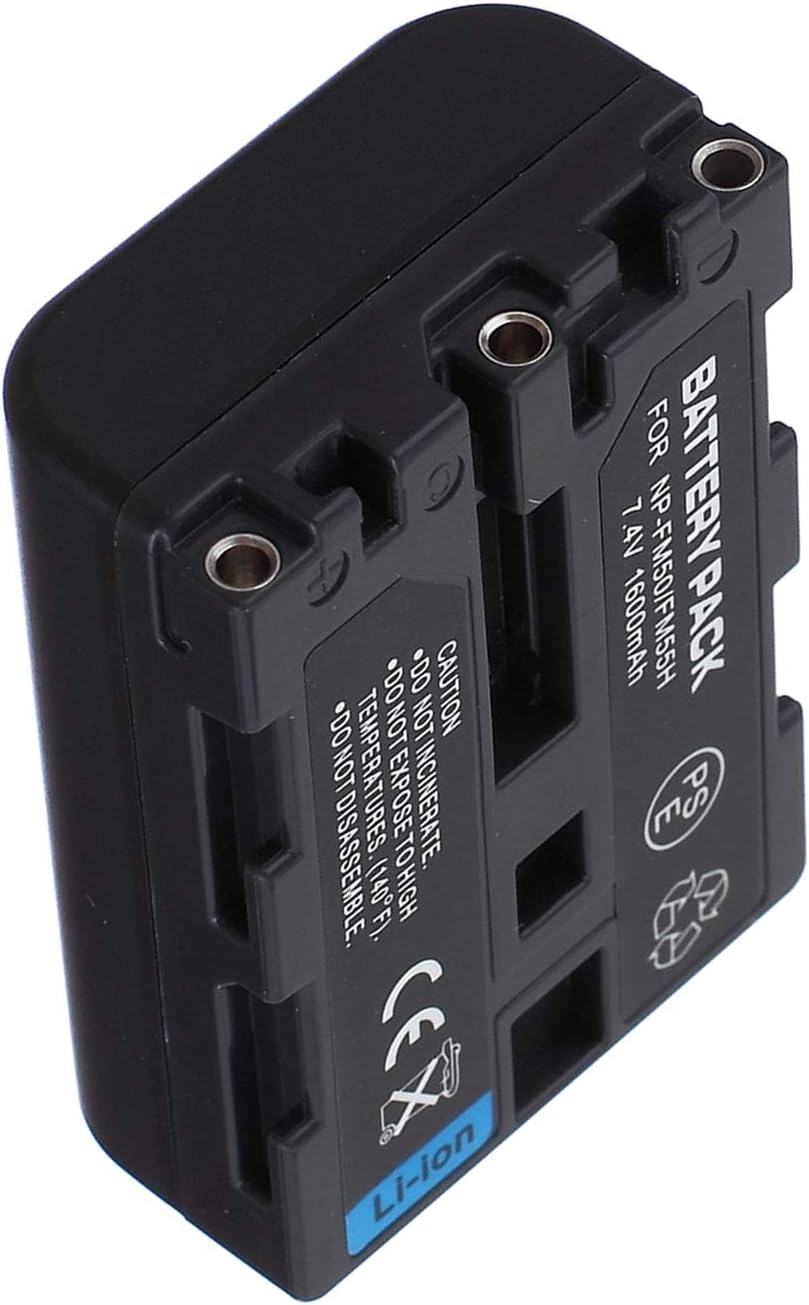
Image: Side view of the Surpassed NP-FM50/FM55H battery pack, highlighting the caution labels regarding incineration, high temperatures, and disassembly. This view also shows the side connection points.
Troubleshooting
- Battery Not Charging:
- Ensure the charger is properly plugged in and receiving power.
- Verify the battery is correctly seated in the charger.
- Check for any debris on the battery or charger terminals and clean if necessary.
- Try a different compatible charger if available.
- Camcorder Not Powering On:
- Confirm the battery is fully charged.
- Ensure the battery is securely installed in the camcorder's compartment.
- Check if the camcorder itself has any issues (refer to your camcorder's manual).
- Short Battery Life:
- Ensure the battery has been fully charged before use.
- Operating in extremely cold environments can reduce battery performance.
- If the battery is old, its capacity may naturally degrade over time.
Safety Information
WARNING: Failure to follow these safety instructions may result in fire, electric shock, injury, or damage to the battery or other property.
- Do Not Incinerate: Never dispose of the battery in fire.
- Avoid High Temperatures: Do not expose the battery to high temperatures (above 140°F / 60°C) or direct sunlight.
- Do Not Disassemble: Do not attempt to disassemble, open, crush, bend, deform, puncture, shred, or modify the battery.
- Avoid Short Circuits: Do not short-circuit the battery.
- Keep Away from Water: Do not immerse the battery in water or other liquids.
- Proper Disposal: Dispose of used batteries according to local regulations. Do not dispose of with household waste.
- Children: Keep batteries out of reach of children.

Image: Angled view of the Surpassed NP-FM50/FM55H battery pack, clearly showing the 'Li-ion' marking, CE certification, and various caution symbols related to safety and disposal. This image emphasizes the battery's regulatory compliance and warnings.
Warranty and Support
For any questions or concerns regarding your Surpassed battery pack, please refer to the retailer or manufacturer's support channels. Keep your purchase receipt for warranty purposes.