
1. Introduction
This manual provides essential instructions for the safe and effective use of your Surpassed NP-FM50/FM55H Li-ion Battery Pack. This battery is designed as a replacement for various Sony MiniDV Handycam camcorders, including models DCR-PC100, DCR-PC100E, DCR-PC110, DCR-PC110E, DCR-PC115, and DCR-PC115E. Please read this manual thoroughly before using the product.
2. Safety Information
To ensure safe operation and prolong the life of your battery, observe the following precautions:
- Do not incinerate: Disposing of the battery in fire can cause explosion or leakage.
- Do not expose to high temperatures: Avoid temperatures exceeding 60°C (140°F). High temperatures can damage the battery and pose a fire risk.
- Do not disassemble: Attempting to disassemble the battery can lead to electric shock, fire, or exposure to hazardous materials.
- Keep the battery away from water and moisture.
- Store in a cool, dry place when not in use.
- Keep out of reach of children.
- If the battery shows signs of damage, swelling, or leakage, discontinue use immediately and dispose of it properly.

Image: Bottom view of the battery displaying caution labels regarding incineration, high temperatures, and disassembly.
3. Product Overview
The Surpassed NP-FM50/FM55H is a high-quality replacement Li-ion battery pack designed for compatibility with various Sony MiniDV Handycam camcorders. It provides reliable power for extended recording sessions.
Key Features:
- High Energy Density: Provides consistent power output.
- Long Life Battery: Designed for extended use and many recharge cycles.
- No Memory Effect: Can be charged at any time without reducing overall battery life.
- 100% Decoded and Compatible: Works seamlessly with original cameras and chargers.

Image: Front view of the Surpassed Li-ion battery pack, showing the "Li-ion BATTERY" label.
4. Setup and Installation
Follow these steps to install the battery into your compatible Sony MiniDV Handycam camcorder:
- Ensure your camcorder is powered off before attempting battery installation or removal.
- Locate the battery compartment on your camcorder. This is typically on the rear or bottom of the device.
- Open the battery compartment cover.
- Align the Surpassed NP-FM50/FM55H battery with the battery slot, ensuring the contacts on the battery match the contacts in the camcorder.
- Gently slide the battery into the compartment until it clicks securely into place. Do not force the battery.
- Close the battery compartment cover.

Image: Angled view of the battery, highlighting the electrical contact points for proper installation.
5. Operating Instructions
Charging the Battery:
To charge your Surpassed NP-FM50/FM55H battery, use a compatible Sony charger or a third-party charger designed for NP-FM series batteries. The battery is 100% decoded and compatible with original chargers.
- Insert the battery into the charger according to the charger's instructions.
- Connect the charger to a power source.
- Monitor the charging indicator on your charger. Charging is complete when the indicator shows a full charge.
- Disconnect the charger from the power source and remove the battery.
Note: This Li-ion battery has absolutely no memory effect, meaning you can charge it at any time without negatively impacting its overall capacity or lifespan.
Using the Battery:
Once installed and charged, the battery will power your camcorder. Refer to your camcorder's manual for specific operating instructions related to battery life indicators and power management.
6. Maintenance
- Cleaning: Use a dry, soft cloth to clean the battery terminals if they become dirty. Do not use liquids or abrasive cleaners.
- Storage: If storing the battery for an extended period, charge it to approximately 50% capacity and store it in a cool, dry place. Avoid extreme temperatures.
- Disposal: Dispose of depleted or damaged batteries according to local regulations. Do not dispose of them in household waste.
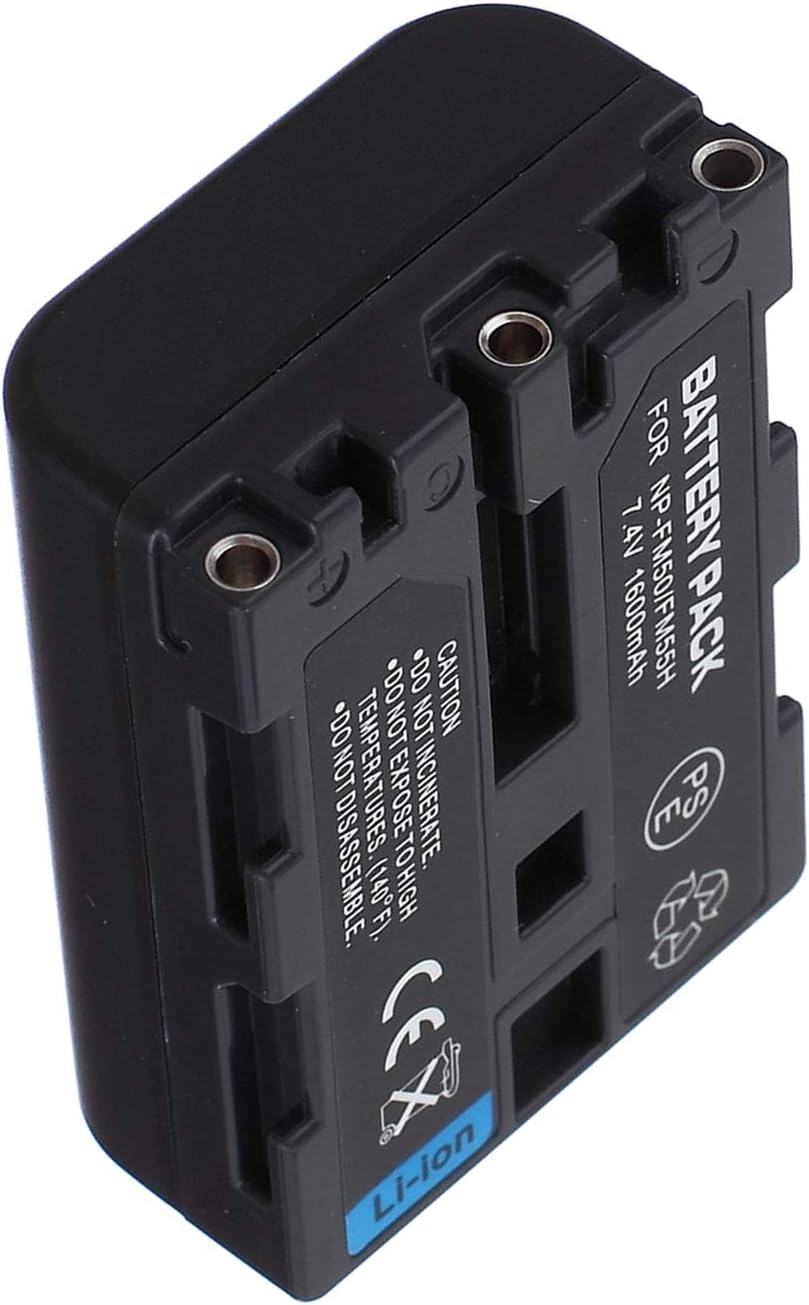
Image: Side view of the battery, illustrating its compact form factor.
7. Troubleshooting
If you encounter issues with your battery pack, consider the following:
- Battery not charging:
- Ensure the battery is correctly inserted into the charger.
- Verify the charger is properly connected to a power source.
- Check if the charger or battery terminals are clean and free of debris.
- Try a different compatible charger if available.
- Short battery life:
- Ensure the battery is fully charged before use.
- Operating in very cold environments can reduce battery performance.
- If the battery is old, its capacity may have naturally degraded over time.
- Battery not recognized by camcorder:
- Ensure the battery is securely installed in the camcorder.
- Clean the battery and camcorder contacts.
- Restart the camcorder.
If problems persist, please refer to the Warranty and Support section for assistance.
8. Specifications
| Model: | NP-FM50/FM55H |
| Battery Type: | Li-ion (Lithium Ion) |
| Voltage: | 7.4V |
| Capacity: | 1600mAh |
| Compatible Sony Battery Codes: | NP-FM30, NP-FM50, NP-FM70, NP-FM71, NP-FM90, NP-FM91, NP-QM50, NP-QM51, NP-QM70, NP-QM71, NP-QM71D, NP-QM90, NP-QM91, NP-QM91D (InfoLITHIUM M Series) |
| Compatible Sony Camcorder Models: | DCR-PC100, DCR-PC100E, DCR-PC110, DCR-PC110E, DCR-PC115, DCR-PC115E (MiniDV Handycam series) |

Image: Two battery packs displayed together, illustrating the product from multiple angles and confirming the model number.
9. Warranty and Support
This Surpassed NP-FM50/FM55H Li-ion Battery Pack comes with a 1-year warranty from the date of purchase.
For any questions, concerns, or warranty claims, please contact the seller or manufacturer directly. We are committed to providing quality power products and excellent customer service.
Please retain your proof of purchase for warranty purposes.