
1. Introduction
This manual provides detailed instructions for the installation, operation, and maintenance of your Timloon FTHQ HDMI Socket Mount Cable with QC3.0 Quick Charge Car Charger USB Adapter. This product is designed to integrate seamlessly into compatible Toyota vehicle dashboards, offering both HDMI connectivity and high-speed USB charging capabilities.
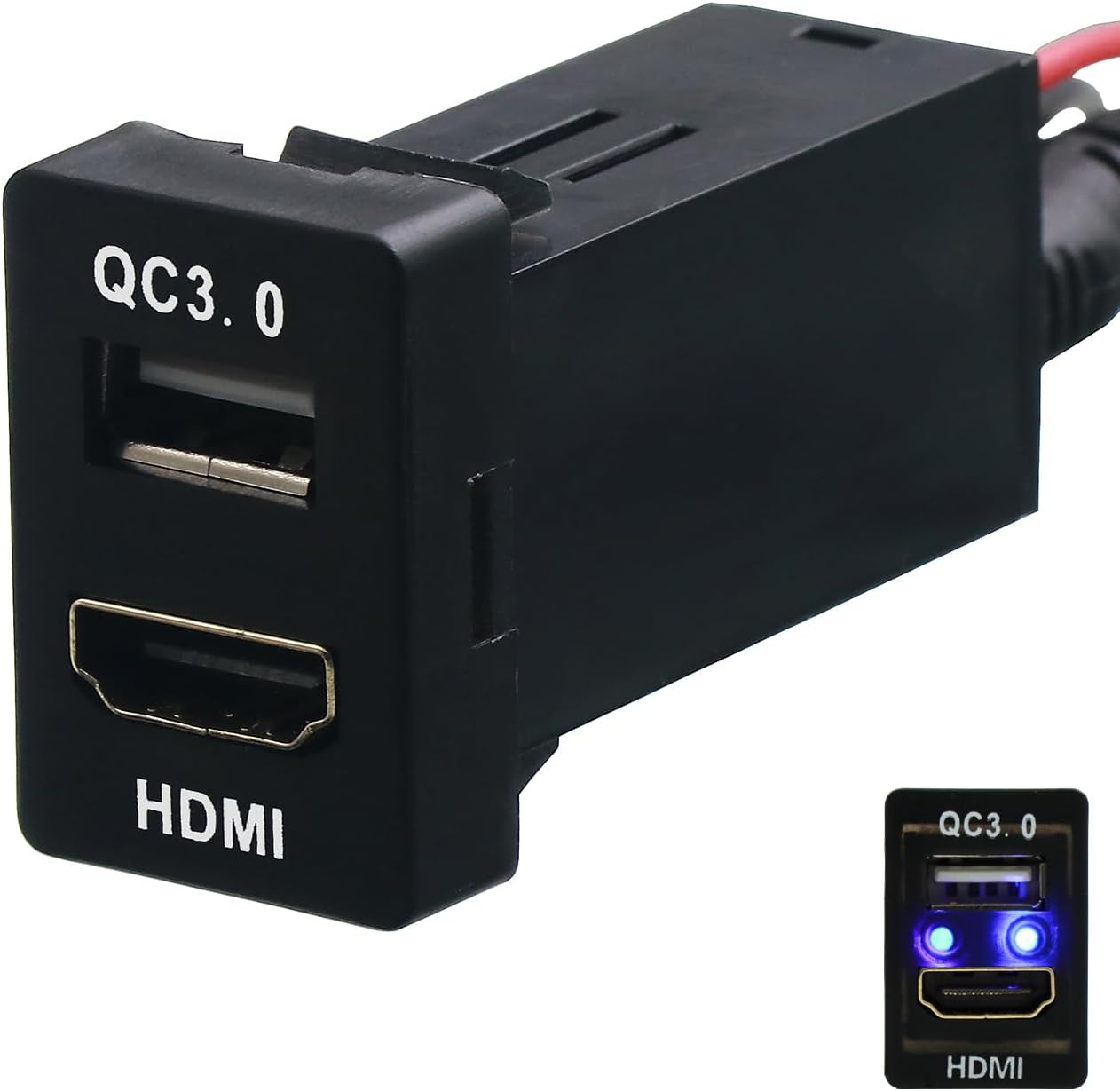
Figure 1: Front view of the Timloon FTHQ HDMI and QC3.0 USB Socket Mount, showing the HDMI port and the QC3.0 USB port with blue LED indicators.
2. Safety Information
Please read and understand all safety instructions before installation and use. Failure to do so may result in damage to the product, your vehicle, or personal injury.
- Ensure the vehicle's power is disconnected before attempting installation to prevent electrical shock or short circuits.
- Verify all wiring connections are secure and correctly polarized (positive to positive, negative to negative).
- Do not expose the product to excessive moisture or extreme temperatures.
- If you are unsure about any part of the installation process, consult a qualified automotive technician.
3. Product Components
The package includes the following items:
- 1x Timloon FTHQ HDMI Socket Mount Cable with QC3.0 Quick Charge Car Charger USB Adapter
- 1x HDMI Extension Cable (approximately 1.5 meters)
- 1x Power Wiring Harness (red and black wires)
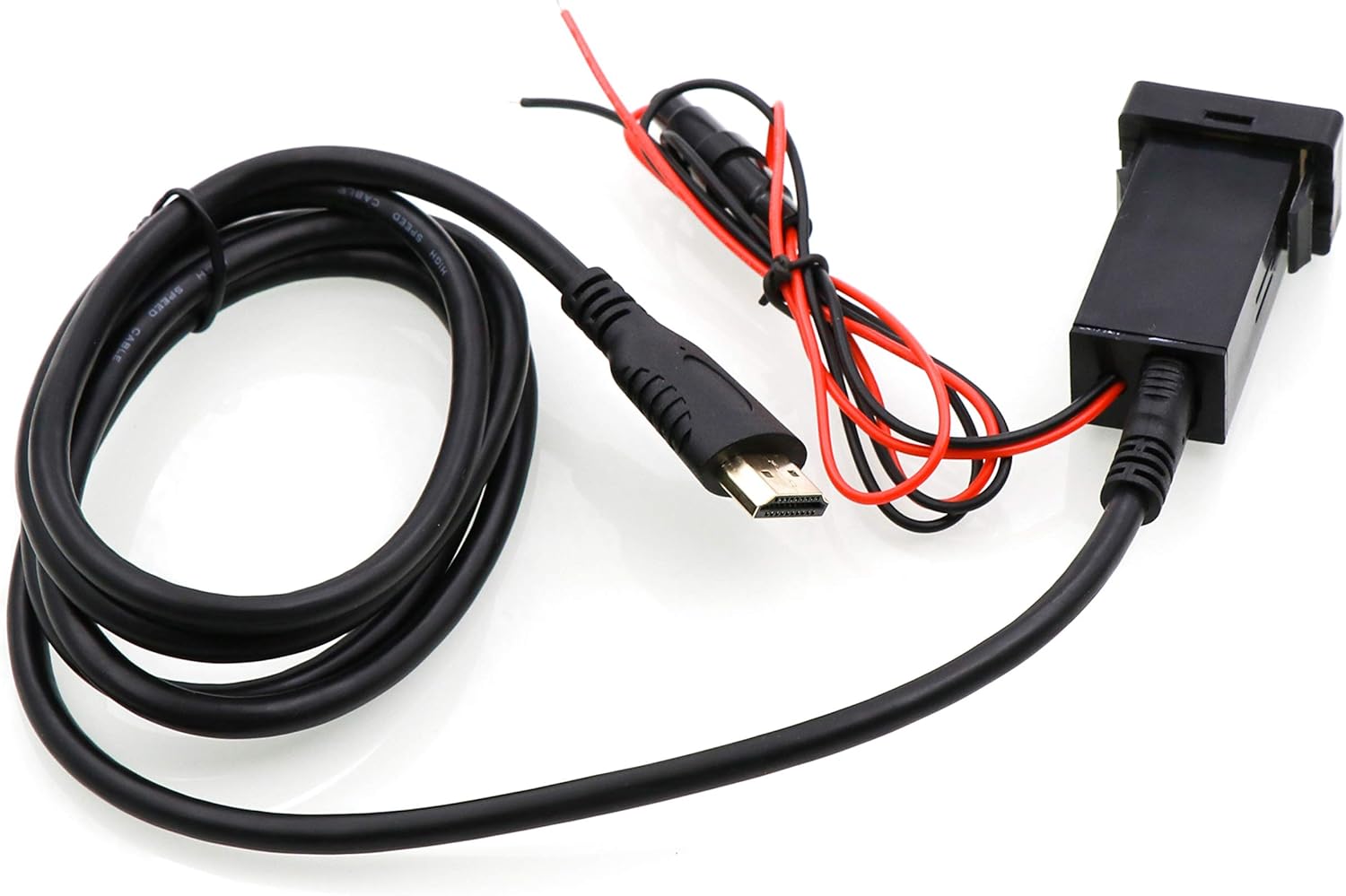
Figure 2: The Timloon FTHQ unit shown with its attached HDMI extension cable and separate power wiring harness.
4. Specifications
| Feature | Specification |
|---|---|
| Model Number | FTHQ |
| Brand | Timloon |
| Installation Size | 33mm x 22mm (1.3" x 0.87") |
| HDMI Cable Length | Approximately 1.5 meters |
| USB Charging Standard | Quick Charge 3.0 (QC3.0) |
| QC3.0 Output | 5V/2.4A, 9V/2A, 12V/1.5A |
| Compatible Devices | Smartphones, Tablet PCs, other USB-powered electronic products |
| Material | Fireproof and environmental ABS |
| Item Weight | 5.3 ounces (0.15 Kilograms) |
| Package Dimensions | 5.28 x 3.43 x 1.46 inches |
5. Installation
5.1 Pre-Installation Check
Before proceeding with installation, it is crucial to verify the mounting hole dimensions in your vehicle. This product is designed for a 1:1 ratio fit with original car interfaces, specifically for mounting holes measuring approximately 33mm x 22mm (1.3" x 0.87"). Please measure your vehicle's available switch blank to ensure compatibility.

Figure 3: Detailed dimensions of the socket mount, indicating a width of 33mm (1.3 inches) and a height of 22mm (0.87 inches) for the front panel.
5.2 Wiring and Mounting
- Disconnect Power: Turn off your vehicle and disconnect the negative terminal of the car battery to prevent electrical hazards.
- Locate Mounting Slot: Identify an available switch blank in your Toyota's dashboard that matches the product's dimensions (33x22mm).
- Remove Blank: Carefully remove the existing blank cover from the dashboard slot.
- Insert Adapter: Gently push the Timloon FTHQ adapter into the vacant slot until it clicks securely into place.
- Connect Power: Connect the red wire from the adapter's power harness to a 12V accessory power source (e.g., ACC or battery positive) and the black wire to a ground point in your vehicle. Ensure connections are secure.
- Route HDMI Cable: Route the attached 1.5-meter HDMI cable to your car's multimedia system or any device with an HDMI input.
- Reconnect Power: Reconnect the negative terminal of the car battery.
- Test Functionality: Start your vehicle and test both the HDMI and QC3.0 USB charging functions.
6. Operation
6.1 HDMI Connectivity
The HDMI port allows you to extend the HDMI functionality from your car's multimedia system to a convenient dashboard location. Connect an HDMI-enabled device (e.g., smartphone, tablet, media player) to the HDMI port on the adapter. Ensure your car's multimedia system has an active HDMI input and is configured to display content from the connected source.
Note:
- The HDMI connector of this product will only be available if your car multimedia system has an HDMI function.
- HDMI cables typically transmit video and audio. Ensure your connected device and car system support both for full functionality.
6.2 QC3.0 USB Charging
The integrated QC3.0 USB port provides high-speed charging for compatible devices. Connect your smartphone, tablet, or other electronic devices using a standard USB charging cable to the QC3.0 port. The port is backwards compatible with Quick Charge 2.0 and 1.0, and will provide standard charging for devices without Quick Charge technology.
- The blue LED indicators on the USB port will illuminate when power is supplied, indicating readiness for charging.
- The QC3.0 port automatically adjusts the output voltage and current (5V/2.4A, 9V/2A, 12V/1.5A) to optimize charging speed for your connected device.
7. Compatibility
This product is designed for specific Toyota models with a compatible 33x22mm switch blank. Please refer to the list below for known compatible models. It is highly recommended to measure your vehicle's available mounting hole before purchase.
- Corolla EX 2011-2013
- Vios 2008-2016
- EZ 2011-2015
- Camry 2011-2015
- Prius 2012-2016
- Prado 2010-2016
- Rav4 2009-2015
- Tacoma 2015
- Sienna 2011-2015
- Venxia 2013
- Corolla 2007-2016
- Levin 2014-2016
- Yaris 2008-2016
- Reiz 2010-2016
- Highlander 2008-2016
- Alphard 2010-2015
- Tundra 2009-2015
- Previa 2010
- Coaster 2013
- Runner 2014
- Land Cruiser FJ 2007-2013
- Land Cruiser 2003-2007
- Land Cruiser 90 2010-2016
- Land Cruiser 86 2013-2014
8. Maintenance
To ensure optimal performance and longevity of your Timloon FTHQ adapter, follow these simple maintenance guidelines:
- Keep the ports free from dust and debris. Use a soft, dry cloth to gently wipe the surface.
- Avoid using harsh chemicals or abrasive cleaners, as these can damage the ABS material.
- Ensure cables are not kinked or pulled excessively, which could damage internal wiring.
9. Troubleshooting
If you encounter issues with your Timloon FTHQ adapter, please refer to the following common troubleshooting steps:
- No Power/Charging:
- Check all power connections to ensure they are secure and correctly wired.
- Verify the vehicle's ignition is on or in accessory mode, as some power sources are only active then.
- Test the USB port with a different known-good charging cable and device.
- HDMI Not Displaying:
- Confirm your car's multimedia system has an active HDMI input and is selected as the source.
- Ensure the HDMI cable is securely connected at both ends (adapter and multimedia system).
- Test with a different HDMI-enabled device to rule out device-specific issues.
- Verify your car's multimedia system supports HDMI input.
- Slow Charging:
- Ensure your device and charging cable support Quick Charge 3.0 for optimal speeds.
- Some devices may limit charging speed if they are already near full capacity or if the device is in heavy use.
If problems persist after attempting these steps, please contact customer support.
10. Warranty and Support
Timloon products are manufactured to high-quality standards. For specific warranty information and customer support, please refer to the product packaging or contact Timloon customer service directly. Keep your purchase receipt for warranty claims.