
1. Introduction
This manual provides essential information for the safe and efficient operation of your new Nikai 6KG 1000 RPM Front Load Washing Machine, model NWM600FN7. Please read these instructions carefully before installation and use, and keep them for future reference. This appliance is designed for household use only.

Image 1.1: Nikai 6KG Front Load Washing Machine. This image shows the overall design of the washing machine, highlighting its 6KG capacity, 12 wash programs, water-saving, imbalance sensing, quick wash, energy efficiency, stainless steel drum, and silent operation features.
Your Nikai washing machine features a 6KG capacity, 1000 RPM spin speed, and 12 distinct wash programs to cater to various fabric types and cleaning needs. It boasts a 5-star energy-saving rating, a digital LCD display for easy control, and a child lock function for enhanced safety.
2. Safety Information
Always follow basic safety precautions when using electrical appliances to reduce the risk of fire, electric shock, or injury to persons.
- Electrical Safety: Ensure the appliance is properly grounded. Do not operate with a damaged power cord or plug. Do not touch the plug with wet hands.
- Water Safety: Ensure water inlet and drain hoses are securely connected to prevent leaks. Do not operate if there is a water leak.
- Child Safety: Keep children away from the appliance during operation. Activate the Child Lock function to prevent accidental program changes or door opening.
- Flammable Materials: Do not wash items that have been cleaned, washed, soaked, or spotted with combustible or explosive substances (such as wax, oil, paint, gasoline, degreasers, dry-cleaning solvents, kerosene, etc.).
- Installation: The appliance must be installed on a firm, level surface. Remove all transport bolts before use.
- Maintenance: Disconnect the appliance from the power supply before performing any maintenance or cleaning.
3. Setup and Installation
3.1 Unpacking
Carefully remove all packaging materials. Locate and remove the transport bolts from the rear of the machine. These bolts are crucial for securing the drum during transit and must be removed before operation to prevent damage.
3.2 Location
Place the washing machine on a solid, level floor. Avoid direct sunlight or heat sources. Ensure there is adequate space around the machine for ventilation and maintenance.
3.3 Water Supply Connection
Connect the cold water inlet hose to the water tap and the corresponding inlet valve on the back of the machine. Ensure all connections are tight to prevent leaks. Use only new hoses provided with the appliance.
3.4 Drain Hose Connection
Securely attach the drain hose to a standpipe or laundry tub. Ensure the drain hose is not kinked or blocked, and that its end is positioned at an appropriate height (between 60 cm and 100 cm from the floor) to allow proper drainage without siphoning.
3.5 Electrical Connection
Plug the power cord into a grounded electrical outlet. Ensure the voltage and frequency match the specifications of your appliance (240 Volts). Do not use extension cords or adapters.
3.6 Leveling the Machine
The washing machine must be perfectly level to ensure stable and quiet operation. Adjust the adjustable feet at the bottom of the machine until it is stable and does not rock. Use a spirit level to verify.
4. Operating Instructions
4.1 Control Panel Overview

Image 4.1: LED Display and Control Buttons. This image illustrates the digital LED display and control buttons including Start/Pause, Temperature, Speed, Pre Delay, and Power, along with the Child Lock function indicator.
The control panel features an LED display and several buttons for program selection and cycle adjustments:
- Power: Turns the machine on or off.
- Start/Pause: Starts, pauses, or resumes a wash cycle.
- Temp: Adjusts the wash water temperature (e.g., 20°C, 40°C, 60°C, 90°C).
- Speed: Selects the spin speed (e.g., 400, 600, 800, 1000 RPM).
- Pre Delay: Sets a delayed start time for the wash cycle.
- Child Lock: Press and hold the indicated buttons (usually Temp and Speed) for 3 seconds to activate/deactivate.
4.2 Loading Laundry
Open the door and load laundry into the drum. Do not overload the machine; ensure there is enough space for clothes to tumble freely. Close the door firmly.
4.3 Adding Detergent
Pull out the detergent dispenser drawer. Add the appropriate amount of detergent and fabric softener to their respective compartments. Use only high-efficiency (HE) detergent suitable for front-load washing machines.
4.4 Program Selection

Image 4.2: 12 Washed Programs. This image displays the various wash programs available on the Nikai washing machine, including Mix 40, Sports, Baby Care, Cottons, Wool, Cottons Eco, Underwear, Quick 15, Rinse + Spin, Synthetics, Spin, and Duvet.
Turn the program selector knob to choose one of the 12 available wash programs:
- Mix 40: For mixed fabrics at 40°C.
- Sports: For sportswear.
- Baby Care: For baby clothes, often with higher temperatures and extra rinses.
- Cottons: For cotton items.
- Wool: Gentle cycle for woolens.
- Cottons Eco: Energy-efficient cotton wash.
- Underwear: Specific cycle for delicate undergarments.
- Quick 15: A rapid wash cycle for lightly soiled items.
- Rinse + Spin: For rinsing and spinning items without a full wash.
- Synthetics: For synthetic fabrics.
- Spin: Drains water and spins clothes.
- Duvet: For larger, bulky items like duvets.
After selecting a program, you can adjust the temperature and spin speed using the respective buttons if desired.
4.5 Starting a Wash Cycle
Press the Start/Pause button to begin the selected wash cycle. The machine will automatically proceed through the wash, rinse, and spin phases.

Image 4.3: Water Balanced Spin Tub. This image illustrates the washing machine's effective wash cycles and water-balanced spin tub, ensuring clothes are thoroughly cleaned and fresh.
4.6 Child Lock Function
To activate the Child Lock, press and hold the Temp and Speed buttons simultaneously for 3 seconds. A lock icon will appear on the LED display. This prevents accidental changes to settings or opening the door during operation. To deactivate, repeat the same action.
5. Maintenance
Regular maintenance ensures the longevity and optimal performance of your washing machine.
5.1 Drum Cleaning
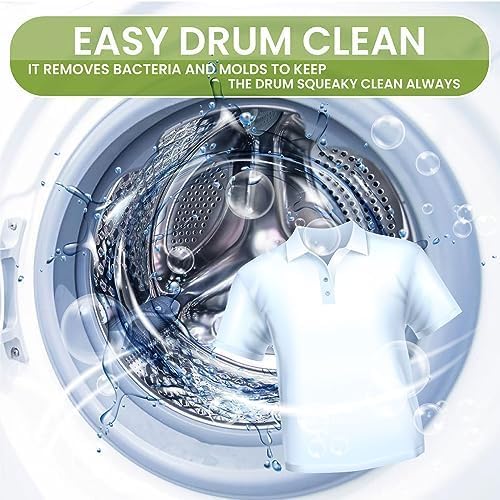
Image 5.1: Easy Drum Clean. This image highlights the 'Easy Drum Clean' feature, which helps remove bacteria and molds to keep the drum clean.
Use the dedicated 'Tub Clean' function (often accessible via the Temp button) periodically to clean the drum and remove any residue, bacteria, or odors. Follow the instructions on the control panel for this cycle.
5.2 Detergent Dispenser Cleaning
Remove the detergent dispenser drawer and rinse it under running water to remove any detergent or fabric softener buildup. Clean the housing of the dispenser as well. Reinsert the drawer once clean.
5.3 Drain Filter Cleaning
The drain filter should be cleaned regularly to prevent blockages and ensure proper drainage. Locate the filter cover at the bottom front of the machine, open it, and carefully remove the filter. Clean any lint or debris, then reinsert and secure the filter and cover.
5.4 Exterior Cleaning
Wipe the exterior surfaces of the washing machine with a soft, damp cloth. Do not use abrasive cleaners or solvents that could damage the finish.
6. Troubleshooting
Before contacting customer service, please refer to the following table for common issues and their solutions.
| Problem | Possible Cause | Solution |
|---|---|---|
| Machine does not start | Power cord unplugged; Door not closed properly; Program not selected; Start/Pause button not pressed. | Check power connection; Ensure door is latched; Select a program; Press Start/Pause. |
| Water not filling | Water tap closed; Water inlet hose kinked or blocked; Water pressure too low. | Open water tap; Straighten hose; Check water supply pressure. |
| Water not draining | Drain hose kinked or blocked; Drain filter clogged. | Straighten hose; Clean drain filter (refer to Section 5.3). |
| Excessive vibration/noise | Machine not level; Transport bolts not removed; Overloaded drum; Small items caught in pump. | Adjust leveling feet (Section 3.6); Remove transport bolts (Section 3.1); Reduce load size; Check drain filter for foreign objects. |
| Door not opening | Child Lock active; Water still in drum; Cycle not finished. | Deactivate Child Lock (Section 4.6); Select a drain/spin cycle; Wait for cycle to complete. |
| Error codes on display | Indicates a specific malfunction. | Refer to the full service manual or contact customer support with the specific error code. |
7. Specifications
Technical details for the Nikai NWM600FN7 Front Load Washing Machine:
| Feature | Specification |
|---|---|
| Model Number | NWM600FN7 |
| Capacity | 6 Kilograms |
| Maximum Spin Speed | 1000 RPM |
| Product Dimensions (D x W x H) | 48 x 59.5 x 85 cm |
| Item Weight | 70 Kilograms |
| Voltage | 240 Volts |
| Energy Efficiency Rating | A+ / 5 Star |
| Number of Programs | 12 |
| Drum Material | Stainless Steel |
| Finish Type | Chrome |
| Display Style | LED |
| Special Features | High Efficiency, Child Lock, Auto Imbalance Sensing & Control, Silent Operation, Water Saving Device |
8. Warranty and Support
Your Nikai washing machine is covered by a 1-year manufacturer's guarantee from the date of purchase. To extend this protection by an additional month, please register your product online through Nikai Customer Care.
For warranty claims, technical assistance, or any other inquiries, please contact Nikai Customer Care. Ensure you have your product model number (NWM600FN7) and proof of purchase available when contacting support.
For the most up-to-date contact information and support resources, please visit the official Nikai website or refer to the contact details provided with your purchase documentation.