
1. Introduction
The Hidrate Spark 3 Smart Water Bottle is designed to help you achieve your daily hydration goals by tracking your water intake and providing timely reminders. Its advanced sensor technology syncs with a free mobile application via Bluetooth, allowing you to monitor your progress and stay hydrated throughout the day. The bottle features a unique glow reminder system and is constructed from durable, BPA-free materials.

Image: The Hidrate Spark 3 Smart Water Bottle, showcasing its vibrant berry color and glowing reminder feature.
2. Setup Guide
2.1 Initial Battery Installation
The Hidrate Spark 3 uses a replaceable battery located at the bottom of the bottle. To install or replace the battery:
- Twist the sensor puck counter-clockwise from the bottom of the bottle to remove it.
- Insert the new battery (CR2477 coin cell) with the positive (+) side facing up.
- Align the sensor puck with the bottle's base and twist clockwise until securely fastened.
2.2 App Download and Pairing
To track your hydration, download the free Hidrate Spark app and pair your bottle:
- Download the Hidrate Spark app from your device's app store (available for iOS and Android).
- Open the app and create an account or log in.
- Follow the on-screen instructions to add a new bottle. Ensure your phone's Bluetooth is enabled.
- The app will guide you through the pairing process. Once connected, your bottle will begin syncing data.

Image: The Hidrate Spark 3 bottle positioned beside a smartphone, illustrating the seamless integration with the Hidrate Spark mobile application for tracking hydration.
3. Operating Instructions
3.1 Tracking Water Intake
The sensor in your Hidrate Spark 3 automatically tracks the amount of water you drink. Ensure the sensor puck is securely attached to the bottom of the bottle for accurate readings. Data is automatically synced to the app via Bluetooth when your phone is within range.
3.2 Glow Reminders
The bottle glows to remind you to drink water. You can customize the glow patterns and frequency within the Hidrate Spark app. The bottle will glow:
- At regular intervals you set in the app.
- When you are behind on your daily water goal.
- To celebrate when you reach your daily hydration goal.
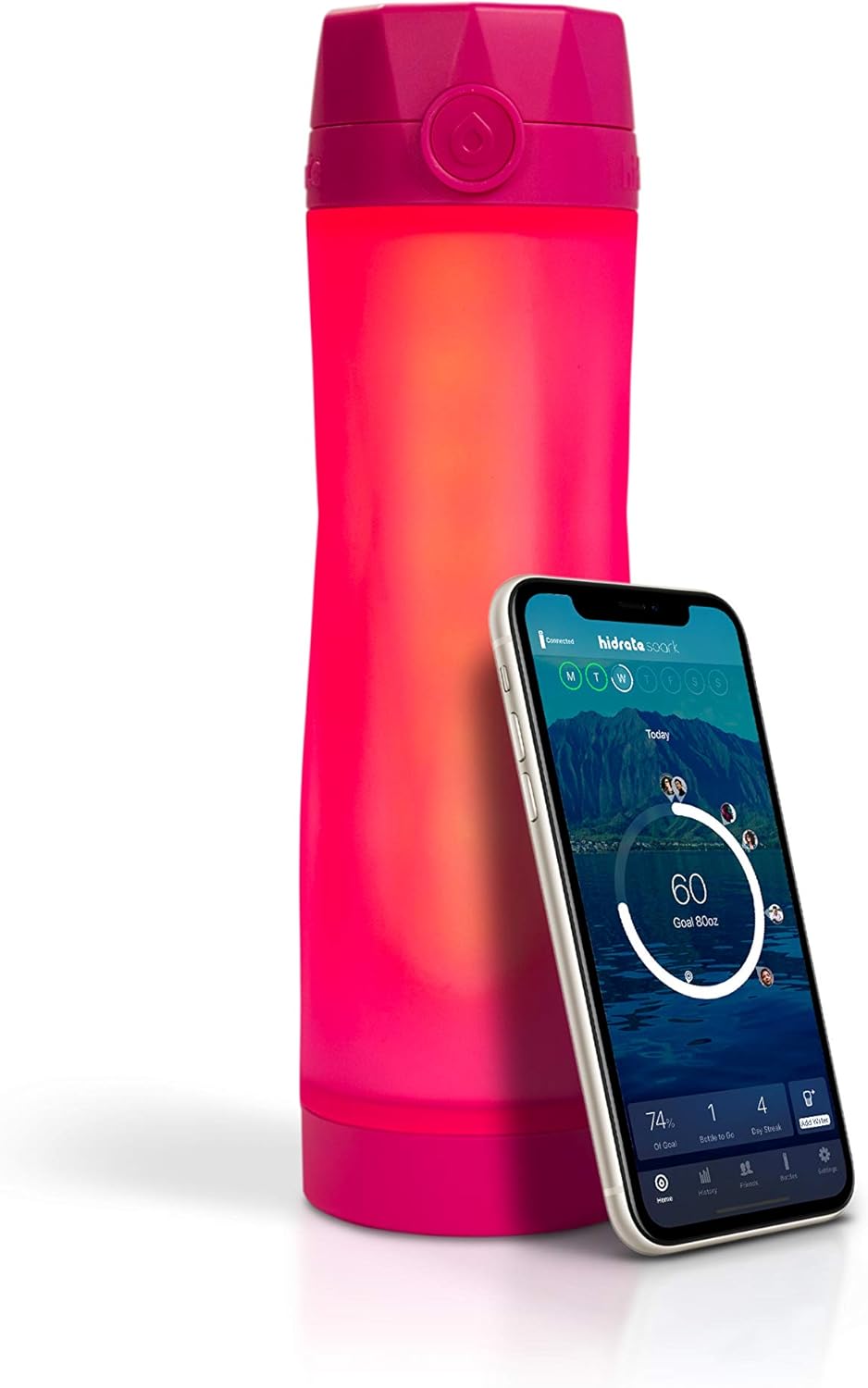
Image: The Hidrate Spark 3 bottle emitting a bright glow, indicating a reminder to drink water or a celebration of reaching a hydration goal.
4. Maintenance and Care
4.1 Cleaning Instructions
Proper cleaning ensures the longevity and hygiene of your Hidrate Spark 3 bottle:
- The lid and bottom ring are dishwasher safe (top rack recommended).
- The bottle body and sensor puck should be hand washed only. Do not submerge the sensor puck in water.
- Use warm, soapy water and a soft brush or sponge to clean the bottle body.
- Wipe the sensor puck with a damp cloth. Ensure it is completely dry before reattaching to the bottle.

Image: The Hidrate Spark 3 bottle with its lid open, demonstrating its design for easy cleaning and refilling.
4.2 Battery Replacement
When the battery life diminishes, the app will notify you. Refer to section 2.1 for detailed instructions on replacing the battery.
5. Troubleshooting
If you encounter issues with your Hidrate Spark 3, try the following steps:
- Bottle Not Syncing: Ensure Bluetooth is enabled on your phone and the bottle is within range. Close and reopen the app. Check the battery level in the app or replace the battery if needed.
- Inaccurate Readings: Ensure the sensor puck is clean and dry before attaching. Make sure it is securely twisted onto the bottle. Avoid placing the bottle on surfaces that might interfere with the sensor (e.g., soft or uneven surfaces).
- Bottle Not Glowing: Check the battery level. Verify glow settings in the app. Ensure the bottle is connected to the app.
- App Issues: Ensure your app is updated to the latest version. Try force-closing and reopening the app. If problems persist, reinstall the app (your data is saved to your account).
For further assistance, please visit the Hidrate Spark support website or contact their customer service.
6. Specifications
| Feature | Detail |
|---|---|
| Brand | Hidrate Spark |
| Model Name | Hidrate Spark |
| Model Number | HI-003-006B-Amazon_SML |
| Material | Plastic (BPA Free) |
| Color | Berry |
| Capacity | 20 Ounces (approx. 1.3 Pounds) |
| Special Feature | BPA Free, Dishwasher Safe (Lid & Ring), Smart Tracking, Glow Reminders |
| Product Care Instructions | Fridge Safe, Hand Wash Only (Body & Sensor) |
| Item Package Dimensions | 11.1 x 3.23 x 3.15 inches |
| UPC | 815105021566, 815105020743 |
7. Warranty and Support
For information regarding product warranty, please refer to the documentation included with your purchase or visit the official Hidrate Spark website. For technical support, frequently asked questions, or to contact customer service, please visit the Hidrate Spark support portal online. Ensure you have your model number and purchase details ready when seeking support.

