
Introduction
The Kalorik TKG SVC 1000 is a versatile 4-in-1 cleaning appliance designed for comprehensive home cleaning. It functions as a dust vacuum, wet vacuum, water filtration vacuum, and a carpet shampooer. This manual provides essential information for the safe and effective use, setup, operation, and maintenance of your appliance.
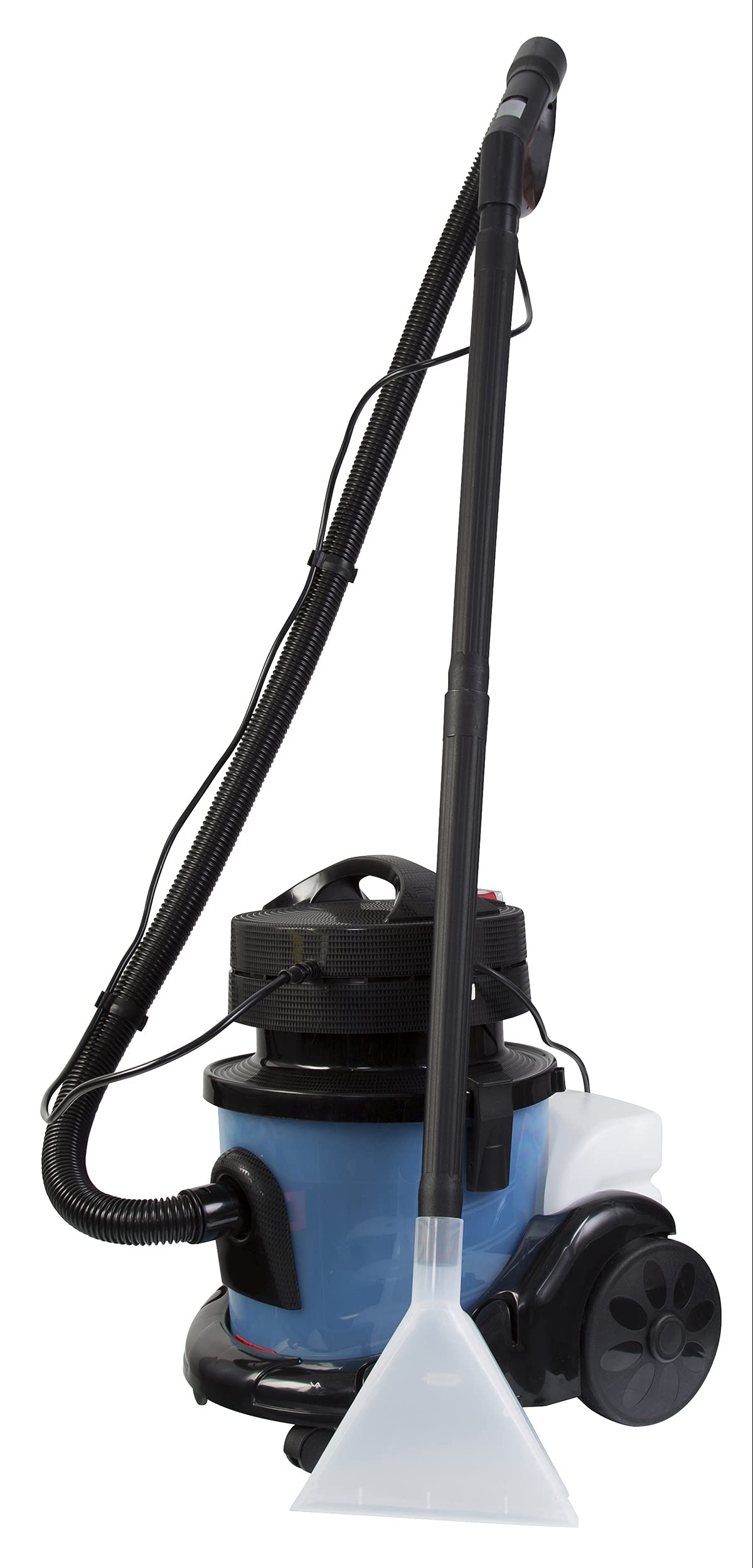
Image: The Kalorik TKG SVC 1000 main unit, showcasing its compact design and hose attachment.
Safety Instructions
Before operating the appliance, please read and understand all safety instructions. Failure to follow these instructions may result in electric shock, fire, or serious injury.
- Always ensure the appliance is unplugged before assembly, disassembly, or cleaning.
- Do not immerse the motor unit in water or other liquids.
- Keep children and pets away from the appliance during operation.
- Do not use the appliance to pick up flammable or combustible liquids, hot ashes, or sharp objects.
- Inspect the power cord and plug for damage before each use. Do not use if damaged.
- Use only manufacturer-recommended attachments and accessories.
Package Contents
Carefully unpack your Kalorik TKG SVC 1000 and ensure all components are present. The package should include:
- TKG SVC 1000 Main Unit
- Flexible Hose
- Adjustable Extension Tubes (2 pieces)
- Classic Floor Brush
- Mini Floor Brush
- Shampooer Floor Brush
- Precision Shampooer Mini-Brush
- Flat Crevice Tool
- Reusable Cloth Dust Bag (10 L capacity)
- Sponge Filters
- Carpet Shampoo (sample)
- Interior Fragrance (sample)
- Foam Reducer (sample)
- User Manual

Image: All included accessories, including various brushes, extension tubes, dust bag, and cleaning solutions.
Setup
Follow these steps to prepare your TKG SVC 1000 for use:
- Unpacking: Remove all components from the packaging.
- Attaching the Hose: Insert the flexible hose into the suction inlet on the main unit until it clicks securely into place.
- Assembling Extension Tubes and Brushes: Connect the adjustable extension tubes to the hose handle. Attach the desired cleaning brush (e.g., classic floor brush for dry vacuuming, shampooer floor brush for wet cleaning) to the end of the extension tube.
- For Dry Vacuuming: Ensure the reusable cloth dust bag is correctly installed inside the main tank. The sponge filters should also be in place.
- For Wet Vacuuming/Shampooing: Remove the dust bag. For water filtration vacuuming, fill the main tank with water up to the indicated level. For shampooing, fill the 5-liter water tank located on the side of the unit with clean water and a small amount of the provided carpet shampoo. Do not overfill.
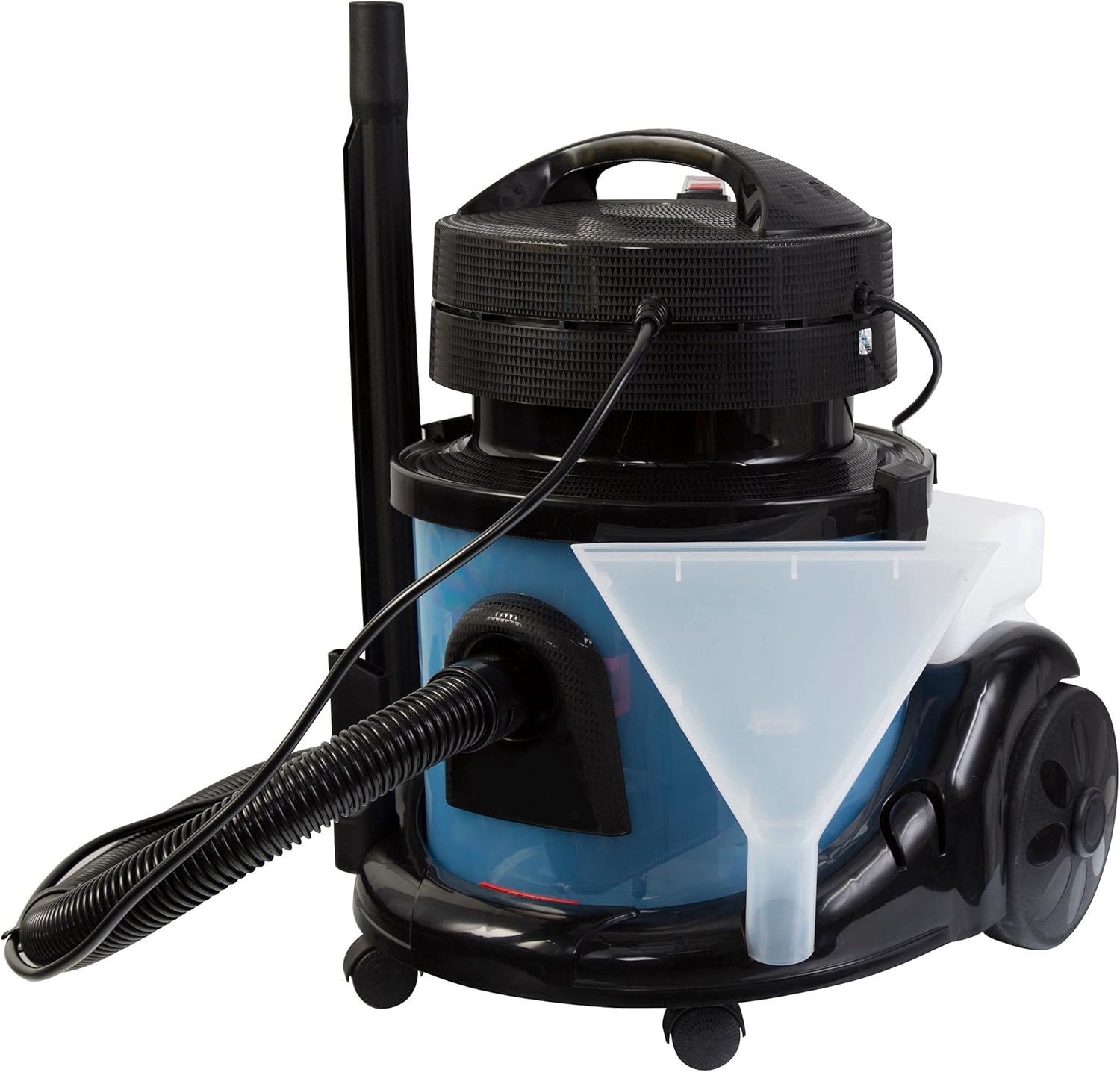
Image: The Kalorik TKG SVC 1000 with a funnel inserted into the shampooer water tank, illustrating the filling process.
Operating Instructions
The TKG SVC 1000 offers multiple cleaning modes. Select the appropriate mode based on your cleaning needs.
Dry Vacuuming (Dust Vacuum)
- Ensure the cloth dust bag and sponge filters are correctly installed.
- Attach the classic floor brush or mini floor brush to the extension tube.
- Plug the appliance into a suitable power outlet.
- Press the 'ON' switch on the top of the unit to start the vacuum motor.
- Vacuum surfaces as needed.
- After use, switch off the appliance and unplug it.
Wet Vacuuming (Water Filtration Vacuum)
This mode is ideal for capturing fine dust, pollen, and allergens by trapping them in water.
- Remove the cloth dust bag.
- Fill the main tank with clean water up to the indicated maximum level.
- Ensure sponge filters are in place.
- Attach the classic floor brush or mini floor brush.
- Plug in and press the 'ON' switch.
- Vacuum surfaces. The dirt will be collected in the water.
- After use, switch off, unplug, and empty the dirty water tank immediately.

Image: Front view of the Kalorik TKG SVC 1000, highlighting the vacuum intake port for various cleaning modes.
Shampooing Mode
Use this mode for deep cleaning carpets, rugs, upholstery, and other textiles.
- Ensure the cloth dust bag is removed.
- Fill the 5-liter shampooer water tank with clean water and the recommended amount of carpet shampoo. Add foam reducer if necessary.
- Attach the shampooer floor brush or precision shampooer mini-brush.
- Plug in the appliance.
- Press the 'ON' switch for the vacuum motor and the 'PUMP' switch to activate the water spray function.
- Spray the cleaning solution onto the surface by pressing the trigger on the hose handle, then vacuum it up immediately. Work in small sections.
- For heavily soiled areas, you may spray and let the solution sit for a few minutes before vacuuming.
- After cleaning, you may rinse the surface by spraying clean water (without shampoo) and vacuuming it up.
- Switch off both 'ON' and 'PUMP' switches, then unplug the appliance.

Image: Top view of the Kalorik TKG SVC 1000, clearly showing the 'ON' switch for vacuum and 'PUMP' switch for shampooing functions.
Maintenance
Regular maintenance ensures optimal performance and extends the life of your appliance.
- Emptying Tanks: After each wet use, immediately empty and rinse the dirty water tank. For shampooing, also empty and rinse the clean water tank.
- Cleaning Filters: Regularly clean the sponge filters by rinsing them under running water. Allow them to air dry completely before reinserting. For dry vacuuming, empty the cloth dust bag when full and shake out any remaining dust.
- Cleaning Accessories: Rinse all brushes and nozzles after wet use. Remove any hair or debris from brushes.
- Storage: Store the appliance and its accessories in a dry, cool place, away from direct sunlight and extreme temperatures. Ensure all tanks are empty and dry before storage.
Troubleshooting
If you encounter issues with your TKG SVC 1000, refer to the following common problems and solutions:
| Problem | Possible Cause | Solution |
|---|---|---|
| Appliance does not turn on | No power supply; Power cord or plug damaged | Check power outlet; Inspect cord/plug for damage. Contact service if damaged. |
| Low suction power | Hose or nozzle blocked; Dust bag full (dry vacuum); Filters clogged; Tank overfilled (wet vacuum) | Check and clear blockages; Empty/clean dust bag; Clean filters; Empty excess water. |
| No water spray (shampooer) | Water tank empty; Pump switch not activated; Spray nozzle blocked | Refill water tank; Ensure 'PUMP' switch is ON; Clean spray nozzle. |
| Water leaks from unit | Tank not properly sealed; Overfilled tank; Float valve stuck | Ensure tank lid is secure; Do not overfill; Check float valve for obstructions. |
| Handle/Tube breakage | Excessive force during assembly/use; Material fatigue | Handle with care during assembly and use. Replacement parts may be available from manufacturer support. |
Specifications
| Feature | Specification |
|---|---|
| Model Name | TKG SVC 1000 |
| Brand | Kalorik |
| Power | 1400 W |
| Shampooer Water Tank Capacity | 5 Liters |
| Dust Bag Capacity | 10 Liters |
| Cable Length | 5 Meters |
| Weight | 10 Kilograms |
| Wheels | 4 (2 swivel 360°) |
| Included Components | Vacuum, Brushes, Filter, User Manual, Crevice Tool |
Warranty and Support
This Kalorik TKG SVC 1000 appliance comes with a 2-year warranty from the date of purchase, covering manufacturing defects. Please retain your proof of purchase for warranty claims.
For technical assistance, troubleshooting beyond this manual, or to inquire about replacement parts, please contact Kalorik customer support. Refer to the contact information provided on the Kalorik official website or your purchase documentation.
Online Support: Visit the official Kalorik website for FAQs and support resources.