Introduction
This manual provides essential instructions for the proper use, setup, and maintenance of your Krash! Bluetooth Speaker Multisport Helmet. This helmet is designed for youth aged 8 and older, fitting head circumferences between 54-58 cm, and features an integrated Bluetooth speaker for audio playback.
Please read this manual thoroughly before using the helmet to ensure safety and optimal performance.
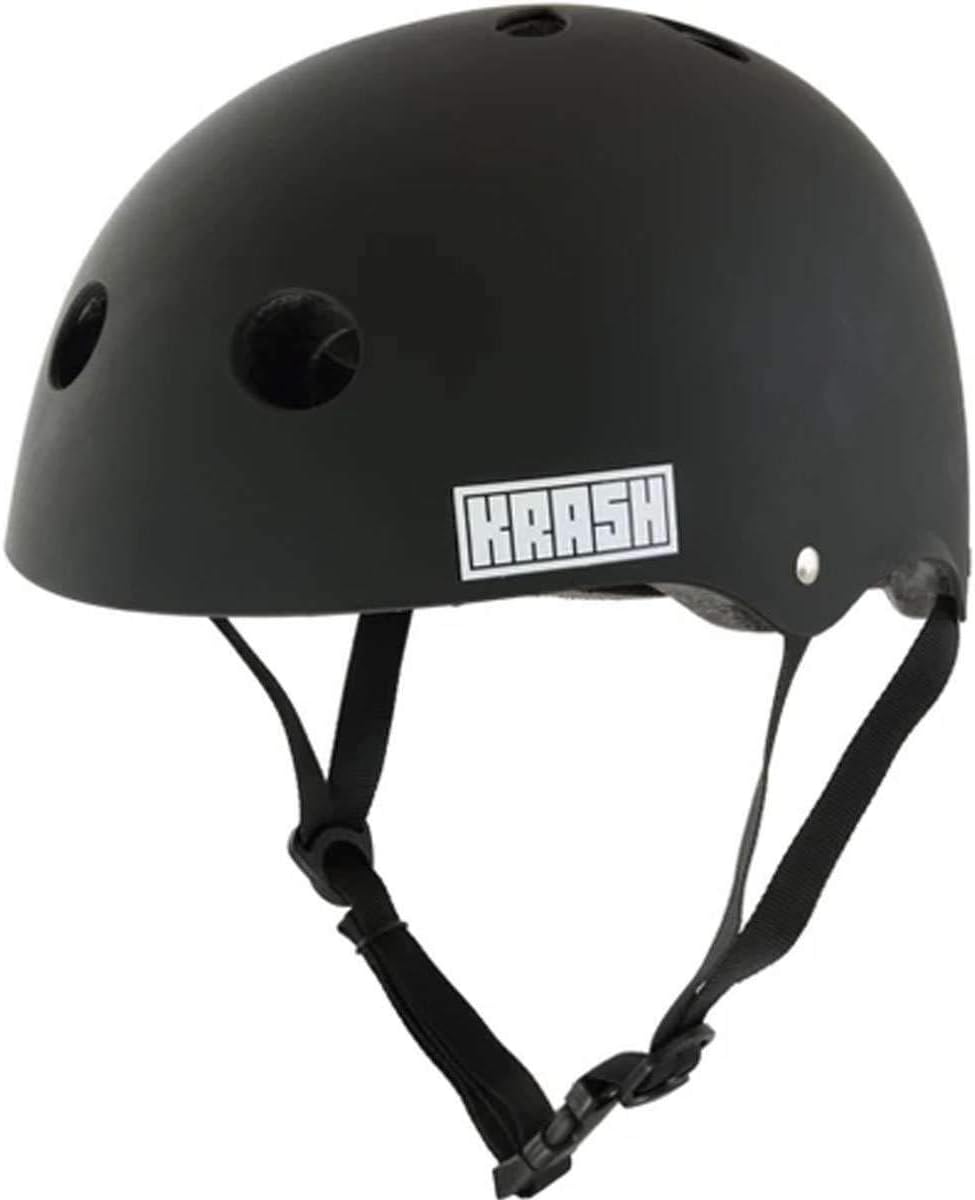
Image 1: Front view of the Krash! Bluetooth Speaker Multisport Helmet. The helmet is matte black with the 'KRASH' logo on the side.
Safety Information
Your Krash! Bluetooth Speaker Multisport Helmet complies with the U.S. CPSC Safety Standard for Bicycle Helmets for Persons Age 5 and Older, and the U.S. ASTM Safety Standard for multi-impact Skateboard Helmets. Adherence to these standards ensures a level of protection for the user.
- Always ensure the helmet fits securely and comfortably. An improperly fitted helmet may not provide adequate protection.
- This helmet is intended for cycling, inline skating, and skateboarding. It is not designed for motorized sports or other activities.
- Inspect the helmet for any damage before each use. Do not use a damaged helmet.
- Never modify the helmet or its components. Modifications can compromise its protective capabilities.
- Be aware of your surroundings when using the Bluetooth speaker. Maintain awareness of traffic and other hazards.
Package Contents
Verify that all items are present in the package:
- One (1) Krash! Bluetooth Speaker Multisport Helmet
- One (1) USB charging cord
Product Features
- Integrated wireless Bluetooth speaker for audio playback.
- USB rechargeable Lithium Ion battery embedded in the rear of the helmet.
- Audio controls (volume, skip songs, navigate playlist) managed directly from your connected device.
- Designed for multisport use including cycling, inline skating, and skateboarding.
- Complies with U.S. CPSC and ASTM safety standards.
Setup
1. Helmet Fitting
Proper helmet fit is crucial for safety. This helmet is designed for head circumferences between 54-58 cm.
- Measure Head Circumference: Use a flexible tape measure to measure around the largest part of your head, approximately 1 inch above your eyebrows.
- Position the Helmet: Place the helmet squarely on your head, ensuring it covers your forehead. It should not be tilted back or forward.
- Adjust Straps: Adjust the side straps so they form a 'V' shape just below your ears. The chin strap should be snug but comfortable, allowing you to open your mouth wide.
- Check for Movement: With the chin strap fastened, shake your head. The helmet should not move excessively from side to side or front to back.
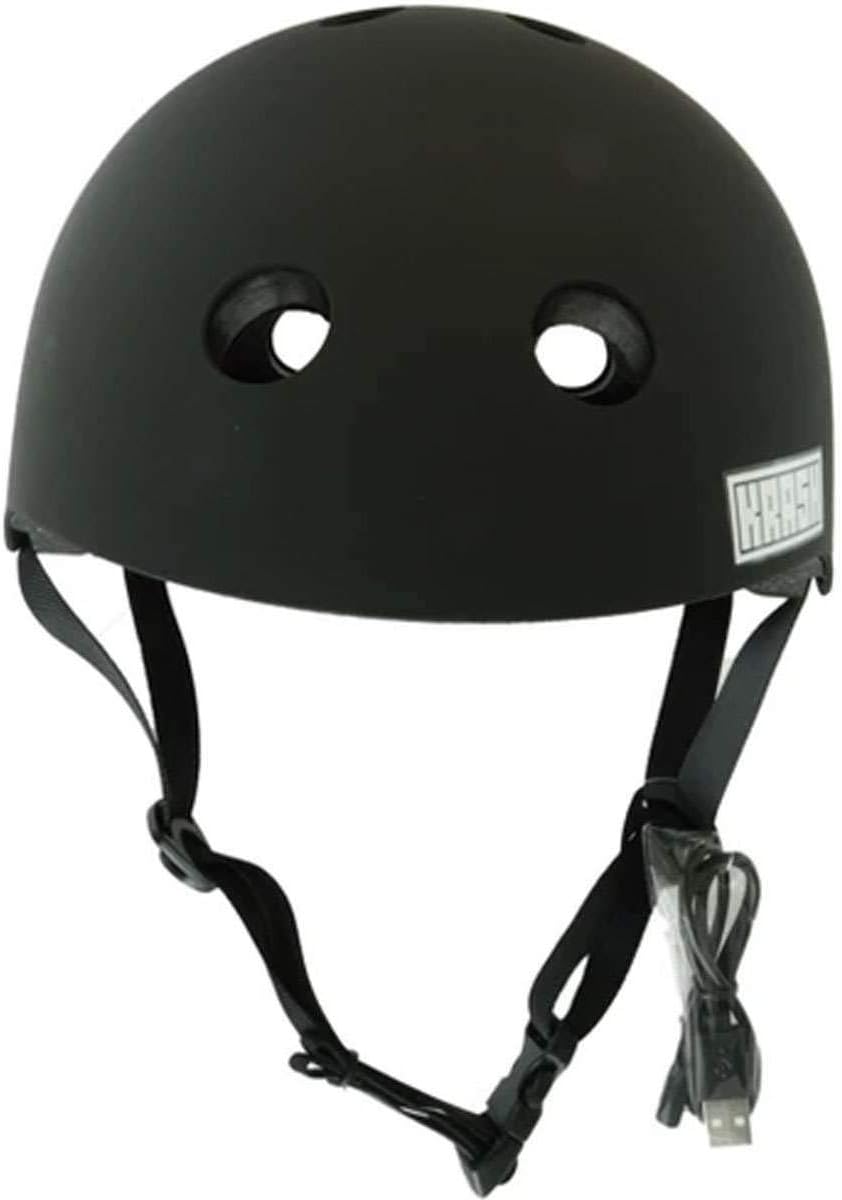
Image 2: Side view of the helmet showing the adjustable chin straps and ear loops, essential for proper fitting.
2. Charging the Bluetooth Speaker
The helmet features a built-in rechargeable Lithium Ion battery for the Bluetooth speaker.
- Locate Charging Port: The USB charging port is embedded in the rear interior of the helmet.
- Connect USB Cable: Insert the small end of the included USB charging cord into the helmet's charging port.
- Connect to Power: Plug the larger end of the USB cable into a standard USB power adapter (not included) or a computer's USB port.
- Charging Time: Allow 30 minutes to 1 hour for a full charge. A full charge provides approximately 3 hours of audio playback.

Image 3: Close-up view of the internal USB charging port located within the helmet's padding.
3. Bluetooth Pairing
To connect your audio device to the helmet's speaker:
- Power On: Ensure the helmet's Bluetooth speaker is powered on. (Specific power button location not provided, typically a small button near the charging port or speaker unit).
- Activate Bluetooth on Device: On your smartphone or audio device, go to the Bluetooth settings and ensure Bluetooth is enabled.
- Search for Devices: Your device will scan for available Bluetooth devices. Look for a device named similar to "Krash Helmet" or a specific model identifier.
- Pair: Select the helmet from the list of available devices to initiate pairing. Once connected, your device will indicate a successful pairing.
Operating Instructions
Once paired, you can control audio playback directly from your connected device.
- Play/Pause: Use the play/pause function on your device.
- Volume Control: Adjust the volume using your device's volume controls.
- Skip Tracks: Navigate through your playlist using the skip forward/backward functions on your device.
- Power Off: To conserve battery, power off the helmet's Bluetooth speaker when not in use.
Maintenance
Cleaning the Helmet
To clean your helmet:
- Use a soft cloth dampened with mild soap and water.
- Avoid harsh chemicals, solvents, or abrasive cleaners, as these can damage the helmet's finish and materials.
- Allow the helmet to air dry completely before storage or next use.
Storage
Store the helmet in a cool, dry place away from direct sunlight and extreme temperatures. Do not place heavy objects on top of the helmet.
Troubleshooting
- No Power/Speaker Not Turning On: Ensure the battery is fully charged. Connect the helmet to the USB charging cable and allow sufficient charging time.
- Bluetooth Not Connecting:
- Ensure the helmet's Bluetooth speaker is powered on and in pairing mode.
- Verify Bluetooth is enabled on your audio device.
- Move your device closer to the helmet.
- Try unpairing and re-pairing the device.
- Ensure no other devices are currently connected to the helmet.
- Low Audio Volume: Adjust the volume on your connected audio device. Ensure the helmet's speaker is not obstructed. Note that the speaker volume is designed to allow awareness of ambient sounds for safety.
- Charging Port Loose/Damaged: If the charging port appears loose or damaged, discontinue use and contact customer support.
Specifications
| Feature | Specification |
|---|---|
| Brand | Krash |
| Model Name | Krash! Bluetooth Speaker Multisport Helmet |
| Model Number | 7105089 |
| Color | Black |
| Age Range | Teen (Recommended for 8+) |
| Size | One Size (54-58cm Head Circumference) |
| Special Feature | Bluetooth Speaker |
| Outer Material | Polyvinyl Chloride (PVC) |
| Inner Material | Foam |
| Recommended Uses | Cycling, Inline Skating, Skateboarding |
| Battery Type | Lithium Ion (Rechargeable) |
| Charging Time | 30 minutes - 1 hour |
| Playback Time | Up to 3 hours |
| Safety Standards | U.S. CPSC (Age 5+), U.S. ASTM (Multi-impact Skateboard) |
| UPC | 847268018459 |
Warranty and Support
Information regarding specific warranty terms and customer support contact details for the Krash! Bluetooth Speaker Multisport Helmet is not available in the provided product data. Please refer to the product packaging or the manufacturer's official website for this information.