
1. Introduction
This manual provides instructions for the proper setup, operation, and maintenance of your Ohaus CR5200 Compass Series Portable Balance. Please read this manual thoroughly before using the balance to ensure correct operation and to prevent damage.
The Ohaus CR5200 is a portable digital balance designed for accurate weighing with a capacity of 5200 grams and a readability of 1 gram. It supports multiple weighing units including grams (g), ounces (oz), pounds:ounces (lb:oz), troy ounces (ozt), and pennyweights (dwt).

Image 1.1: Top view of the Ohaus CR5200 Compass Series Portable Balance, showing the display and control buttons.
2. Safety Information
- Operate the balance on a stable, level surface free from vibrations and drafts.
- Avoid exposing the balance to extreme temperatures, humidity, or direct sunlight.
- Do not overload the balance beyond its maximum capacity of 5200 grams.
- Keep the balance clean and free from dust and debris.
- Use only the specified power source (3 AA batteries or compatible AC adapter).
3. Setup
3.1 Unpacking
Carefully remove the balance from its packaging. Inspect the balance for any signs of damage. Retain the packaging for future transport or storage.
3.2 Powering the Balance
The Ohaus CR5200 can be powered by three AA alkaline batteries or an external AC adapter (not included, but compatible with the side power port).
Battery Installation:
- Locate the battery compartment on the underside of the balance.
- Open the battery compartment cover.
- Insert three AA alkaline batteries, ensuring correct polarity (+/-).
- Close the battery compartment cover securely.

Image 3.1: Underside view of the balance with the battery compartment open, showing three AA batteries installed.
External Power Connection:
If using an AC adapter, connect it to the power input port located on the side of the balance. Ensure the adapter meets the specified voltage and current requirements (e.g., 12V 0.5A).

Image 3.2: Side view of the balance, highlighting the external power input port.
3.3 Placement
Place the balance on a firm, level, and stable surface. Avoid locations near air vents, windows, or equipment that generates vibrations or electromagnetic interference.
4. Operating Instructions
4.1 Power On/Off
- To power on: Press the [ON/OFF] button. The display will show a self-test sequence and then settle at 0.0 g.
- To power off: Press and hold the [ON/OFF] button until the display turns off.
4.2 Selecting Weighing Units
The balance supports multiple weighing units: grams (g), ounces (oz), pounds:ounces (lb:oz), troy ounces (ozt), and pennyweights (dwt).
- To change the weighing unit: Press the [UNIT] button (often labeled with 'g' and an arrow). Each press cycles through the available units.
4.3 Tare Function
The tare function allows you to zero out the weight of a container, so only the weight of the contents is measured.
- Place the empty container on the weighing pan. The display will show its weight.
- Press the [TARE/ZERO] button (often labeled with '→0←'). The display will reset to 0.0.
- Add the material to be weighed into the container. The display will show the net weight of the material.
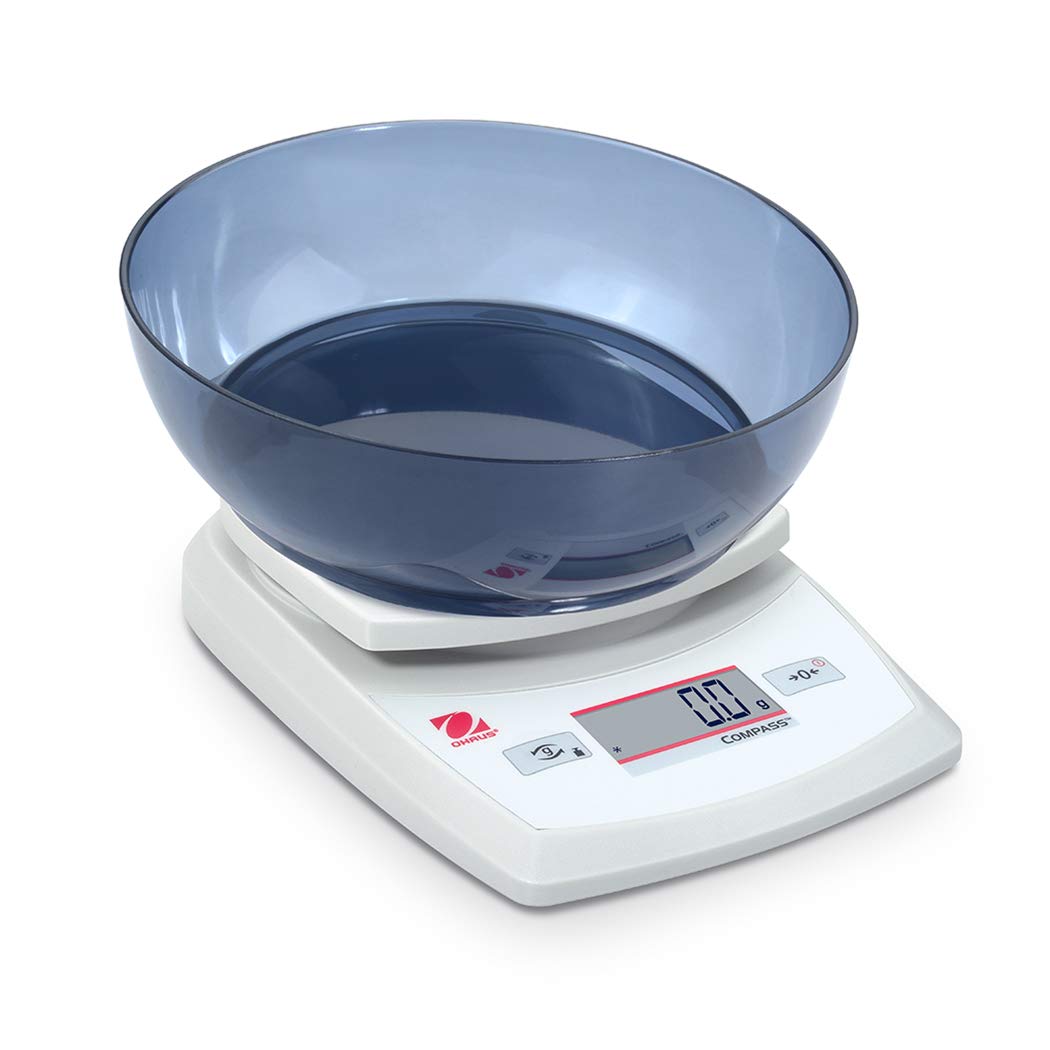
Image 4.1: The balance with an empty bowl on the weighing pan, ready for the tare function.
4.4 Basic Weighing
- Ensure the balance is powered on and the display shows 0.0 in the desired weighing unit.
- Carefully place the item to be weighed onto the center of the weighing pan.
- Wait for the display to stabilize. The stable weight will be shown.
- Remove the item from the pan.
4.5 External Calibration
The Ohaus CR5200 features external calibration. This process requires a known calibration weight (not included) to ensure accuracy. Refer to the full Ohaus CR Series manual for detailed calibration procedures specific to your model.

Image 4.2: The balance with a cylindrical calibration weight placed on the weighing pan.
5. Maintenance
5.1 Cleaning
- Wipe the balance exterior with a soft, damp cloth. Do not use abrasive cleaners or solvents.
- Ensure no liquids enter the balance housing or display.
- Keep the weighing pan clean to ensure accurate readings.
5.2 Battery Replacement
When the battery indicator appears on the display, replace the three AA alkaline batteries as described in Section 3.2.
5.3 Storage
When not in use for extended periods, remove the batteries to prevent leakage. Store the balance in a dry, dust-free environment. The Ohaus CR5200 is designed for portability and can be stored in a protective case (if available).

Image 5.1: The Ohaus CR5200 balance shown alongside its protective carrying case.
6. Troubleshooting
| Problem | Possible Cause | Solution |
|---|---|---|
| Balance does not turn on. | Dead or incorrectly installed batteries; no AC power. | Replace batteries or check AC adapter connection. Ensure correct battery polarity. |
| Inaccurate or unstable readings. | Unstable surface; drafts; electromagnetic interference; balance needs calibration. | Move balance to a stable, level surface. Shield from drafts. Recalibrate the balance (refer to Section 4.5). |
| Display shows "Err" or error code. | Overload; internal error. | Remove excess weight if overloaded. Power cycle the balance. If error persists, contact Ohaus support. |
| Tare function not working. | Balance not stable; button not pressed correctly. | Ensure balance is stable and display is settled. Press the TARE/ZERO button firmly. |
7. Specifications
| Feature | Specification |
|---|---|
| Model Number | CR5200 |
| Capacity | 5200 g (5.2 kg) |
| Readability | 1 g |
| Weighing Units | g, oz, lb:oz, ozt, dwt |
| Calibration Type | External |
| Power Source | 3 AA alkaline batteries (included) or AC adapter (not included) |
| Display Type | Digital |
| Material | Plastic |
| Product Dimensions (L x W x H) | 23.62 x 17.02 x 5.59 cm |
| Item Weight | 408.23 g (approx. 14.4 ounces) |
| Special Features | Portable |
8. Warranty and Support
For warranty information, technical support, or service inquiries, please contact Ohaus customer service or visit the official Ohaus website. Keep your purchase receipt as proof of purchase.


