
1. Introduction
This manual provides detailed instructions for the installation, configuration, and operation of your FLASHOWL AC600 Outdoor Dual Band WiFi Repeater/Access Point. This device is designed to extend your wireless network coverage in outdoor environments, offering versatile functionality as a Repeater, Router, Access Point, or WISP.
The AC600 features dual-band connectivity (2.4GHz and 5GHz) and is built with a weatherproof design, making it suitable for various outdoor applications.
2. Important Safety Information
Please read and follow these safety guidelines to ensure proper operation and prevent damage to the device or injury.
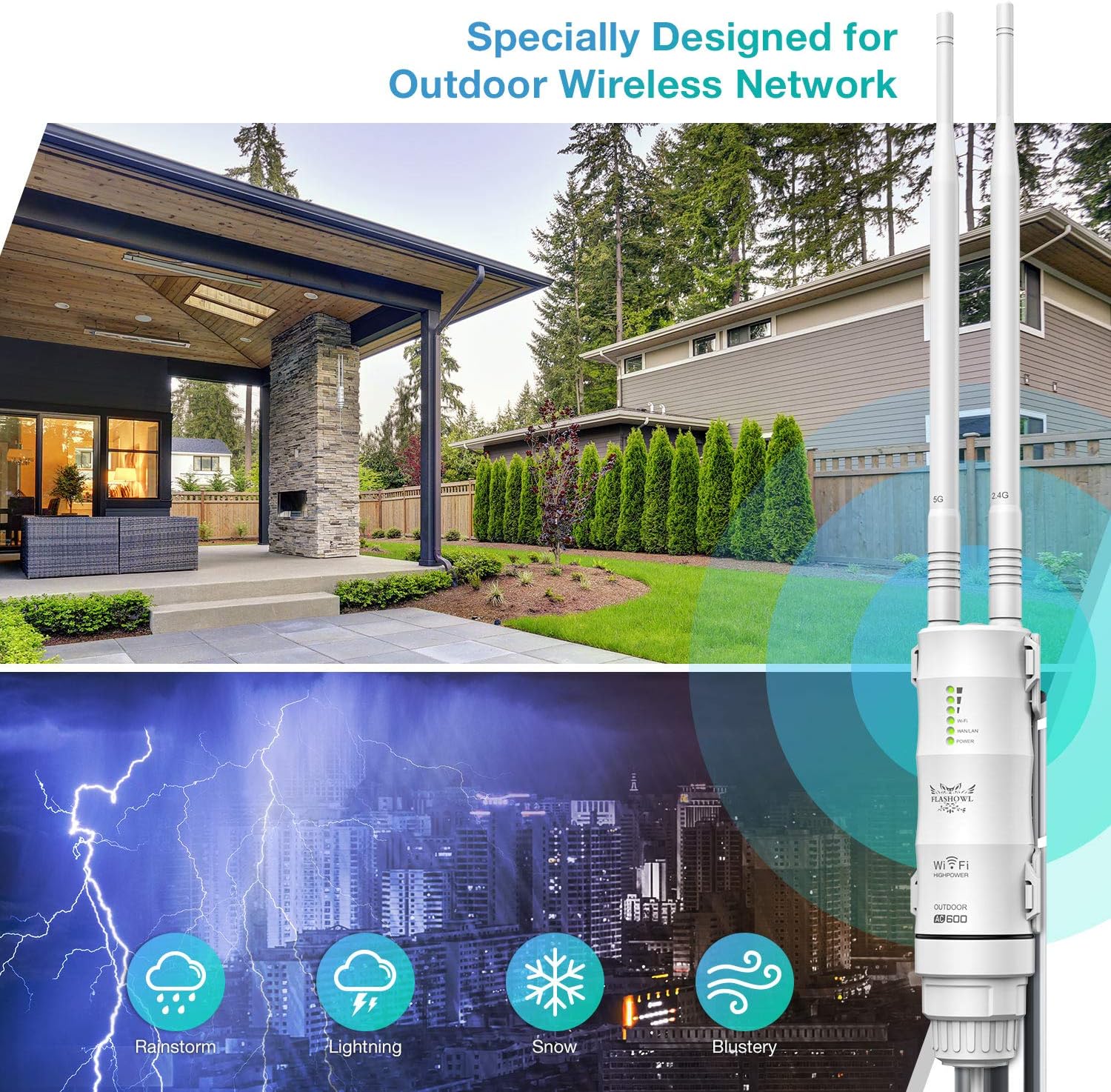
- Weather Protection: The device features an IP65 weatherproof enclosure and 4KV lightning protection. However, ensure all cable connections are properly sealed to maintain water resistance.
- Temperature Range: The device is designed to operate in extreme temperatures from -30°C to 70°C (-22°F to 158°F). Avoid exposing it to temperatures outside this range.
- Power Over Ethernet (PoE): Use only the provided PoE adapter and cables. Do not connect the device directly to a standard Ethernet port without the PoE injector, as this may cause damage.
- Mounting: Mount the device securely to prevent it from falling. Avoid placing it too close to metallic surfaces that could interfere with signal transmission.
- Lightning Protection: While equipped with lightning protection, consider additional external surge protection for installations in areas prone to severe thunderstorms.
- Antenna Installation: Ensure antennas are securely screwed into place. Do not overtighten.
3. Package Contents
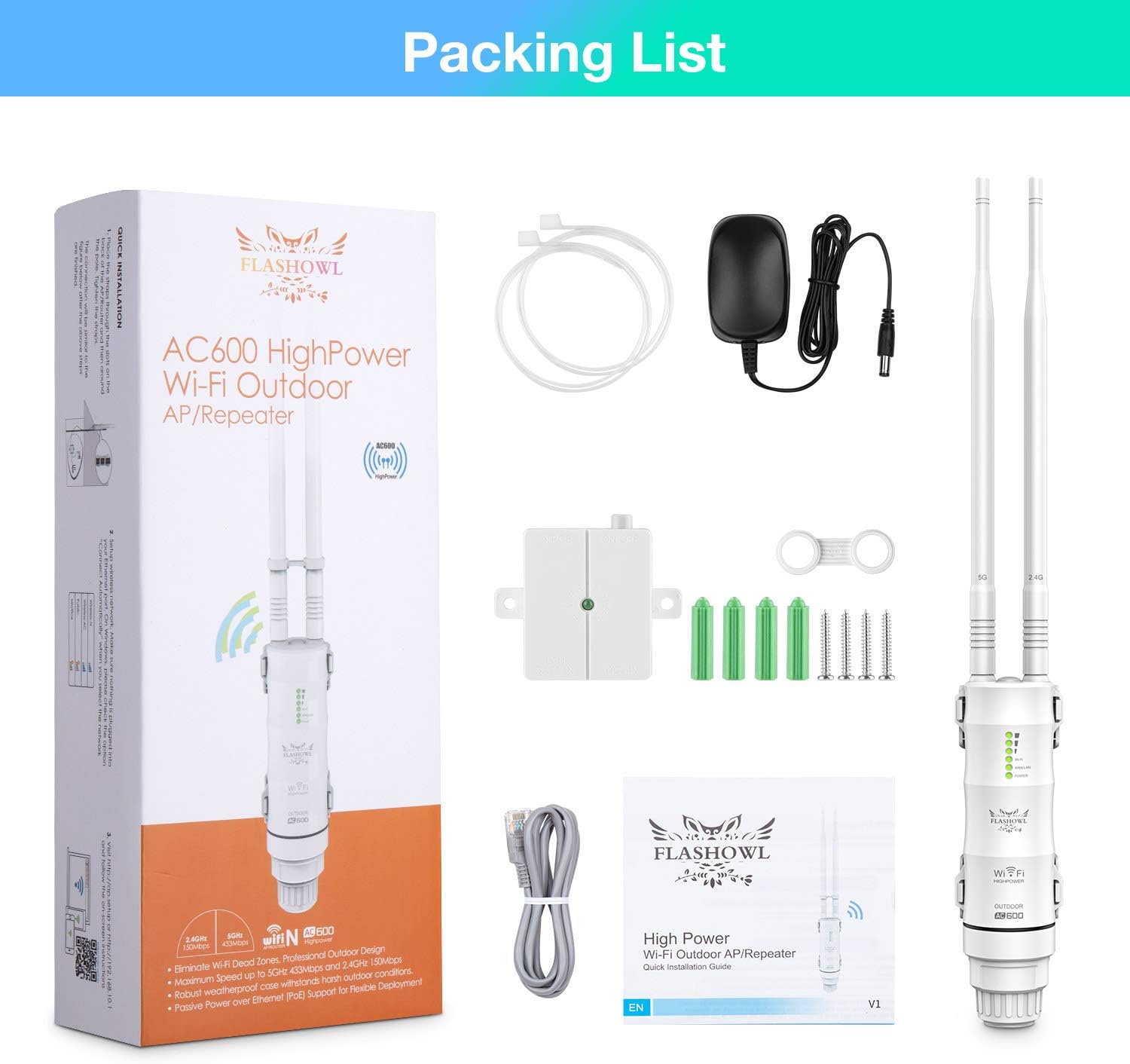
Verify that all items are present in your package:
- 1 x FLASHOWL AC600 WiFi Repeater/Access Point Unit
- 2 x Detachable Omni-directional Antennas (2.4GHz and 5GHz)
- 1 x Power Adapter
- 1 x PoE Converter/Injector
- 1 x RJ-45 Network Cable (approx. 1 meter)
- 1 x Body Holder (Mounting Bracket)
- Mounting Screws and Wall Plugs
- User Manual
4. Product Overview
Familiarize yourself with the components and interfaces of your AC600 device.

4.1. Physical Components
- Main Unit: The central processing unit with internal circuitry and ports.
- Antennas: Two detachable omni-directional antennas for 2.4GHz and 5GHz bands. These provide high gain for extended range.
- LED Indicators: Status lights for Power, WLAN, WAN/LAN, and Signal Strength.
- WAN/LAN Port: A Gigabit Ethernet port located at the bottom, used for both data and Power over Ethernet (PoE) input.
- Reset Button: A small button located near the WAN/LAN port, used to restore factory default settings.
4.2. Dimensions

5. Installation
Follow these steps to physically install your FLASHOWL AC600 device.
5.1. Mounting the Device
- Choose a Location: Select an outdoor location that provides optimal signal coverage to your desired area. Consider height and line-of-sight for best performance. The device is designed for outdoor use in various weather conditions.
- Attach Mounting Bracket: Secure the body holder (mounting bracket) to a pole or wall using the provided screws and wall plugs.
- Attach Device to Bracket: Slide the main unit onto the mounting bracket until it clicks securely into place.

5.2. Connecting Antennas
Carefully screw the two provided antennas onto the connectors at the top of the main unit. Ensure they are finger-tight but do not overtighten.
5.3. Powering the Device (PoE)
- Connect one end of the RJ-45 network cable to the WAN/LAN port at the bottom of the AC600 unit. Ensure the waterproof seal is correctly seated around the cable.
- Connect the other end of this network cable to the 'PoE' port on the PoE converter/injector.
- Connect another RJ-45 network cable from the 'LAN DATA IN' port on the PoE converter/injector to your existing router or network switch.
- Plug the power adapter into the PoE converter/injector, then plug the power adapter into a standard electrical outlet. The device will power on.

6. Configuration
After physical installation, you need to configure the device via its web interface.
6.1. Accessing the Web Interface
- Connect your computer directly to the 'LAN DATA IN' port of the PoE converter using an Ethernet cable, or connect to the device's default Wi-Fi network (SSID and password usually found on a sticker on the device or in the quick start guide).
- Open a web browser and enter the default IP address (e.g.,
192.168.10.1or as specified in the quick start guide) into the address bar. - Enter the default username and password (e.g.,
admin/admin) when prompted. It is highly recommended to change the default password immediately after logging in for security.
6.2. Selecting an Operating Mode
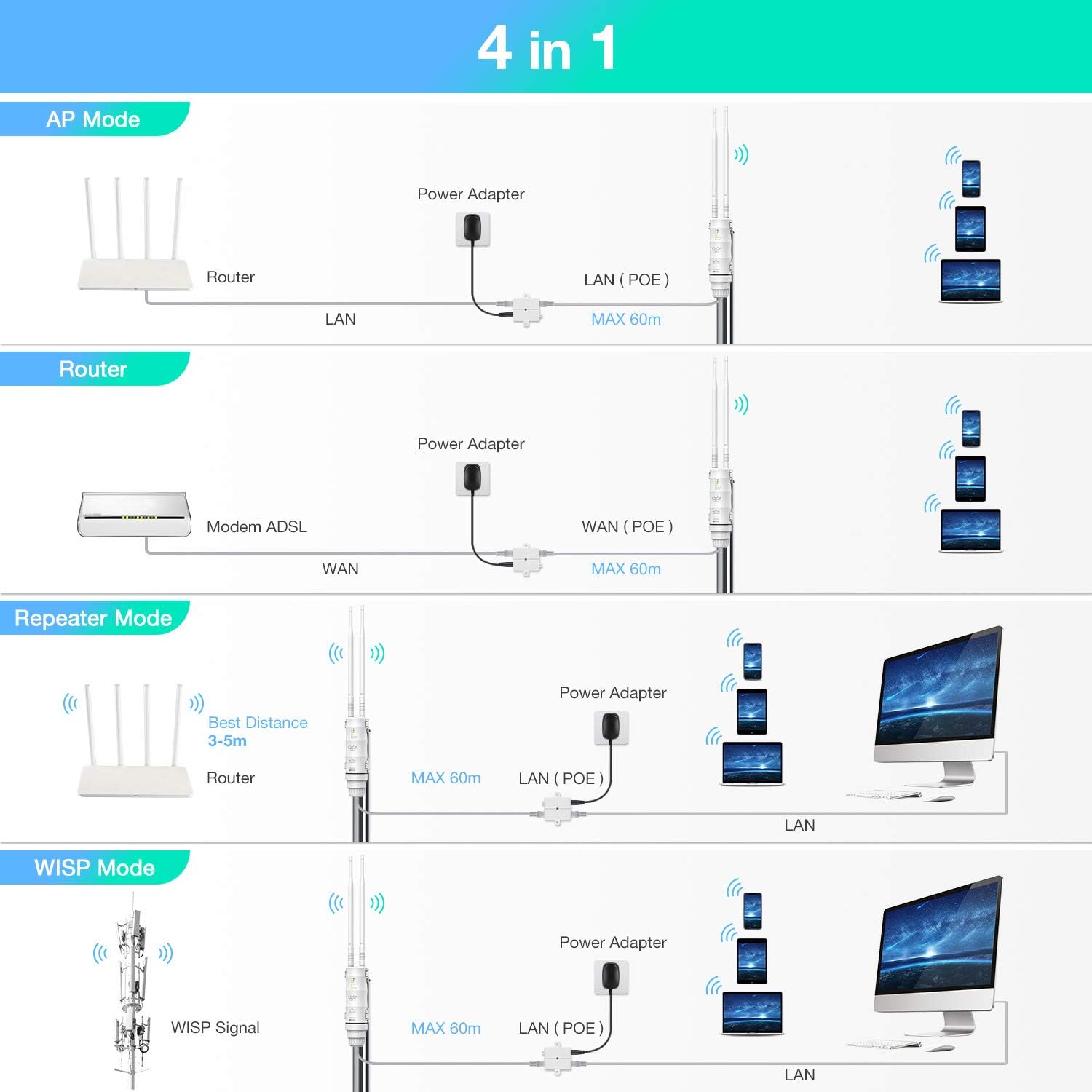
The FLASHOWL AC600 supports four operating modes: Repeater, Router, Access Point (AP), and WISP. Choose the mode that best suits your network requirements.
7. Operating Modes
Understand the functionality of each operating mode to optimize your network setup.
7.1. Repeater Mode
In Repeater Mode, the device extends the coverage of an existing wireless network. It receives the Wi-Fi signal from your main router and re-broadcasts it, effectively eliminating Wi-Fi dead zones. This mode is ideal when you want to expand your existing Wi-Fi coverage without running new Ethernet cables.
7.2. Router Mode
Router Mode allows the device to create a new private wireless network. Connect the device's WAN/LAN port to a modem (e.g., ADSL modem) via the PoE injector. This mode is suitable for sharing an internet connection with multiple devices, acting as your primary network gateway.
7.3. Access Point (AP) Mode
In AP Mode, the device transforms a wired network connection into a wireless one. Connect the device's WAN/LAN port to your existing wired network (e.g., a switch or router's LAN port) via the PoE injector. It then broadcasts a new Wi-Fi signal, providing wireless access to devices. This is useful for adding Wi-Fi capability to a wired-only network.
7.4. WISP Mode
WISP (Wireless Internet Service Provider) Mode allows the device to connect wirelessly to an ISP's access point and share that internet connection with multiple clients, either wirelessly or via its Ethernet port. This mode is useful for extending internet access from a public Wi-Fi hotspot or another wireless source.
8. Maintenance
Proper maintenance ensures the longevity and optimal performance of your device.
- Cleaning: Periodically clean the exterior of the device with a soft, dry cloth. Do not use liquid cleaners or aerosols.
- Firmware Updates: Check the FLASHOWL official website for any available firmware updates. Keeping your firmware updated can improve performance, add new features, and enhance security.
- Cable Inspection: Regularly inspect all cables and connections for any signs of wear or damage, especially the waterproof seals. Replace damaged cables immediately.
- Resetting: If the device experiences persistent issues, a factory reset may resolve them. Use a paperclip to press and hold the reset button for approximately 10 seconds while the device is powered on. Note that a factory reset will erase all custom configurations.
9. Troubleshooting
If you encounter issues with your FLASHOWL AC600, refer to the following common problems and solutions.
- No Power:
- Ensure the power adapter is securely plugged into a working electrical outlet and the PoE converter.
- Verify that the Ethernet cable from the PoE converter's 'PoE' port is correctly connected to the device's WAN/LAN port.
- No Internet Connection:
- Check the connection between the PoE converter's 'LAN DATA IN' port and your main router/modem.
- Confirm that your main router/modem has an active internet connection.
- If in Repeater or WISP mode, ensure the device is successfully connected to the upstream Wi-Fi network.
- Verify your device's configuration settings (IP address, DNS, gateway).
- Weak Wi-Fi Signal or Limited Range:
- Relocate the device to a more central position or higher elevation, minimizing obstructions.
- Ensure antennas are correctly installed and oriented.
- Check for sources of interference (e.g., other electronic devices, thick walls).
- In Repeater mode, ensure the device is placed within good signal range of the main router.
- Cannot Access Web Interface:
- Ensure your computer is connected to the device's network (either directly via Ethernet or its Wi-Fi).
- Verify the IP address entered in the browser is correct.
- Temporarily disable any firewall or antivirus software on your computer.
- Try a different web browser.
- Perform a factory reset if you have forgotten the login credentials.
10. Specifications
| Feature | Detail |
|---|---|
| Brand | FLASHOWL |
| Model Number | AC600-EU-OD |
| Wireless Standard | 802.11a/b/g/n/ac |
| Data Transfer Rate | Up to 600 Mbps (2.4GHz: 150 Mbps, 5GHz: 433 Mbps) |
| Frequency Band | Dual Band (2.4 GHz, 5 GHz) |
| Special Features | Weatherproof (IP65), 4KV Lightning Protection |
| Operating Modes | Repeater, Router, Access Point (AP), WISP |
| Ports | 1 x Gigabit WAN/LAN Ethernet Port (RJ45) |
| Power Supply | Power Over Ethernet (PoE) via included converter |
| Operating Temperature | -30°C to 70°C (-22°F to 158°F) |
| Antennas | 2 x Detachable Omni-directional High Gain Antennas |
| Outdoor Range | Up to 500 meters (line of sight) |
| Indoor Range | Up to 150 meters |
| Weight | 460 Grams |
11. Warranty and Support
For warranty information, please refer to the documentation included with your product or visit the official FLASHOWL website. Technical support may be available through the manufacturer's website or contact channels provided in your product packaging.