
Introduction
This manual provides detailed instructions for the setup, operation, maintenance, and troubleshooting of your CHOUBENBEN remote control, model 201905030004. This remote is designed for use with various Omnia air conditioner units, ensuring comfortable and efficient control of your indoor climate.
1. Setup
1.1 Battery Installation
The remote control requires batteries for operation. Please note: Batteries are not included with this product.
- Locate the battery compartment cover on the back of the remote control.
- Slide the cover downwards or press the latch to open the compartment.
- Insert two new AAA batteries (not included), ensuring the positive (+) and negative (-) terminals match the diagrams inside the compartment.
- Replace the battery compartment cover by sliding it back into position until it clicks securely.
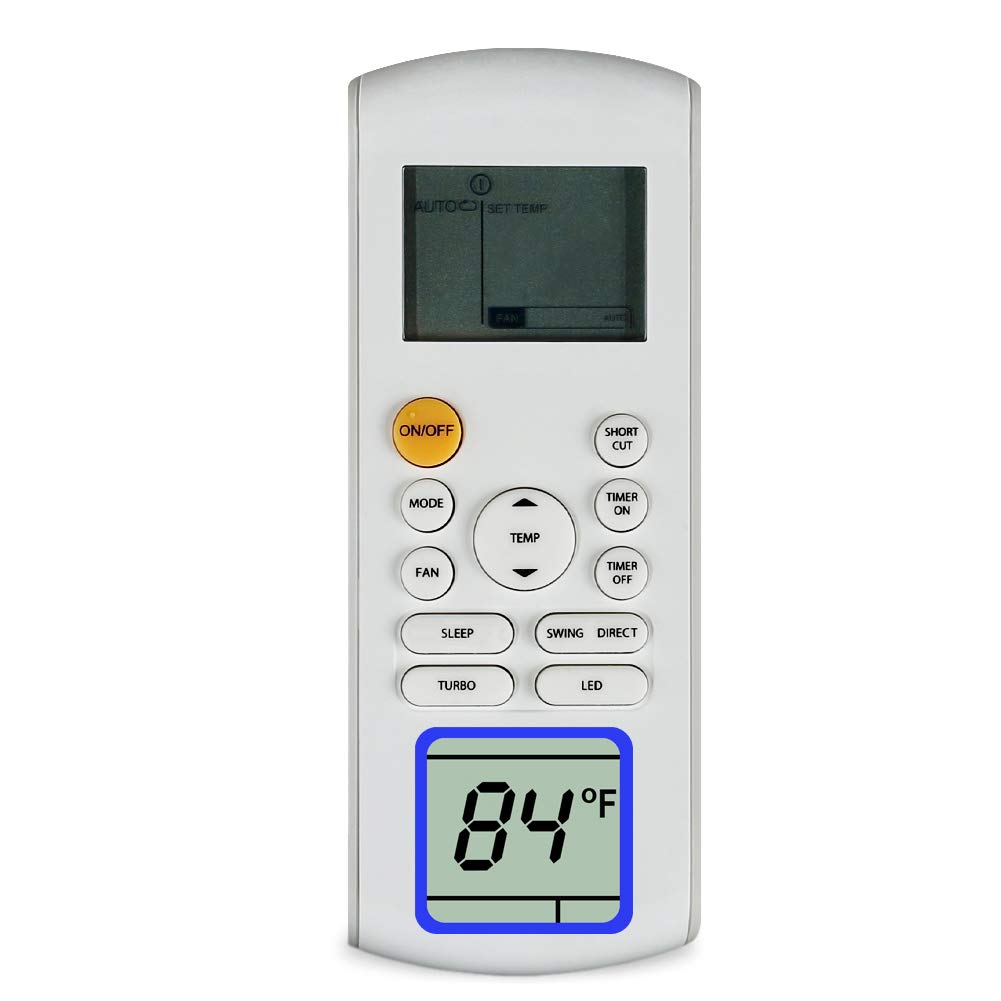
Figure 1: CHOUBENBEN Remote Control. The battery compartment is typically located on the back of the unit.
2. Operating Instructions
This section outlines the basic functions of your remote control. The exact button layout may vary slightly, but the functions remain consistent.
2.1 Basic Functions
- Power Button: Press to turn the air conditioner ON or OFF.
- Mode Button: Press repeatedly to cycle through available operating modes: Auto, Cool, Dry, Fan, Heat (if applicable to your AC unit).
- Temperature Adjustment Buttons (▲ / ▼): Use these buttons to increase or decrease the desired temperature setting.
- Fan Speed Button: Press to adjust the fan speed (e.g., Low, Medium, High, Auto).
- Swing Button: Activates or deactivates the automatic louver swing function.
2.2 Advanced Functions (Common)
- Timer Button: Sets the timer for automatic ON/OFF operations. Refer to your air conditioner's main manual for specific timer programming details.
- Sleep Button: Activates the sleep mode, which adjusts temperature and fan speed for comfortable sleep and energy saving.
- Light/Display Button: Turns the display light on or off on the air conditioner unit.
3. Maintenance
3.1 Cleaning the Remote Control
To ensure optimal performance and longevity, keep your remote control clean.
- Wipe the surface of the remote control with a soft, dry cloth.
- For stubborn dirt, slightly dampen the cloth with water and a mild detergent, then wipe dry immediately.
- Do not use abrasive cleaners, alcohol, or corrosive liquids, as these can damage the remote's surface or internal components.
3.2 Battery Replacement
Replace batteries when the remote control's response becomes sluggish or stops working. Refer to section 1.1 for battery installation instructions. Always replace both batteries at the same time with new ones of the same type.
4. Troubleshooting
If you encounter issues with your remote control, please refer to the following common solutions:
- Remote not responding:
- Check if the batteries are inserted correctly with the correct polarity.
- Replace old batteries with new ones.
- Ensure there are no obstructions between the remote control and the air conditioner's receiver.
- Confirm you are within the effective operating range of the air conditioner.
- Air conditioner not responding to specific commands:
- Verify that the air conditioner unit is powered on and functioning correctly.
- Some functions may be specific to certain air conditioner models. Refer to your air conditioner's manual for compatibility.
5. Specifications
| Brand | CHOUBENBEN |
| Model Number | 201905030004 |
| Compatible Devices | Omnia Air Conditioners (RG57A3/BGEF, RG57A2/BGEF, O1MVI-12WFR, O1MVI-18WFR, O1MVI-24WFR, RG57B/BGE, RG57D/BGE, O1MVI-09WFR) |
| Connectivity Technology | Infrared |
| Controller Type | Button Control |
| Special Feature | Ergonomic |
| Manufacturer | KITCHENWARE STORE |
6. Warranty and Support
6.1 Warranty Information
This product comes with a warranty period of 3. Please retain your proof of purchase for any warranty claims.
6.2 Customer Support
Should you have any questions or require further assistance regarding your CHOUBENBEN remote control, please do not hesitate to contact us. We are available to help clarify any aspects of our item.