
1. Product Overview
The BetterSub Mug Heat Press is designed for efficient heat transfer sublimation on various cylindrical mugs. This machine is suitable for 6-11oz cylindrical mugs and can accommodate up to 17oz mug attachments (sold separately). It features a CE certificate for safety and quality assurance.
Key features include a precise LCD control board for automatic baking time and temperature control, and a durable heating element made of high-quality aluminum and silica gel for quick and even heat distribution. The heat-resistant silicone pad maintains stability up to 700 °F, and an adjustable pressure knob allows for customized pressing.
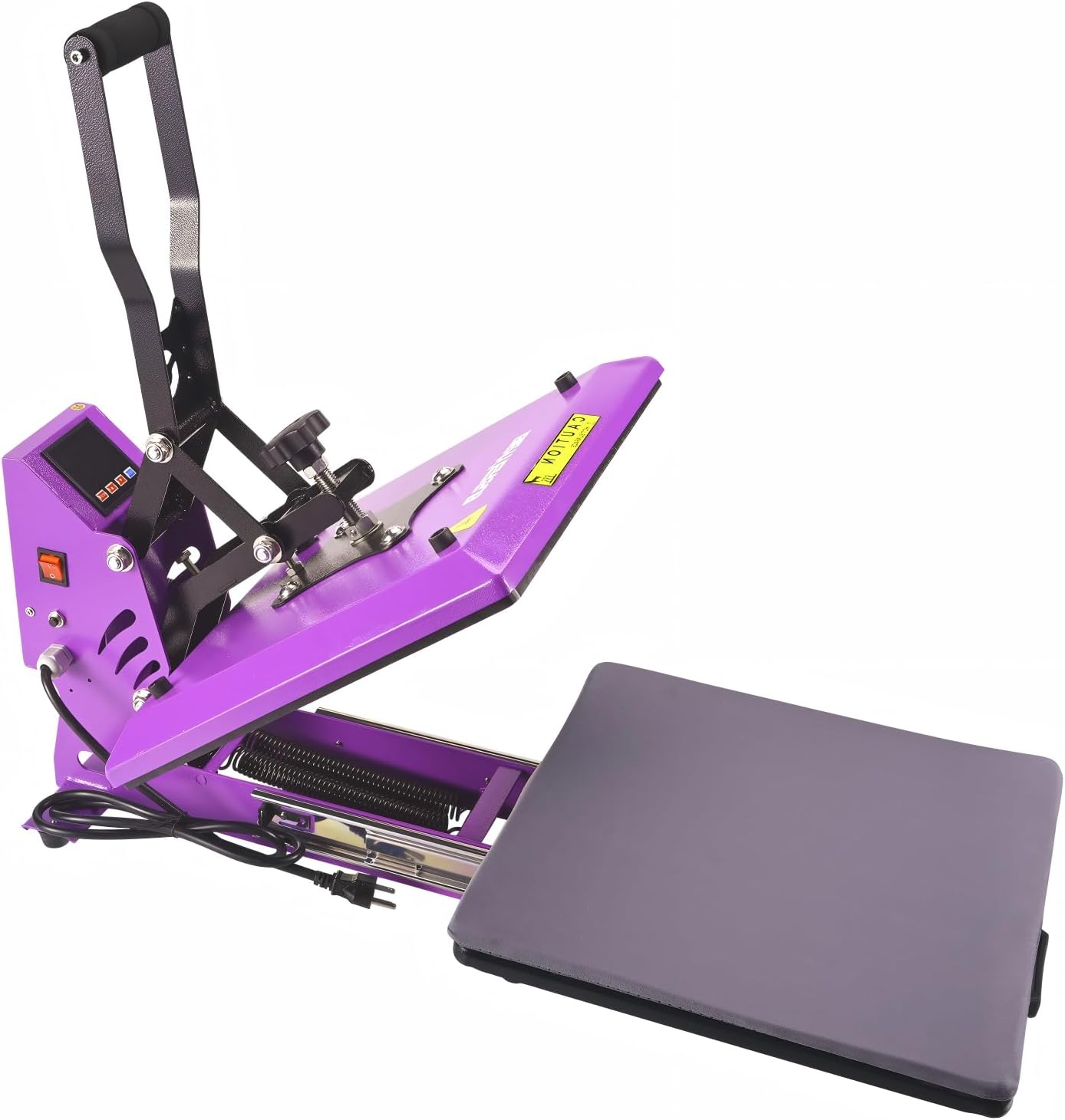
Image 1: The BetterSub Mug Heat Press Machine, featuring its purple body and control panel.
2. Setup Instructions
Before initial use, ensure the machine is placed on a flat, stable, and well-ventilated surface. Connect the power cord to a compatible 110 Volt outlet. The machine will automatically heat up once powered on.
2.1 Control Panel Overview

Image 2: Close-up of the digital control panel, showing PV (Present Value), SV (Set Value), ALM (Alarm), and Counter displays, along with SET, Adjust Value, and RESET buttons.
- PV (Present Value): Displays the current temperature.
- SV (Set Value): Displays the set temperature or time.
- ALM (Alarm): Indicates heating or other status.
- Counter: Tracks the number of presses.
- SET Button: Used to enter temperature/time setting mode.
- +/- Buttons: Used to adjust values.
- RESET Button: Resets the counter.
2.2 Adjusting Pressure
The machine features an adjustable pressure knob to ensure even pressure distribution during the heat transfer process. Turn the knob clockwise to increase pressure and counter-clockwise to decrease it. Adjust pressure based on the mug size and material to achieve optimal results.

Image 3: Close-up of the pressure adjustment knob, located on top of the heating element.
For a visual guide on adjusting pressure, refer to the video below:
Video 1: Tutorial on how to adjust the pressure of the mug heat press machine. This video demonstrates the process of turning the pressure knob to achieve desired pressure for mug sublimation.
3. Operating Instructions
Follow these steps for successful heat transfer sublimation:
- Prepare Your Design: Print your desired design onto sublimation paper using sublimation ink. Ensure the design is mirrored if it contains text or specific orientations.
- Preheat the Machine: Turn on the machine and set the desired temperature and time using the control panel. Common settings for sublimation are around 360-400°F (182-204°C) for 60-180 seconds, depending on the mug and paper.
- Attach Design to Mug: Securely tape the printed sublimation design onto your mug using heat-resistant tape. Ensure the design is flat against the mug surface to prevent ghosting.
- Insert Mug: Once the machine reaches the set temperature, carefully place the mug into the heating element. Ensure the mug is centered and the handle is positioned correctly.
- Apply Pressure: Close the heat press handle to apply even pressure. The machine will automatically start the timer.
- Remove Mug: Once the timer alarms, carefully open the handle and remove the hot mug using heat-resistant gloves.
- Cool and Peel: Allow the mug to cool slightly before carefully peeling off the sublimation paper. Do not rinse the hot mug with cold water immediately to avoid breakage.
3.1 Customizing Mugs
The BetterSub Mug Heat Press is versatile for various mug types and designs. Explore different mug attachments to expand your creative possibilities.
Video 2: Demonstration on how to press a color-changing mug using the BetterSub mug heat press. This video illustrates the steps for applying a design to a heat-sensitive mug.
Video 3: Tutorial on how to DIY a cartoon mug with the BetterSub mug heat press machine. This video provides a step-by-step guide for creating custom cartoon designs on mugs.
Video 4: Guide on how to DIY your special lovely mug by heat press. This video showcases the creative process of personalizing mugs with unique designs.
4. Maintenance
- Regularly clean the heating element with a soft, dry cloth after the machine has cooled down completely.
- Avoid using abrasive cleaners or sharp objects that could damage the heating surface.
- Store the machine in a dry, dust-free environment when not in use.
- Ensure the power cord is unplugged before cleaning or performing any maintenance.
5. Troubleshooting
- Uneven Transfer: Check the pressure adjustment. Ensure the mug is centered and the design is applied smoothly without wrinkles.
- Faded/Blurry Design: Adjust temperature and time settings. Ensure sufficient pressure is applied. Verify the quality of sublimation paper and ink.
- Machine Not Heating: Check power connection and ensure the power switch is on. If the issue persists, contact customer support.
- Timer Malfunction: If the timer does not start automatically or functions incorrectly, ensure the handle is fully pressed down. If problems continue, refer to the user manual or contact support.
6. Specifications
| Feature | Detail |
|---|---|
| Recommended Uses | Mug |
| Upper Temperature Rating | 430 °F (221 °C) |
| Voltage | 110 Volts |
| Wattage | 350 watts |
| Item Model Number | BYBS-mugheat |
| Product Dimensions | 12.2"L x 10.63"W x 13.78"H |
| Item Weight | 11 ounces (311.84 Grams) |
| Material | Aluminum |
| Color | 11oz black Red |
7. Warranty and Support
For product inquiries, after-sales service, or other relevant problems, please contact the manufacturer or seller directly. Please provide your order ID and a detailed description of the issue for prompt assistance.
Additional mug attachments and accessories can be purchased from the BetterSub Store on Amazon.