
1. Introduction
This manual provides essential information for the safe and efficient operation of your COMFEE' Retro Small Microwave Oven, Model AM720C2RA-R. This 0.7 cu. ft., 700-watt microwave features 9 auto menus, 10 power levels, an easy defrost function, position-memory turntable, energy-saving ECO mode, and a mute function. Please read these instructions thoroughly before use and retain them for future reference.

Figure 1: COMFEE' Retro Small Microwave Oven (Red)
2. Important Safety Instructions
To reduce the risk of fire, electric shock, injury to persons, or exposure to excessive microwave energy when using your appliance, follow basic precautions, including the following:
- Read all instructions before using the appliance.
- Do not operate the oven when empty.
- Do not heat sealed containers, such as baby food jars or closed bottles, as they may explode.
- Ensure proper grounding to avoid electrical hazards.
- Do not attempt to operate this oven if it is damaged, particularly the door, door seals, or interior. Contact qualified service personnel.
- Always supervise children when they are near the microwave. This appliance is not intended for use by persons (including children) with reduced physical, sensory or mental capabilities, or lack of experience and knowledge, unless they have been given supervision or instruction concerning use of the appliance by a person responsible for their safety.
- Liquids such as water, coffee, or tea can be overheated beyond the boiling point without appearing to boil. This can result in very hot liquids suddenly boiling over when a spoon or other utensil is inserted into the liquid. Exercise caution.
- Do not use corrosive chemicals or vapors in this appliance.
- Only use utensils suitable for microwave ovens.
3. Product Overview
Familiarize yourself with the components and control panel of your microwave oven.

Figure 2: Control Panel and Key Features
The control panel features a digital display, a rotary knob for time/weight adjustment, and various function buttons including:
- Preset Menus: Dedicated buttons for common food items.
- Power Level: Adjusts microwave power.
- Defrost: For thawing frozen foods.
- ECO Mode: Energy-saving function.
- Mute Function: Silences operational beeps.
- +30 Sec: Adds 30 seconds of cooking time.
- Door Open: Button to release the door.
4. Setup and Installation
4.1 Unpacking
Carefully remove the microwave oven and all packing materials from the carton. Check the oven for any damage, such as dents or a broken door. Do not operate the oven if it is damaged. Remove any protective film from the cabinet surface.
4.2 Placement
- Place the oven on a flat, stable surface that can support its weight and the heaviest food likely to be cooked in it.
- Ensure adequate ventilation. Allow at least 3 inches (7.5 cm) of space on the top, sides, and rear of the oven for proper airflow.
- Keep the oven away from heat sources and strong magnetic fields.
- Do not block air vents.

Figure 3: Compact Footprint with Dimensions
4.3 Power Connection
Plug the microwave oven into a standard 120V, 60Hz AC outlet. Ensure the outlet is properly grounded.
4.4 Turntable Installation
Place the roller ring in the center of the oven cavity. Position the glass turntable on top of the roller ring, ensuring it sits securely in the center support.
5. Operating Instructions
5.1 Basic Cooking
- Place food in a microwave-safe container on the glass turntable. Close the door.
- Turn the rotary knob to set the desired cooking time. The maximum cooking time is 99 minutes and 99 seconds.
- Press the 'Start' button (often combined with +30 Sec or a dedicated start button) to begin cooking.
- To adjust power level: Press the 'Power Level' button, then turn the rotary knob to select a power level from P-L10 (100% power) to P-L1 (10% power). Press 'Start'.
5.2 +30 Sec Express Cooking
For quick heating, simply press the '+30 Sec' button. Each press adds 30 seconds of cooking time at 100% power. You can press it multiple times to increase the time.
5.3 Preset Menus
The microwave offers 9 convenient preset menus for common food items:
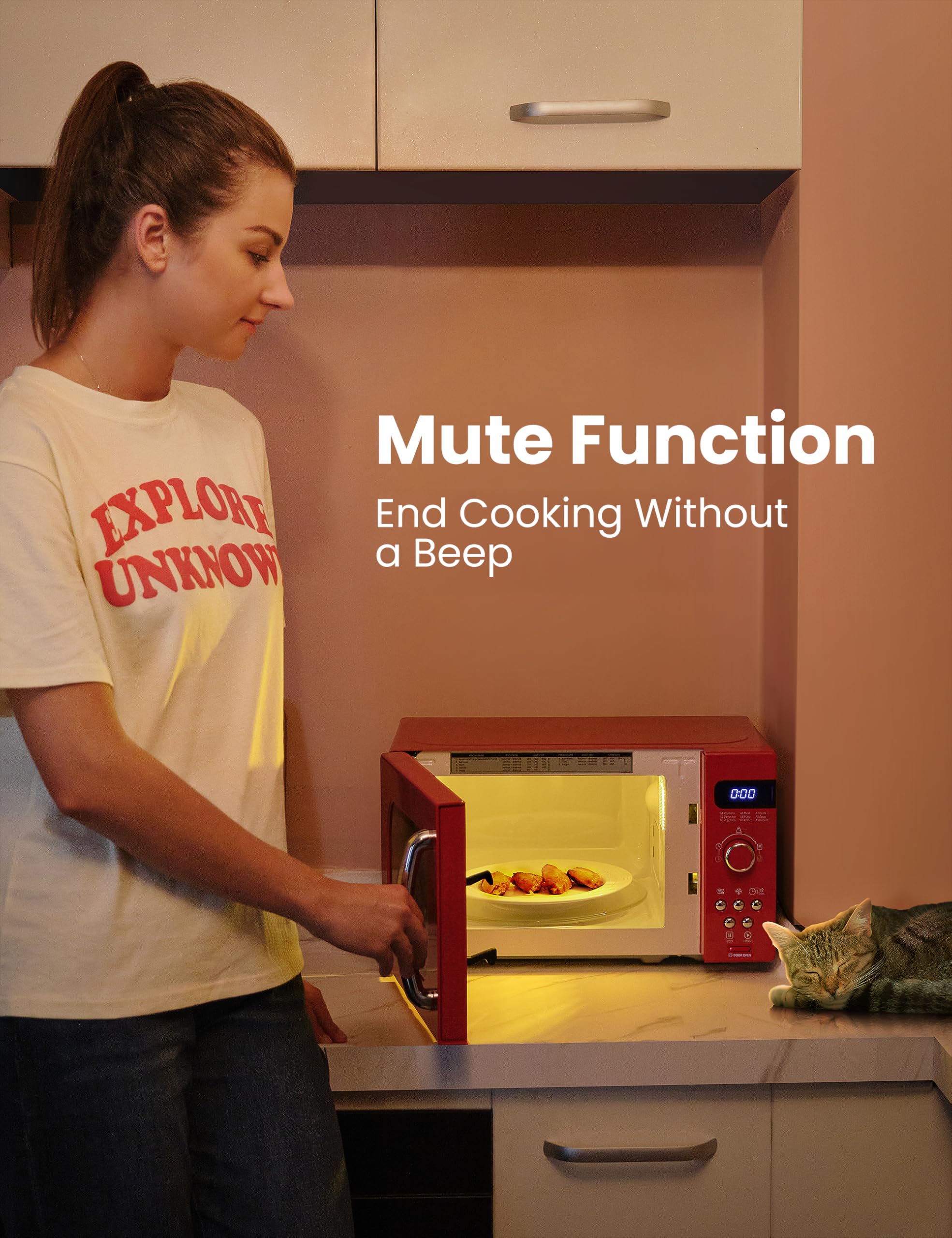
Figure 4: 9 Pre-Set Menus
To use a preset menu:
- Place the food in the oven.
- Press the corresponding preset button (e.g., 'Popcorn', 'Potato', 'Pizza', 'Frozen Vegetable', 'Beverage', 'Dinner Plate', 'Meat', 'Pasta', 'Soup', 'Reheat').
- The display will show the default weight/quantity. Turn the rotary knob to adjust if necessary.
- Press 'Start' to begin cooking.
5.4 Defrost Function
The Easy Defrost function allows you to thaw frozen foods by weight.

Figure 5: Defrost Function Example
To use defrost:
- Place the frozen food in the oven.
- Press the 'Defrost' button.
- Turn the rotary knob to select the weight of the food.
- Press 'Start' to begin defrosting.
5.5 Mute Function
The mute function allows you to silence all operational beeps for quiet use.

Figure 6: Mute Function in Use
To activate/deactivate the mute function, refer to the specific button on your control panel, often labeled 'Mute' or indicated by a speaker icon. Press and hold for 3 seconds to toggle.
5.6 ECO Mode
Activate ECO mode to save energy. In this mode, the display will turn off after a period of inactivity. To exit ECO mode, press any button or open the door.
5.7 Child Safety Lock
The child safety lock prevents unintended operation of the microwave oven.

Figure 7: Child Safety Lock Instructions
To Unlock the Door (when cooking):
- Press the "Door Open" key.
- Open the door within 10 seconds, or the safety lock will re-engage.
To Unlock the Door (after cook):
- If the screen shows "Loc".
- Press the "Door Open" key.
- Open the door within 10 seconds, or the safety lock will re-engage.
To Deactivate the Safety Lock:
- Press the 'Stop/Cancel' button once.
- Press the 'Defrost' button once.
- Press and hold the "Door Open" button for 3 seconds. The screen will show "ULoc".
To Reactivate the Safety Lock:
- Press the 'Stop/Cancel' button once.
- Press the 'Defrost' button once.
- Press and hold the "Door Open" button for 3 seconds. The screen will show "Loc".
6. Maintenance and Cleaning
Regular cleaning helps maintain the performance and longevity of your microwave oven.

Figure 8: Cleaning Steps
- Interior: Wipe the inside of the oven with a damp cloth after each use. For stubborn stains, use a mild detergent. Do not use abrasive cleaners or scouring pads.
- Turntable: The glass turntable and roller ring can be removed and washed in warm, soapy water or in a dishwasher. Ensure they are completely dry before placing them back in the oven.
- Exterior: Clean the exterior with a soft, damp cloth. Avoid getting water into the ventilation openings.
- Door Seals: Keep the door seals clean to ensure proper closure and efficient operation.
7. Troubleshooting
If you encounter issues with your microwave, refer to the following common problems and solutions:
| Problem | Possible Cause | Solution |
|---|---|---|
| Oven does not start | Power cord not plugged in; Door not closed properly; Fuse blown or circuit breaker tripped. | Ensure plug is securely in outlet; Close door firmly; Check household fuse or reset circuit breaker. |
| Food not heating | Door not closed properly; Cooking time/power level set incorrectly. | Close door firmly; Adjust cooking time and power level as needed. |
| Turntable not rotating | Turntable or roller ring not positioned correctly; Debris under turntable. | Reposition turntable and roller ring; Clean under the turntable. |
| Unusual noise during operation | Turntable components are dirty or misaligned. | Clean the roller ring and oven floor; Ensure the turntable is correctly seated. |
| Display shows "Loc" | Child safety lock is activated. | Refer to Section 5.7 for instructions on deactivating the child safety lock. |
If the problem persists after attempting these solutions, please contact customer support.
8. Specifications
- Model: AM720C2RA-R
- Capacity: 0.7 Cubic Feet
- Wattage: 700W
- Voltage: 120V, 60Hz
- Product Dimensions (W x D x H): 17.3" x 13.0" x 10.2"
- Item Weight: Approximately 24.1 pounds (10.95 kg)
- Material: Plastic
- Installation Type: Countertop
- Special Feature: Child Safety Lock, Position-Memory Turntable, Mute Function, ECO Mode
9. Warranty and Support
This COMFEE' microwave oven is covered by a one-year limited warranty from the date of purchase. This warranty covers manufacturing defects in materials and workmanship under normal use.
For warranty claims, technical assistance, or customer support, please contact COMFEE' customer service. You may also visit the official COMFEE' website for additional resources and contact information.
Online Support: Visit the COMFEE' Store on Amazon