
YQMAJIM 0784851348008
YQMAJIM 8 Pin Backup Camera Extension Cable User Manual
Model: 0784851348008
Product Overview
The YQMAJIM 8 Pin Backup Camera Extension Cable is designed to extend the reach of your vehicle's backup camera, dash cam, or rear view camera system. This male-to-female cable ensures a reliable connection for video signal transmission, providing flexibility in camera placement and installation within various vehicle types.

Image: The YQMAJIM 8 Pin Backup Camera Extension Cable, shown in its retail packaging, highlighting its purpose as a high-quality extension cord.

Image: Two hands stretching the 6.5-foot (approximately 2-meter) extension cable, illustrating its length.
Specifications
| Brand | YQMAJIM |
| Model Number | 0784851348008 |
| Cable Type | 8 Pin Video Cable |
| Connector Gender | Male-to-Female |
| Color | Black |
| Compatible Devices | Camera (Backup Cameras, Dash Cams, Rear View Cameras) |
| Cable Length | 6.5 feet (approximately 2 meters) |
| Package Dimensions | 7.48 x 5.35 x 0.04 inches |
| Item Weight | 3 ounces |

Image: A diagram illustrating the approximate dimensions of the 8-pin connectors, showing a 6mm and 7mm diameter for different parts of the connector.
Setup and Installation
This extension cable is designed for straightforward installation, allowing you to extend the reach of your existing 8-pin camera cable. Ensure your camera system uses an 8-pin connector for compatibility.
Connection Steps:
- Identify Connectors: Locate the 8-pin male connector from your camera or existing cable and the 8-pin female connector from your display unit or vehicle wiring.
- Connect Extension Cable: Plug the male end of the YQMAJIM extension cable into the female port of your camera's cable.
- Complete Connection: Plug the female end of the YQMAJIM extension cable into the male port of your display unit's input or vehicle wiring.
- Secure Connections: Ensure all connections are firm and secure to prevent signal loss.
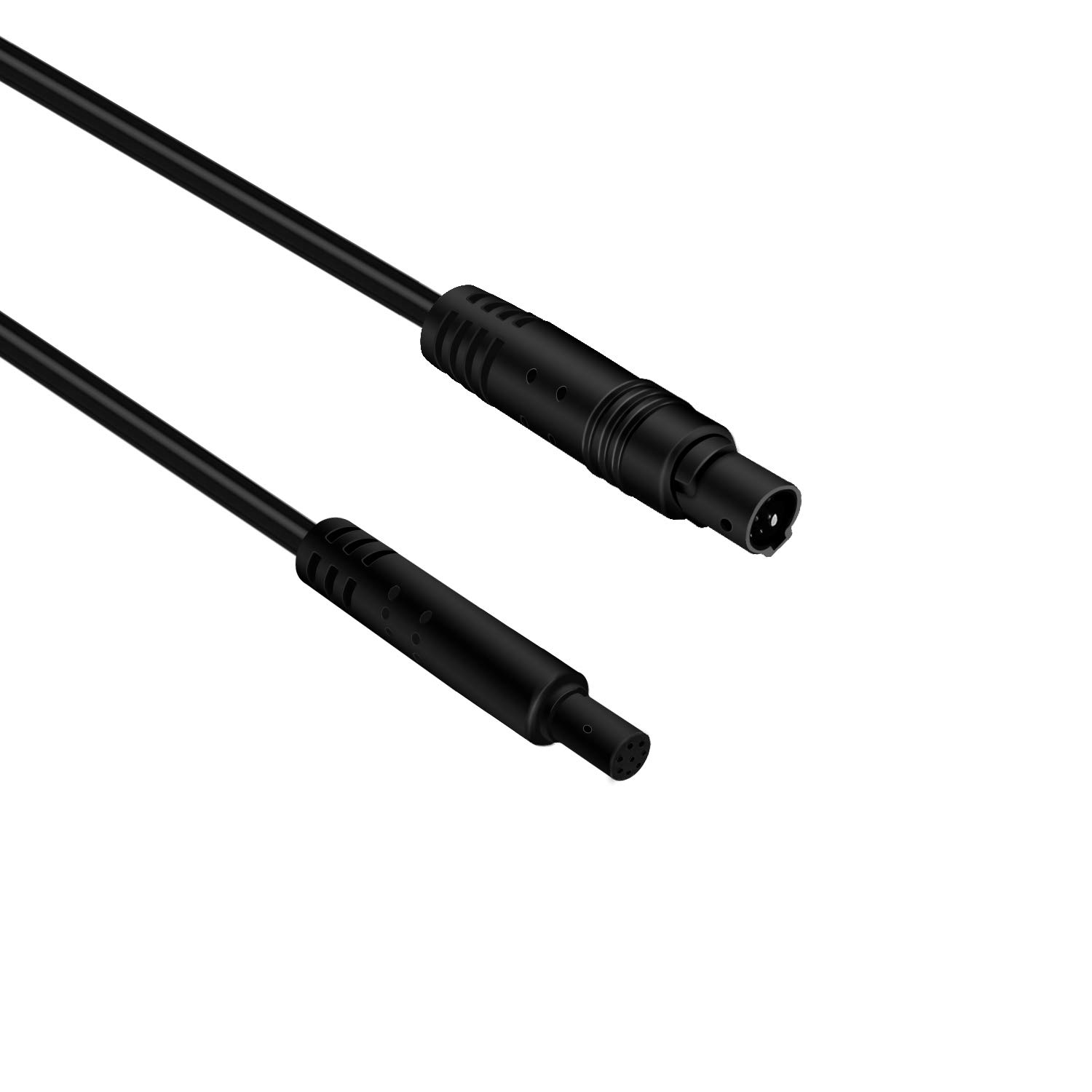
Image: A close-up view of the male and female 8-pin connectors of the extension cable, showing their pin configuration.

Image: A diagram illustrating how the extension cord connects a backup camera to a vehicle's display unit, such as a backup camera monitor, mirror camera, or dash camera.
Application:
This cable is suitable for a wide range of vehicles and camera systems that utilize an 8-pin connection, including but not limited to:
- Trucks
- Buses
- RVs and Motorhomes
- School Buses
- Commercial Vehicles
- Excavators and Heavy Equipment

Image: An illustration showing various types of vehicles, including trucks, buses, RVs, and construction equipment, indicating the broad applicability of the extension cable for different camera systems.
Operating Instructions
Once the YQMAJIM 8 Pin Backup Camera Extension Cable is properly installed, its operation is passive. It functions as a conduit for the video signal and power (if applicable) between your camera and display unit. No specific user interaction is required with the cable itself during operation.
- Signal Transmission: The cable facilitates the transmission of video signals from your camera to your monitor or display.
- Power Delivery: If your camera system uses the 8-pin cable for power, the extension cable will also transmit power to the camera.
Ensure your camera and display unit are powered on and functioning correctly as per their respective manuals.
Maintenance
Proper maintenance of your extension cable will ensure its longevity and reliable performance.
- Cleaning: Keep the cable and its connectors clean and free from dust, dirt, and moisture. Use a soft, dry cloth for cleaning. Avoid abrasive cleaners or solvents.
- Inspection: Periodically inspect the cable for any signs of wear, fraying, cuts, or damage to the connectors. If damage is observed, replace the cable to prevent potential issues.
- Storage: When not in use, store the cable in a cool, dry place, away from direct sunlight and extreme temperatures. Avoid sharp bends or kinks in the cable during storage.
- Handling: Always grasp the connector ends when plugging or unplugging the cable. Avoid pulling on the cable itself, as this can damage the internal wiring or the connectors.
Troubleshooting
If you encounter issues with your camera system after installing the extension cable, consider the following troubleshooting steps:
- No Signal/Intermittent Signal:
- Ensure all 8-pin connections (camera to extension, extension to display) are fully seated and secure.
- Check for any visible damage to the cable or connectors.
- Test the camera system without the extension cable if possible, to isolate whether the issue is with the cable or another component.
- Poor Video Quality:
- Verify that the cable is not routed near sources of strong electromagnetic interference (e.g., high-voltage wires, powerful motors).
- Ensure the cable is not excessively bent or kinked, which can damage internal wires.
- Cable Not Fitting:
- Confirm that your camera system uses an 8-pin connector. This cable is specifically designed for 8-pin connections.
- Refer to the connector dimension image in the Specifications section to compare with your existing connectors.
If troubleshooting steps do not resolve the issue, it may indicate a problem with the camera, display unit, or a damaged cable requiring replacement.
Warranty and Support
Specific warranty information for the YQMAJIM 8 Pin Backup Camera Extension Cable is not provided in this manual. For details regarding warranty coverage, returns, or technical support, please refer to the product listing on the platform where it was purchased or contact the seller directly.
When contacting support, please have your product model number (0784851348008) and purchase details readily available.
Ask a question about this manual
Ask about setup, troubleshooting, compatibility, parts, safety, or missing instructions. Manuals+ will review the question and use this page’s manual context to help answer it.