
Volkano VK-20120-BK
Volkano Cobalt Series Wireless Keyboard and Mouse Combo User Manual
Model: VK-20120-BK
Introduction
The Volkano Cobalt Series Wireless Keyboard and Mouse Combo is designed for seamless integration with laptops and desktops, offering a compact and lightweight solution for both home and office environments. This versatile combo provides the freedom of wireless connectivity, enhancing productivity and comfort.
The keyboard features a full number pad and multimedia shortcut keys for efficient data entry and quick access to common functions. The accompanying mouse offers smooth tracking and adjustable DPI settings, ensuring precise navigation for various tasks.
Safety Information
- Keep the device away from water and moisture.
- Do not attempt to disassemble or repair the device yourself. Refer all servicing to qualified personnel.
- Avoid exposing the device to extreme temperatures or direct sunlight.
- Dispose of batteries responsibly according to local regulations.
- Use only specified battery types (AAA) for both keyboard and mouse.
Package Contents

Image: The retail packaging of the Volkano Cobalt Series Wireless Keyboard and Mouse Combo, showing the wireless mouse, wireless keyboard, and Nano Receiver.
- Volkano Cobalt Series Wireless Keyboard
- Volkano Cobalt Series Wireless Mouse
- Nano USB Unifying Receiver
- User Manual (this document)
Note: AAA batteries for both the keyboard and mouse are not included and must be purchased separately.
Setup
1. Installing Batteries

Image: A top-down view of the keyboard and mouse, highlighting the battery compartments for each device and the slot for the Nano USB receiver within the mouse.
- Keyboard: Locate the battery compartment on the underside of the keyboard. Open the cover and insert one (1) AAA battery, ensuring correct polarity (+/-). Close the cover.
- Mouse: Locate the battery compartment on the underside of the mouse. Open the cover and insert one (1) AAA battery, ensuring correct polarity (+/-). Close the cover.
2. Connecting the Nano USB Receiver

Image: A detailed view of the compact Nano USB receiver, with accompanying graphics illustrating its wireless capability (up to 26 ft) and compatibility with both iOS and Windows operating systems.
- The Nano USB receiver is typically stored inside the mouse's battery compartment for convenience. Remove it before use.
- Insert the Nano USB receiver into an available USB port on your computer (PC, Desktop, Laptop).
- The system will automatically detect and install the necessary drivers. No additional software installation is required.
Once the receiver is connected, turn on both the keyboard and mouse using their respective On/Off switches, usually located on the underside of each device. The devices should connect automatically within a few seconds.
Operating Instructions
Keyboard Usage
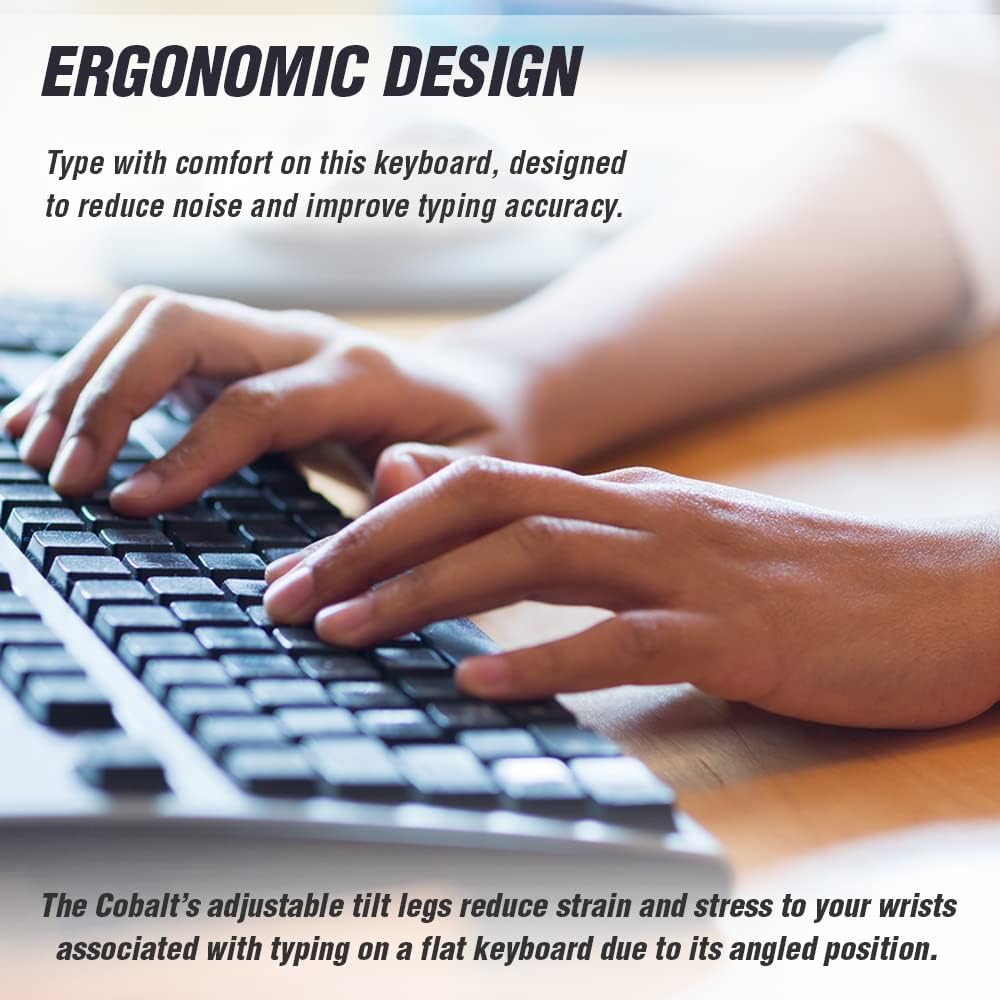
Image: A user's hands positioned on the Volkano Cobalt Series keyboard, demonstrating comfortable typing posture. The image emphasizes the ergonomic design and adjustable tilt legs that help reduce wrist strain.
- Standard Typing: Use the keyboard as a standard QWERTY layout for text input.
- Multimedia Hotkeys: The keyboard features 12 FN multimedia hotkeys (F1-F12) that allow for quick access to various functions. To use these, press the Fn key simultaneously with the desired F-key. Functions include:
- Play/Pause media
- Volume Up/Down/Mute
- Previous/Next track
- Web browser launch
- Email client launch
- My Computer/This PC
- Search
- Adjustable Tilt Legs: For improved ergonomics and comfort, extend the tilt legs located on the underside of the keyboard to adjust the typing angle.
Mouse Usage

Image: A top-down view of the Volkano Cobalt Series mouse, accompanied by illustrations of hands demonstrating both left-handed and right-handed grips, emphasizing its ambidextrous design.
- Basic Operation: The mouse features standard left-click, right-click, and scroll wheel functions.
- Adjustable DPI: The mouse offers three adjustable DPI (Dots Per Inch) levels: 800, 1200, and 1600. To change the DPI, press the DPI button, usually located near the scroll wheel. Each press cycles through the available DPI settings, allowing you to adjust cursor sensitivity for different tasks (e.g., lower DPI for precision work, higher DPI for faster navigation).
- Ambidextrous Design: The mouse is designed to be comfortable for both left-handed and right-handed users.
Maintenance
- Cleaning: Use a soft, dry cloth to clean the surfaces of the keyboard and mouse. For stubborn dirt, a slightly damp cloth with mild soap can be used, ensuring no liquid enters the devices.
- Battery Replacement: When the devices become unresponsive or exhibit erratic behavior, it is likely time to replace the AAA batteries. Turn off the devices before replacing batteries.
- Storage: When not in use for extended periods, turn off both the keyboard and mouse to conserve battery life. Store the Nano USB receiver inside the mouse's battery compartment to prevent loss.
Troubleshooting
| Problem | Possible Solution |
|---|---|
| Keyboard or mouse not responding. |
|
| Lag or intermittent connection. |
|
| Mouse cursor erratic or not moving smoothly. |
|
| Multimedia hotkeys not working. |
|
Specifications
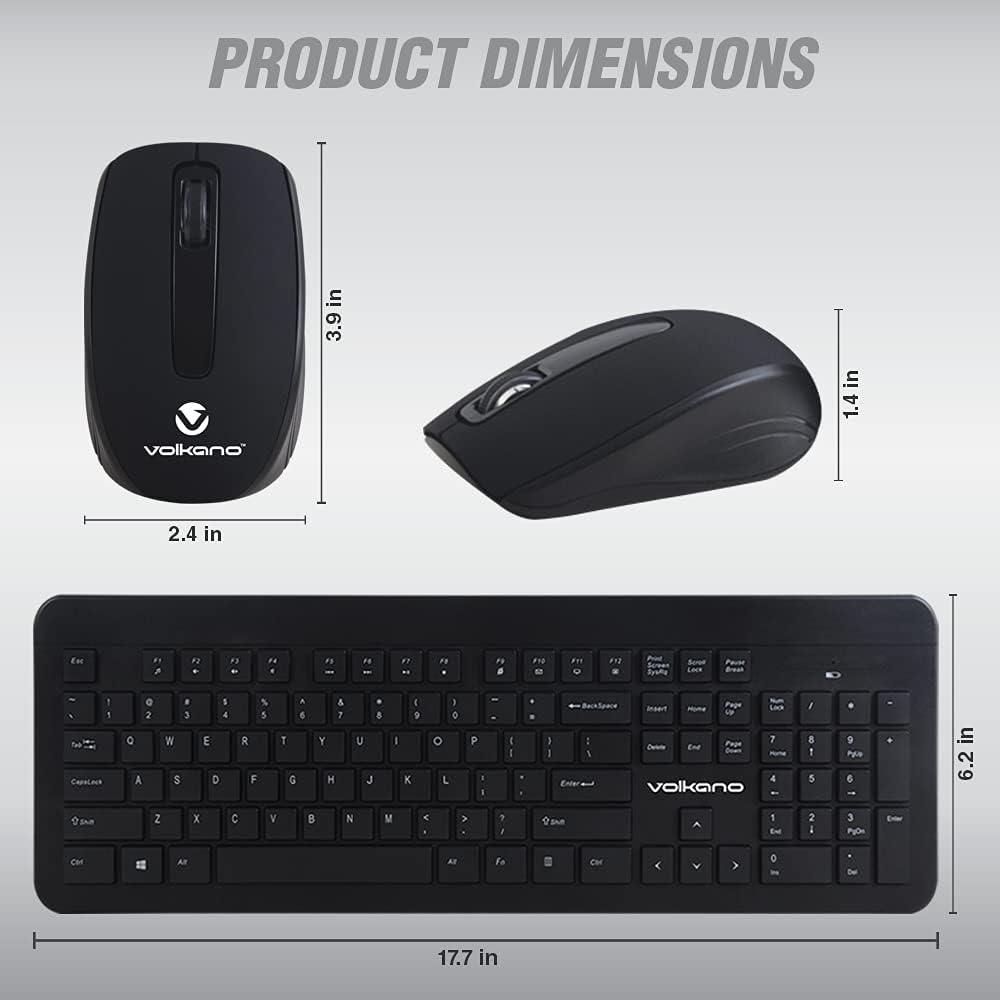
Image: A technical diagram illustrating the physical dimensions of both the Volkano Cobalt Series wireless mouse (3.9 in length, 2.4 in width, 1.4 in height) and keyboard (17.7 in length, 6.2 in width).
- Model: VK-20120-BK
- Connectivity: 2.4 GHz Wireless
- Receiver: Nano USB 2-in-1 Receiver
- Wireless Range: Up to 26 ft (8 meters)
- Keyboard Battery: 1 x AAA (not included)
- Mouse Battery: 1 x AAA (not included)
- Mouse DPI Levels: 800 / 1200 / 1600 DPI
- Compatibility: Windows 2000 / XP / 7 / 8 / 10 / Vista, iOS (via USB)
- Color: Black
- Keyboard Dimensions: Approximately 17.7 in (L) x 6.2 in (W)
- Mouse Dimensions: Approximately 3.9 in (L) x 2.4 in (W) x 1.4 in (H)
Warranty and Support
Volkano products are covered by a 1-year limited warranty from the date of purchase. This warranty covers manufacturing defects and workmanship. It does not cover damage caused by misuse, accident, unauthorized modification, or normal wear and tear.
For warranty claims, technical support, or any questions regarding your Volkano Cobalt Series Wireless Keyboard and Mouse Combo, please contact Volkano customer service through the official Volkano website or your retailer's support channels. Please have your model number (VK-20120-BK) and proof of purchase ready when contacting support.
You may also be eligible to extend your coverage for an additional 12 months by registering your product on the official Volkano website, providing a total of 24 months of coverage.