
1. Introduction
This manual provides essential instructions for the safe and efficient use of your Sony MHC-V72D Party Speaker. Please read this manual thoroughly before operating the unit and retain it for future reference.

Image 1.1: Front view of the Sony MHC-V72D Party Speaker, showcasing its illuminated speaker grilles and overall design.
2. Safety Information
Observe the following safety precautions to prevent electric shock, fire, or damage to the unit.
- Power Source: Connect the unit only to the type of power source indicated on the rating label.
- Ventilation: Ensure adequate ventilation. Do not block ventilation openings.
- Water and Moisture: Do not expose the unit to rain or moisture. Do not place objects filled with liquids, such as vases, on the unit. The control panel is splash-proof, but the entire unit is not waterproof.
- Heat: Do not place the unit near heat sources such as radiators, heat registers, stoves, or other apparatus (including amplifiers) that produce heat.
- Cleaning: Unplug the unit from the wall outlet before cleaning. Use a dry cloth only.
- Servicing: Do not attempt to service this product yourself. Refer all servicing to qualified service personnel.
3. Package Contents
Verify that all items listed below are included in your package:
- Sony MHC-V72D Party Speaker (1 unit)
- AC power cord (1 unit)
- Operating Manual (1 unit)
- Setup guide (1 unit)
- Remote Control (1 unit)
- FM Antenna (1 unit)
- AAA Batteries (2 units)
4. Setup
4.1 Placement
Place the speaker on a stable, flat surface. Ensure there is sufficient space around the unit for proper ventilation. The speaker is designed for floor standing use.
4.2 Power Connection
- Connect the supplied AC power cord to the AC IN port on the rear of the speaker.
- Plug the other end of the AC power cord into a wall outlet.

Image 4.1: Rear view of the speaker, highlighting the AC IN port and other connectivity options.
4.3 Initial Power On
Press the POWER button on the top panel or the remote control to turn on the speaker. The display will light up.

Image 4.2: Top control panel of the speaker, showing various buttons and the central gesture control area.
5. Operating Instructions
5.1 Bluetooth Connection
- Press the FUNCTION button repeatedly until 'BLUETOOTH' appears on the display.
- On your Bluetooth device, enable Bluetooth and search for available devices.
- Select 'MHC-V72D' from the list. Once paired, the Bluetooth indicator will stop flashing and remain lit.
5.2 USB Playback
- Insert a USB device into the USB port on the speaker.
- Press the FUNCTION button repeatedly until 'USB' appears on the display.
- Use the playback controls (PLAY/PAUSE, SKIP) to manage your music.
5.3 DVD Playback
- Open the disc tray and insert a DVD.
- Press the FUNCTION button repeatedly until 'DVD' appears on the display.
- Use the playback controls to manage your media.
5.4 Karaoke & Guitar Input
Connect a microphone or guitar to the respective input jacks on the speaker. Adjust the MIC/GUITAR LEVEL and MIC ECHO using the controls on the top panel.

Image 5.1: Individuals engaging in karaoke and guitar performance using the speaker's input features.
5.5 Party Features
- 360° Party Light: The speaker features integrated lighting that projects patterns around the room. This can be controlled via the Fiestable app or the top panel.
- JET Bass Booster: This technology enhances bass frequencies for a powerful sound experience.
- Taiko Mode: Tap the top panel to play along with the music like a drum. Press the TAIKO button to activate.
- Gesture Control: Use hand gestures over the top panel to control functions like volume, track skipping, and DJ effects.
- Voice Control (Fiestable App): Control various speaker functions using voice commands through the Fiestable app on your smartphone.

Image 5.2: The speaker emitting a circular pattern of colorful lights on the floor, demonstrating its 360° Party Light feature.

Image 5.3: Hands interacting with the speaker's top panel, illustrating the Taiko Mode functionality.

Image 5.4: A hand demonstrating a gesture over the speaker's control panel, indicating the gesture control feature.
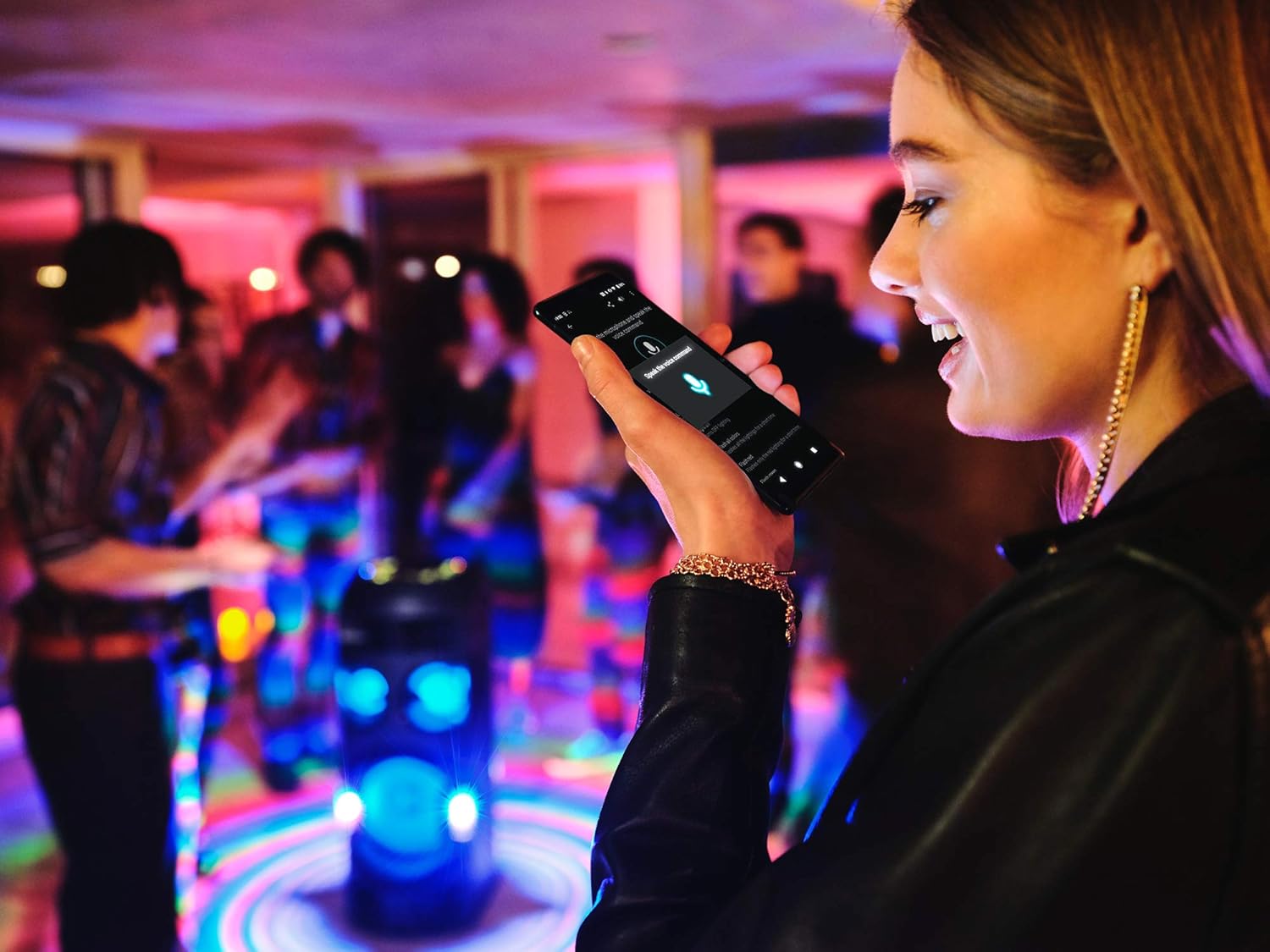
Image 5.5: A user interacting with the Fiestable app on a smartphone to control the speaker via voice commands.
5.6 NFC One-touch Connection
For compatible NFC-enabled devices, touch the device to the NFC logo on the speaker for instant Bluetooth pairing.
5.7 Music Center App Compatibility
Download the Sony Music Center app to your smartphone for enhanced control over music playback, sound settings, and lighting effects.
6. Maintenance
6.1 Cleaning
Wipe the exterior of the unit with a soft, dry cloth. Do not use abrasive pads, scouring powder, or solvents such as alcohol or benzine. The top panel is splash-proof, but avoid excessive liquid exposure.

Image 6.1: Water droplets on the speaker's top panel, illustrating its splash-proof design.
6.2 Storage
When not in use for extended periods, unplug the power cord and store the unit in a cool, dry place away from direct sunlight and extreme temperatures.
7. Troubleshooting
If you experience issues with your speaker, refer to the following common problems and solutions:
| Problem | Possible Cause | Solution |
|---|---|---|
| No power | Power cord not connected securely. | Ensure the AC power cord is firmly plugged into the speaker and the wall outlet. |
| No sound | Volume is too low or muted. Incorrect input source selected. | Increase the volume. Press the FUNCTION button to select the correct input source (e.g., Bluetooth, USB). |
| Bluetooth pairing fails | Device is out of range. Bluetooth is not enabled on the device. | Move the Bluetooth device closer to the speaker. Enable Bluetooth on your device and try pairing again. |
| Remote control not working | Batteries are depleted. Obstruction between remote and speaker. | Replace the AAA batteries. Remove any obstructions and ensure the remote is pointed at the speaker's sensor. |
If the problem persists after trying these solutions, contact Sony customer support.
8. Specifications
| Feature | Specification |
|---|---|
| Model Name | MHC-V72D |
| Speaker Type | Party Speaker |
| Connectivity Technology | Bluetooth, NFC, Wireless |
| Audio Output Mode | Surround |
| Power Source | AC |
| Item Weight | 22 kg |
| Product Dimensions (LxWxH) | 100 x 42 x 50 cm |
| Subwoofer Diameter | 12 Inches |
| Control Method | Touch |
| Special Features | 360° Sound, JET Bass Booster, 360° Party Light, Taiko Mode, Karaoke & Guitar Input, Gesture Control, Voice Control, Splash-proof LED touch panel, Music Center App compatibility |
9. Warranty and Support
9.1 Warranty Information
This Sony MHC-V72D Party Speaker comes with a 1-year manufacturer's warranty from the date of purchase. Please retain your proof of purchase for warranty claims. The warranty covers manufacturing defects under normal use conditions.
9.2 Customer Support
For technical assistance, troubleshooting beyond this manual, or warranty service, please visit the official Sony support website or contact your local Sony customer service center. You can find contact details and further resources on the Sony India Support website.


