
1. Introduction
Thank you for choosing the Goplus Foldable Treadmill. This manual provides essential information for the safe assembly, operation, and maintenance of your new fitness equipment. Please read this manual thoroughly before using the treadmill to ensure proper function and to prevent injury. Keep this manual for future reference.

Figure 1: Goplus Foldable Treadmill in use, demonstrating its compact design and user-friendly interface.
2. Important Safety Instructions
To reduce the risk of serious injury, read all important precautions and instructions in this manual before using the treadmill. Goplus assumes no responsibility for personal injury or property damage sustained by or through the use of this product.
- Always place the treadmill on a level surface.
- Keep children and pets away from the treadmill during operation.
- Wear appropriate exercise clothing and athletic shoes.
- Do not operate the treadmill if it has a damaged power cord or plug.
- Always use the safety key. In case of emergency, the safety key will stop the treadmill.
- Do not exceed the maximum user weight of 220 lbs (100 kg).
- Consult a physician before starting any exercise program.
- Keep hands clear of all moving parts.
- Unplug the treadmill from the power outlet when not in use or before cleaning/maintenance.

Figure 2: Key components of the Goplus Foldable Treadmill, including the console, handrails, running belt, and safety key.
3. Product Overview and Components
The Goplus Foldable Treadmill is designed for home fitness, offering a compact and portable solution for cardio workouts. Key features include a multi-function LED display, pulse sensors, and a durable running belt.
3.1 Main Components:
- Console: Features an LED display, control buttons (Start/Stop, Speed +/-, Program selection), and an iPad/phone holder.
- Handrails: Equipped with pulse sensors and additional speed controls.
- Safety Key: Magnetic key that must be in place for the treadmill to operate.
- Running Belt: Multi-layer design for comfort and durability (40"L x 14.5"W).
- Motor: Powerful and low-noise motor (2 Horsepower peak).
- Frame: Heavy-duty alloy steel construction.
- Transport Wheels: Built-in for easy mobility when folded.
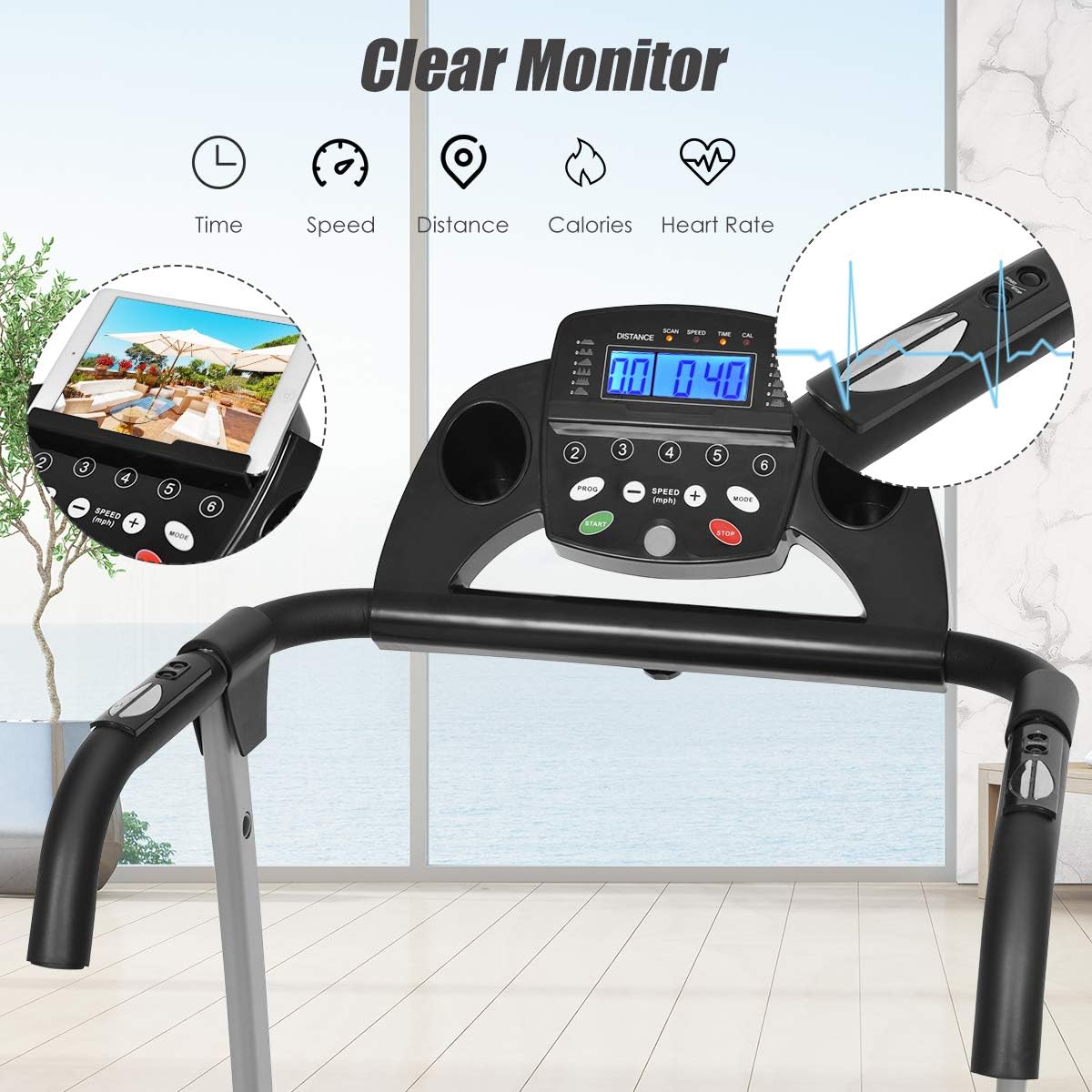
Figure 3: Detailed view of the treadmill's clear LED monitor, displaying time, speed, distance, calories, and heart rate.
4. Setup and Assembly
Assembly is required for this treadmill. Please follow these steps carefully. It is recommended to have two people for assembly.
4.1 Unpacking:
- Carefully remove all components from the packaging.
- Check the parts list against the included components to ensure everything is present.
- Place all parts on a clear, flat surface.
4.2 Assembly Steps:
- Attach the uprights to the base frame using the provided hardware.
- Secure the console to the top of the uprights.
- Connect all necessary cables from the console to the main frame.
- Ensure all bolts are tightened securely before use.
- Plug the power cord into a grounded outlet.

Figure 4: Dimensions of the treadmill in both operational and folded states, useful for planning placement and storage.
5. Operating Instructions
Familiarize yourself with the control panel and functions before beginning your workout.
5.1 Starting a Workout:
- Ensure the treadmill is plugged in and the safety key is properly placed on the console.
- Step onto the treadmill, placing your feet on the side rails.
- Press the START button. The belt will begin to move at a low speed (0.5 MPH).
- Adjust the speed using the SPEED +/- buttons on the console or handrails. The speed range is 0.5 to 6.5 MPH.
- To stop, press the STOP button or pull the safety key.
5.2 Using Preset Programs:
The treadmill features 12 preset programs (P1-P12) designed for various fitness levels and goals.
- From standby mode, press the PROGRAM button to cycle through P1-P12.
- Once you select a program, press START to begin. The treadmill will automatically adjust speed according to the program profile.
5.3 Monitoring Your Workout:
The LED display shows the following metrics:
- Time: Duration of your workout.
- Speed: Current speed of the running belt.
- Distance: Total distance covered.
- Calories: Estimated calories burned.
- Heart Rate: Measured by gripping the pulse sensors on the handrails.
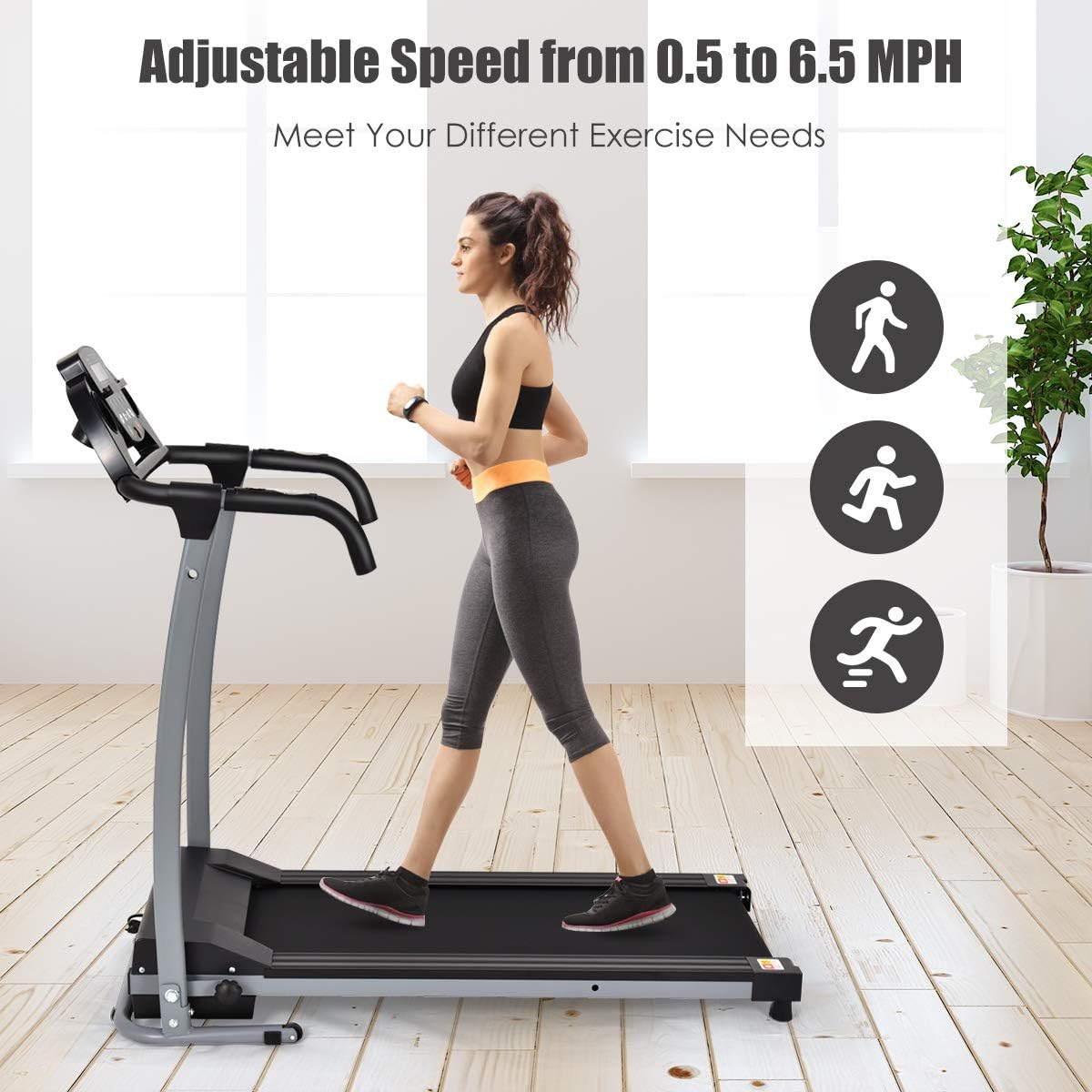
Figure 5: User demonstrating the adjustable speed feature, suitable for walking, jogging, or light running.
6. Maintenance
Regular maintenance ensures the longevity and optimal performance of your treadmill.
6.1 Cleaning:
- Always unplug the treadmill before cleaning.
- Wipe down the console and exterior surfaces with a damp cloth. Avoid harsh chemicals.
- Periodically vacuum under the treadmill to prevent dust buildup.
6.2 Running Belt Lubrication:
The running belt requires lubrication every 3-6 months, depending on usage, to reduce friction and extend belt life.
- Unplug the treadmill.
- Loosen the rear roller bolts slightly to lift the belt.
- Apply a small amount of silicone lubricant (not included) evenly under the center of the belt.
- Tighten the rear roller bolts and run the treadmill at a low speed for 5 minutes to distribute the lubricant.
6.3 Running Belt Adjustment:
If the running belt shifts to one side or slips, it may need adjustment.
- Centering: If the belt drifts to the left, turn the left rear roller bolt clockwise 1/4 turn. If it drifts to the right, turn the right rear roller bolt clockwise 1/4 turn. Run the treadmill for 1-2 minutes and re-adjust if necessary.
- Tension: If the belt slips, turn both rear roller bolts clockwise 1/4 turn simultaneously. Test for slipping and re-adjust if necessary. Do not overtighten.

Figure 6: Illustration of the multi-layered running belt construction, designed for durability and joint protection.
7. Troubleshooting
Refer to this section for common issues and their solutions. If the problem persists, contact customer support.
| Problem | Possible Cause | Solution |
|---|---|---|
| Treadmill does not start. | Power cord unplugged, safety key not in place, circuit breaker tripped. | Check power connection, ensure safety key is correctly placed, reset circuit breaker. |
| Running belt slips. | Belt tension too loose, belt needs lubrication. | Adjust belt tension (Section 6.3), lubricate belt (Section 6.2). |
| Belt drifts to one side. | Belt not centered. | Adjust belt centering (Section 6.3). |
| Unusual noise during operation. | Loose components, motor issue, belt friction. | Check all bolts for tightness, lubricate belt, contact customer support if noise persists. |
8. Specifications
Technical details for the Goplus Foldable Treadmill.
| Feature | Detail |
|---|---|
| Model Number | HPK37709BK |
| Brand | Goplus |
| Product Dimensions (Unfolded) | 48.5"D x 20"W x 44.5"H |
| Folded Size | 37.4 x 57.9 x 26.8 inches |
| Item Weight | 55 Pounds |
| Material | Alloy Steel |
| Maximum Speed | 6.5 Miles per Hour |
| Minimum Speed | 0.5 Miles per Hour |
| Maximum Weight Recommendation | 220 Pounds |
| Running Belt Dimensions | 40"L x 14.5"W |
| Display Type | LED |
| Number of Programs | 12 Preset Programs |
| Power Source | Electric (800 Watts Input Power) |
| Included Components | Safety Key |
| Metrics Measured | Distance, Heart Rate, Time, Calories Burned, Speed |

Figure 7: The treadmill in its folded configuration, highlighting its space-saving design for easy storage.
9. Warranty and Support
The Goplus Foldable Treadmill comes with a 3-month warranty as per the manufacturer's description. For any issues or support, please refer to your purchase documentation or contact Goplus customer service.
- Warranty Period: 3 months from the date of purchase.
- Customer Support: Please refer to the contact information provided with your product packaging or on the Goplus official website for service inquiries.
- Protection Plans: Additional protection plans may be available for purchase from your retailer.
10. Storage
To store the treadmill, ensure it is powered off and unplugged. The foldable design allows for easy upright storage. Gently lift the running deck until it locks into the upright position. Use the built-in wheels to move it to a suitable storage location.

Figure 8: Illustration highlighting the powerful and low-noise motor, indicating suitability for home use without disturbing others.