
SVBONY FW2564A
SVBONY Finder Scope Instruction Manual
Model: FW2564A
Brand: SVBONY
1. Introduction
The SVBONY Red Dot Reflex Viewfinder Finder Scope is designed to assist in quickly and easily aiming your astronomical telescope. It projects a red dot onto a non-magnifying viewing window, allowing for intuitive target acquisition in the night sky. This manual provides detailed instructions for the proper installation, operation, and maintenance of your finder scope.

Image: The SVBONY Red Dot Reflex Viewfinder Finder Scope, showing its main components and design.
2. Safety Information
WARNING:
Do not look directly into the sun through the finder scope or any telescope, as this can cause severe and permanent eye damage.
3. Package Contents
- 1 x Red Dot Finder Scope
- 1 x Mounting Bracket Base
- (Battery included, if applicable)
4. Setup and Installation
The SVBONY Red Dot Finder Scope is designed for easy installation on compatible astronomical telescopes. Ensure your telescope has a suitable mounting base.
4.1 Compatibility
This finder scope is compatible with Celestron 80EQ SE SLT PS Series and Meade Infinity and Polaris Series Astronomical Telescopes (Note: Meade Infinity Series: 80AZ, 90AZ, 102AZ and Polaris Series: 80EQ, 90EQ are not applicable). The slotted mounting holes on the base accommodate hole distances from approximately 11mm to 30.3mm across.

Image: The finder scope attached to a telescope tube, demonstrating the mounting process.
4.2 Mounting Instructions
- Identify the two protruding studs on your telescope's optical tube where the finder scope will be mounted.
- Align the slotted holes on the base of the SVBONY finder scope's mounting bracket with these studs.
- Slide the finder scope onto the studs. The elongated mounting holes allow for adjustment to fit various hole distances (approx. 5/8 to 1 inch or 11mm to 30.3mm).
- Secure the finder scope in place using the provided screws or knobs, ensuring it is firmly attached but not overtightened.

Image: A detailed view of the finder scope's base, highlighting the slotted mounting holes for compatibility.
5. Operation
5.1 Powering On/Off and Brightness Adjustment
The red dot finder scope is battery-powered. Locate the brightness adjustment knob, typically on the side or rear of the unit. Rotate this knob to turn the red dot on or off and to adjust its brightness level. Start with a lower brightness setting and increase as needed for visibility against the night sky.

Image: The finder scope viewed from the side, indicating the location of the brightness control knob.
5.2 Aligning the Finder Scope
For accurate aiming, the red dot finder scope must be aligned with your main telescope. This process is typically done during daylight hours on a distant, stationary object (e.g., a distant tree or building).
- Point your main telescope at a distant, easily identifiable object. Center the object precisely in the eyepiece of your main telescope.
- Look through the red dot finder scope. The red dot will likely not be centered on the object you've chosen.
- Use the two adjustment knobs on the finder scope (one for horizontal, one for vertical adjustment) to move the red dot until it is precisely centered on the same object that is in your main telescope's eyepiece.
- Once aligned, the red dot finder scope will allow you to quickly point your main telescope to any celestial object by simply centering the red dot on it.
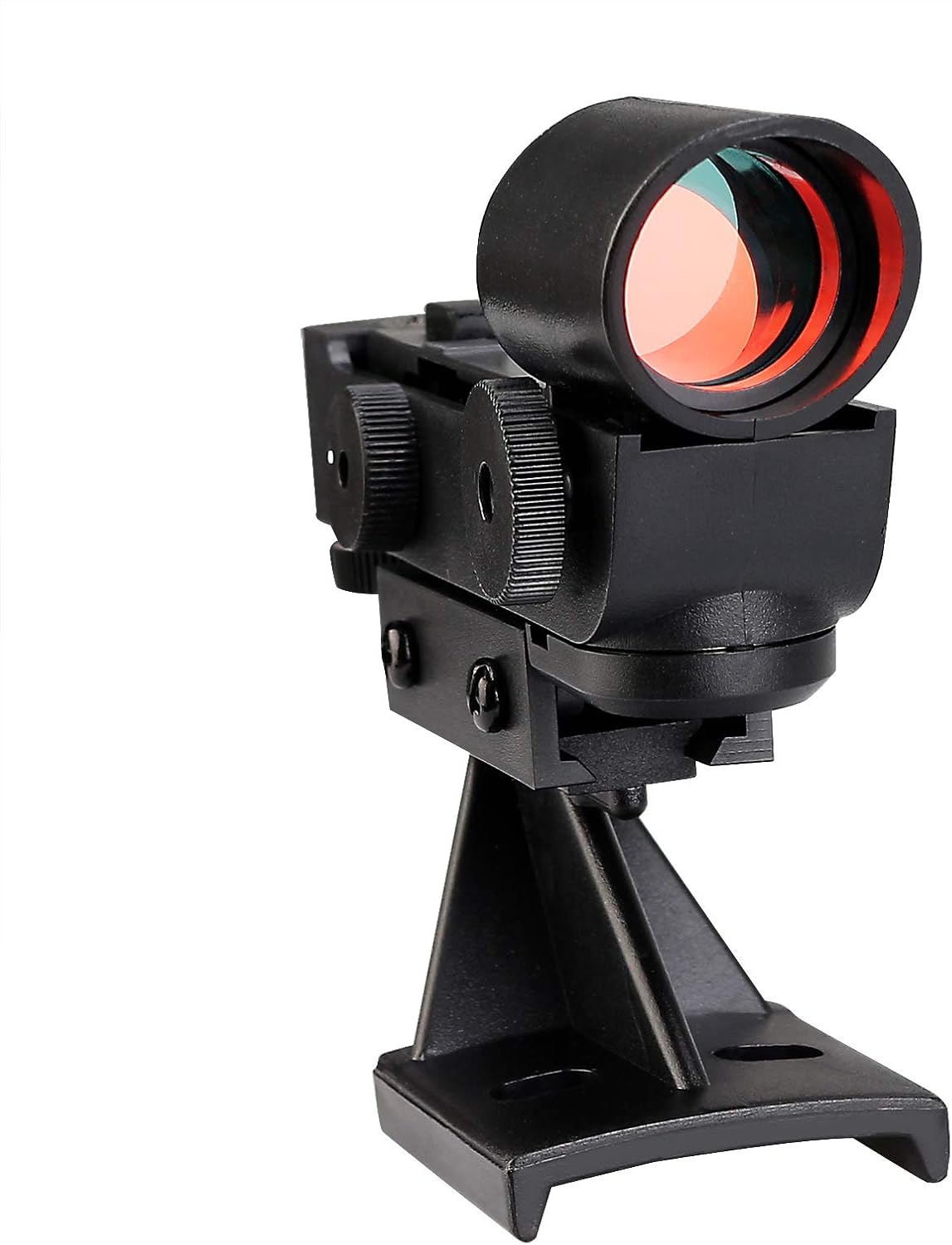
Image: The top view of the finder scope, highlighting the horizontal and vertical adjustment knobs.
6. Maintenance and Care
- Cleaning: Use a soft, lint-free cloth to clean the exterior of the finder scope. For the viewing window, use a lens cleaning solution and a microfiber cloth specifically designed for optics. Avoid abrasive materials that could scratch the surface.
- Storage: When not in use, store the finder scope in a dry, dust-free environment. It is recommended to remove the battery if the unit will not be used for an extended period to prevent corrosion.
- Handling: Handle the finder scope with care to avoid dropping it or subjecting it to strong impacts, which could damage the internal components or alignment.
7. Troubleshooting
| Problem | Possible Cause | Solution |
|---|---|---|
| Red dot does not appear. | Battery is dead or incorrectly installed. Brightness knob is off or too low. | Check battery orientation and replace if necessary. Rotate brightness knob to increase intensity. |
| Red dot is dim or flickers. | Low battery. Loose battery connection. | Replace battery. Ensure battery is seated firmly. |
| Cannot align finder scope with main telescope. | Adjustment knobs are at their limits. Finder scope is loose on mount. | Ensure the finder scope is securely mounted. If knobs are at limits, try re-centering the main telescope on a closer object or slightly adjusting the finder scope's physical position on the mount if possible. |
| Red dot appears distorted or blurry. | Viewing window is dirty. Eye relief issue. | Clean the viewing window with a lens cloth. Adjust your eye position relative to the viewing window. |
8. Specifications
| Feature | Detail |
|---|---|
| Model Number | FW2564A |
| Product Dimensions | 5.12 x 3.94 x 1.57 inches (13.0 x 10.0 x 4.0 cm) |
| Item Weight | 3.87 ounces (0.11 kg) |
| Finderscope Type | Reflex (Red Dot) |
| Optical Tube Length | 21 Millimeters |
| Mounting Hole Distance | Approx. 11mm to 30.3mm (5/8 to 1 inch) |
| Power Source | Battery Powered |
| Focus Type | Manual Focus |
9. Warranty and Support
SVBONY products are manufactured to high-quality standards. For specific warranty details, please refer to the warranty card included with your product or visit the official SVBONY website. For technical support, product inquiries, or service, please contact SVBONY customer service through their official channels.
You can find more information and support at the SVBONY Store on Amazon.
Ask a question about this manual
Ask about setup, troubleshooting, compatibility, parts, safety, or missing instructions. Manuals+ will review the question and use this page’s manual context to help answer it.