
1. Introduction
Thank you for choosing the Ionix YS In-Ear Earphone with Microphone. This manual provides essential information for the proper setup, operation, and maintenance of your earphones. Please read this guide thoroughly before using the product to ensure optimal performance and longevity.
2. Product Overview
2.1 Key Features
- In-ear design for comfortable fit and passive noise isolation.
- Integrated microphone for hands-free calls.
- Single button control for call management.
- Standard 3.5mm audio jack for wide compatibility.
- Lightweight and portable design.
2.2 Package Contents
The Ionix YS In-Ear Earphone package includes:
- 1 x Ionix YS In-Ear Earphone with Microphone
2.3 Earphone Components

Figure 1: Overview of the Ionix YS In-Ear Earphone, showing the earbuds, cable, in-line remote, and 3.5mm audio jack.

Figure 2: Detailed view of the 3.5mm audio jack and the in-line remote control, highlighting the call answer/end button.
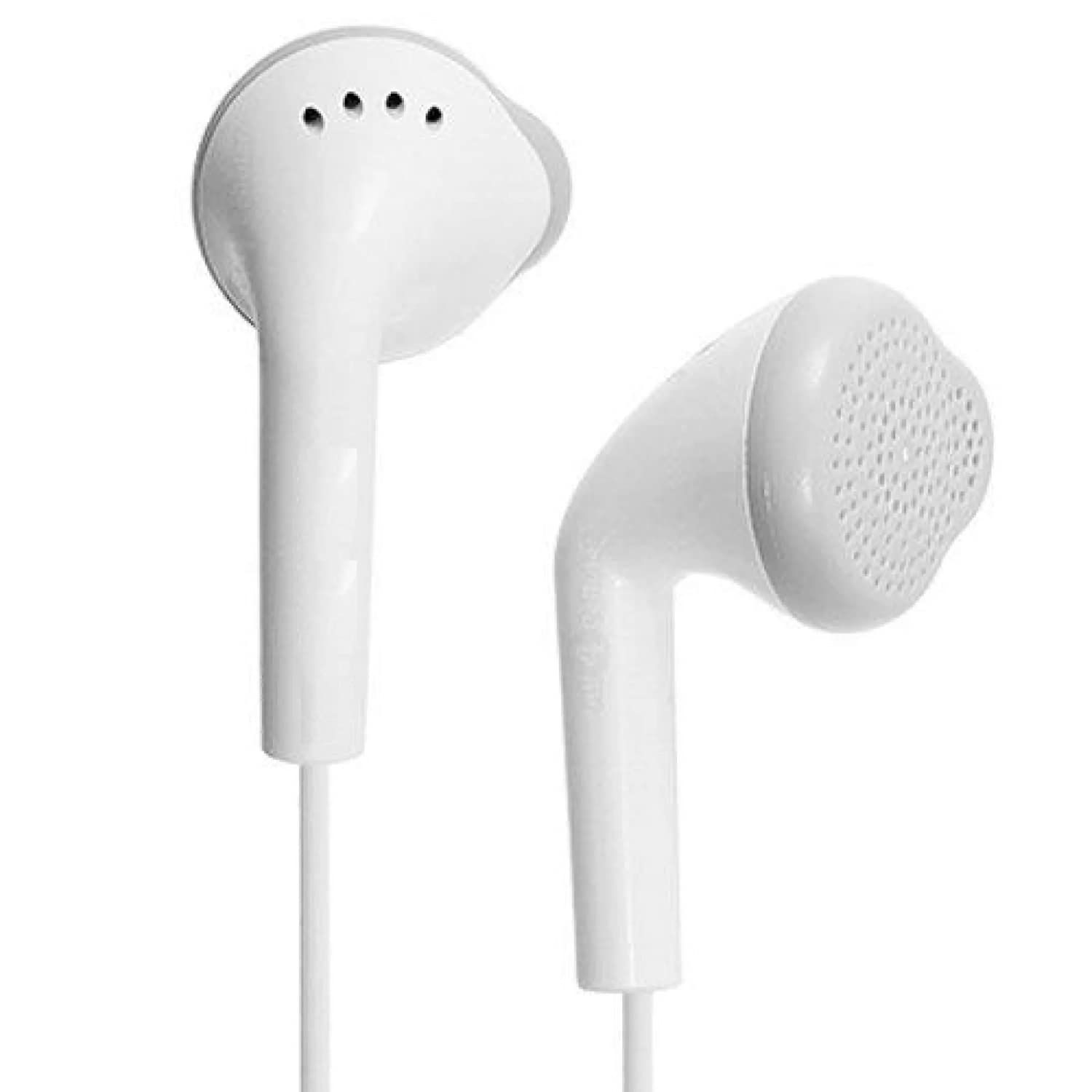
Figure 3: Close-up of the earbud design, showing the speaker grille and ergonomic shape for in-ear placement.
3. Setup
3.1 Connecting to Your Device
- Locate the 3.5mm audio jack on your smartphone, tablet, or other compatible audio device.
- Insert the 3.5mm plug of the Ionix YS earphone firmly into the audio jack of your device.
- Ensure the plug is fully inserted to establish a secure connection and prevent audio issues.
The earphones are now ready for use. No additional drivers or software are required for standard audio playback.
4. Operating Instructions
4.1 Audio Playback
- Once connected, play audio from your device. Sound will be routed through the earphones.
- Adjust the volume directly on your connected device. The Ionix YS earphones do not have integrated volume controls.
4.2 Call Management (Using In-line Remote)
The in-line remote features a single button for managing phone calls:
- Answer/End Call: Press the button once to answer an incoming call. Press the button once again to end an active call.
- Reject Call: Press and hold the button for approximately 2 seconds to reject an incoming call.
- Play/Pause Music: While playing music, press the button once to play or pause the track.
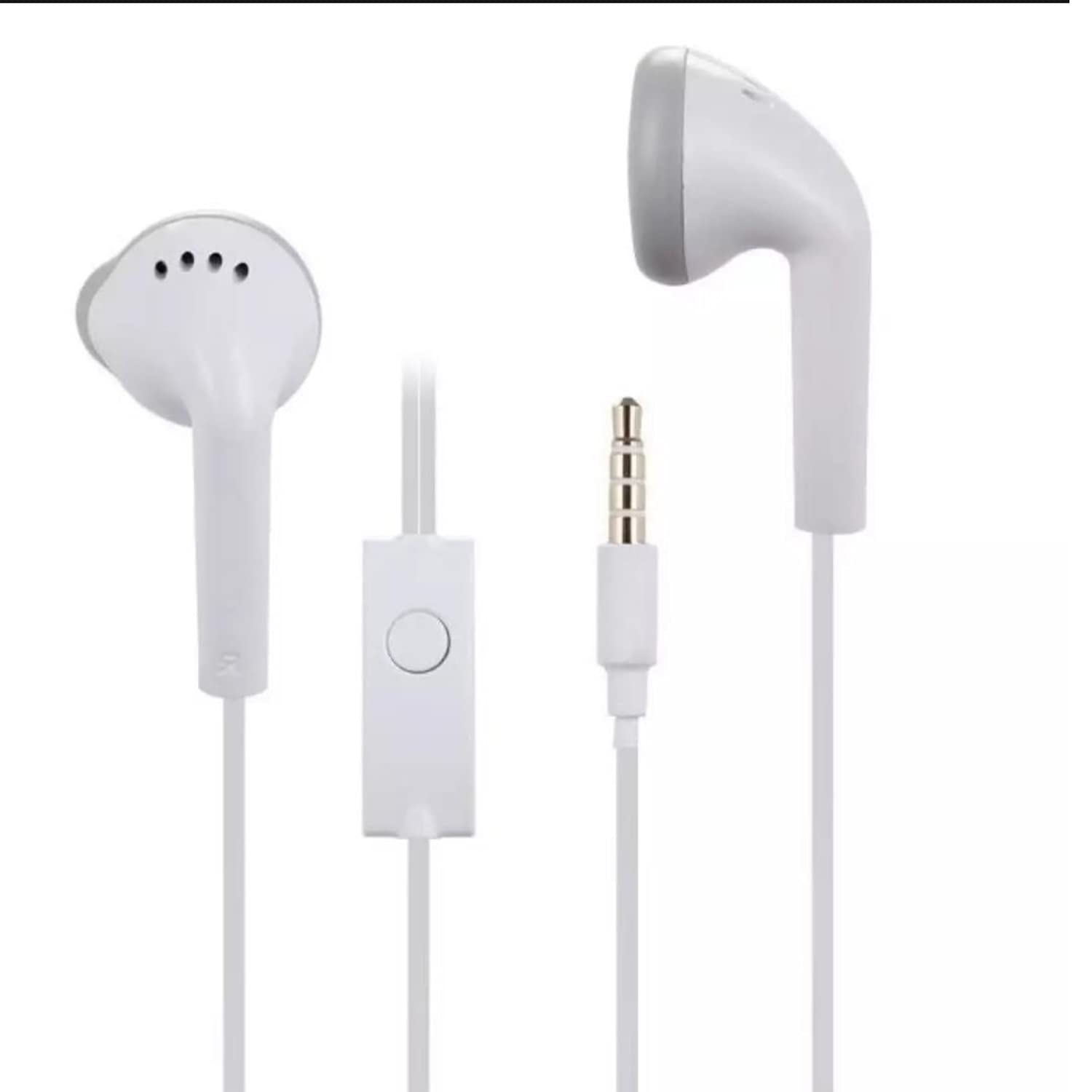
Figure 4: The complete Ionix YS earphone, showing the in-line remote with its single control button and the 3.5mm audio jack.
5. Maintenance
5.1 Cleaning
- Gently wipe the earbuds and cable with a soft, dry, lint-free cloth.
- Do not use harsh chemicals, cleaning solvents, or strong detergents.
- Avoid getting moisture into any openings.
5.2 Storage
- When not in use, store the earphones in a clean, dry place, away from extreme temperatures.
- Avoid tangling the cable. Consider using a cable organizer or wrapping the cable loosely.
6. Troubleshooting
| Problem | Possible Cause | Solution |
|---|---|---|
| No sound or low volume |
|
|
| Microphone not working |
|
|
| Sound distortion |
|
|
7. Specifications
| Feature | Detail |
|---|---|
| Model Name | Ionix YS Earphones |
| Connectivity Technology | Wired (3.5mm Jack) |
| Ear Placement | In Ear |
| Microphone Format | With Microphone |
| Control Type | Single Button (Call/Play/Pause) |
| Material | Plastic |
| Item Weight | 200 Grams |
| Product Dimensions | 15.2 x 7.6 x 2.5 cm |
| Compatible Operating System | Android (and other devices with 3.5mm jack) |
| Color | White |
8. Warranty and Support
8.1 Warranty Information
This Ionix YS earphone comes with a 10-day warranty from the date of purchase. This warranty covers manufacturing defects. Please retain your proof of purchase for warranty claims. The warranty does not cover damage caused by misuse, accidents, unauthorized modifications, or normal wear and tear.
8.2 Customer Support
For any questions, technical assistance, or warranty claims, please contact Ionix customer support. Refer to your purchase documentation or the retailer's website for specific contact details.