Introduction
This manual provides essential instructions for the safe and effective use of your Huiyuan 150W Laptop AC Adapter, model AD065G2Uz. Please read this manual thoroughly before using the product and retain it for future reference. This adapter is designed to provide power to compatible laptops, ensuring stable and efficient charging.
Package Contents
Verify that all items are present in the package:
- 1 x Huiyuan 150W Laptop AC Adapter
- 1 x Power Cord (US plug, suitable for your region)
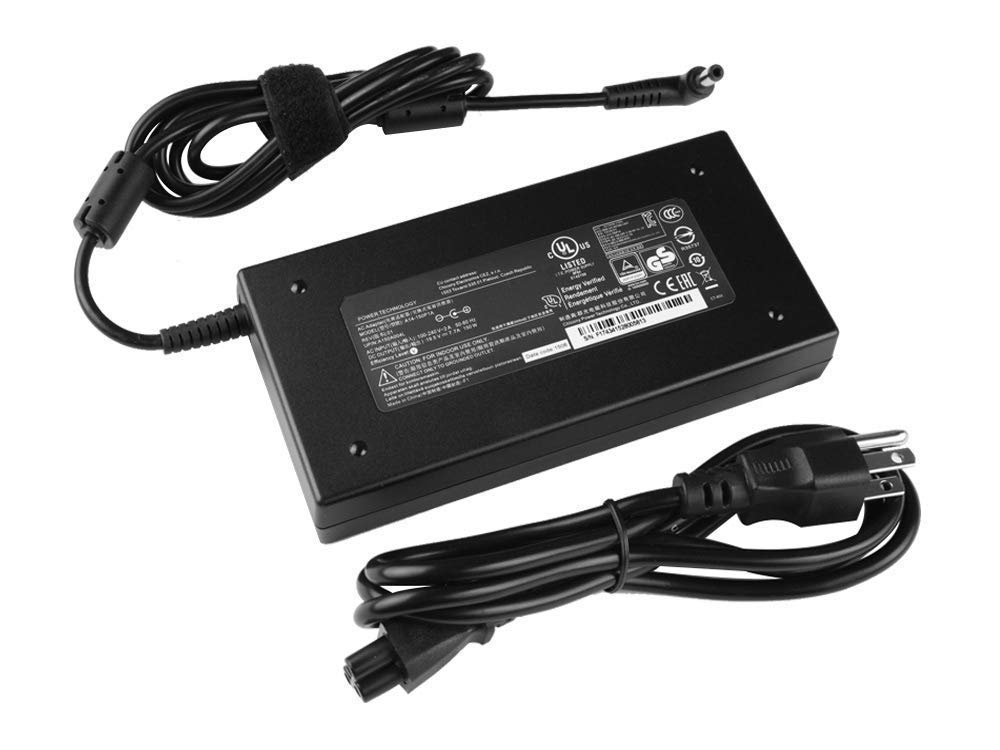
Image: The Huiyuan 150W Laptop AC Adapter with its detachable power cord.
Setup Instructions
- Connect the Power Cord: Insert the AC power cord firmly into the adapter's input port. Ensure a secure connection.
- Connect to Power Outlet: Plug the other end of the AC power cord into a standard wall electrical outlet.
- Connect to Laptop: Insert the DC output connector (barrel connector) from the adapter into the power input port on your compatible laptop. Ensure the connector is fully inserted and fits snugly.

Image: Close-up view of the 5.5mm x 2.5mm barrel connector, designed for compatible laptops.
Important: Always ensure the adapter's specifications (voltage, amperage, and connector size) match your laptop's requirements to prevent damage.
Operating Instructions
- Compatibility Check: Before connecting, verify that your laptop's power input requirements (voltage, amperage, and connector size) are compatible with this adapter. This adapter provides 19.5V, 7.7A, and uses a 5.5mm x 2.5mm barrel connector.
- Proper Ventilation: Place the adapter in a well-ventilated area. Avoid covering it with cloths or placing it in enclosed spaces during operation to prevent overheating.
- Safety Precautions:
- Do not expose the adapter to water, moisture, or high humidity.
- Do not disassemble or attempt to repair the adapter.
- Avoid dropping or subjecting the adapter to strong impacts.
- Keep out of reach of children.
Maintenance
- Cleaning: Disconnect the adapter from both the power outlet and your laptop before cleaning. Use a soft, dry cloth to wipe the surface. Do not use liquid cleaners or solvents.
- Storage: When not in use, store the adapter in a cool, dry place. Avoid extreme temperatures.
- Cable Care: Do not bend or crimp the cables excessively. Avoid placing heavy objects on the cables. When unplugging, grasp the plug, not the cable.
Troubleshooting
| Problem | Possible Cause | Solution |
|---|---|---|
| Adapter not charging laptop. |
|
|
| Adapter feels hot during use. |
|
|
| DC connector does not fit laptop port. |
|
|
Specifications
| Model Number | AD065G2Uz |
| Input Voltage | 100-240V ~ 50-60Hz |
| Output Voltage | 19.5V |
| Output Current | 7.7A |
| Output Wattage | 150W |
| Connector Size | 5.5mm x 2.5mm (Barrel Connector) |
| Compatible Part Number | A14-150P1A |
| Compatible Models | MSI GF62 7RE, MS-16J9 |
| Item Weight | 1.32 pounds (approx. 0.6 kg) |
| Package Dimensions | 13.54 x 8.46 x 1.93 inches (approx. 34.4 x 21.5 x 4.9 cm) |
| Manufacturer | szhyon Dongguan Speed Ronda Electronic Technology Co Ltd |
Warranty and Support
For warranty information or technical support, please refer to the documentation provided with your purchase or contact the seller directly. Please have your product model number (AD065G2Uz) and purchase details ready when contacting support.
Manufacturer: szhyon Dongguan Speed Ronda Electronic Technology Co Ltd