
1. Product Overview
The eMylo Smart Switch is a wireless remote control RF relay designed to provide convenient control over your home devices such as lights. It operates on a 433Mhz frequency and supports AC 90-250V input with a maximum load of 10 amps (1000W). This package includes the main switch unit and two remote transmitters, offering a simple and efficient solution for remote power management.

Key features include sensitive and stable signal transmission, overvoltage protection for enhanced safety, and a compact design for easy integration. The system utilizes non-directional wireless encoding technology, ensuring independent control without interference.

2. Package Contents
Please verify that all items listed below are present in your package:
- 1 x eMylo RF Relay Switch
- 2 x Wiring Clips
- 2 x Transmitters (Remote Controls)
- 1 x User Manual (This document)
3. Safety Information and Important Notes
For your safety and to ensure proper operation, please read and adhere to the following guidelines:
- Power Off Before Wiring: Always ensure the power supply is disconnected before attempting any wiring or installation. Failure to do so can result in electric shock or damage to the device.
- Load Capacity: Do not exceed the maximum load current of 10 amps (1000W). Overloading can cause damage to the switch and pose a fire hazard.
- Intended Use: The eMylo wireless remote control switch is designed for controlling lights and similar household appliances. It is not suitable for motor devices such as motor-driven curtains, roller blinds, garage doors, gate barriers, water pumps, or sprayers.
- Power Requirement: The eMylo wireless remote control switch will only function when the wall switch is turned on and the device is energized.
- Wiring Orientation: Pay close attention to the input and output terminals of the smart switch. Do not confuse them, and observe the prompts indicated on the device panel.
- Environmental Conditions: Operate the device within the specified ambient temperature range of -30℃ to 70℃ and relative humidity (RH) below 95%.
4. Setup and Installation
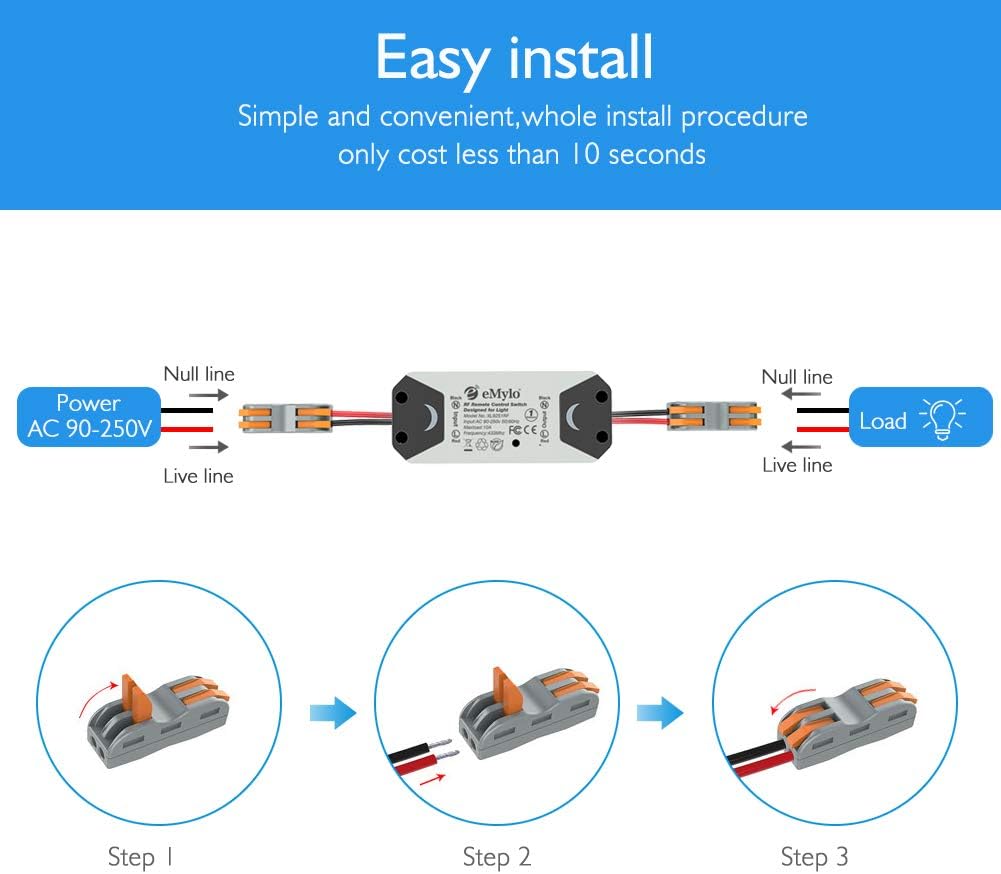
The eMylo Smart Switch is designed for minimalist and safe wiring, often taking less than 10 seconds to connect using the provided wiring clips.
Wiring Instructions:
- Prepare Wires: Ensure the power is off. Strip approximately 9-10mm of insulation from the ends of your Live and Null wires from both the power source (AC 90-250V) and the load (e.g., light fixture).
- Connect Power Input: Identify the input side of the eMylo switch (marked 'Input'). Insert the stripped Live wire from your power source into the 'Live line' terminal of one wiring clip, and the Null wire into the 'Null line' terminal of the same clip. Secure the wires by closing the clip lever.
- Connect Load Output: Identify the output side of the eMylo switch (marked 'Output'). Insert the stripped Live wire from your load into the 'Live line' terminal of the second wiring clip, and the Null wire into the 'Null line' terminal of this clip. Secure the wires.
- Verify Connections: Double-check that all wires are securely fastened within the wiring clips and that the input and output connections are correct as per the diagram.
5. Operating Instructions
Once the eMylo Smart Switch is correctly installed and powered, you can operate it using the included remote transmitters.
Remote Control Operation:
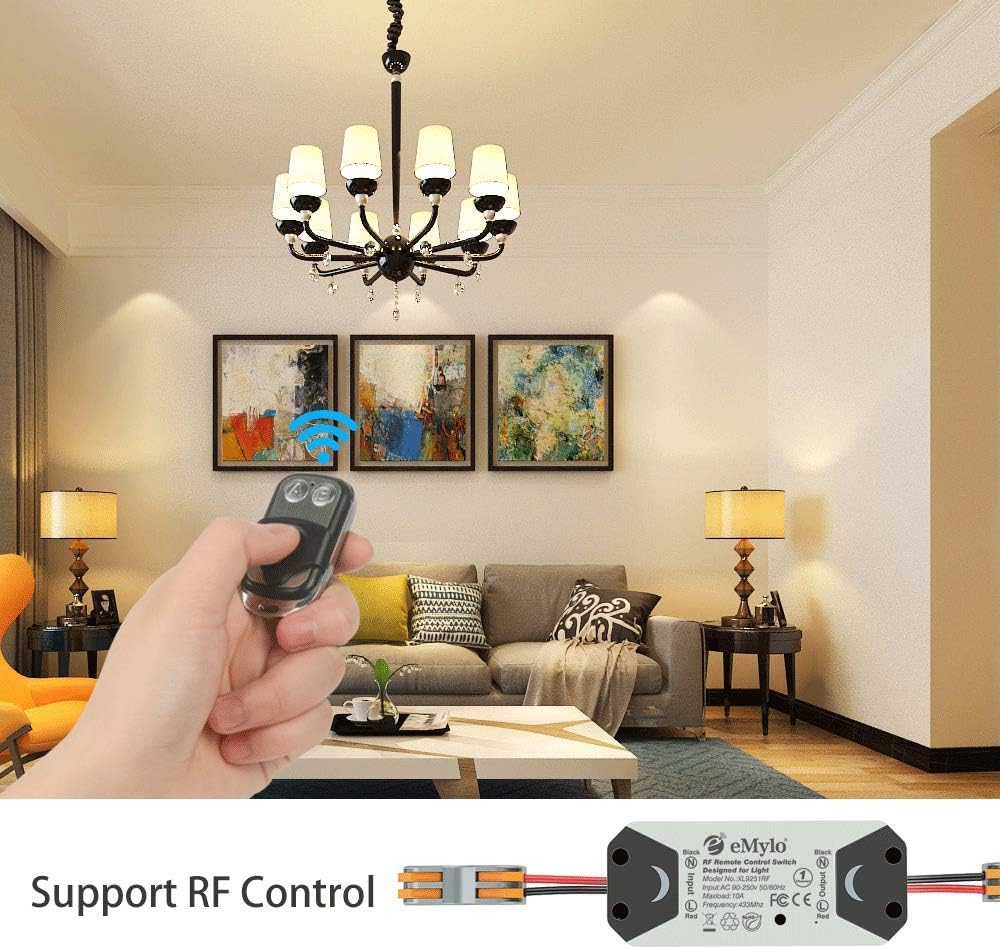
- Each remote transmitter has two buttons, typically labeled 'A' and 'B'. These buttons control the ON/OFF state of the connected device.
- Pressing one button (e.g., 'A') will turn the connected device ON.
- Pressing the other button (e.g., 'B') will turn the connected device OFF.
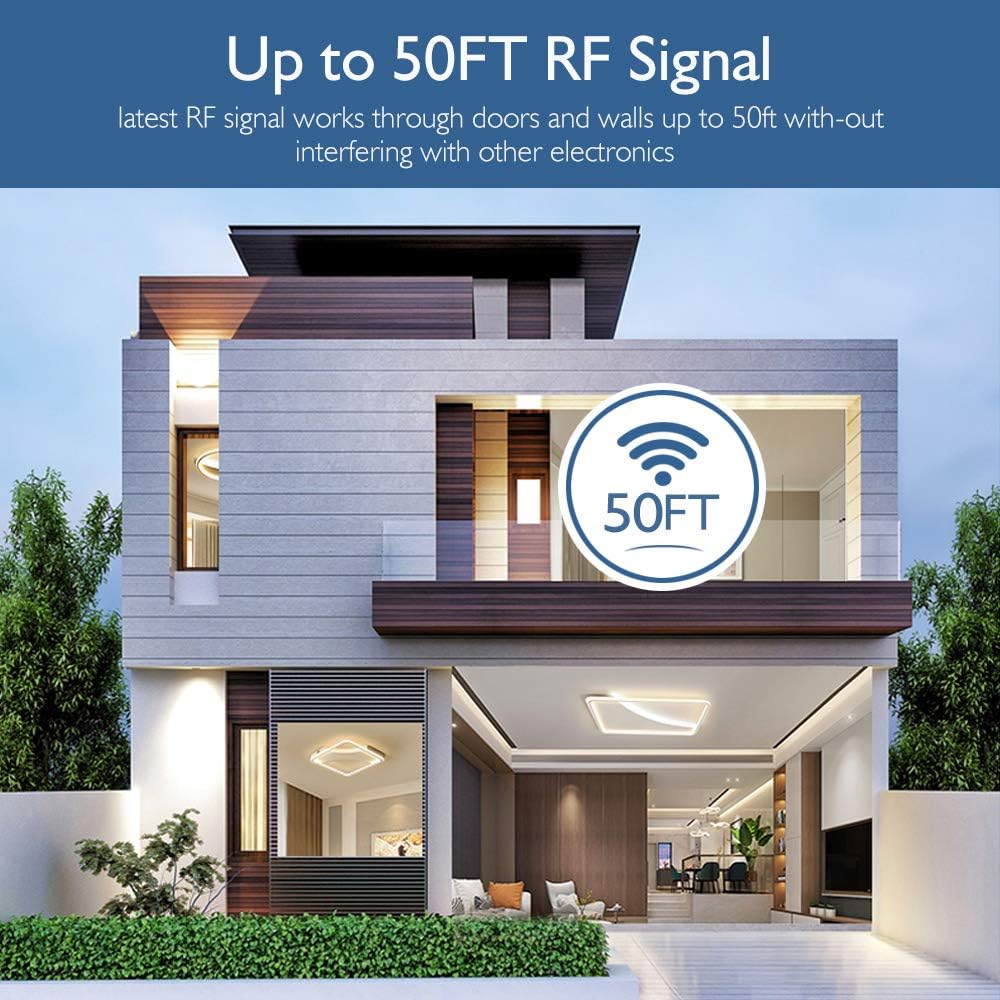
- The remote control uses 433Mhz RF technology, allowing it to control the receiver from a distance, even through walls, floors, and doors.
Remote Distance:
The effective remote distance is approximately 20-50 meters (barrier-free), depending on environmental factors and obstacles.

6. Maintenance
The eMylo Smart Switch is designed for durability and requires minimal maintenance.
- Cleaning: Use a soft, dry cloth to clean the surface of the switch and remote controls. Do not use abrasive cleaners or solvents.
- Battery Replacement: The remote transmitters use a 12V 27A battery. If the remote's range decreases or it becomes unresponsive, replace the battery. Refer to the remote's casing for instructions on opening the battery compartment.
- Environmental Protection: Keep the device away from excessive moisture, heat, and direct sunlight to ensure its longevity.
7. Troubleshooting
If you encounter issues with your eMylo Smart Switch, please refer to the following common troubleshooting steps:
- Device Not Responding:
- Ensure the main power supply to the switch is ON and energized.
- Check the battery in the remote transmitter. Replace if necessary.
- Verify that the wiring connections are secure and correct (input/output, Live/Null lines).
- Ensure the load (e.g., light bulb) is functioning correctly.
- Reduced Remote Range:
- Replace the remote transmitter battery.
- Minimize physical obstructions (thick walls, metal objects) between the remote and the switch.
- Avoid sources of strong electromagnetic interference.
- Switch Overheating:
- Immediately disconnect power.
- Check if the connected load exceeds the maximum capacity of 10 amps (1000W). Reduce the load if it does.
- Ensure proper ventilation around the switch.
If the problem persists after following these steps, please contact customer support.
8. Technical Specifications
| Specification | Detail |
|---|---|
| Model | XL9251RF |
| Dimensions (L x W x H) | 90 x 38 x 25 mm (3.54 x 1.50 x 0.98 inches) |
| Weight | Approx. 40.82 g |
| Material | High quality ABS (Flame retardant material) |
| Input Voltage | AC 90-250V |
| Max. Load Current | 10 Amp |
| Max. Power | 1000W |
| Channel | One Channel |
| Frequency | 433Mhz |
| Transmitter Battery Type | 12V 27A (included) |
| Remote Distance | 20-50m (Barrier free) |
| Ambient Temperature | -30℃ to 70℃ |
| Relative Humidity (RH) | <95% |
| Certifications | FCC, CE, Rohs |
9. Warranty and Support
This product comes with a standard manufacturer's warranty. For specific warranty terms and conditions, please refer to the product packaging or contact the retailer where you purchased the device.
For technical support, troubleshooting assistance, or any inquiries regarding your eMylo Smart Switch, please contact OOCOME customer service through the contact information provided on the product packaging or the official OOCOME website.
