
A.S Gen2
A.S Magnetic Charging Cable User Manual
Model: Gen2
Introduction
Thank you for choosing the A.S Magnetic Charging Cable. This innovative 3-in-1 cable system is designed to provide convenient and efficient charging and data synchronization for a wide range of mobile devices. Its magnetic connection simplifies charging, reduces wear on your device's port, and offers flexible usage with its rotating design. Please read this manual carefully to ensure proper use and maintenance of your new charging cables.
What's in the Box
Your A.S Magnetic Charging Cable package includes the following components:
- 4 x Magnetic Phone Cables (2 x 3.3ft, 2 x 6.6ft)
- 3 x Magnetic USB-C Tips
- 3 x Magnetic i-Product Tips
- 3 x Magnetic Micro-USB Tips
- 1 x Cable Organizer (Gift)
- 1 x Magnetic Adapter Removal Tool (Gift)

Image: Contents of the A.S Magnetic Charging Cable package.
Product Features
Fast Charging & Data Transmission
The A.S 5-PIN Magnetic charging cable supports QC 2.0/3.0 quick charge, delivering up to 18W (9V 2A) for maximum charging speed. USB A to Micro offers up to 12W (5V 2.4A), and USB A to i-Product up to 12W (5V 2.4A). It also supports high-speed data transmission with a data sync speed of up to 480Mbps, ideal for music streaming, podcast listening, and GPS navigation.

Simultaneous Charging and Data Transmission
540° Rotation & LED Design
This innovative design includes 2 straight-plug cables and 2 cables with 540-degree rotation. The 540° rotating magnetic data cable allows the magnet tip to rotate a full 360° and the charging head to bend 180°, providing optimal charging angles. A soft blue LED light helps locate the cable easily in the dark or while driving, enabling one-handed operation.

Flexible 540° Rotation for Gaming and Use
3-in-1 Magnetic Charging Cable
Supports three different types of charging devices: Micro USB, Type C, and i-Product. This versatility allows you to charge various smartphones, power banks, and tablets with a single cable system, reducing cable clutter and simplifying your charging setup.

Versatile 3-in-1 Compatibility
Stronger Magnetic Connection
Equipped with upgraded magnetic tips offering twice the magnetic strength compared to standard magnetic cables. This ensures a secure connection to your device, preventing accidental disconnections during use or overnight charging.

Enhanced Magnetic Adsorption
Dustproof & Durable Design
Inserting the magnetic tip into your phone's charging port protects it from dust and debris, preventing deterioration. The cables feature reinforced stress points and a durable nylon braided cord, offering a 5000+ bend lifespan, making them significantly more durable than standard cables.
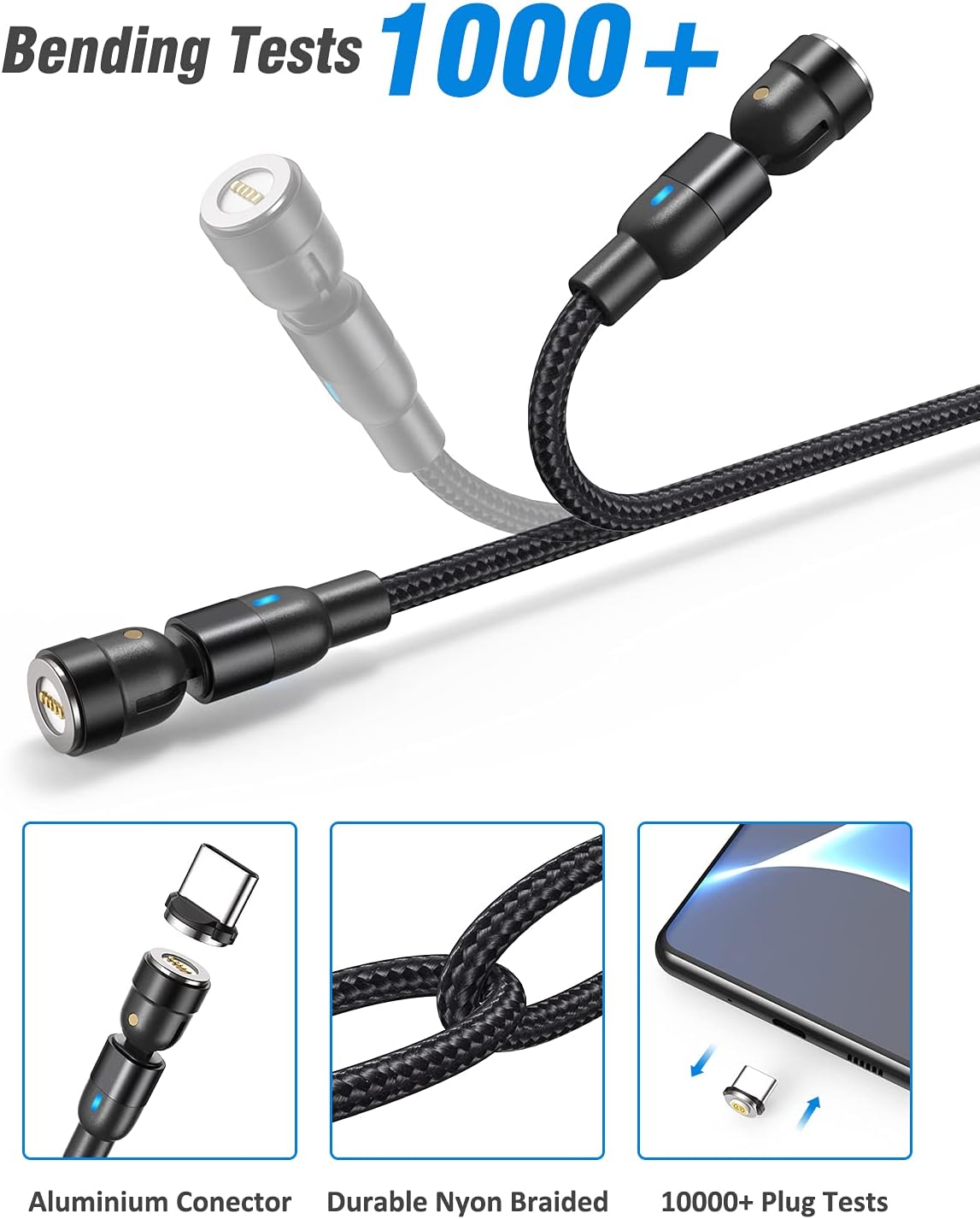
Built for Durability and Port Protection
Setup Instructions
- Insert Magnetic Tip: First, select the appropriate magnetic tip (Micro USB, USB-C, or i-Product) for your device. Gently insert the magnetic tip into the charging port of your phone or other compatible device. This tip can remain in your device to act as a dust plug and facilitate quick magnetic connection.
- Connect Cable to Power Source: Plug the USB-A end of the magnetic charging cable into a compatible power adapter (e.g., wall charger, car charger, power bank) or a computer's USB port.
- Attach Cable to Device: Bring the magnetic end of the charging cable close to the magnetic tip inserted in your device's charging port. The strong magnetic force will automatically align and connect, initiating charging or data transfer.
- Disconnecting: To disconnect, gently pull the magnetic cable away from the device. Avoid pulling the cable at a sharp angle to prevent strain on the magnetic tip or device port.
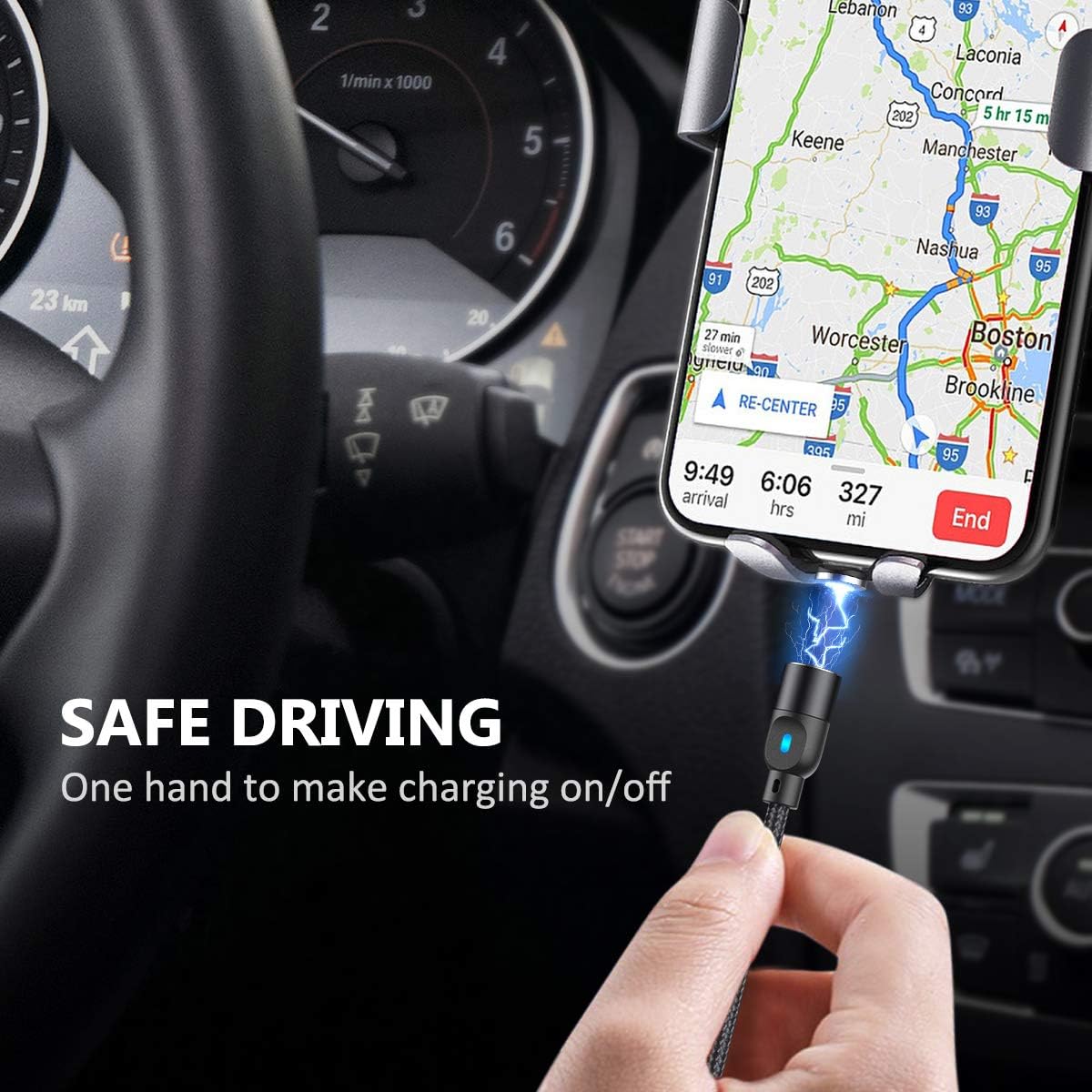
Image: Easy one-handed connection in a car.
Operating Instructions
The A.S Magnetic Charging Cable is designed for simple and intuitive operation:
- Charging: Once connected, your device will begin charging. The blue LED indicator on the cable will illuminate, confirming a successful connection and charging status.
- Data Transfer: When connected to a computer, the cable supports data synchronization. Ensure your device is set to allow data transfer if prompted.
- Flexible Use: Utilize the 540-degree rotating cables for comfortable use while charging, especially when gaming or watching videos, as the cable can bend and rotate to avoid obstruction.
- Nighttime Convenience: The soft blue LED light helps you easily locate your cable and connect your device in low-light conditions without fumbling.

Image: Sleep-friendly LED indicator.
Maintenance
To ensure the longevity and optimal performance of your A.S Magnetic Charging Cables, follow these maintenance guidelines:
- Keep Tips Inserted: Leaving the magnetic tip in your device's charging port helps prevent dust, lint, and debris from entering and damaging the port.
- Clean Regularly: Periodically inspect the magnetic contact points on both the cable and the tips. If dirty, gently wipe them with a dry, soft cloth. Avoid using liquids or abrasive cleaners.
- Avoid Extreme Conditions: Do not expose the cables or tips to extreme temperatures, direct sunlight for prolonged periods, or excessive moisture.
- Proper Storage: When not in use, store the cables neatly. Utilize the included cable organizer to prevent tangling and damage. Keep magnetic tips away from loose metal objects to avoid short circuits.
- Gentle Handling: While durable, avoid excessive force when connecting or disconnecting. Do not yank the cable from the device or power source.
Troubleshooting
| Problem | Possible Cause | Solution |
|---|---|---|
| Device not charging or slow charging. |
|
|
| Data transfer not working. |
|
|
| Magnetic connection is weak or disconnects easily. |
|
|
| Cable not compatible with certain magnetic tips. |
|
|
Specifications
| Feature | Description |
|---|---|
| Brand | A.S |
| Model Name | Gen2 |
| Connector Type | USB Type C, Micro USB, i-Product, USB Type A |
| Cable Type | USB |
| Compatible Devices | Smartphones, Power Bank, Tablets, Earphones, Speaker, Mouse, Wireless keyboards, Digital Cameras, Camcorders, MP3 Players, Hard drives, Portable Charger, Windows Notebooks, GPS device, PS4/Xbox/PS Vita/E |
| Special Features | 5Pin Magnetic Charging Cable, Data Transfer, Durable Nylon Braided Cord, LED Light, Dustproof, Non-tangled, 540° Rotation |
| Color | Black |
| Connector Gender | Male-to-Male |
| Data Transfer Rate | 480 Megabytes Per Second |
| Number of Pins | 5 |
| AC Adapter Current | 2 Amps |
| Wattage | 18 watts |
| Maximum Voltage | 9 Volts |
| Outer Material | Nylon |
| Number of Items | 4 (cables) |
| Certifications | CE, FCC |
| Item Weight | 3.52 ounces |
| Manufacturer | A.S Technology |
| First Available Date | April 19, 2019 |
Warranty & Support
Your A.S Magnetic Charging Cable comes with a 12-month warranty from the date of purchase. We are committed to your satisfaction and offer an additional 6-month warranty to customers who communicate any problems with our product via email.
For any questions, concerns, or warranty claims, please contact A.S Customer Support. Our team is available to provide professional assistance.

Image: A.S Customer Support is ready to assist you.
Ask a question about this manual
Ask about setup, troubleshooting, compatibility, parts, safety, or missing instructions. Manuals+ will review the question and use this page’s manual context to help answer it.