1. Important Safety Instructions
Please read these safety instructions carefully before using your Denon AVR-S650H AV Receiver. Keep this manual for future reference.
- Ventilation: Ensure adequate ventilation. Do not block ventilation openings.
- Power Source: Connect only to the specified power supply.
- Water and Moisture: Do not expose the unit to rain or moisture.
- Cleaning: Clean only with a dry cloth.
- Servicing: Refer all servicing to qualified service personnel.
2. Product Overview
The Denon AVR-S650H is a 5.2 channel 4K UHD AV Receiver designed to deliver an immersive home theater experience. It features advanced video technologies, multi-room audio capabilities, and voice control compatibility.

Figure 2.1: Front view of the Denon AVR-S650H AV Receiver, showcasing its sleek design and control knobs.

Figure 2.2: The Denon AVR-S650H integrated into a modern living room home theater setup.
Key Features:
- 5.2 Channel Surround Sound (150W x 5)
- 4K UHD Pass-through with Dolby Vision, HDR10, HLG, BT.2020
- eARC (Enhanced Audio Return Channel) Support
- HEOS Built-in for Multi-Room Music Streaming
- Bluetooth, Wi-Fi, and Apple AirPlay 2 Connectivity
- Voice Control Compatibility (Amazon Alexa, Google Assistant)
- Audyssey MultEQ Room Correction
3. Setup Guide
3.1. Unpacking and Contents
Carefully remove the receiver and all accessories from the packaging. Ensure all items listed below are present:
- Denon AVR-S650H AV Receiver
- Quick Start Guide
- Remote Controller
- AAA Batteries (x2)
- FM Indoor Antenna
- AM Loop Antenna
- Sound Calibration Microphone
- Warranty and Safety Instructions
3.2. Connecting Your Devices
Follow these steps to connect your speakers, video sources, and other devices to the receiver.

Figure 3.1: Rear panel of the Denon AVR-S650H, showing color-coded speaker terminals and various input/output ports.
- Speaker Connections: Connect your speakers to the color-coded speaker terminals on the rear panel. Ensure correct polarity (+ to + and - to -). The AVR-S650H supports a 5.2 channel setup.
- HDMI Connections: Connect your video sources (Blu-ray player, game console, streaming device) to the HDMI IN ports. Connect your TV to the HDMI OUT (ARC/eARC) port for audio return from your TV.
- Antenna Connections: Connect the supplied FM and AM antennas for radio reception.
- Network Connection: For network features and firmware updates, connect an Ethernet cable to the LAN port or connect wirelessly via Wi-Fi.
- Power Connection: Once all connections are made, plug the power cord into the receiver and then into a wall outlet.
3.3. Initial Setup Assistant
The Denon AVR-S650H features an award-winning On-Screen Setup Assistant to guide you through the initial configuration process. This assistant will help you connect your TV, configure speaker settings, and optimize your surround sound.

Figure 3.2: Screenshot of the Denon Setup Assistant, guiding the user through speaker connection.
Follow the on-screen prompts to complete the setup. This includes:
- Speaker Setup: The assistant will guide you through connecting and configuring your speakers.
- Audyssey MultEQ: Use the supplied calibration microphone to automatically measure and optimize your speaker settings for your room's acoustics. Place the microphone at various listening positions as instructed by the assistant.
- Source Setup: Configure your input sources (e.g., Blu-ray, Game, TV Audio).
- Network Setup: Connect the receiver to your home network for streaming services and firmware updates.
Video 3.1: An overview of the Denon AVR-S650H, highlighting its features and ease of setup. This video demonstrates the user-friendly setup process.
4. Operating Your Receiver
4.1. Basic Operations
- Power On/Off: Press the POWER button on the front panel or remote control.
- Input Selection: Use the SOURCE SELECT knob on the front panel or the dedicated input buttons on the remote to switch between connected devices (e.g., CBL/SAT, DVD, Game).
- Volume Control: Adjust the MASTER VOLUME knob on the front panel or the VOLUME +/- buttons on the remote.
- Sound Mode: Press the SOUND MODE buttons (MOVIE, MUSIC, GAME, PURE) to select the desired audio processing mode.
4.2. Advanced Features
4.2.1. HEOS Multi-Room Audio
The HEOS Built-in feature allows you to stream music wirelessly throughout your home to compatible HEOS speakers. Control your music from the HEOS app on your smartphone or tablet.

Figure 4.1: Diagram illustrating the HEOS multi-room audio setup, allowing music playback in various rooms.
Supported streaming services include Spotify, Pandora, Tidal, and more. You can also play music from your local network or USB storage.
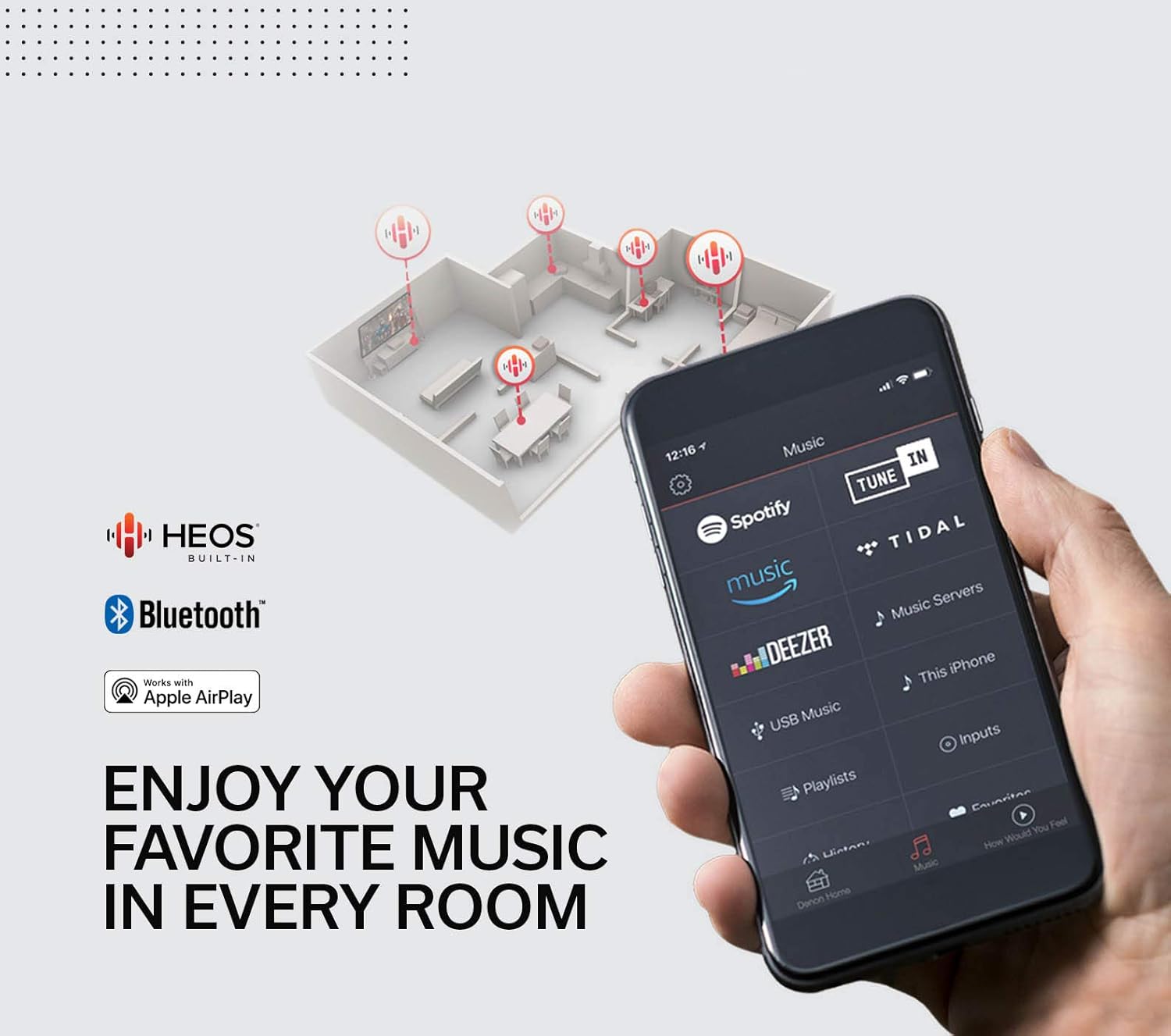
Figure 4.2: A smartphone displaying the HEOS app interface, showing various music streaming service options.
4.2.2. 4K UHD Video and HDR Support
The AVR-S650H supports the latest 4K Ultra HD video standards, including Dolby Vision, HDR10, and HLG, ensuring vibrant colors, enhanced contrast, and incredible brightness for your viewing experience.

Figure 4.3: The Denon AVR-S650H displayed with logos indicating support for Dolby Audio, DTS-HD Master Audio, and Hi-Res Audio.
4.2.3. Audio Performance
Experience high-performance precision sound with the Denon AVR-S650H, designed to deliver clear and dynamic audio for both movies and music.

Figure 4.4: The Denon AVR-S650H highlighting its high-performance audio capabilities.
4.2.4. Voice Control
The receiver is compatible with Amazon Alexa and Google Assistant. Once configured, you can control basic functions like volume, input switching, and music playback using voice commands.
For Amazon Alexa, enable the "HEOS Home Entertainment" skill in the Alexa app. For Google Assistant, link your Denon account in the Google Home app.
4.2.5. Quick Select Buttons
The four Quick Select buttons on the front panel and remote allow you to store and instantly recall your preferred audio settings for different sources, such as TV, Blu-ray, or music.
5. Maintenance
Proper maintenance ensures the longevity and optimal performance of your Denon AVR-S650H.
- Cleaning: Wipe the unit with a soft, dry cloth. Do not use abrasive cleaners, waxes, or solvents.
- Ventilation: Keep the ventilation openings clear of obstructions. Do not place the receiver in an enclosed space without proper airflow.
- Power Cord: Regularly check the power cord for any damage. If damaged, contact qualified service personnel for replacement.
- Firmware Updates: Periodically check for and install firmware updates via the network connection to ensure the latest features and performance enhancements.
6. Troubleshooting
If you encounter issues with your receiver, refer to the table below for common problems and their solutions.
| Problem | Possible Cause | Solution |
|---|---|---|
| No power | Power cord disconnected; Power outage | Check power cord connection; Verify power outlet is active. |
| No sound output | Incorrect input selected; Speaker wires loose; Mute activated; Volume too low | Select correct input; Check speaker connections; Deactivate mute; Increase volume. |
| No picture on TV | Incorrect HDMI input/output; HDMI cable issue; TV input not set to receiver | Verify HDMI connections; Try a different HDMI cable; Select correct TV input. |
| Network connection issues | Wi-Fi signal weak; Router issue; Incorrect network settings | Check Wi-Fi signal strength; Restart router; Reconfigure network settings via Setup Assistant. |
For more detailed troubleshooting, refer to the full online manual or contact Denon customer support.
7. Specifications
The following table outlines the key technical specifications of the Denon AVR-S650H AV Receiver:

Figure 7.1: Dimensions of the Denon AVR-S650H AV Receiver.
| Feature | Detail |
|---|---|
| Channels | 5.2 |
| Power Output | 150W per channel (5 channels) |
| Video Pass-through | 4K UHD, Dolby Vision, HDR10, HLG, BT.2020 |
| HDMI Inputs/Outputs | 5 In / 1 Out (eARC support) |
| Audio Decoding | Dolby TrueHD, DTS-HD Master Audio |
| Wireless Connectivity | Wi-Fi, Bluetooth, Apple AirPlay 2, HEOS Built-in |
| Voice Control | Amazon Alexa, Google Assistant |
| Room Correction | Audyssey MultEQ |
| Dimensions (W x D x H) | 17.1 x 13.3 x 6 inches |
| Weight | 20.8 pounds |
8. Warranty and Support
Denon products are built with quality and reliability in mind. Your Denon AVR-S650H AV Receiver is covered by a limited warranty. Please refer to the warranty card included in the packaging for specific terms and conditions.
For technical support, product registration, or service inquiries, please visit the official Denon website or contact their customer service department. Keep your purchase receipt as proof of purchase for warranty claims.
Note: Specifications and features are subject to change without notice.