
1. Introduction
This manual provides instructions for the safe and effective use of your Fayleeko Portable Key Lock Box. This device is designed to securely store keys with a resettable 4-digit combination, offering convenient access for authorized users while maintaining security.
2. Safety Information
Ensure the lock box is securely mounted or hung to prevent unauthorized removal. Regularly check the combination dials for smooth operation. Do not force the mechanism. Keep the weatherproof cover closed when not in use to protect internal components.
3. Package Contents
- 1 x Fayleeko Portable Key Lock Box
- 1 x Removable Shackle (pre-attached or separate)
- 4 x Mounting Screws
- 4 x Wall Plugs
- 2 x Black Rubber Plugs (for wall mounting)
4. Product Overview
The Fayleeko Portable Key Lock Box features a durable alloy steel and metal construction, a 4-digit resettable combination lock, and a weatherproof cover for the dials. It offers both wall-mount and hanging installation options.
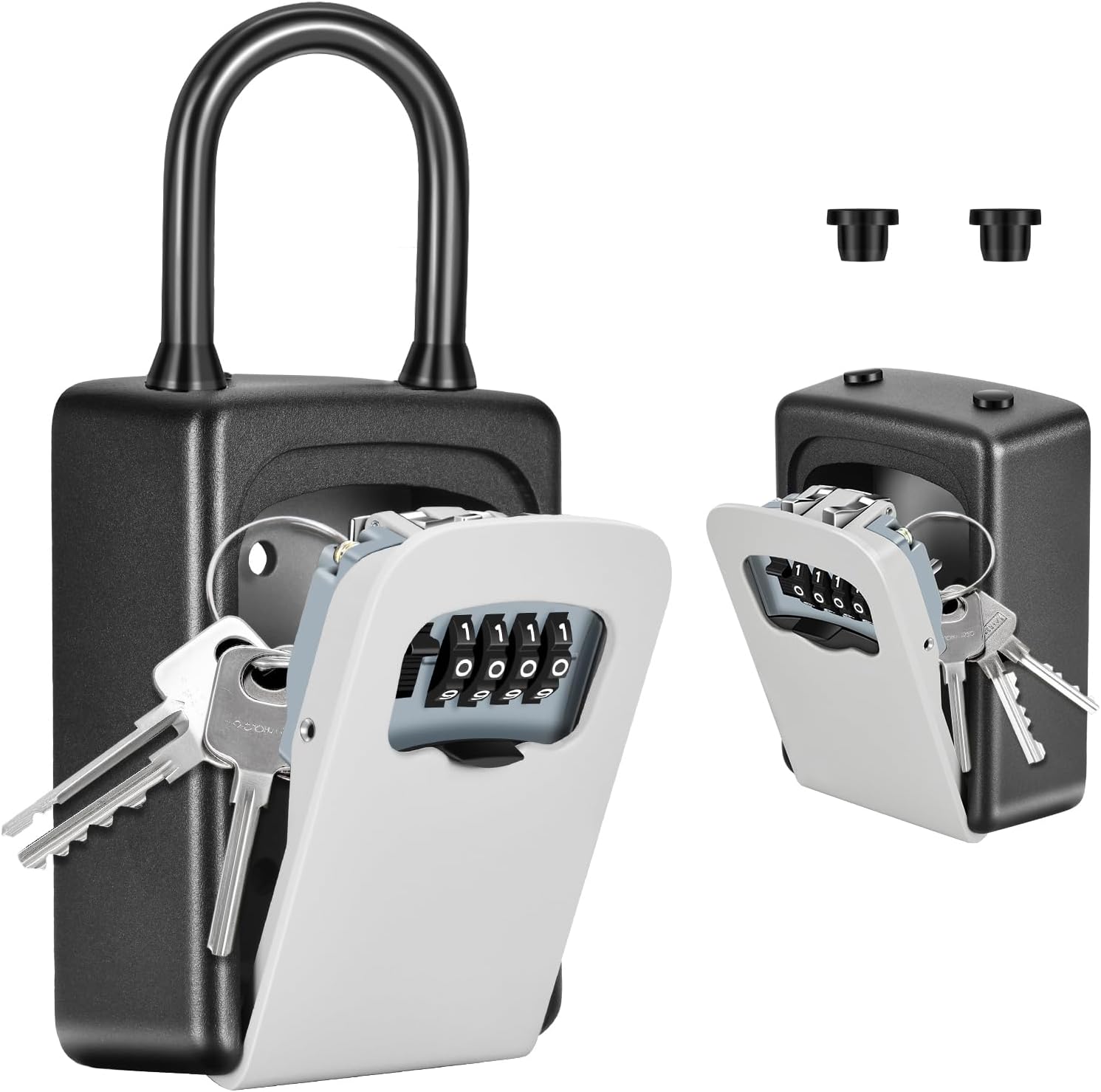
Image: Front view of the Fayleeko Portable Key Lock Box, highlighting the combination dials and the removable shackle.
5. Setup
5.1 Setting Your New Combination
The default combination is typically "0000". Follow these steps to set your personalized 4-digit code:
- Open the lock box by entering the current code (default "0000") and pulling down the cover.
- Locate the reset lever on the inside of the lock box, usually on the back of the cover.
- Push the reset lever from position 'A' to 'B'.
- While the lever is in position 'B', set your desired 4-digit combination on the dials.
- Push the reset lever back from 'B' to 'A'.
- Close the lock box cover and scramble the dials to secure your new code.

Image: Visual instructions for resetting the combination code.
5.2 Installation Options
Hanging Installation (with removable shackle)
The lock box can be easily hung on a doorknob, railing, or pipe using its removable shackle.
- Open the lock box.
- Locate the release button/lever for the shackle on the top inside of the box.
- Press the button/lever and pull the shackle upwards to detach it.
- Position the shackle around your desired mounting point (e.g., doorknob).
- Reinsert the shackle into the top holes of the lock box until it clicks securely into place.

Image: The key lock box securely hung on a doorknob.

Image: Detail of the removable shackle mechanism.
Wall-Mounted Installation
For a more permanent solution, the lock box can be securely mounted to a wall.
- Open the lock box and remove the shackle if it's attached.
- Hold the back of the lock box against the desired wall surface and mark the positions for the four mounting holes.
- Drill pilot holes at the marked locations.
- Insert the wall plugs into the drilled holes.
- Align the lock box with the plugs and secure it using the provided screws.
- Insert the two black rubber plugs into the top holes of the lock box to ensure water resistance.
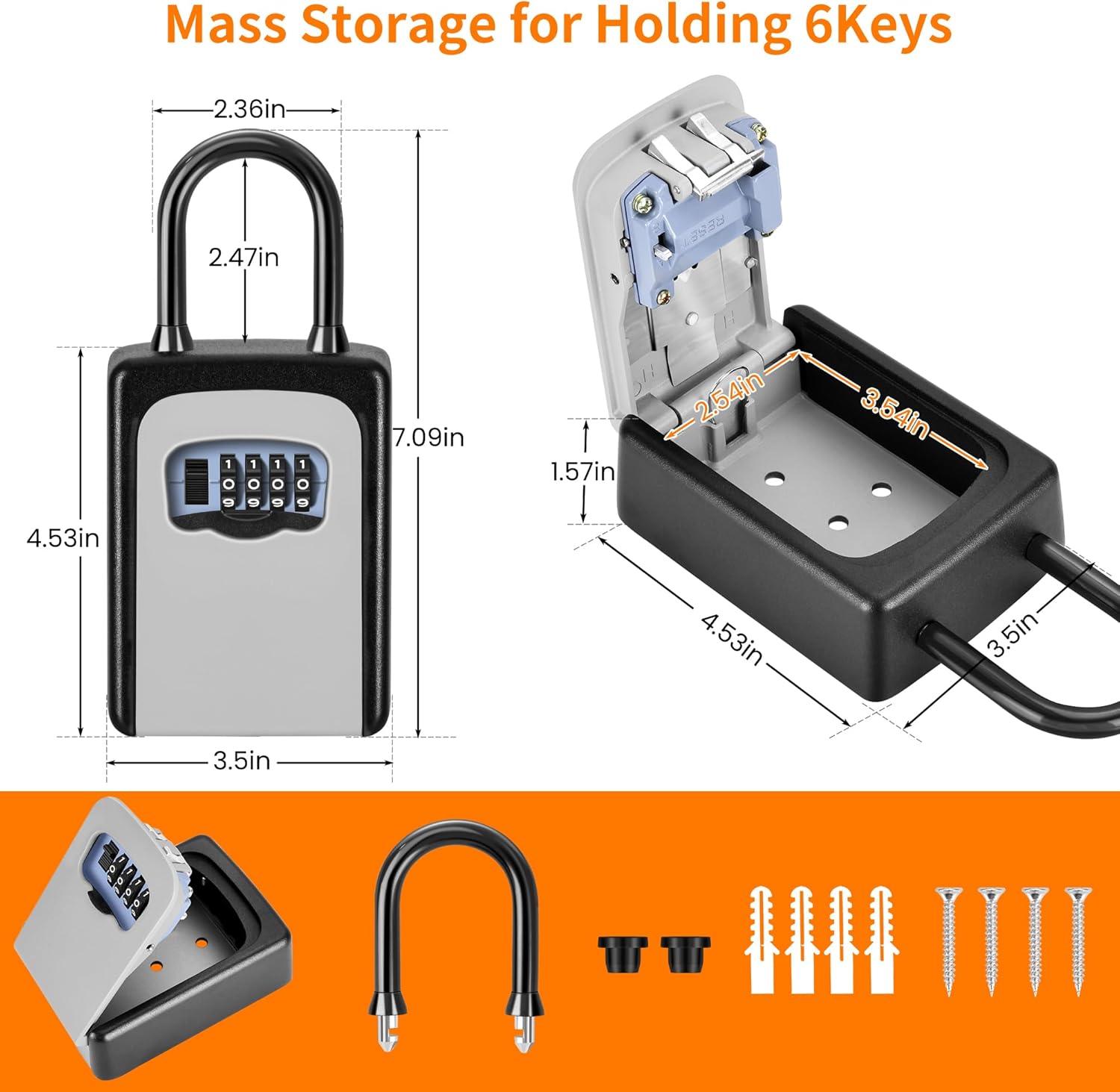
Image: The key lock box installed on a wall.

Image: Rubber plugs for enhanced weather resistance.
6. Operating Instructions
6.1 Opening the Lock Box
- Slide the weatherproof cover downwards to reveal the combination dials.
- Rotate the dials to align with your preset 4-digit combination.
- Press the release button located below the dials to open the front cover.
- Retrieve or place keys as needed.

Image: Opening the lock box by entering the combination.
6.2 Closing the Lock Box
- Close the front cover firmly until it clicks shut.
- Scramble the combination dials to lock the box and conceal your code.
- Slide the weatherproof cover upwards to protect the dials from the elements.
7. Maintenance
To ensure longevity and smooth operation:
- Regularly clean the dials and the interior of the lock box with a soft, dry cloth.
- Avoid using abrasive cleaners or solvents.
- Periodically check the mounting screws (if wall-mounted) for tightness.
- Ensure the weatherproof cover is always closed when not in use to protect against moisture and debris.
8. Troubleshooting
8.1 Difficulty Opening
- Double-check that the correct 4-digit combination is entered.
- Ensure the dials are perfectly aligned with the indicators.
- If the mechanism feels stiff, try applying a small amount of graphite lubricant (not oil) to the moving parts.
8.2 Difficulty Resetting Combination
- Make sure the lock box is open and the reset lever is fully pushed to position 'B' before setting the new code.
- Ensure the new code is set clearly before returning the lever to 'A'.
9. Specifications
| Feature | Detail |
|---|---|
| Brand | Fayleeko |
| Model Number | LBWH-802 |
| Lock Type | Mechanical Code Lock |
| Material | Alloy Steel, Metal |
| Color | Gray |
| Product Dimensions | 1.61"D x 3.54"W x 7.36"H |
| Key Capacity | Up to 6 house keys (shorter than 3.35 inches) |
| Special Features | Anti-Theft, Portable, Wall Mounted, Weatherproof |
| Item Weight | 1.25 Pounds |
10. Warranty Information
This Fayleeko Key Lock Box comes with a 30-day money-back guarantee. For further details or to claim warranty, please refer to your purchase documentation or contact customer support.
11. Customer Support
For any questions, concerns, or technical assistance, please visit the official Fayleeko website or contact their customer service department.