Product Overview
The Nexillumi LED Strip Lights (Model MU-03) are designed to enhance your viewing experience by providing ambient backlighting for TVs, PCs, and other surfaces. This upgraded 9.8ft strip is suitable for TVs 46 inches and above, offering a wide range of colors and lighting modes controllable via a dedicated mobile application.
Key features include:
- Infinite Colors: Access to 16 million colors and various lighting modes via the "illumi home" APP.
- USB Powered: Operates at 5V, allowing for flexible power options including TV USB ports (ensure 5V 1A output) or power banks.
- Easy Installation: Features corner cords for seamless bending around corners and upgraded 3M adhesive tapes for secure attachment.
- Durable Design: IP65 waterproof and dustproof silica gel coating protects the strip lights.
- Bluetooth Control: Manage lighting settings, colors, and timers directly from your iOS or Android device using the "illumi home" APP.
What's Included
- 9.8ft IP65 waterproof and fully-dustproof light strips (composed of 4 separate strips: 1.65ft x 2 + 3.3ft x 2)
- One 5V powered USB cable
- 3 connecting wires
- Upgraded red-back 3M Adhesive Tapes (pre-applied)
- IR remote control
Setup and Installation
- Prepare the Surface: Ensure the back of your TV or desired installation surface is clean and dry. For optimal adhesion, wipe the surface with isopropyl alcohol (50% or higher) to remove any dust or oil, then allow it to dry completely.

Figure 1: Nexillumi LED Strip Lights installed on the back of a TV.
- Plan Placement: The 9.8ft strip is recommended for TVs 46-55 inches (recommended) and above. The kit includes 4 separate strips (2x 1.65ft + 2x 3.3ft) connected with wires. Utilize the corner cords to bend the strips around the TV's edges without needing to cut or use additional connectors.
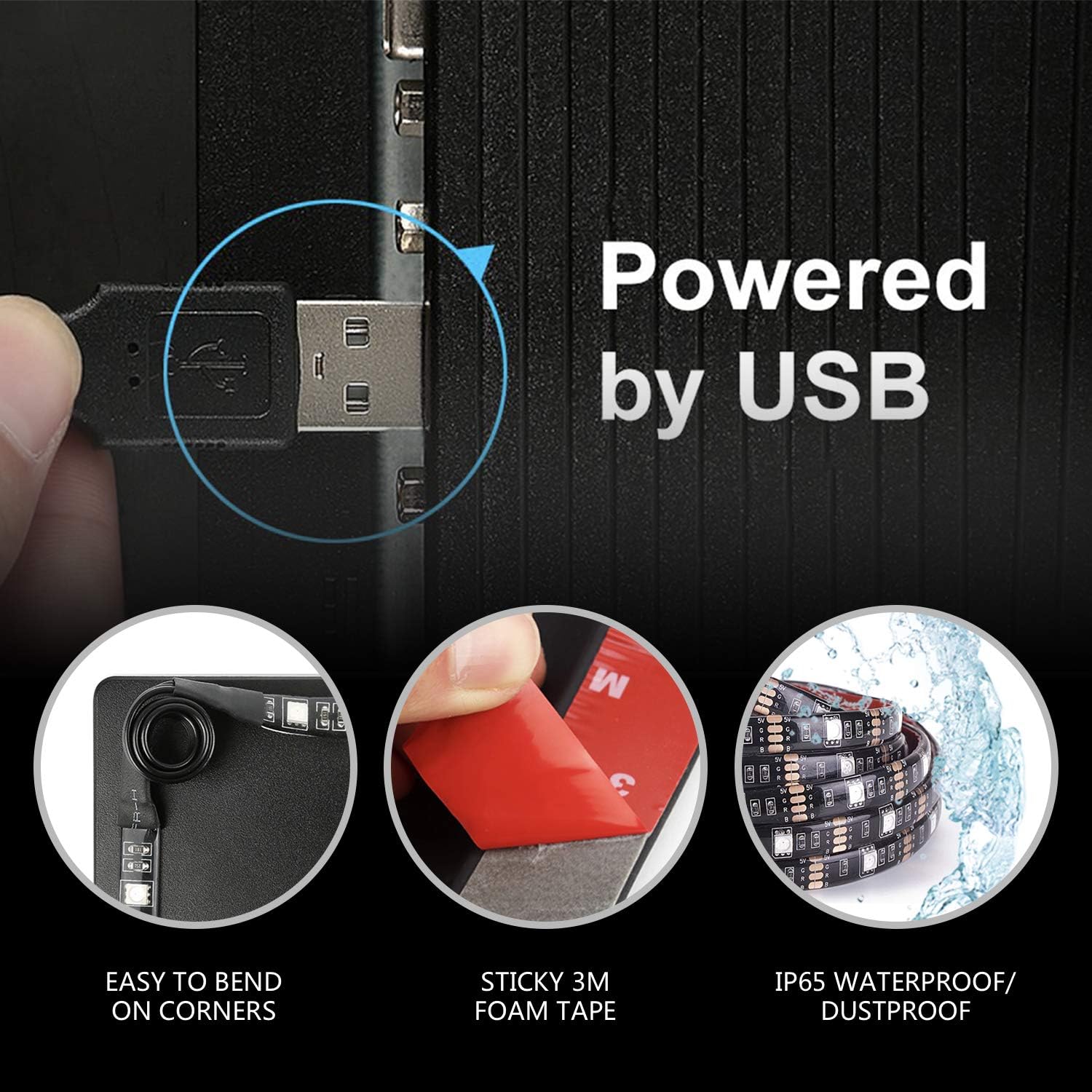
Figure 2: Key features for installation, including USB power and flexible corners.
- Attach LED Strips: Carefully peel off the backing from the 3M adhesive tapes on the back of the LED strips. Press the strips firmly onto the prepared surface, following your planned layout. Ensure a secure bond.
- Connect Power: Plug the USB cable into a 5V 1A (or above) USB port on your TV. If your TV's USB port cannot supply sufficient current (e.g., 5V 0.5A), the lights may not function correctly or consistently. In such cases, use an alternative USB port or a phone charger (5V 1A or higher).
- Download APP: Scan the QR code provided in the user manual or search for "illumi home" in the Apple App Store or Google Play Store to download the control application.
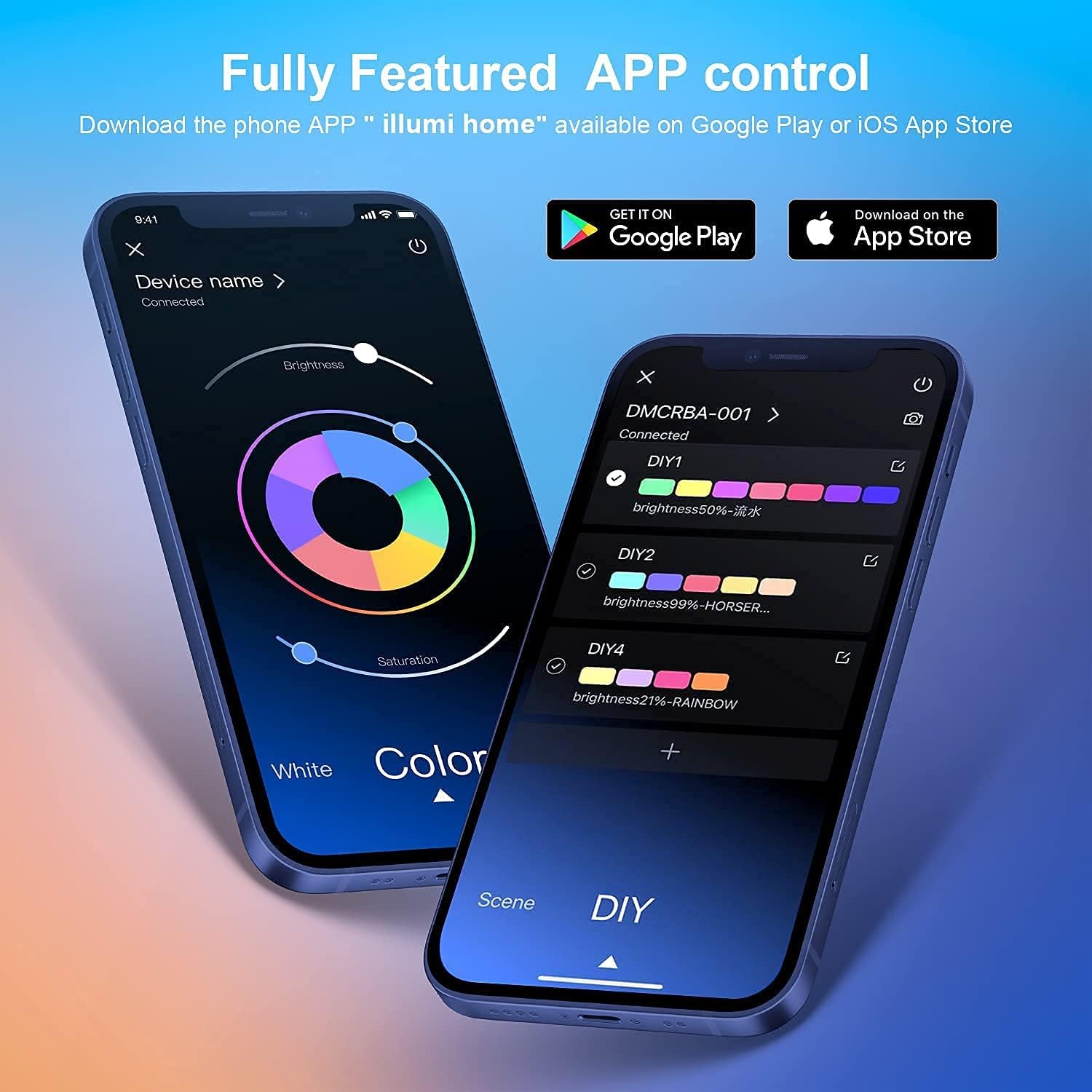
Figure 3: The "illumi home" APP interface for full control.
- Connect via Bluetooth: Turn on Bluetooth on your mobile device. Open the "illumi home" APP, and it should automatically connect to the LED strip lights. Grant any necessary permissions for the APP to function properly.
Operating Instructions
The Nexillumi LED Strip Lights can be controlled via the "illumi home" mobile application or the included IR remote control.
Using the "illumi home" APP:
- Color Selection: Use the color palette within the APP to choose from 16 million colors. Adjust brightness and saturation as desired.
- Lighting Modes: Select from dozens of pre-set lighting modes, including "Rainbow jumping change," "Pulsating rainbow," "Pulsating red," and more.
- Music Sync: Activate the music sync feature to make the LED lights change colors in rhythm with your music.
- Timer Settings: Set schedules for the lights to turn on/off at specific times.
- Multiple Device Control: A single phone can control multiple Nexillumi light strips.
Using the IR Remote Control:
The included IR remote control provides basic functionality for power, color selection, and mode changes. Point the remote directly at the IR receiver on the LED strip's controller for best results.

Figure 4: Diverse functionalities of the LED strip lights.
Maintenance
- Cleaning: The LED strips feature an IP65 silica gel coating, making them waterproof and dustproof. To clean, gently wipe with a damp cloth. Do not submerge the USB connector or controller in water.
- Adhesion: If the adhesive begins to weaken over time, ensure the surface is clean and dry before re-applying. Additional adhesive tape may be used if necessary.
- Storage: When not in use for extended periods, store the LED strips in a cool, dry place away from direct sunlight.
Troubleshooting
| Problem | Possible Cause | Solution |
|---|---|---|
| Lights do not turn on. | Insufficient power from USB port (e.g., 5V 0.5A). | Plug into a 5V 1A (or above) USB port or use a phone charger. |
| APP cannot connect to lights. | Bluetooth is off or APP permissions are not granted. | Ensure Bluetooth is enabled and grant all necessary permissions to the "illumi home" APP. Restart the APP if needed. |
| Lights flicker or change colors erratically. | Unstable power supply or loose connection. | Check USB connection and ensure power source is stable (5V 1A recommended). |
| Adhesive is not holding. | Surface was not clean or dry during installation. | Clean the surface thoroughly with isopropyl alcohol, let it dry, and re-apply the strips. Use additional 3M adhesive if necessary. |
Specifications
- Model: MU-03
- Brand: Nexillumi
- Color: RGB (Red, Green, Blue) - Multicolor
- Light Source Type: LED (5050 RGB)
- Number of Light Sources: 54
- Power Source: USB
- Voltage: 5 Volts
- Wattage: 15-20 Watts
- Item Length: 9.8 Feet (3 meters)
- Ingress Protection Code Rating: IP65 (Waterproof and Dustproof)
- Control Method: APP Control (Bluetooth), IR Remote
- APP Name: illumi home
- Indoor/Outdoor Usage: Indoor
- Material: Plastic, Silica Gel
- Item Weight: 7 ounces (0.2 Kilograms)
Warranty and Support
Warranty: Nexillumi provides an 18-month warranty for quality-related issues. If your product has a manufacturer defect, please contact customer support.
Customer Support: For any issues or inquiries, please click "GET HELP WITH ORDER" under your order ID on Amazon. You can also reach out via email support or phone support. The "illumi home" APP is continuously updated for improved user experience and functionality.
Product Videos
Nexillumi LED Strip Lights in Action
Video 1: This video demonstrates the Nexillumi LED strip lights installed behind a TV, showcasing various color changes and lighting effects. It highlights the vibrant illumination and how it enhances the viewing environment.
Installation and Features Overview
Video 2: This video provides a detailed overview of the Nexillumi LED strip lights, including unboxing, installation tips (like cleaning the surface with alcohol), and a demonstration of the lights in action with different colors and modes. It emphasizes the ease of installation and the visual impact.


