1. Introduction
This manual provides essential instructions for the safe and effective use of your Cyclops HL500 Headlamp. Please read this manual thoroughly before operating the device and retain it for future reference.
2. Safety Information
- Do not look directly into the LED light. This can cause temporary vision impairment or permanent eye damage.
- Keep out of reach of children.
- Ensure batteries are inserted with correct polarity. Incorrect insertion can damage the device.
- Remove batteries if the headlamp will not be used for an extended period to prevent leakage.
- Do not mix old and new batteries, or different types of batteries.
- Dispose of used batteries responsibly according to local regulations.
3. Package Contents
Verify that all items are present in your package:
- Cyclops HL500 Headlamp
- 3 x AAA Batteries
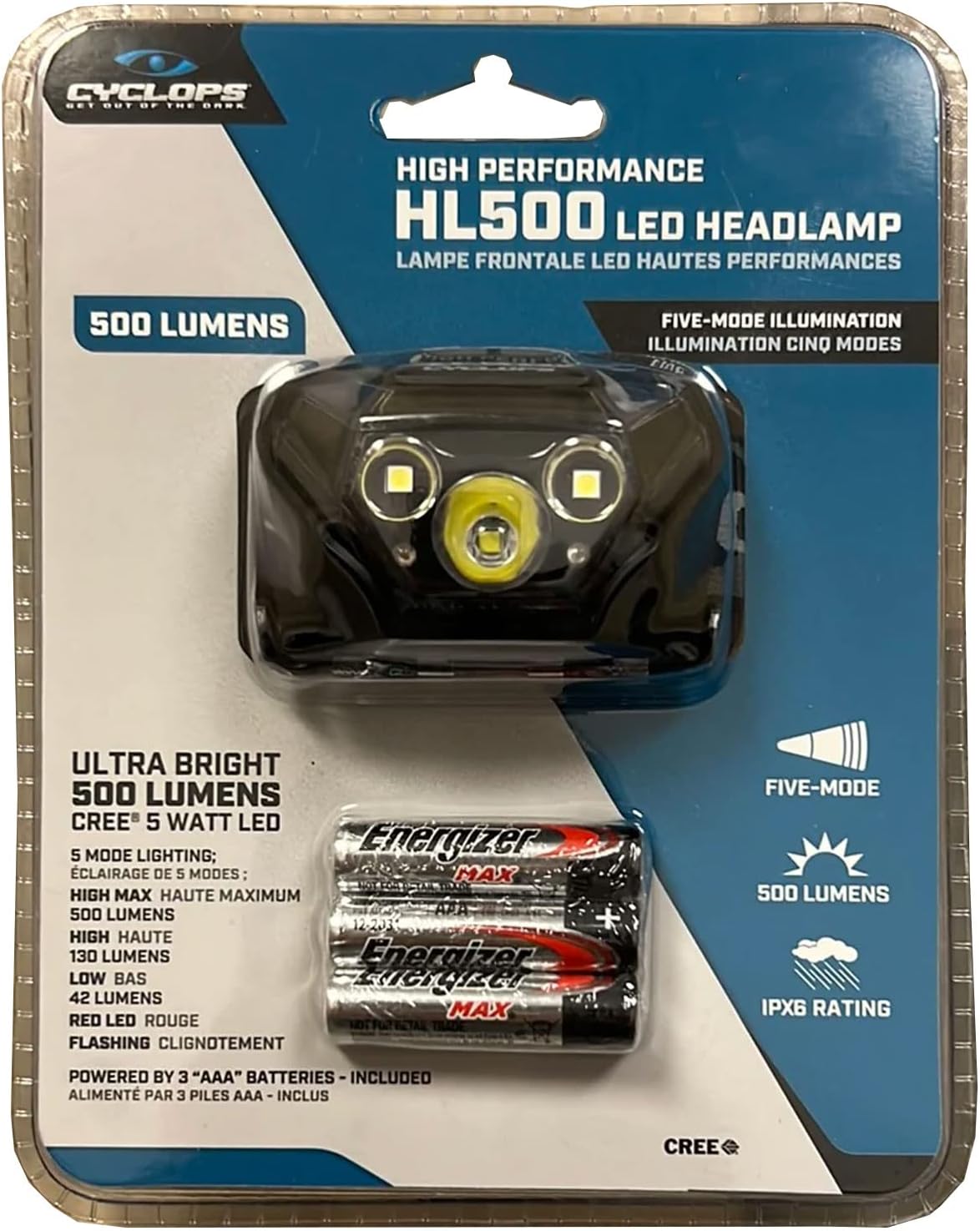
Figure 3.1: Front packaging of the Cyclops HL500 Headlamp, indicating included batteries and key features.
4. Product Overview
The Cyclops HL500 is a durable and lightweight headlamp designed for various outdoor and tactical applications. It features a 5W CREE LED, multiple lighting modes, and an adjustable headband for comfortable wear.

Figure 4.1: The Cyclops HL500 Headlamp, illustrating its compact design and adjustable strap.

Figure 4.2: Rear packaging detailing product features and specifications.
5. Setup
5.1 Battery Installation
- Locate the battery compartment on the rear of the headlamp unit.
- Open the battery compartment cover.
- Insert three (3) AAA batteries, ensuring correct polarity (+/-) as indicated inside the compartment.
- Close the battery compartment cover securely.
5.2 Headband Adjustment
The elastic headband is adjustable to fit various head sizes. To adjust, slide the buckles on the strap until a comfortable and secure fit is achieved. The headlamp unit can also be tilted up or down to direct the light beam.

Figure 5.1: Adjusting the headlamp for a secure and comfortable fit.
6. Operating Instructions
The Cyclops HL500 Headlamp features a single button for power and mode selection.
- Power On/Off: Press the power button once to turn the headlamp on. Press and hold the button for approximately 2 seconds to turn it off from any mode.
- Mode Selection: With the headlamp on, press the power button repeatedly to cycle through the following modes:
- High: Maximum white light output (up to 500 lumens).
- Low: Reduced white light output (42 lumens) for extended battery life.
- Red LED: For preserving night vision.
- Flash: Flashing white light for signaling or emergencies.

Figure 6.1: Headlamp in use, providing illumination in low-light conditions.
7. Maintenance
7.1 Cleaning
- Wipe the headlamp body with a soft, damp cloth. Do not use abrasive cleaners or solvents.
- Clean the lens gently with a microfiber cloth to avoid scratches.
7.2 Storage
- Store the headlamp in a cool, dry place when not in use.
- Remove batteries if storing for extended periods to prevent corrosion.
8. Troubleshooting
| Problem | Possible Cause | Solution |
|---|---|---|
| Headlamp does not turn on. | Dead or incorrectly inserted batteries. | Replace batteries or ensure correct polarity. |
| Light is dim. | Low battery power. | Replace batteries. |
| Headlamp flickers. | Loose battery connection or low battery power. | Check battery compartment for secure fit; replace batteries if needed. |
9. Specifications
| Feature | Detail |
|---|---|
| Model | HL500 |
| Light Source | 5W CREE LED |
| Maximum Lumen Output | 500 Lumens (White) |
| Low Lumen Output | 42 Lumens (White) |
| Red LED Output | 5 Lumens |
| Beam Distance | Up to 75 meters |
| Power Source | 3 x AAA Batteries (included) |
| Run Time (High) | Up to 10 hours |
| Run Time (Low) | Up to 32 hours |
| Run Time (Red) | Up to 49 hours |
| Run Time (Flash) | Up to 64 hours |
| Water Resistance | IPX6 (Weather Resistant) |
| Material | Durable ABS Housing |
| Item Weight | 4.8 ounces |
| Product Dimensions | 4"D x 7"W x 4"H |
10. Warranty Information
The Cyclops HL500 Headlamp comes with a one-year limited warranty from the date of purchase. This warranty covers manufacturing defects under normal use. It does not cover damage resulting from misuse, accidents, unauthorized modifications, or normal wear and tear. Please retain your proof of purchase for warranty claims.
11. Support
For further assistance, technical support, or warranty inquiries, please visit the official Cyclops website or contact their customer service department. Refer to the product packaging or the brand's official website for current contact information.
UPC: 888151022788


