
Introduction
This manual provides instructions for the Technical Precision Replacement Battery, designed for use with Dirt Devil Libero vacuum cleaners. This product is a replacement part and is not manufactured by Dirt Devil. Please read this manual carefully before installation and use to ensure proper function and safety.
Package Contents
Verify that all items are present in the package:
- One (1) Technical Precision Replacement Battery for Dirt Devil Libero
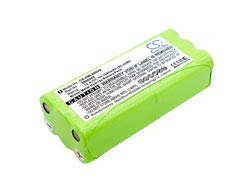
Image of the Technical Precision Replacement Battery for Dirt Devil Libero, showing its compact design and connectors.
Setup and Installation
- Power Off: Before installation, ensure the Dirt Devil Libero vacuum cleaner is powered off and unplugged from any charging source.
- Locate Battery Compartment: Refer to your Dirt Devil Libero vacuum's original manual for specific battery compartment location and access instructions.
- Remove Old Battery: Carefully open the battery compartment and remove the old battery. Dispose of the old battery according to local regulations.
- Insert New Battery: Insert the Technical Precision Replacement Battery into the compartment, ensuring proper alignment of the connectors. Do not force the battery into place.
- Secure Compartment: Close and secure the battery compartment cover.
Operating Instructions
Initial Charging
After installation, fully charge the battery before its first use. Connect your Dirt Devil Libero vacuum cleaner to its charging station or power adapter. The charging indicator on your vacuum cleaner will typically show when charging is in progress and when it is complete.
Regular Use
Once fully charged, the vacuum cleaner is ready for operation. Follow the operating instructions provided with your Dirt Devil Libero vacuum cleaner for normal cleaning tasks.
Maintenance
- Charging Habits: To prolong battery life, avoid fully discharging the battery frequently. Recharge the battery when the vacuum's performance noticeably decreases.
- Storage: If the vacuum is not in use for an extended period, store the battery in a cool, dry place. It is recommended to charge the battery to approximately 50% before long-term storage.
- Environmental Conditions: Do not expose the battery to extreme temperatures (hot or cold) or moisture.
- Cleaning: Keep the battery contacts clean and free from dust or debris.
Troubleshooting
- Vacuum Not Powering On: Ensure the battery is correctly installed and fully charged. Check that the battery compartment is securely closed.
- Charging Issues: Verify that the charging cable and station are functioning correctly. Try cleaning the charging contacts on both the vacuum and the charging station.
- Reduced Run Time: Battery run time can decrease over time with normal use. Ensure the battery is fully charged before each use. If run time is significantly shorter than expected, the battery may need replacement.
- Persistent Issues: If performance issues persist after following these steps, consult the original Dirt Devil Libero vacuum cleaner manual or contact Technical Precision customer support.
Specifications
| Specification | Detail |
|---|---|
| Brand | Technical Precision |
| Model Name | LIBERO BATTERY |
| Model Number | LIBERO BATTERY |
| Voltage | 14 Volts |
| Reusability | Rechargeable |
| Unit Count | 1 |
| Built-In Media | Replacement Part |
| ASIN | B07Q7TJ8MJ |
Warranty Information
This Technical Precision Replacement Battery comes with a 1-year manufacturer's warranty. For warranty claims, detailed terms and conditions, or to register your product, please visit the Technical Precision website or contact their customer support department. Please retain your proof of purchase for warranty service.
Support and Contact Information
For further assistance, technical support, or inquiries regarding your Technical Precision Replacement Battery, please contact Technical Precision directly:
- Website: Visit the Technical Precision Store on Amazon for product information and support resources.
- Customer Service: Refer to the Technical Precision website for current customer service contact methods (phone, email, or support portal).