
Introduction
The VNETPHONE V6 Bluetooth Motorcycle Intercom is designed to provide clear and reliable communication for riders during various outdoor activities such as motorcycling, cycling, skiing, snowboarding, and mountaineering. This device allows for hands-free communication, music playback, and GPS navigation audio, enhancing safety and enjoyment on your journeys.
This manual will guide you through the installation, operation, and maintenance of your V6 intercom system.
Product Features
- Multi-Rider Communication: Supports full-duplex wireless communication for up to 6 riders, with a maximum intercom distance of 1200 meters between riders (actual range may vary based on environment).
- High-Quality Audio: Equipped with an imported British CSR BC5 chip and DSP noise reduction technology, ensuring clear voice quality even in noisy environments.
- Bluetooth Connectivity: Bluetooth 3.0 with EDR for stable signal transmission. Connects to smartphones, MP3 players, and GPS devices.
- Hands-Free Calling: Features automatic call answering (after approximately 5 seconds), call rejection, call termination, and redial with a single button.
- Multimedia Support: Stream MP3 music and receive GPS navigation instructions directly to your headset via A2DP stereo audio profile.
- Long Battery Life: Built-in 850mAh polymer lithium battery provides up to 12 hours of talk time or music playback, and up to 450 hours of standby time. Charging takes approximately 2.5 hours.
- Durable and Waterproof: Compact design with IP65 waterproof rating, suitable for various weather conditions.

Image: The VNETPHONE V6 intercom unit attached to a helmet, highlighting its CSR chip, high-quality audio, and compatibility with GPS, phone calls, music, and multi-rider communication.
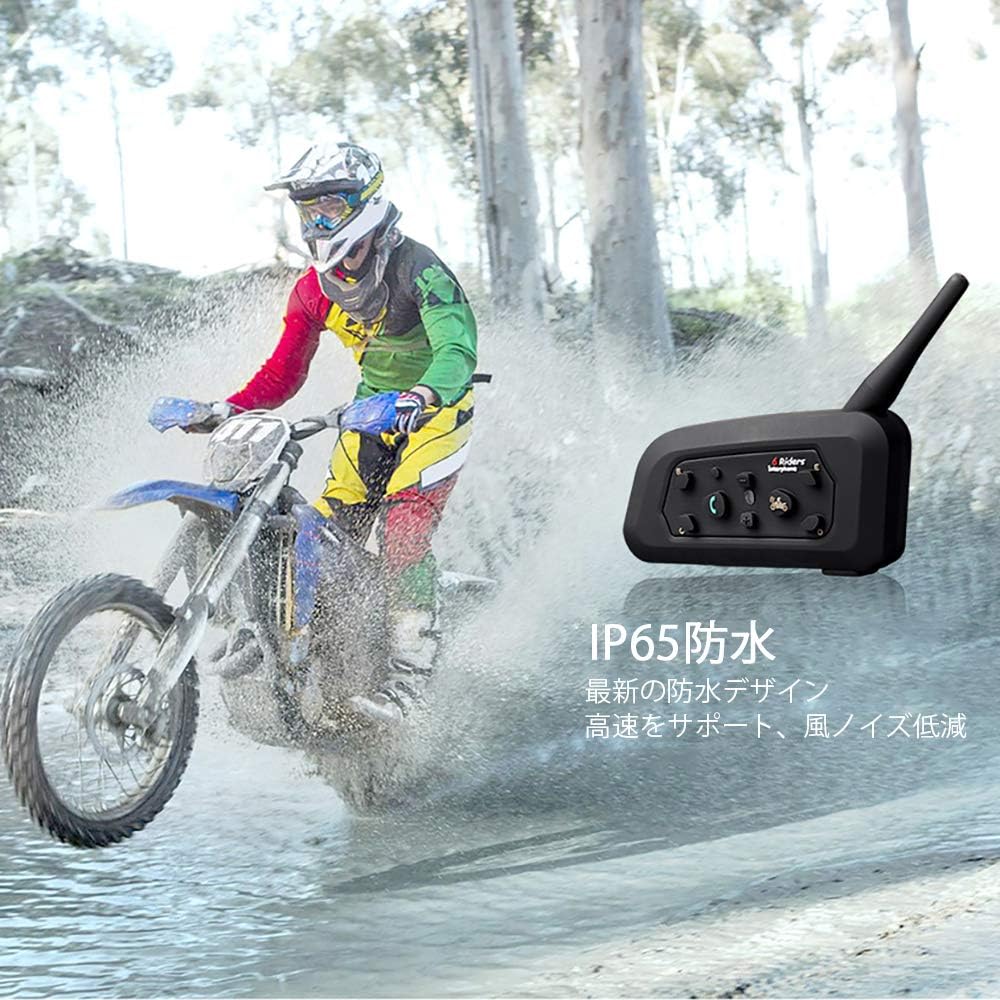
Image: The VNETPHONE V6 intercom unit shown with a rider on a dirt bike, emphasizing its IP65 waterproof design and suitability for high-speed use with reduced wind noise.

Image: Two scenes demonstrating the use of the VNETPHONE V6 intercom: cyclists communicating during a ride and motorcyclists on a track, illustrating its versatility for various outdoor activities.
Package Contents
Please check the package to ensure all items are present:
- Intercom Unit x 2
- Headset x 2
- Charging Cable x 2
- User Manual x 1
- Helmet Clip x 2
- Simple Screwdriver x 1

Image: A flat lay of all items included in the VNETPHONE V6 intercom package, showing two intercom units, two headsets, two charging cables, two helmet clips, a screwdriver, and the user manual.
Installation Steps
Follow these steps to install the VNETPHONE V6 intercom system on your helmet:
- Prepare the Clip: Loosen the screws on the helmet clip.
- Attach the Clip: Insert the clip onto the edge of your helmet and tighten the screws to secure it.
- Connect Headset: Plug the headset cable into the intercom unit.
- Mount Intercom: Attach the Bluetooth intercom unit to the secured helmet clip.
- Position Speakers: Remove the magic tape from the headset speakers and attach them to the left and right ear positions inside your helmet.
- Adjust Microphone: Adjust the microphone position for optimal voice pickup. Installation is complete.

Image: A six-panel diagram illustrating the installation process of the VNETPHONE V6 intercom, from loosening the clip screws to attaching the unit and positioning the headset speakers and microphone inside a helmet.
Operating Instructions
Power On/Off
- Power On: Press and hold the Power button for approximately 3 seconds until the indicator light flashes.
- Power Off: Press and hold the Power button for approximately 3 seconds until the indicator light turns off.
Bluetooth Pairing (with Phone/GPS)
- Ensure the V6 intercom is powered off.
- Press and hold the Power button for about 5-7 seconds until the indicator light flashes red and blue alternately, indicating pairing mode.
- On your smartphone or GPS device, enable Bluetooth and search for available devices.
- Select "VNETPHONE V6" from the list. If prompted for a password, enter "0000".
- Once paired, the indicator light will flash blue slowly.
Intercom Pairing (between V6 units)
- Ensure both V6 intercom units are powered off.
- On both units, press and hold the Power button for about 5-7 seconds until the indicator lights flash red and blue alternately.
- Briefly press the Intercom button on one of the units. The units will search for each other and pair automatically.
- Once paired, the indicator lights will flash blue slowly. Repeat for additional units (up to 6).

Image: A diagram illustrating the 6-person intercom capability of the VNETPHONE V6, showing a main host unit connecting with up to five other sub-units for group communication.
Intercom Communication
- After successful pairing, briefly press the Intercom button to initiate or end intercom communication.
- To switch between paired riders in a multi-rider setup, press the Intercom button repeatedly to cycle through connections.
Phone Calls
- Answer Call: When a call comes in, the intercom will automatically answer after approximately 5 seconds. You can also briefly press the Phone button to answer immediately.
- Reject Call: Press and hold the Phone button for 2 seconds to reject an incoming call.
- End Call: Briefly press the Phone button to end an active call.
- Redial: Double-press the Phone button to redial the last number.
Music and GPS Audio
- Once paired with your smartphone or GPS device, audio will automatically stream to your headset.
- Use the volume buttons on the intercom unit to adjust the audio level.
Maintenance
- Cleaning: Wipe the intercom unit with a soft, damp cloth. Do not use harsh chemicals or abrasive cleaners.
- Storage: Store the device in a cool, dry place when not in use. Avoid extreme temperatures.
- Charging: Use only the provided charging cable and a DC5V 850mA charger. Do not overcharge the battery.
- Water Exposure: While the device is IP65 waterproof, avoid prolonged submersion in water. Ensure the charging port cover is securely closed.
Troubleshooting
- No Power: Ensure the battery is charged. Connect the charging cable and try again.
- Cannot Pair:
- Ensure both devices are in pairing mode (alternating red and blue lights).
- Make sure the devices are within close proximity (within 1 meter for initial pairing).
- Clear previous pairing records on your phone/GPS and the intercom, then try again.
- No Audio/Low Volume:
- Check volume levels on both the intercom and the connected device.
- Ensure the headset is securely plugged into the intercom unit.
- Verify that the speakers are correctly positioned over your ears inside the helmet.
- Intercom Disconnects:
- Ensure units are within the effective communication range (up to 1200m in open terrain). Obstacles like buildings or dense trees can reduce range.
- Check battery levels of both units.
- Poor Sound Quality/Noise:
- Adjust microphone position to reduce wind noise.
- Ensure the microphone is not obstructed.
- Move away from sources of strong electromagnetic interference.
Specifications
| Bluetooth Version | 3.0 |
| Chipset | CSR BC5 |
| Battery Capacity | 850mAh |
| Battery Type | Polymer Lithium |
| Operating Voltage | 3.3V - 4.2V |
| Talk Time | Up to 12 hours |
| Standby Time | Up to 450 hours |
| Charging Time | Approximately 2.5 hours |
| Speaker Output | 0.12W |
| Waterproof Level | IP65 |
| Operating Temperature | -30°C to +60°C |
| Charger Specification | DC5V 850mA |
| Max Intercom Distance | 1200 meters (rider to rider, environment dependent) |
| UPC | 736900191189 |
Warranty Information
Specific warranty details are not provided in the product description. Please refer to the warranty card included in your package or contact the seller directly for warranty terms and conditions.
Support
For further assistance or technical support, please contact your retailer or the manufacturer directly. Contact information may be available on the product packaging or the seller's website.


