
1. Introduction
Thank you for choosing the IMRELAX LED 300W Beam Spot Zoom Moving Head DJ Light. This manual provides essential information for the safe and efficient operation of your new stage lighting fixture. Please read this manual thoroughly before installation and use, and retain it for future reference.
2. Safety Instructions
To ensure safe operation, please observe the following precautions:
- Always connect the fixture to a grounded power outlet.
- Ensure the voltage of the power supply matches the fixture's requirements (AC 100V).
- Do not operate the fixture if the power cord is damaged.
- Avoid direct eye exposure to the light source.
- Ensure proper ventilation around the fixture to prevent overheating.
- Do not open the housing; there are no user-serviceable parts inside. Refer all servicing to qualified personnel.
- Mount the fixture securely using appropriate clamps and safety cables.
- Keep the fixture away from flammable materials and liquids.
3. Product Overview
The IMRELAX LED 300W Moving Head Light is designed for professional stage lighting applications, offering versatile effects for live events, weddings, and theatre productions.
Key Features:
- Powerful Lighting Performance: Equipped with a 280W white LED source and a color temperature of 8000K, delivering bright and clear illumination.
- Quiet Operation: Features a single large fan and efficient copper tube heat dissipation for reduced noise.
- Flexible Zoom Functionality: Adjustable zoom range of 7 to 21 degrees for diverse visual effects.
- Durable Design: Robust construction with a long lifespan of up to 50,000 hours.
- Versatile Effects: Includes Dimmable, Color-Changing, Strobe, Gobo, and Effect Wheel capabilities.
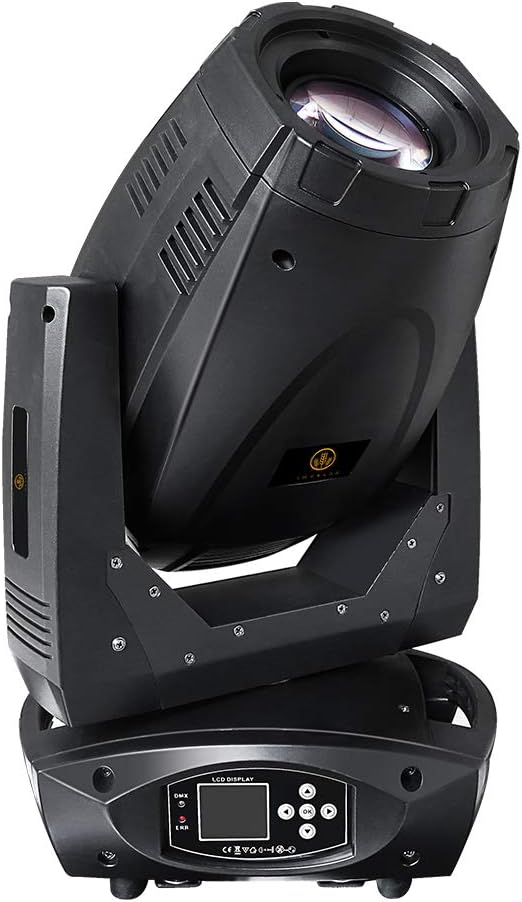
Figure 3.1: Front view of the IMRELAX LED 300W Moving Head Light, showcasing its main body and base with LCD display.

Figure 3.2: Side view of the IMRELAX LED 300W Moving Head Light, highlighting its profile and mounting points.
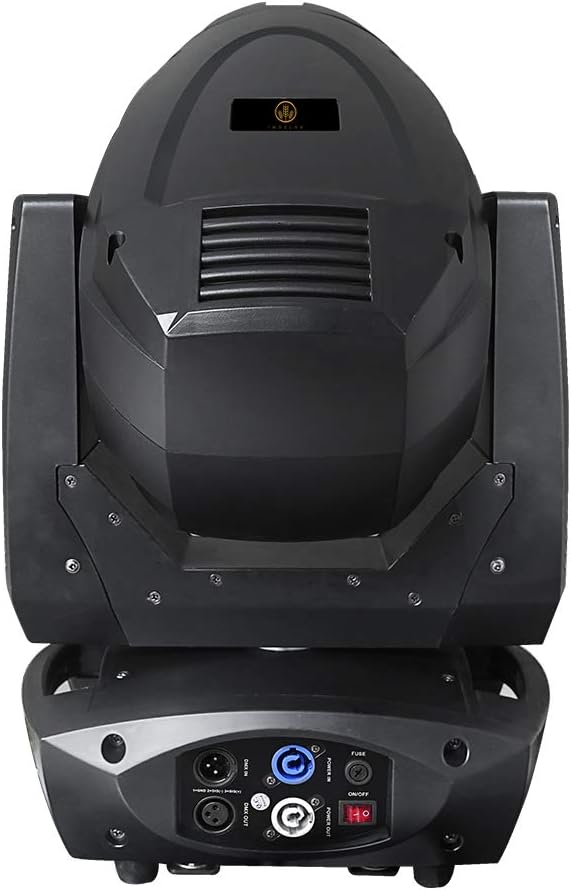
Figure 3.3: Rear view of the IMRELAX LED 300W Moving Head Light, showing power input, DMX connections, and fuse.
4. Setup
4.1 Mounting
The IMRELAX LED 300W Moving Head Light can be mounted on a wall or ceiling. Ensure the mounting surface is capable of supporting the fixture's weight (approximately 15.2 kg / 33.5 lbs). Use appropriate clamps and safety cables for secure installation.
4.2 Power Connection
Connect the power cord to the fixture's power input and then to a grounded AC 100V power outlet. Ensure the power switch is in the OFF position before connecting.
4.3 DMX Connection
For DMX512 control, connect a DMX cable from your DMX controller to the DMX IN port of the fixture. For multiple fixtures, daisy-chain them by connecting the DMX OUT of the first fixture to the DMX IN of the next.
5. Operating Instructions
5.1 Initial Power-Up
After securing the fixture and connecting power, switch the power button to the ON position. The LCD display on the base will illuminate, and the fixture will perform a self-test.

Figure 5.1: Close-up of the LCD control panel on the fixture's base, showing navigation buttons.
5.2 DMX512 Control
Use the LCD display and navigation buttons to set the DMX address and operating mode. Refer to the DMX channel chart (not provided in this manual, typically supplied separately) for specific control functions such as Pan, Tilt, Dimmer, Strobe, Color, GOBO, and Zoom.
5.3 Zoom Functionality
The fixture features a 7 to 21-degree zoom range. This can be adjusted via DMX control to widen or narrow the beam, allowing for versatile coverage and effect creation.
5.4 Color and GOBO Effects
The light offers various color and GOBO patterns. These can be selected and controlled through DMX to create dynamic visual displays.
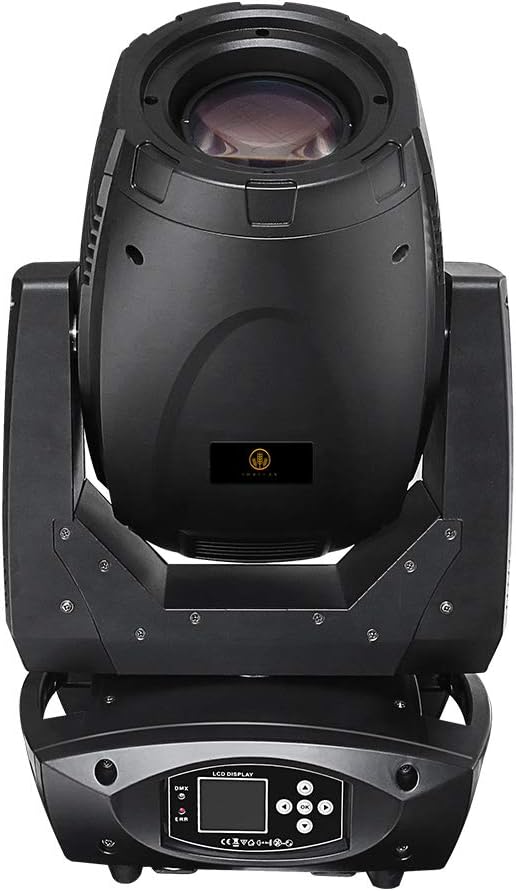
Figure 5.2: Examples of the IMRELAX LED 300W Moving Head Light projecting different colors onto a surface.

Figure 5.3: Examples of the IMRELAX LED 300W Moving Head Light projecting various GOBO patterns.

Figure 5.4: Examples of the IMRELAX LED 300W Moving Head Light projecting complex GOBO and color combinations.
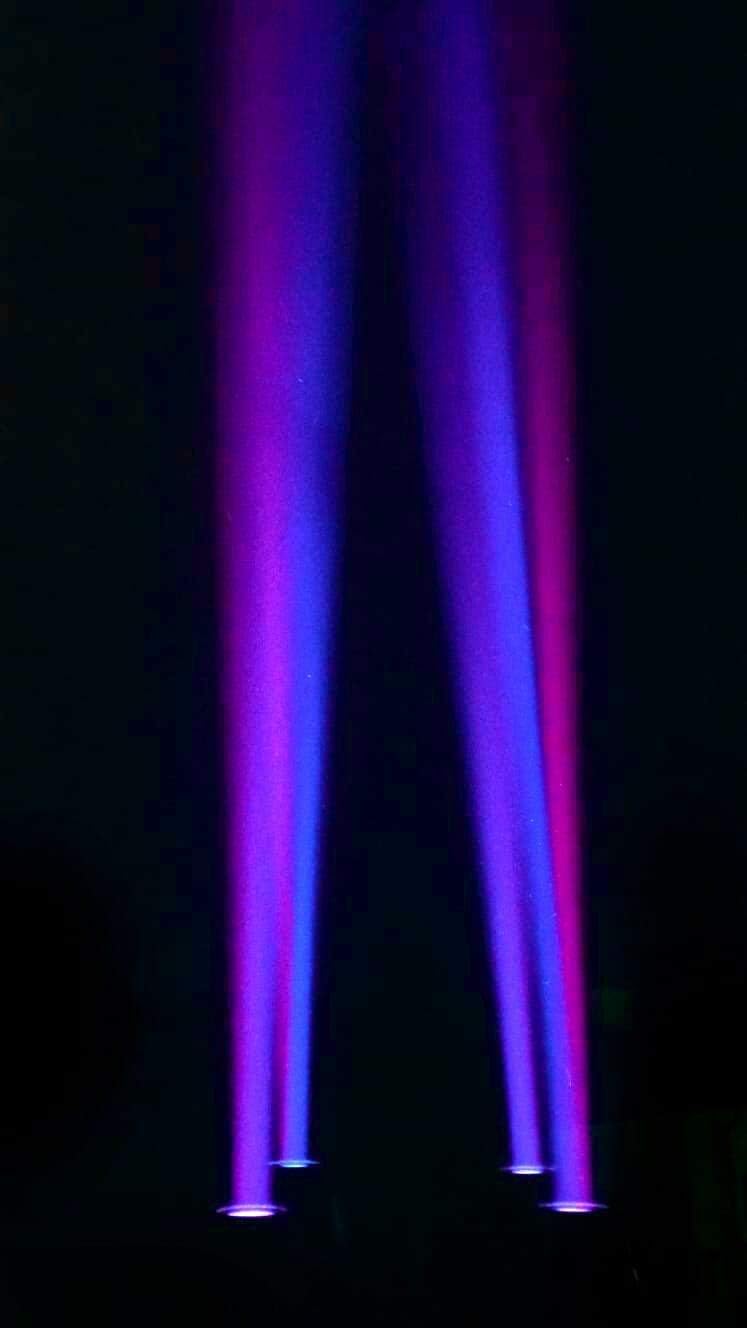
Figure 5.5: The IMRELAX LED 300W Moving Head Light projecting multiple purple and blue beams into a dark space.

Figure 5.6: The IMRELAX LED 300W Moving Head Light projecting multiple green and blue beams into a dark space.
6. Maintenance
6.1 Cleaning
Regularly clean the lenses and exterior housing with a soft, lint-free cloth. For stubborn dirt, use a mild glass cleaner applied to the cloth, not directly to the fixture. Ensure the fixture is powered off and disconnected before cleaning.
6.2 Fan and Ventilation
Periodically check the ventilation openings and fan for dust accumulation. Use compressed air to clear any blockages to maintain efficient cooling.
6.3 Storage
When not in use, store the fixture in a dry, dust-free environment, preferably in its original packaging or a protective case.
7. Troubleshooting
If you encounter issues with your IMRELAX LED 300W Moving Head Light, refer to the following common problems and solutions:
| Problem | Possible Cause | Solution |
|---|---|---|
| Fixture does not power on. | No power, faulty cable, blown fuse. | Check power connection, test cable, replace fuse (if applicable). |
| No DMX control. | Incorrect DMX address, faulty DMX cable, DMX controller issue. | Verify DMX address, check DMX cable connections, test with another DMX controller. |
| Light output is dim or inconsistent. | Dust on lens, overheating, internal fault. | Clean lens, ensure proper ventilation, contact support if issue persists. |
| Moving head not responding. | Motor issue, DMX signal problem. | Check DMX signal, power cycle the fixture. If issue persists, contact support. |
If the issue persists or is not listed above, please contact IMRELAX technical support for assistance. Do not attempt to repair the fixture yourself.
8. Specifications
| Feature | Specification |
|---|---|
| Model Number | IM-LED300 |
| Light Source Type | LED |
| Light Source Wattage | 280 Watts (LED) |
| Total Wattage | 300 Watts |
| Color Temperature | 8000K |
| Voltage | 100 Volts (AC) |
| Amperage | 1.25 Amps |
| Zoom Range | 7 to 21 degrees |
| Bulb Features | Dimmable, Color-Changing, Strobe, Gobo, Effect Wheel |
| Lifespan | Up to 50,000 hours |
| Material | Metal |
| Finish Type | Copper (for heat dissipation) |
| Item Weight | 15.2 kg (33.5 lbs) / 17.3 kg (38.1 lbs) |
| Product Dimensions | 13.4"L x 10.6"W x 23.2"H |
| Mounting Type | Wall Mount or Ceiling Mount |
| UPC | 781643013588 |
Figure 8.1: Front view of the IMRELAX LED 300W Moving Head Light, showcasing its main body and base with LCD display.
Figure 8.2: Side view of the IMRELAX LED 300W Moving Head Light, highlighting its profile and mounting points.
Figure 8.3: Rear view of the IMRELAX LED 300W Moving Head Light, showing power input, DMX connections, and fuse.
9. Warranty and Support
IMRELAX provides free parts maintenance within 2 years of purchase and lifetime product service for all products purchased from the IMRELAX Stage Lighting store.
If your IMRELAX LED 300W DJ stage light fails or you require technical support, please contact IMRELAX customer service in a timely manner. Do not return the product without prior consultation, unless advised by IMRELAX or Amazon support. Fixture data is available upon request.
For further assistance, please visit the IMRELAX Store on Amazon.