
Introduction
This manual provides essential information for the safe and effective use of your Blomiky 11.1V 3S 2500mAh/27.75Wh Li-po Rechargeable Battery. This battery is designed as a replacement for compatible drone models including SJRC RUKO F11GIM2, F24, DE22 Pro, F11GIM, F35 4K Pro Drone, and F11 Battery. Please read this manual thoroughly before use to ensure optimal performance and longevity of your battery.

Figure 1: Blomiky 11.1V 2500mAh Li-Po Battery, top view.
Setup
Before installing the battery, ensure it is fully charged. Always verify that the battery's dimensions and specifications match your drone's requirements. This battery is specifically designed for grey or black color versions of the compatible drones. New white color versions may not be compatible due to size and voltage differences.
Battery Installation
- Carefully align the battery with the battery compartment of your drone.
- Gently slide the battery into the compartment until it clicks securely into place. Ensure the release clip is engaged.
- To remove the battery, press the release clip and slide the battery out.

Figure 2: Blomiky 11.1V 2500mAh Li-Po Battery installed in a compatible drone.

Figure 3: Close-up of the battery release clip, used for secure installation and removal.
Video: Battery Replacement
Video 1: This video demonstrates the process of replacing the battery in compatible F11, F24, and F35 series GPS RC Drones, including connecting the charger cable.
Operating Instructions
Checking Battery Level
Press the power button on the battery once to check the current charge level. The blue LED indicators will illuminate to show the remaining capacity.
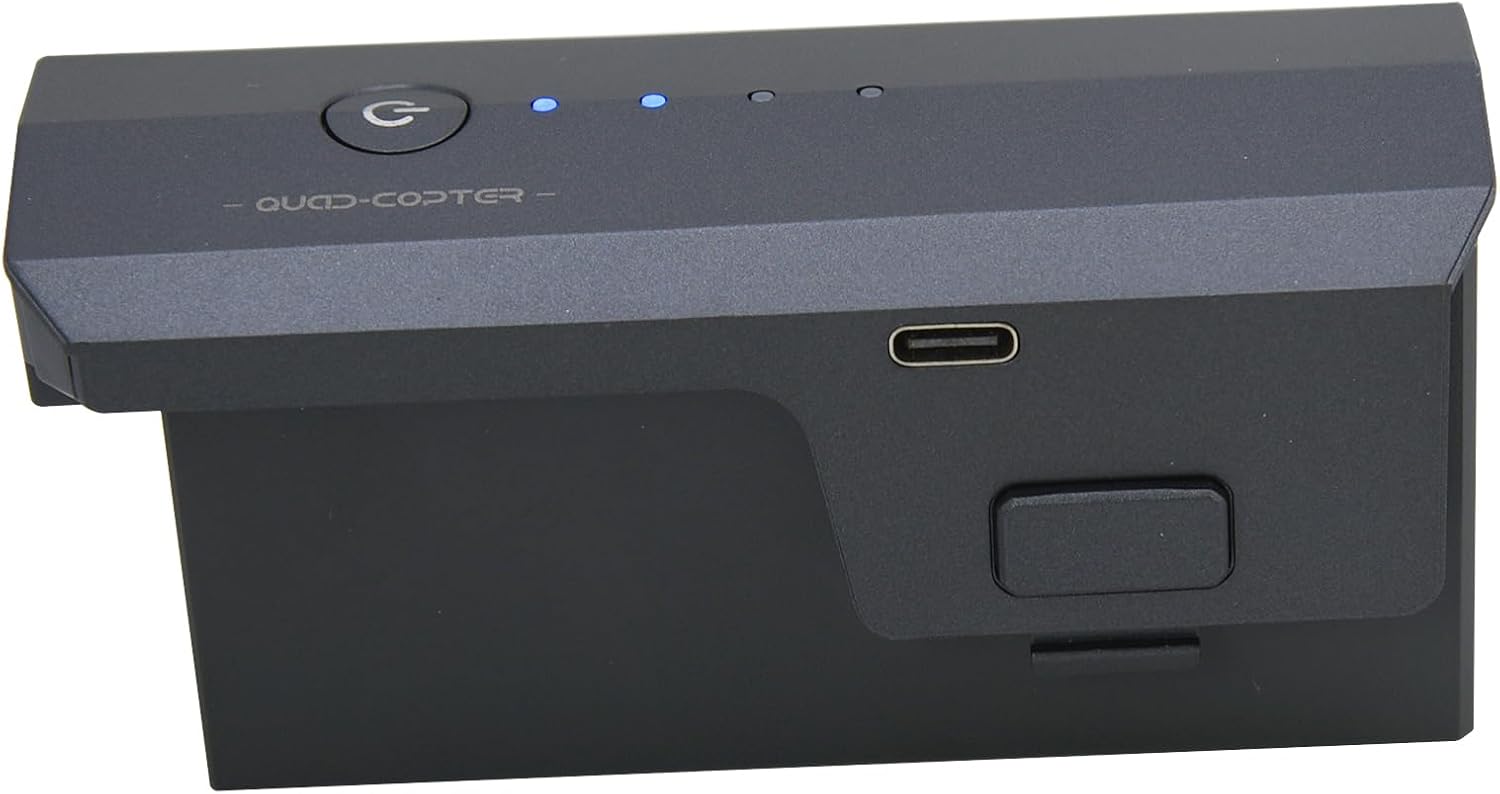
Figure 4: Blomiky 11.1V 2500mAh Li-Po Battery, showing the power button and LED indicators for charge level.

Figure 5: Close-up view of the battery's power button and blue LED indicators.
Charging the Battery
The battery features a Type-C charging port. Use the provided factory USB cable for charging. During charging, the blue indicator lights will flash. Once fully charged, all four blue indicators will be solid.

Figure 6: Blomiky 11.1V 2500mAh Li-Po Battery, highlighting the convenient Type-C charging port.
Video: Battery Charging and Drone Flight
Video 2: This video illustrates the charging process of the 11.1V 2500mAh Li-Po battery and its use in an F11 series drone.
Video: Drone Flight Demonstration
Video 3: A demonstration of the Blomiky F11 4K PRO GPS RC Drone's initial flight, powered by this battery.
Video 4: This video provides a visual overview of the Blomiky F11 4K PRO RC Drone in flight, showcasing its performance with the battery.
Maintenance and Safety
Proper care and adherence to safety guidelines are crucial for the longevity and safe operation of your Li-po battery.
Important Warnings:
- Charge must be only using factory USB cable. Using unauthorized chargers or cables can damage the battery and pose safety risks.
- Never disassemble, puncture, shock, crash, short, and/or put the battery into the fire. These actions can lead to severe damage, fire, or explosion.
- Never use the battery if it has been in water. Water damage can cause internal short circuits and make the battery unsafe.
- Battery must be recycled or disposed of properly. Do not discard with household waste. Follow local regulations for Li-ion battery disposal.

Figure 7: Product label with important warnings and specifications.
Storage
Store the battery in a cool, dry place away from direct sunlight and extreme temperatures. For long-term storage, it is recommended to store the battery at approximately 50% charge.
Troubleshooting
- Battery does not fit the drone: Ensure your drone is a compatible model (SJRC RUKO F11GIM2, F24, DE22 Pro, F11GIM, F35 4K Pro Drone, or F11 Battery) and that its color is grey or black. The new white color versions are not compatible. Always check the battery dimensions against your drone's requirements before purchase.
- Battery not charging: Verify that you are using the original factory USB Type-C charging cable. Ensure the cable is securely connected to both the battery and a power source. Check the blue LED indicators for flashing (charging) or solid (fully charged) status.
- Battery appears swollen or damaged: Immediately discontinue use. A swollen battery is a significant safety hazard and should be disposed of properly according to local regulations. Do not attempt to charge or use a damaged battery.
Specifications
| Feature | Detail |
|---|---|
| Model Number | DS854085-3S |
| Battery Type | Lithium Polymer (Li-po) |
| Voltage | 11.1V |
| Capacity | 2500mAh |
| Energy | 27.75Wh |
| Rated Charge Voltage | 5V |
| Approximate Dimensions (L x W x H) | Top: 4.08 x 1.7 inches (103.5 x 43 mm) Bottom: 3.6 x 1.1 inches (91.5 x 28 mm) Height (from top to bottom): 1.87 inches (47.5 mm) |
| Weight | 190 Grams (battery only), 195 Grams (item weight) |
| Charging Port | USB Type-C |

Figure 8: Detailed dimensions of the Blomiky 11.1V 2500mAh Li-Po Battery for compatibility verification.
Warranty Information
Blomiky products are manufactured to high-quality standards. For specific warranty details, please refer to the product packaging or contact Blomiky customer support. Keep your purchase receipt as proof of purchase.
Customer Support
If you encounter any issues or have questions regarding your Blomiky 11.1V 2500mAh Li-po Rechargeable Battery, please contact Blomiky customer support through the retailer's platform or visit the official Blomiky store for assistance. Always provide your product model number (DS854085) and purchase details for efficient support.
Thank you for choosing Blomiky.