
Introduction
This manual provides essential information for the proper setup, operation, and maintenance of your Rockville RPG2X10 Powered Bluetooth Mixer with 10-inch Speakers and Stands, along with the Rockville RWM-200 H2 Dual UHF Wireless Microphone System. Please read this manual thoroughly before using the equipment to ensure optimal performance and safety.
Safety Instructions
- Do not expose this equipment to rain or moisture.
- Ensure proper ventilation around the units.
- Avoid placing the equipment near heat sources.
- Use only the power supply specified for this unit.
- Do not attempt to service the unit yourself. Refer all servicing to qualified personnel.
- Keep out of reach of children.
What's in the Box
Your package includes the following components:
- (1) Rockville RPG2X10 Powered Mixer/Amplifier
- (2) 10-inch PA Speakers
- (2) Collapsible Speaker Stands
- (2) 16 Ft. 1/4” TS Right Angle Cables (for speakers)
- (1) Rockville RWM-200 H2 Dual UHF Wireless Microphone System (Receiver)
- (2) Metal Handheld Wireless Microphones (for RWM-200 H2)
- (2) Antennas for Wireless Microphone Receiver
- (4) AA Batteries (for microphones)
- (1) Power Adapter for Wireless Microphone Receiver

Image: All components of the Rockville RPG2X10 PA System and RWM-200 H2 Wireless Microphone System laid out.

Image: Packaging for Box 1 of 2, showing the speakers, stands, cables, and wired microphones.

Image: Packaging for Box 2 of 2, containing the powered mixer with remote control.
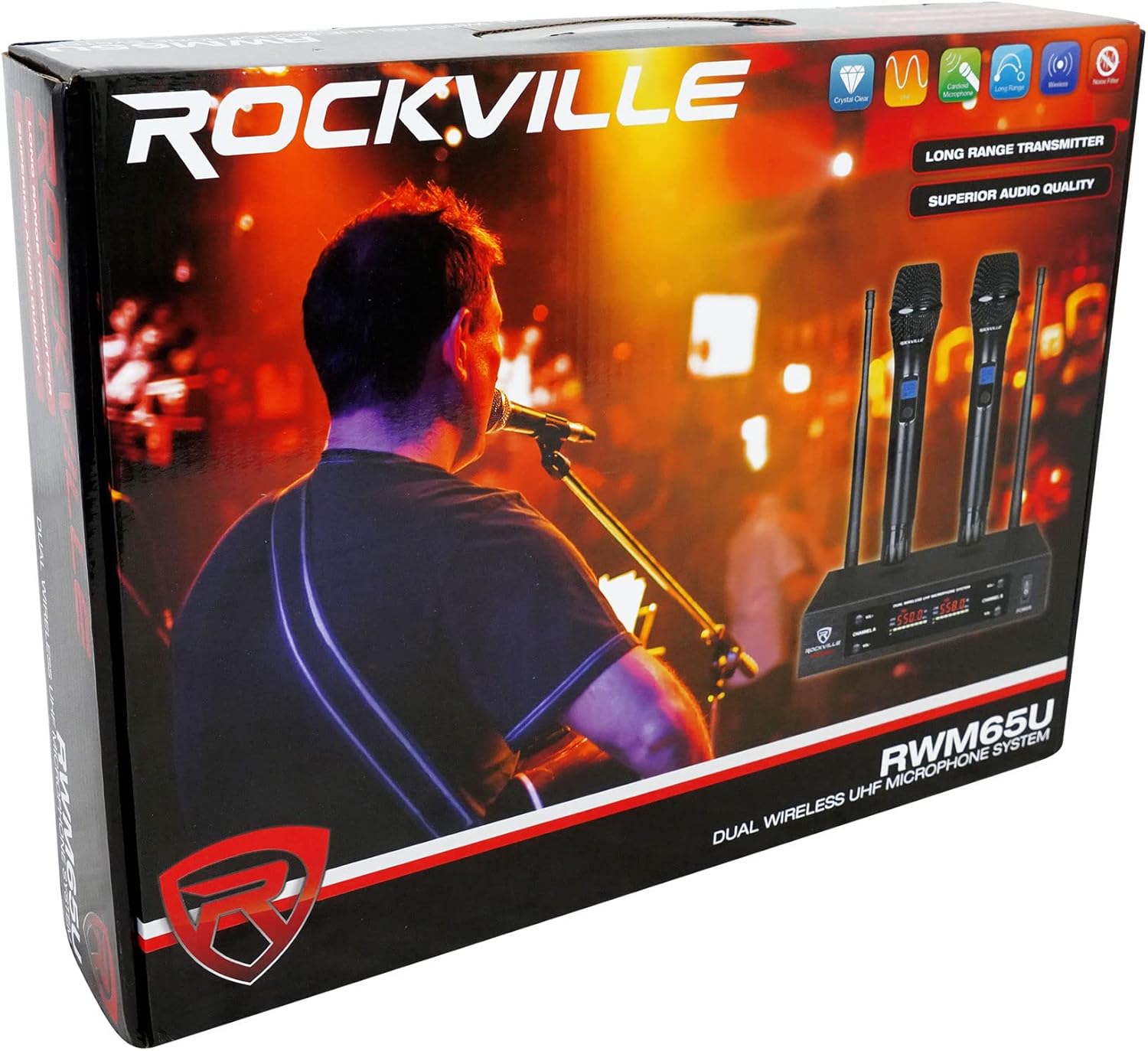
Image: Packaging for the Rockville RWM65U Dual Wireless UHF Microphone System.
Setup
PA System (RPG2X10)
- Speaker Stand Assembly: Assemble the two collapsible speaker stands. Ensure they are stable before mounting speakers.
- Speaker Placement: Mount the two 10-inch PA speakers onto the assembled stands.
- Connect Speakers: Use the provided 16 Ft. 1/4” TS Right Angle Cables to connect the speakers to the powered mixer/amplifier.
- Power Connection: Connect the powered mixer/amplifier to a suitable AC power source.

Image: A complete setup of the Rockville RPG2X10 PA System, showing speakers on stands, mixer, and microphones.

Image: Two Rockville 10-inch PA speakers positioned on their respective stands.
Wireless Microphone System (RWM-200 H2)
- Install Batteries: Unscrew the bottom cap of each wireless microphone and insert two AA batteries, observing the correct polarity. Re-attach the caps.
- Connect Antennas: Screw the two included antennas onto the corresponding ANT-A and ANT-B ports on the rear of the RWM-200 H2 receiver. Position them upright for optimal signal reception.
- Connect Receiver to Mixer: Connect the RWM-200 H2 receiver to your RPG2X10 mixer using either the 1/4" TS Mix Out or the individual XLR outputs (Balanced A/B) on the receiver's rear panel.
- Power On: Connect the power adapter to the RWM-200 H2 receiver and plug it into an AC outlet. Turn on the receiver using the power switch.
- Microphone Power: Press and hold the power button on each microphone to turn them on. The display will show battery level and frequency.

Image: The Rockville RWM65U Dual Wireless UHF Microphone System, showing the receiver with antennas and two handheld microphones.
Video: A detailed guide on how to set up the Rockville RWM65U Dual UHF Handheld Wireless Microphone System, including battery installation and receiver connections.
Operating
Powered Mixer (RPG2X10)
- Channel Controls: Each of the 4 channels on the mixer features individual gain, bass, treble, and level controls. Adjust these to achieve the desired sound for each input source (e.g., microphone, line-in).
- Equalizer: Use the built-in equalizer to fine-tune the overall sound output.
- Digital Delay/Echo: Adjust the digital delay and echo effects for vocals or instruments as needed.
- Bluetooth Connectivity: Activate Bluetooth on your device and search for the RPG2X10. Pair and connect to stream audio wirelessly.

Image: A detailed view of the input channels, EQ, and effects controls on the Rockville RPG2X10 powered mixer.
Wireless Microphones (RWM-200 H2)
- Power On/Off: Press and hold the power button on the microphone to turn it on or off. A short press can mute/unmute the microphone.
- Frequency Selection: The RWM-200 H2 offers 200 switchable UHF channels. To change the frequency, unscrew the bottom cap of the microphone to reveal a small button. Press this button to cycle through available frequencies. The receiver will automatically synchronize.
- Battery Level: The microphone's digital display shows the current battery level, indicating when replacement is needed.
- Operating Range: The system provides an indoor operating range of 350-500 feet and an outdoor range of 300-375 feet.
Video: An overview of the Rockville RWM65U Dual Wireless UHF Microphone System, highlighting its features and capabilities.
Video: A comprehensive look at the Rockville RWM65U, detailing its design, components, and operational aspects.
Maintenance
- Cleaning: Use a soft, dry cloth to clean the surfaces of the mixer, speakers, and microphones. Do not use abrasive cleaners or solvents.
- Battery Replacement: Replace microphone batteries when the low battery indicator appears on the microphone display. Always use fresh AA batteries.
- Storage: When not in use, store the equipment in a cool, dry place away from direct sunlight and extreme temperatures. Disconnect all cables and remove batteries from microphones if storing for extended periods.
Troubleshooting
| Problem | Solution |
|---|---|
| No sound from speakers | Check all power connections. Ensure the mixer is powered on and master volume is up. Verify speaker cables are securely connected. Check individual channel levels. Ensure microphones are powered on and paired. |
| Wireless microphone interference/dropouts | Change the microphone frequency using the button under the mic cap. Ensure antennas are properly positioned. Reduce distance between microphone and receiver. Check for other wireless devices operating on similar frequencies. |
| Poor sound quality (distortion, feedback) | Adjust gain levels on the mixer to prevent clipping. Lower microphone volume if feedback occurs. Adjust EQ settings. Ensure microphones are not too close to speakers. |
| Bluetooth not connecting | Ensure Bluetooth is enabled on your device and the mixer. Forget the device on your phone/tablet and re-pair. Move closer to the mixer. |
Specifications
Rockville RPG2X10 PA System
- Mixer: 4-channel powered mixer
- Speakers: (2) 10-inch speakers
- Connectivity: Bluetooth
- Cables: (2) 16 Ft. 1/4” TS Right Angle Cables included
- Power Source: AC adapter, DC power supply
- Item Weight: 94.6 pounds
- Package Dimensions: 36 x 32.5 x 14.5 inches
Rockville RWM-200 H2 Dual UHF Wireless Microphone System
- Microphone Type: Dual Handheld UHF
- Channels: 200 Switchable UHF Channels
- Microphone Construction: Full metal microphones with rubberized bases
- Receiver Construction: Full metal receiver with acrylic display
- Frequency Response: 30Hz-20KHz (±3 dB)
- Operating Range: 350’ – 500’ feet (indoor), 300’ – 375’ (outdoor)
- Battery Life: 6-8 hours on 2 AA batteries per mic
- Outputs: Individual XLR output for each mic, 1/4” TS mix output
- Frequency Stability: ±0.005%
- Modulation Mode: UHF
- T.H.D: < 0.5% (1KHz A-weighted)
- Receiver Sensitivity: -98dBm
- Sample Rate: 48Khz
- Power Voltage: AC110V-240V 50/60Hz (auto switching)
Warranty & Support
For warranty information or technical support, please contact Rockville customer service. Keep your purchase receipt as proof of purchase.
- Phone: 1-646-758-0144 (Open 24/7)
- Email: sales@rockvilleaudio.com


