
1. Safety Instructions
Always observe basic safety precautions when using electric power tools to reduce the risk of fire, electric shock, and personal injury. Read all instructions before operating this tool.
- Work Area Safety: Keep the work area clean and well-lit. Cluttered or dark areas invite accidents. Do not operate power tools in explosive atmospheres, such as in the presence of flammable liquids, gases, or dust.
- Electrical Safety: Power tool plugs must match the outlet. Never modify the plug in any way. Do not use any adapter plugs with earthed (grounded) power tools. Avoid body contact with earthed or grounded surfaces.
- Personal Safety: Always wear eye protection. Use hearing protection when operating for extended periods. Dress properly; do not wear loose clothing or jewelry. Keep hair, clothing, and gloves away from moving parts.
- Tool Use and Care: Do not force the power tool. Use the correct power tool for your application. Disconnect the plug from the power source before making any adjustments, changing accessories, or storing power tools.
- Maintenance: Have your power tool serviced by a qualified repair person using only identical replacement parts. This will ensure that the safety of the power tool is maintained.
2. Product Overview
The Bosch Professional GKF 500 is a compact and powerful palm router designed for precise routing and trimming applications in woodworking. Its ergonomic design and robust construction ensure ease of use and durability.
Key Features:
- Rated Input Power: 550W for efficient performance.
- Idle Speed: 33,000 RPM for fast and clean cuts.
- Collet Diameter: 6 mm, suitable for various router bits.
- Ergonomic Design: Easy to handle for extended use.
- Durable Construction: Engineered for long-term reliability.
Components:
- Motor Unit
- Base Plate (Transparent)
- Depth Adjustment Mechanism
- Collet Nut and Collet
- On/Off Switch
- Power Cord

Figure 1: The Bosch Professional GKF 500 Palm Router. This image displays the main unit, including the motor housing, transparent base plate, and power cord connection.

Figure 2: Dimensions of the Bosch Professional GKF 500 Palm Router. The tool measures approximately 90 mm in width, 90 mm in depth, and 188 mm in height.
3. Setup
3.1 Installing the Router Bit
- Ensure the tool is unplugged from the power source.
- Loosen the collet nut using the provided wrench.
- Insert the shank of the router bit into the collet. Ensure the bit is inserted far enough to provide secure clamping, but not bottomed out.
- Tighten the collet nut firmly with the wrench. Do not overtighten.
3.2 Adjusting Cutting Depth
- Place the router on a flat surface with the bit touching the workpiece.
- Loosen the depth adjustment knob/lever.
- Lower or raise the motor unit until the desired cutting depth is achieved. Use the depth scale for precise adjustments.
- Tighten the depth adjustment knob/lever securely to lock the setting.
4. Operating Instructions
4.1 Basic Operation
- Ensure the workpiece is securely clamped.
- Plug the tool into a 240V power outlet.
- Hold the router firmly with both hands.
- Switch the tool ON using the power switch. Allow the motor to reach full speed before contacting the workpiece.
- Slowly guide the router along the desired path, maintaining constant pressure and a steady feed rate.
- After completing the cut, lift the router clear of the workpiece and switch the tool OFF. Wait for the bit to stop rotating completely before setting the tool down.

Figure 3: A user operating the Bosch Professional GKF 500 Palm Router to create a routed edge on a wooden board. The tool is held firmly, guiding the bit along the workpiece.
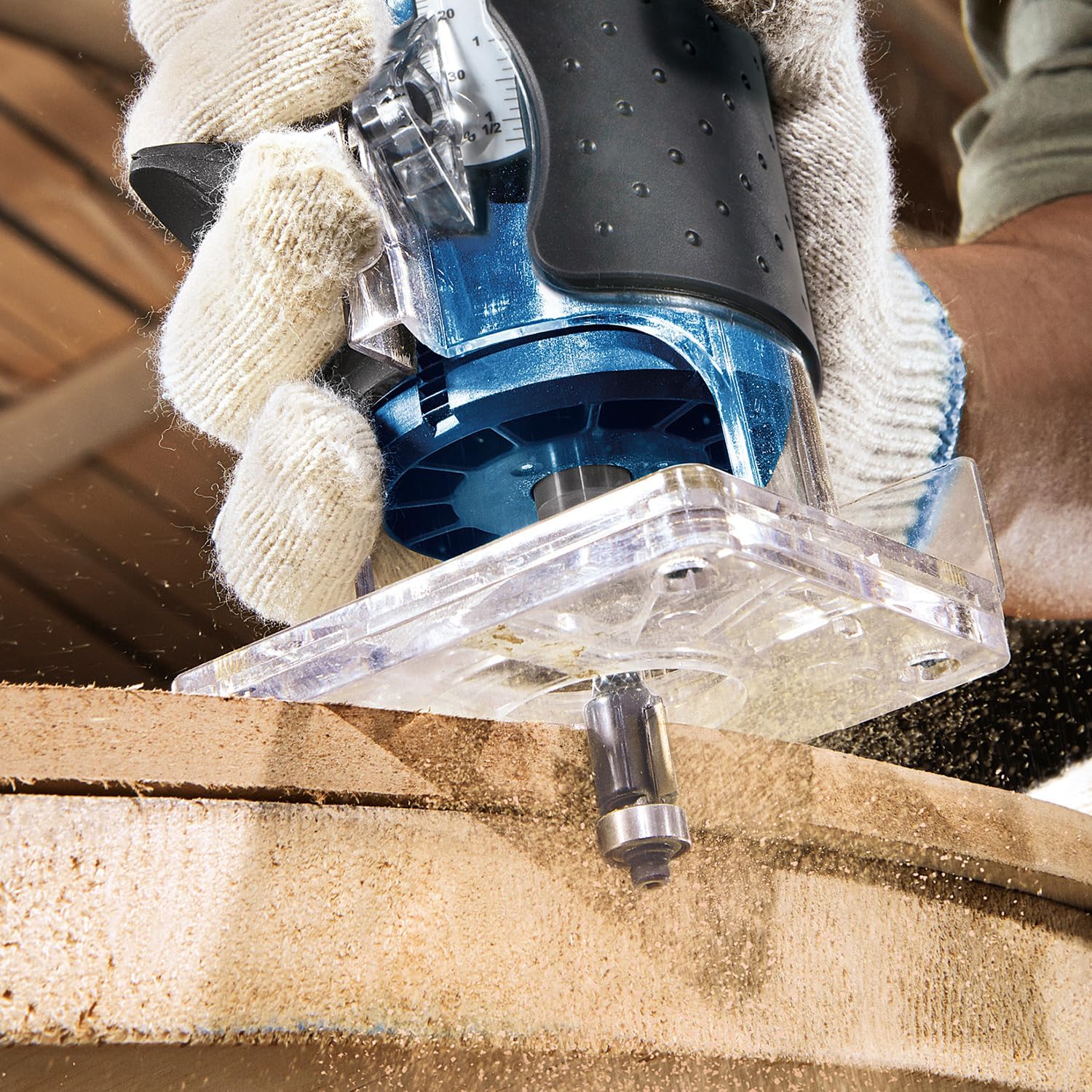
Figure 4: A close-up view of the Bosch Professional GKF 500 Palm Router's bit cutting into a wooden surface, demonstrating the precision of the routing action.

Figure 5: The Bosch Professional GKF 500 Palm Router being used with an edge guide accessory to maintain a consistent distance from the edge of the workpiece during routing.
4.2 Routing Techniques
- Direction of Feed: Always feed the router against the rotation of the bit to prevent the tool from running away.
- Multiple Passes: For deeper cuts, make several shallow passes instead of one deep pass. This reduces strain on the tool and bit, and results in a cleaner cut.
- Edge Routing: When routing edges, ensure the base plate is fully supported on the workpiece. Use an edge guide for straight cuts.
5. Maintenance
Regular maintenance ensures the longevity and optimal performance of your Bosch Professional GKF 500 Palm Router.
- Cleaning: After each use, unplug the tool and clean the exterior with a soft, damp cloth. Use compressed air to clear dust from ventilation openings. Do not use harsh chemicals or abrasive cleaners.
- Collet and Nut: Regularly inspect the collet and collet nut for wear or damage. A worn collet can lead to bit slippage or inaccurate cuts. Clean any resin or debris from the collet.
- Carbon Brushes: This tool uses carbon brushes. If the motor performance decreases or excessive sparking occurs, the carbon brushes may need inspection or replacement. This should ideally be performed by a qualified service technician.
- Storage: Store the tool in a dry, secure location out of reach of children.
6. Troubleshooting
| Problem | Possible Cause | Solution |
|---|---|---|
| Tool does not start. | No power supply; faulty switch; worn carbon brushes. | Check power connection. Ensure switch is fully engaged. Have carbon brushes inspected/replaced by service. |
| Poor cut quality (rough, chipped). | Dull router bit; incorrect feed rate; incorrect depth setting. | Replace or sharpen bit. Adjust feed rate. Verify depth setting. |
| Excessive vibration. | Loose router bit; bent bit shank; damaged collet. | Ensure bit is securely tightened. Replace bent bit. Inspect and replace collet if damaged. |
| Motor overheating. | Overloading the tool; blocked ventilation. | Reduce load per pass. Clear ventilation openings. Allow tool to cool. |
7. Technical Specifications
| Specification | Value |
|---|---|
| Brand | Bosch Professional |
| Model Number | 06016A0020 (GKF 500) |
| Rated Input Power | 550W |
| Idle Speed | 33,000 RPM |
| Collet Diameter | 6 mm |
| Voltage | 240 Volts |
| Power Source | Corded Electric |
| Material | Metal |
| Product Dimensions (W x H) | 3.54"W x 7.4"H (approx. 90mm x 188mm) |
| Item Weight | 2.4 Kilograms (approx. 5.28 pounds) |
| Base Type | Fixed |
| Included Components | Bosch GKF 500 550 W 5 mm Flush (Palm Router) |
8. Warranty and Support
For warranty information, service, or technical support regarding your Bosch Professional GKF 500 Palm Router, please refer to the official Bosch Professional website or contact their customer service department. Keep your purchase receipt as proof of purchase for warranty claims.
Contact Information: Please visit www.bosch-professional.com for regional contact details and support resources.