
Intex 182170
Intex 2100 GPH Above Ground Pool Sand Filter Pump & Krystal Clear Saltwater System User Manual
Model: 182170 | Brand: Intex
Product Overview
This manual provides essential information for the safe and efficient operation of your Intex 2100 GPH Above Ground Pool Sand Filter Pump bundled with the Krystal Clear Saltwater System. This integrated system is designed to improve circulation, filtration, and water clarity in above-ground pools, utilizing Hydro Aeration Technology and a saltwater chlorine generation process.
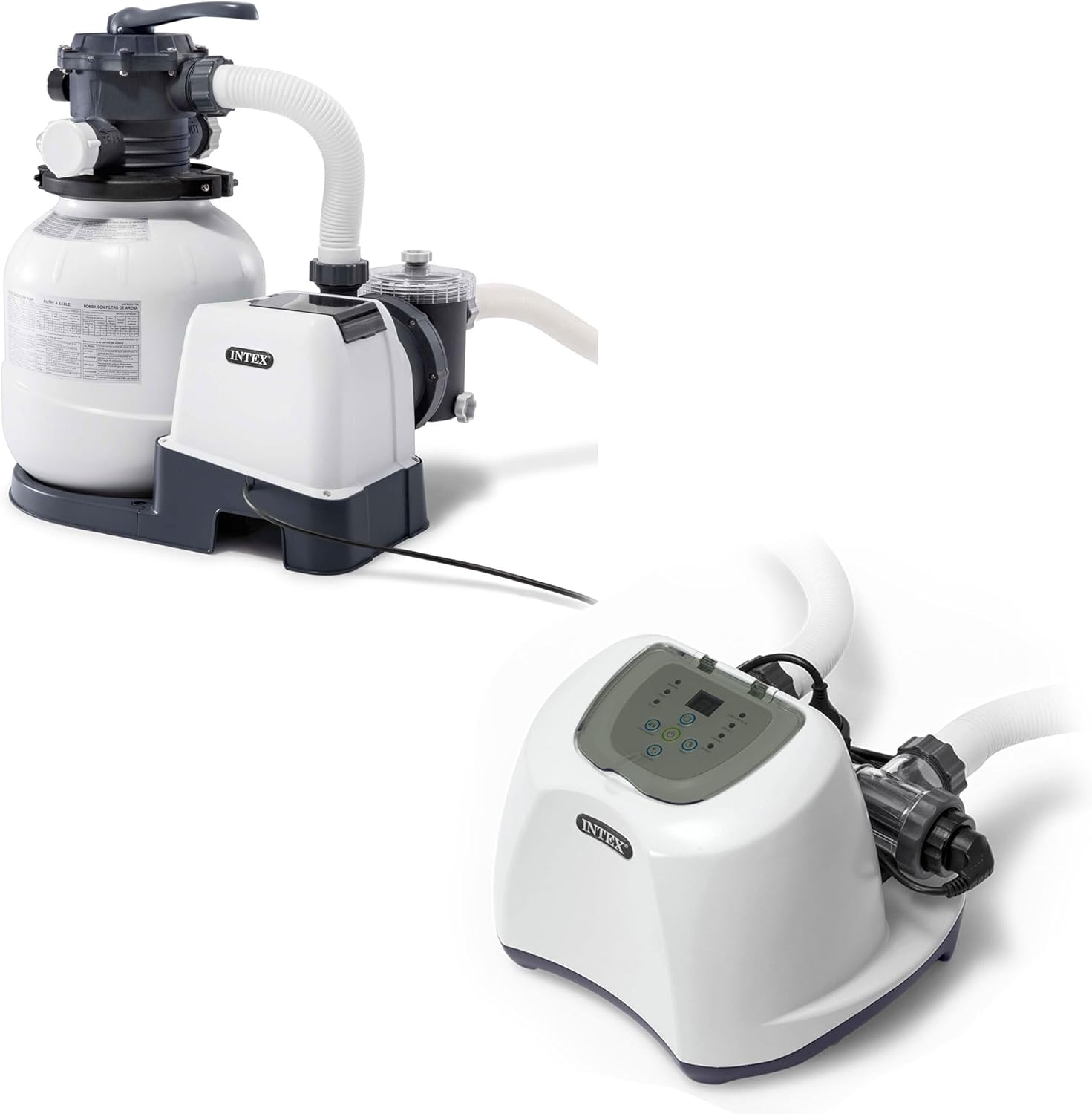
Image: The Intex 2100 GPH Sand Filter Pump and Krystal Clear Saltwater System, showing both units connected.
Key Features
- Hydro Aeration Technology: Enhances water circulation and filtration, improves water clarity, and increases negative ions at the water surface for improved air quality.
- Easy Installation: Simple setup requiring only hose connections and power plug-in.
- 2100 GPH Pump Flow Rate: Provides a water flow rate of 2,100 gallons per hour (7,949 lph) at the pump, with a system flow rate of 1,600 gph (6,056 lph) in the pool. Suitable for Intex pools up to 12,800 gallons.
- Built-in 24-Hour Timer: Features pre-set cycles from 2 to 12 hours for automatic operation.
- Saltwater System Integration: Utilizes the same process as in-ground swimming pools to maintain clear water with reduced maintenance.
- Advanced Filtering System: Connects directly to the filter pump, automatically generating chlorine from added salt. Includes an intuitive control panel display.

Image: Visual representation of the sand filter pump's features, including the built-in timer/control panel, pressure gauge, 6 functions, and strainer basket.

Image: Visual representation of the saltwater system's features, including the digital control panel, easy-connect hoses, auto-clock, and 3 self-clean modes.
Setup Instructions
- Placement: Position the sand filter pump and saltwater system on a stable, level surface near your above-ground pool. Ensure adequate space for operation and maintenance.
- Hose Connections: Connect the hoses from your pool to the appropriate inlets and outlets on the filter pump and saltwater system. Ensure all connections are secure to prevent leaks.
- Power Connection: Plug the unit into a grounded 120-volt electrical outlet. Ensure the outlet is protected by a Ground Fault Circuit Interrupter (GFCI).
- Sand Filling: Refer to the specific instructions for filling the sand filter tank with the recommended amount and type of filter sand (50 lb (23 kg) #20 Silica).
- Initial Priming: Follow the manufacturer's instructions for priming the pump to ensure proper water flow and prevent airlocks.

Image: Diagram illustrating the easy installation process and compatibility of the Intex Sand Filter Pump SX2100.
Operating Instructions
Sand Filter Pump Operation
The sand filter pump offers 6 functions for comprehensive pool maintenance:
- Filtration: Standard daily operation to filter pool water.
- Circulation: Moves water without filtering, useful for chemical distribution.
- Backwash: Reverses water flow to clean the sand filter.
- Rinse: Settles the sand after backwashing.
- Waste/Drain: Drains water directly from the pool.
- Closed: Shuts off all flow to the filter.
Use the built-in 24-hour timer to set automatic operating cycles (2 to 12 hours) for consistent filtration.
Saltwater System Operation
The Krystal Clear Saltwater System converts salt into natural chlorine for pool sanitation. Add pool-grade salt to your pool water as per the system's guidelines. The intuitive control panel allows you to monitor salt levels and select from 3 self-clean modes (6, 10, or 14-hour cycles) for optimal chlorine generation.

Image: Illustration of Hydro Aeration Technology, showing advanced circulation, improved clarity, and increased freshness in pool water.

Image: The Intex Krystal Clear Saltwater System QS1200, highlighting its role in maintaining clear pool water.
Maintenance
- Sand Replacement: The filter sand typically requires replacement every 5 years, depending on usage and water quality.
- Regular Backwashing: Perform backwashing as needed to clean the sand filter and maintain optimal filtration performance. Monitor the pressure gauge for indications of when backwashing is required (e.g., when pressure rises above normal operating levels).
- Strainer Basket Cleaning: Periodically check and clean the strainer basket in the pump to remove debris and ensure unobstructed water flow.
- Saltwater Cell Cleaning: Follow the saltwater system's instructions for periodic self-cleaning cycles or manual cleaning of the electrolytic cell to prevent mineral buildup.
- Winterization: Properly drain and store the pump and saltwater system during off-season or freezing temperatures to prevent damage.
Specifications
| Feature | Detail |
|---|---|
| Brand | Intex |
| Model Number | 182170 |
| UPC | 193802053067 |
| Material | Polypropylene (PP) |
| Power Source | Electric |
| Voltage | 120 Volts |
| Pump Flow Rate (Pump Capacity) | 2,100 GPH (7,949 LPH) |
| System Flow Rate (In Pool) | 1,600 GPH (6,056 LPH) |
| Suitable Pool Size | Up to 12,800 gallons |
| Sand Capacity | 50 lb (23 kg) #20 Silica |
| Saltwater System Chlorine Output | 12 g/hr |
| Saltwater System Max. Pool Size | Up to 15,000 gal. (56,781 L) |

Image: Detailed specifications for the sand filter pump, including system flow rate, sand capacity, pool size compatibility, and voltage.

Image: Detailed specifications for the saltwater system, including maximum pool size, chlorine output, voltage, and pump compatibility.
Troubleshooting
If you encounter issues with your Intex Sand Filter Pump or Saltwater System, consider the following general troubleshooting steps:
- Low Flow/Pressure: Check for clogged strainer baskets, dirty filter sand (requiring backwash or replacement), or kinks in hoses. Ensure the pump is properly primed.
- Water Clarity Issues: Verify proper filtration cycles are set, check chemical balance of the pool water, and ensure the saltwater system is generating sufficient chlorine.
- Saltwater System Errors: Consult the system's control panel display for error codes. Common issues include low salt levels (add salt) or cell cleaning required (run self-clean cycle or manual clean).
- Pump Not Starting: Ensure the unit is securely plugged into a working GFCI outlet. Check the timer settings.
For detailed troubleshooting, refer to the comprehensive guide provided with your product or visit the official Intex support website.
Warranty and Support
Intex products are designed for quality and durability. While specific warranty details are not provided in this manual, it is recommended to retain your proof of purchase for any warranty claims. Protection plans may be available for extended coverage.
For customer support, technical assistance, or to inquire about replacement parts, please visit the Official Intex Store on Amazon or contact Intex customer service directly.
Ask a question about this manual
Ask about setup, troubleshooting, compatibility, parts, safety, or missing instructions. Manuals+ will review the question and use this page’s manual context to help answer it.