
Introduction
Thank you for choosing the Dynastar 220V Heating Pad. This manual provides essential information for the safe and effective use, maintenance, and troubleshooting of your new heating pad. Please read these instructions carefully before first use and retain for future reference.
IMPORTANT: This heating pad is designed for 220V-240V electrical systems and will NOT work in countries with 110V-120V systems, such as the USA, Canada, or Mexico, without a proper voltage converter. Using it with an incorrect voltage supply may damage the product and pose a safety risk.
Important Safety Information
To ensure safe operation and prevent injury or damage, please adhere to the following safety guidelines:
- Voltage Compatibility: This product operates on 220-240 volts. Do not attempt to use it with a 110-120 volt power supply without a suitable voltage converter.
- Overheating Protection: The heating pad is equipped with overheating protection. Do not cover the controller or place it under blankets or pillows during use.
- Standards Compliance: This product has been tested and complies with CE, RoHS, and REACH standards for safety and environmental regulations.
- Medical Conditions: If you have any medical conditions, particularly those affecting circulation or sensation, consult a healthcare professional before using this heating pad.
- Not for Infants or Incapacitated Persons: Do not use on infants, incapacitated persons, or anyone insensitive to heat.
- Avoid Folding or Bunching: Do not fold, crease, or bunch the heating pad during use, as this can cause localized overheating.
- Moist Heat Use: When using for moist heat, ensure the pad is only lightly dampened. Do not immerse the pad or controller in water.
- Storage: Store the heating pad in a cool, dry place when not in use.
- Inspection: Regularly inspect the heating pad and power cord for any signs of damage. Discontinue use if any damage is observed.
Product Overview
The Dynastar Heating Pad is designed to provide soothing heat therapy for various body areas. Its soft micro-fleece cover ensures comfort during use.
Components
- Heating Pad (Blue Microfiber Fleece)
- Integrated Controller with Power Cord and 2-pin C plug
- Removable/Washable Cover (integrated)
Features
- Moist/Dry Heat Therapy
- Fast Heating Capability
- Soft Micro Fleece Material
- Automatic Shut-off Feature (approximately 3 hours)
- 3 Heat Settings
- Dimensions: 15.75 x 11.81 inches (approx. 40 x 30 cm)
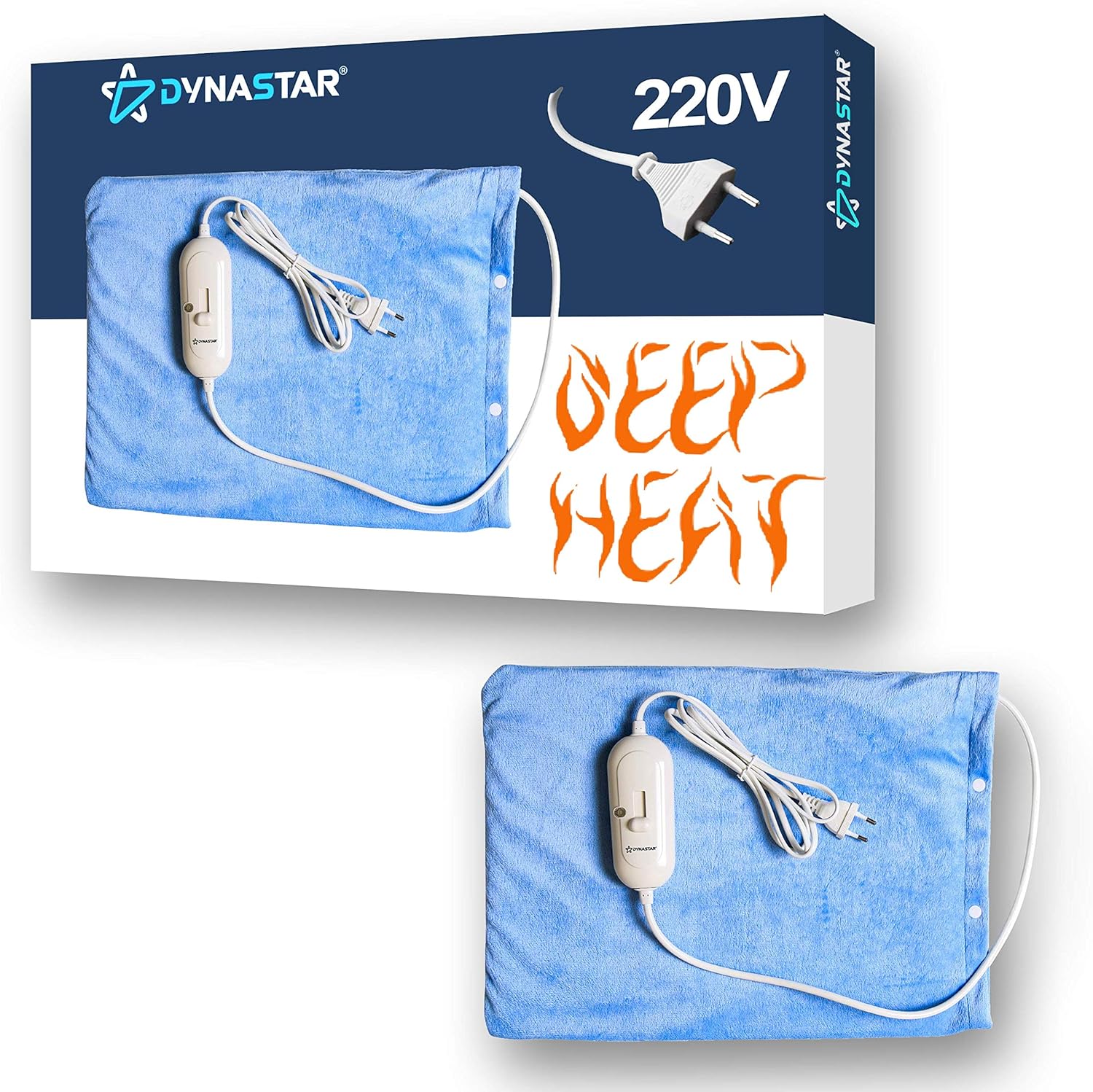
Image: The Dynastar 220V Heating Pad shown with its packaging, highlighting the 220V compatibility and "Deep Heat" feature. The pad itself is a soft blue micro-fleece with an attached controller and European-style 2-pin plug.
Setup
Follow these steps for initial setup:
- Unpack the heating pad and its controller from the packaging.
- Ensure the heating pad and cord are free from any kinks or damage.
- Verify that your electrical outlet provides 220-240 volts.
- Plug the 2-pin C plug into a compatible 220-240V wall outlet.
- Place the heating pad on the desired body area. Ensure it lies flat and is not folded or bunched.

Image: A close-up view of the Dynastar heating pad's controller and its 2-pin European-style plug, illustrating the connection point for power.
Operating Instructions
Operating your Dynastar Heating Pad is simple:
Powering On/Off
- To turn on, slide the switch on the controller to the desired heat setting.
- To turn off, slide the switch to the "OFF" position.
- Always unplug the heating pad from the wall outlet when not in use.
Temperature Settings
The controller offers 3 heat settings:
- Setting 1: Low Heat
- Setting 2: Medium Heat
- Setting 3: High Heat
Select the setting that provides the most comfortable and effective heat therapy for your needs. The pad heats up quickly.
Moist Heat Application
For moist heat therapy:
- Lightly dampen the micro-fleece cover with water. Do not soak.
- Ensure no water enters the controller or electrical connections.
- Apply the damp pad to the desired area.
Moist heat can provide deeper penetration and enhanced relief.
Automatic Shut-off
For safety, the heating pad is equipped with an automatic shut-off feature that turns the unit off after approximately 3 hours of continuous use. This prevents prolonged use and potential overheating. If you wish to continue therapy, simply turn the unit off and then back on again.

Image: A person comfortably using the Dynastar heating pad on their lower back, demonstrating a common application for heat therapy.

Image: A person applying the Dynastar heating pad to their abdominal area, showcasing its versatility for different body parts.
Maintenance and Care
Proper care will extend the life of your heating pad:
Cleaning the Cover
- The micro-fleece cover is removable and washable.
- Before cleaning, ensure the heating pad is unplugged and completely cool.
- Hand wash or machine wash the cover on a gentle cycle with mild detergent.
- Do not bleach, iron, or dry clean the cover.
- Air dry the cover completely before reattaching it to the heating pad.
- Do not wash the heating element or controller.
Storage
- When not in use, ensure the heating pad is unplugged and cool.
- Gently fold the heating pad. Avoid sharp creases.
- Store in a cool, dry place, away from direct sunlight and moisture.

Image: The Dynastar heating pad unfolded, showing its full surface area and the attached controller, ready for use or storage.
Troubleshooting
If you encounter issues with your heating pad, refer to the table below:
| Problem | Possible Cause | Solution |
|---|---|---|
| Heating pad does not turn on or heat up. |
|
|
| Heating pad is not warm enough. |
|
|
| Pad feels too hot. |
|
|
Specifications
| Feature | Detail |
|---|---|
| Product Dimensions | 15.75 x 11.81 x 0.04 inches (approx. 40 x 30 x 0.1 cm) |
| Item Weight | 1 Pound (approx. 0.45 kg) |
| Voltage | 220-240 Volts |
| Material | Micro Fleece |
| Color | Blue Microfiber |
| Special Feature | Automatic Shut-off |
| Manufacturer | Dynastar |
| ASIN | B07PXGWLDC |
Warranty and Support
For warranty information and customer support, please refer to the documentation provided with your purchase or contact the seller directly. The manufacturer, Dynastar, provides this product with built-in safety features and adherence to international standards.
If you purchased this product from Amazon, you may find seller contact information on your order details page. The primary seller for this product is "220-electronics (Region Free Guaranteed!!)".
Please note that statements regarding dietary supplements have not been evaluated by the FDA and are not intended to diagnose, treat, cure, or prevent any disease or health condition. This product is intended for general heat therapy and comfort.