Introduction
The Hagibis MG-X2 is a versatile Bluetooth 5.0 audio adapter designed to function as both a transmitter and a receiver. It enables wireless audio streaming for a wide range of devices, including TVs, PCs, headphones, speakers, and car audio systems. Featuring aptX HD and aptX Low Latency support, it provides high-fidelity sound with minimal delay, enhancing your audio experience.
Package Contents

Image: The retail box displaying the Hagibis MG-X2 Bluetooth adapter, a Micro USB charging cable, a user manual, and a warranty card.
- 1 x Hagibis MG-X2 Bluetooth Transmitter Receiver
- 1 x Micro USB Charging Cable
- 1 x User Manual
- 1 x Warranty Card
Product Overview

Image: A detailed view of the Hagibis MG-X2 adapter, highlighting its two main control buttons: the multifunctional 'M' key and the receive/transmit mode switching button.
The Hagibis MG-X2 features a compact design with essential controls for easy operation:
- Multifunctional "M" Key: Used for power on/off, pairing, play/pause, and answering/ending calls.
- Receive/Transmit One Button Switching: Allows quick toggling between Transmitter (TX) and Receiver (RX) modes.
- 3.5mm Audio Jack: For connecting to audio sources (TX mode) or audio output devices (RX mode).
- Micro USB Port: For charging the device.
- LED Indicator: Provides status information (pairing, connected, mode).

Image: Two views of the Hagibis MG-X2 adapter, demonstrating its flexible 3.5mm audio jack which can be used straight or bent for convenience.
Setup
Charging the Device
Before initial use, fully charge the Hagibis MG-X2. Connect the provided Micro USB cable to the device's charging port and the other end to a USB power source (e.g., computer USB port, USB wall adapter). The LED indicator will show charging status. A full charge provides approximately 4-5 hours of continuous use. The device can also stream audio while charging.
Powering On/Off
- Power On: Press and hold the Multifunctional "M" key for approximately 3 seconds until the LED indicator lights up.
- Power Off: Press and hold the Multifunctional "M" key for approximately 3 seconds until the LED indicator turns off.
Operating Modes
1. Transmitter (TX) Mode
In TX mode, the MG-X2 transmits audio from non-Bluetooth devices (like TVs, PCs, CD players) to Bluetooth-enabled headphones or speakers. Ensure the device is switched to TX mode using the dedicated button.
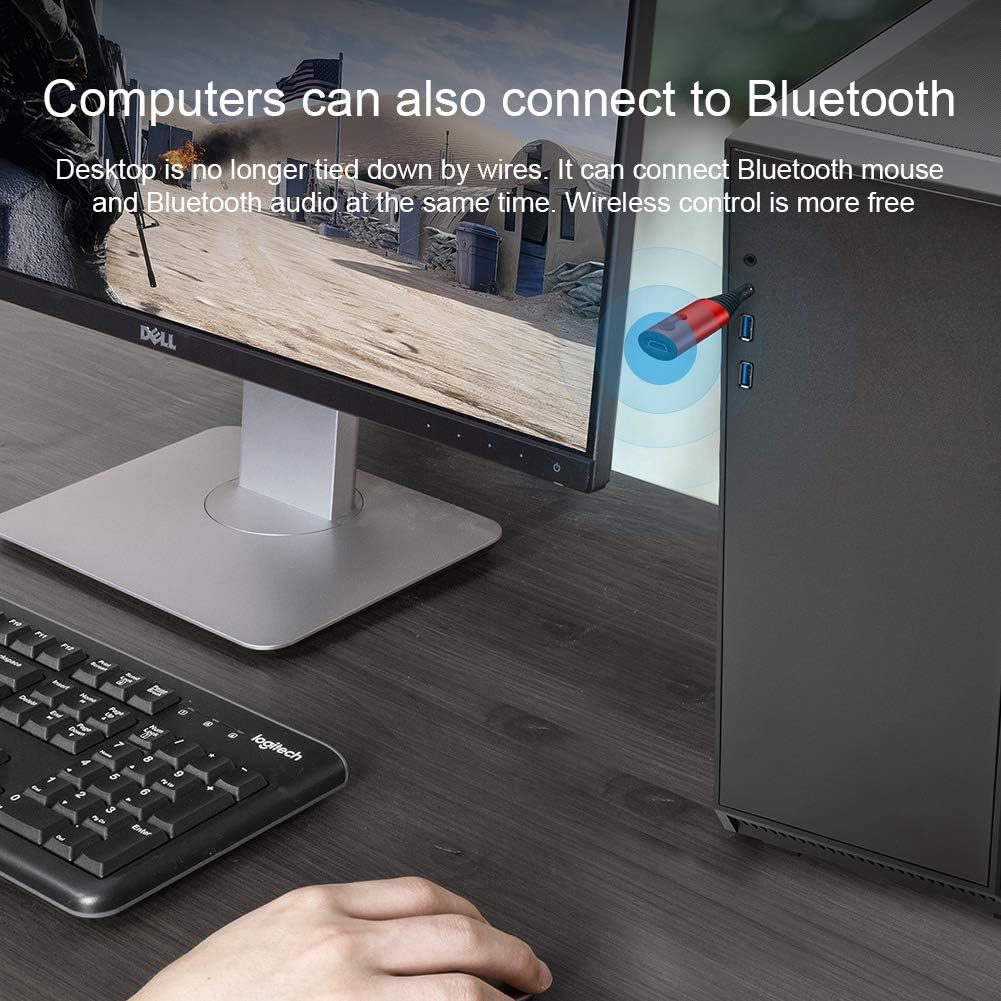
Image: The Hagibis MG-X2 connected to a desktop computer's audio output, enabling wireless audio transmission to Bluetooth devices.
Pairing with One Bluetooth Device:
- Connect the MG-X2 to your audio source (e.g., TV, PC) via the 3.5mm audio jack.
- Switch the MG-X2 to TX mode. The LED indicator will flash, indicating it's in pairing mode.
- Place your Bluetooth headphones or speaker into pairing mode.
- The MG-X2 will automatically search for and connect to your Bluetooth device. Once connected, the LED indicator will change.
Pairing with Two Bluetooth Devices (1-in-2-out function):
- Connect the MG-X2 to your audio source.
- Pair the first Bluetooth device (e.g., headphones) as described above.
- Once the first device is connected, turn off the MG-X2.
- Press and hold the Multifunctional "M" key for 4 seconds to re-enter pairing mode.
- Put the second Bluetooth device into pairing mode.
- After successful pairing, both devices will simultaneously receive audio from the MG-X2.
- Alternatively, connect the first device, then turn it off. Connect the second device. Immediately after the second connection is successful, turn on the first device. Both devices should then connect and receive audio.
Note: aptX Low Latency is supported only in TX mode to minimize audio delay. Ensure your receiving device also supports aptX Low Latency for optimal performance.
2. Receiver (RX) Mode
In RX mode, the MG-X2 receives Bluetooth audio from your smartphone or tablet and outputs it to non-Bluetooth speakers, car audio systems, or wired headphones. Ensure the device is switched to RX mode.

Image: The Hagibis MG-X2 connected to a traditional speaker, acting as a receiver to play music wirelessly from a smartphone.
Pairing with a Bluetooth Device:
- Connect the MG-X2 to your audio output device (e.g., speaker, car AUX-in) via the 3.5mm audio jack.
- Switch the MG-X2 to RX mode. The LED indicator will flash, indicating it's in pairing mode.
- On your smartphone or tablet, enable Bluetooth and search for "MG-X2" (or similar).
- Select "MG-X2" to connect. Once connected, the LED indicator will change.
TWS Function (True Wireless Stereo) in RX Mode:
This function allows two MG-X2 units to connect to each other wirelessly and then both connect to a single Bluetooth audio source (e.g., smartphone) to provide stereo sound through two separate speakers.
- Initial TWS Pairing:
- Turn on both MG-X2 units.
- On one MG-X2, press and hold the auxiliary button (Multifunctional "M" key) for 2 seconds to enter TWS pairing mode (green flashing LED).
- Then, turn off this MG-X2 and press and hold for 4 seconds to enter standard Bluetooth pairing mode. Connect it to your mobile phone or other Bluetooth device.
- Once connected, both MG-X2 units will output audio from your mobile phone.
- Adding a Second MG-X2 to an Existing Connection:
- If one MG-X2 is already connected to a Bluetooth device (e.g., mobile phone).
- Press and hold the Multifunctional "M" key on the second MG-X2 for about 3 seconds to power it on.
- Then, press and hold the auxiliary button (Multifunctional "M" key) on the second MG-X2 for 2 seconds (green light flashes quickly).
- Simultaneously, press and hold the auxiliary button (Multifunctional "M" key) on the already connected MG-X2 for 2 seconds to enter TWS pairing mode.
- After successful TWS pairing, both MG-X2 units will receive and output audio from the mobile phone.
When in TWS mode, the play/pause controls on both MG-X2 units are active.
Specifications
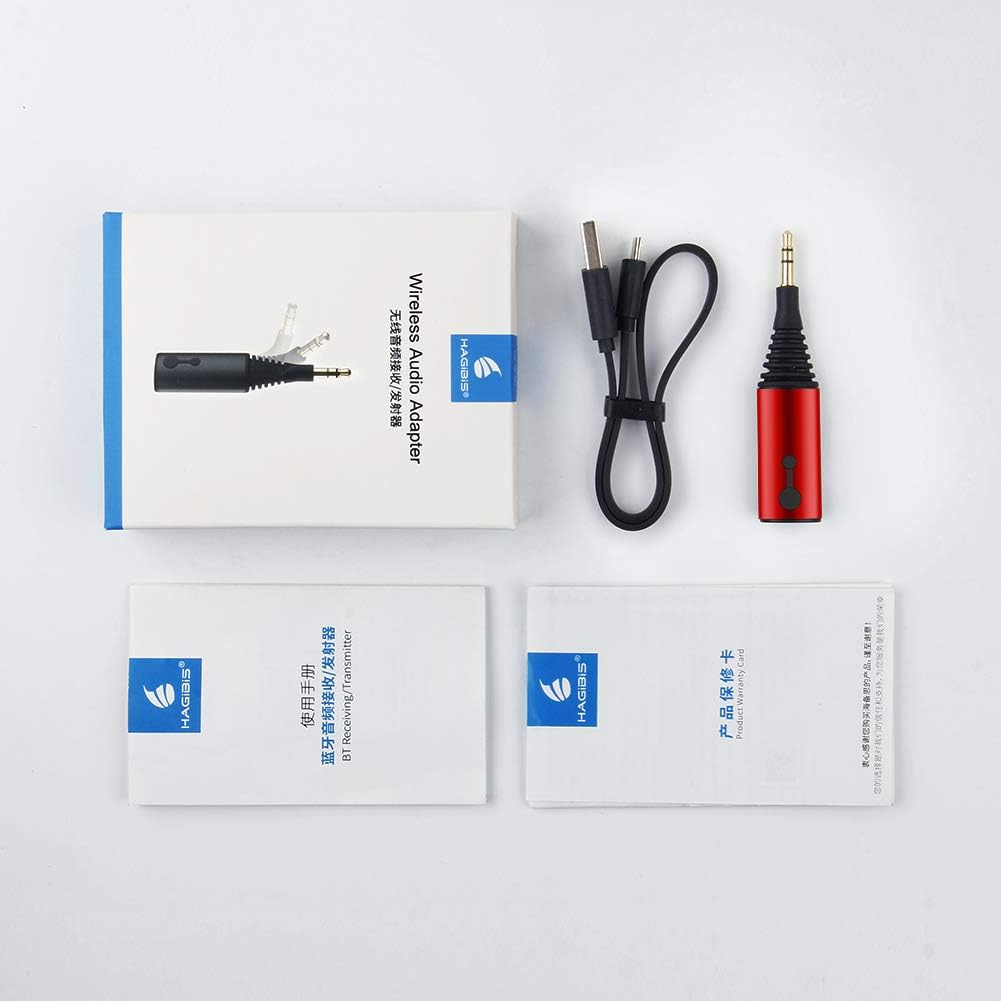
Image: A visual representation of the product's dimensions (60mm length, 17mm width) and a list of its technical parameters.
| Feature | Detail |
|---|---|
| Model | MG-X2 |
| Bluetooth Version | v5.0 |
| Bluetooth Chip | CSR8675 |
| Bluetooth Protocols | aptX, aptX Low Latency, aptX HD |
| Frequency Range | 2.4GHz |
| Bluetooth Range | Up to 10 meters (33 feet) |
| Battery Capacity | 100mAh Lithium Ion |
| Working Current (TX Mode) | 19mA |
| Working Current (RX Mode) | 20-26mA |
| Working Voltage | 3.2V-4.2V |
| Endurance Time | 4-5 hours (approx.) |
| Dimensions (L x W x H) | 5.99 x 1.7 x 0.99 cm (60 x 17 mm) |
| Weight | 79.95 g (2.82 Ounces) |
| Connector Type | AUX, Bluetooth, USB |
| Compatible Devices | Headphones, Smartphones, Speakers, Televisions |
Troubleshooting
- No Power: Ensure the device is fully charged. Connect it to a power source using the Micro USB cable.
- Cannot Pair:
- Ensure the MG-X2 is in the correct mode (TX or RX) and pairing mode (flashing LED).
- Make sure the target Bluetooth device is also in pairing mode.
- Move the devices closer to each other.
- Clear previous pairing records on both the MG-X2 and the target device, then try pairing again.
- No Audio:
- Check if the MG-X2 is successfully connected (solid LED indicator).
- Verify that the 3.5mm audio cable is securely connected to both the MG-X2 and the audio source/output device.
- Adjust the volume on both the MG-X2 and the connected audio device.
- Ensure the audio source is playing and not muted.
- Audio Delay (Latency):
- aptX Low Latency is primarily supported in TX mode. Ensure both the MG-X2 and your receiving Bluetooth device support aptX Low Latency for minimal delay.
- Environmental factors or interference can affect latency.
- Intermittent Connection:
- Ensure there are no significant obstacles between the MG-X2 and the connected Bluetooth device.
- Keep the devices within the specified Bluetooth range (up to 10 meters).
- Avoid strong electromagnetic interference from other wireless devices.
Maintenance
- Keep the device dry. Avoid exposure to moisture or liquids.
- Do not disassemble or attempt to repair the device yourself. This may void the warranty.
- Clean the device with a soft, dry cloth. Do not use harsh chemicals or abrasive cleaners.
- Store the device in a cool, dry place when not in use for extended periods.
- Avoid extreme temperatures.
Warranty and Support
The Hagibis MG-X2 Bluetooth Transmitter Receiver includes a warranty card in its package. Please refer to the warranty card for specific terms and conditions regarding product defects and support. For technical assistance or warranty claims, please contact HAGIBISTECH customer support through their official channels.


