
1. Introduction
This manual provides essential information for the safe and effective operation, maintenance, and troubleshooting of your Skil 4400 Jigsaw. Please read these instructions carefully before using the tool and keep them for future reference. This jigsaw is designed for cutting wood and similar materials.
2. General Safety Instructions
Always follow basic safety precautions when using electric tools to reduce the risk of fire, electric shock, and personal injury.
- Work Area Safety: Keep your work area clean and well-lit. Cluttered or dark areas invite accidents. Do not operate power tools in explosive atmospheres, such as in the presence of flammable liquids, gases, or dust.
- Electrical Safety: Power tool plugs must match the outlet. Never modify the plug in any way. Avoid body contact with earthed or grounded surfaces such as pipes, radiators, ranges, and refrigerators.
- Personal Safety: Always wear eye protection. Use hearing protection when operating for extended periods. Dress properly; avoid loose clothing or jewelry. Keep hair, clothing, and gloves away from moving parts.
- Tool Use and Care: Do not force the power tool. Use the correct power tool for your application. Disconnect the plug from the power source before making any adjustments, changing accessories, or storing power tools.
- Service: Have your power tool serviced by a qualified repair person using only identical replacement parts. This will ensure that the safety of the power tool is maintained.
3. Package Contents
Upon opening the package, ensure all items are present and undamaged. The Skil 4400 Jigsaw package typically includes:
- 1 Skil 4400 Jigsaw
- 1 Tightening Wrench
- 1 Wood Blade
- 1 Instruction Manual (this document)
- 1 Clamp
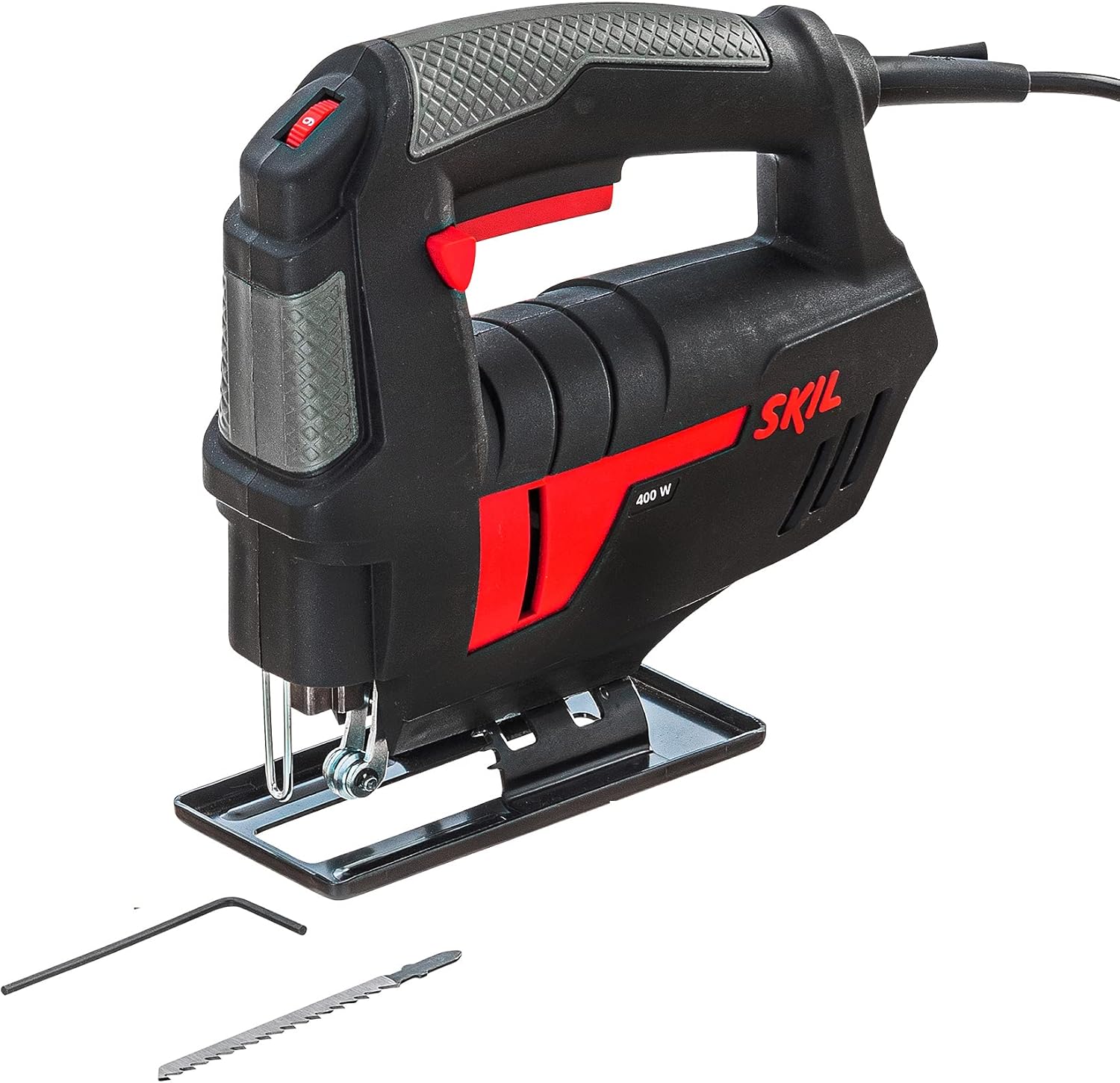
Figure 1: Skil 4400 Jigsaw with its standard accessories.
4. Product Overview
The Skil 4400 Jigsaw is a powerful and ergonomic tool designed for precision cutting. Key features include:
- 400 Watt Motor: Provides ample power for various cutting tasks.
- Variable Speed and Speed Pre-selection: Allows for optimal cutting speed adjustment based on the material.
- Robust Saw Blade Guide and Support: Ensures stability and precision during operation.
- Ergonomic Design: Engineered for comfortable handling, even during prolonged use and in dusty environments.

Figure 2: Overall view of the Skil 4400 Jigsaw.

Figure 3: Ergonomic handle design for comfortable grip.

Figure 4: Detail of the blade and guide mechanism.
5. Setup
5.1 Installing the Saw Blade
- Ensure the jigsaw is unplugged from the power source before installing or changing blades.
- Locate the blade clamp mechanism, usually at the front of the tool near the shoe.
- Loosen the blade clamp screw using the provided tightening wrench.
- Insert the saw blade into the blade holder with the teeth facing forward. Ensure the back edge of the blade fits into the blade guide roller.
- Tighten the blade clamp screw securely. Gently pull on the blade to ensure it is firmly seated.
5.2 Adjusting the Base Plate for Bevel Cuts
The base plate can be adjusted for bevel cuts up to 45 degrees.
- Unplug the tool.
- Loosen the screws that hold the base plate in place.
- Slide the base plate backward slightly, then tilt it to the desired angle (e.g., 45 degrees).
- Slide the base plate forward until it locks into the desired angle position.
- Tighten the base plate screws firmly.
6. Operating Instructions
6.1 Powering On/Off
- To start the tool, press the ON/OFF switch.
- To stop the tool, release the ON/OFF switch.
- For continuous operation, press the ON/OFF switch and then press the lock-on button. To release, press the ON/OFF switch again.
6.2 Speed Control
The Skil 4400 Jigsaw features variable speed control and speed pre-selection.
- The speed is controlled by the pressure applied to the ON/OFF switch.
- Use the speed pre-selection dial (if available) to set a maximum speed for specific materials. Lower speeds are suitable for harder materials or intricate cuts, while higher speeds are for softer materials and faster cuts.
6.3 Making a Cut
- Secure the workpiece firmly with clamps or a vise.
- Place the base plate of the jigsaw flat on the workpiece, ensuring the blade is not touching the material.
- Start the jigsaw and allow it to reach full speed before beginning the cut.
- Guide the tool along the cutting line with steady, even pressure. Do not force the tool; let the blade do the work.
- Maintain a firm grip on the tool with both hands.
- Once the cut is complete, release the ON/OFF switch and wait for the blade to stop completely before lifting the tool from the workpiece.
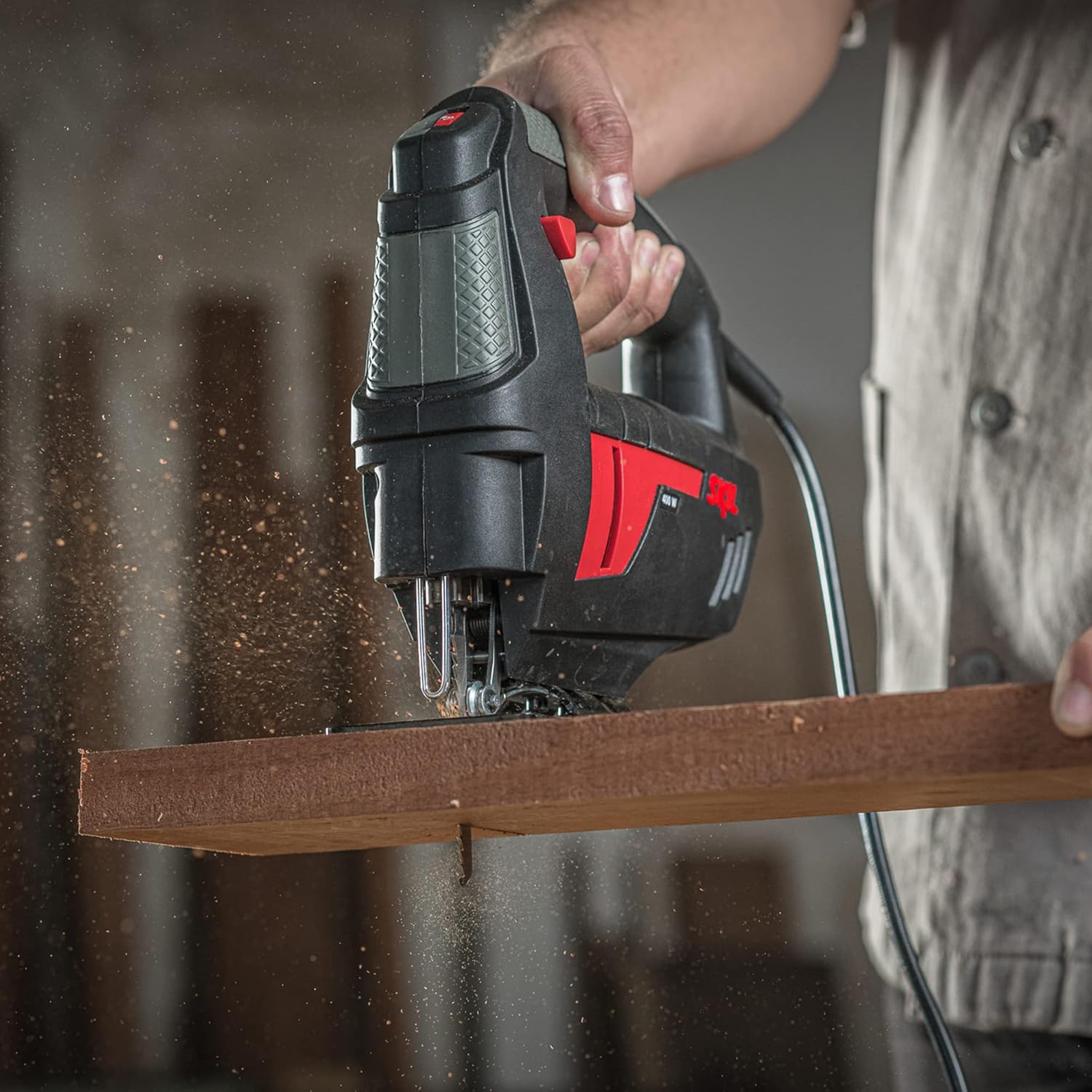
Figure 5: Demonstrating a straight cut on wood.

Figure 6: Jigsaw in action, cutting through material.
7. Maintenance
Regular maintenance ensures the longevity and optimal performance of your Skil 4400 Jigsaw. Always unplug the tool before performing any maintenance.
- Cleaning: Keep the ventilation openings clean to prevent motor overheating. Regularly clean the saw blade guide and the area around the blade to remove sawdust and debris. Use a soft brush or compressed air.
- Blade Replacement: Replace dull or damaged blades promptly. Refer to section 5.1 for blade installation instructions.
- Cord Inspection: Periodically inspect the power cord for damage. If damaged, have it repaired by a qualified service technician.
- Lubrication: This tool typically features sealed bearings that do not require additional lubrication.
8. Troubleshooting
If you encounter issues with your jigsaw, consult the following common problems and solutions:
| Problem | Possible Cause | Solution |
|---|---|---|
| Tool does not start. | No power supply; faulty switch; damaged cord. | Check power connection. Ensure switch is fully pressed. Inspect cord for damage. If issues persist, seek professional service. |
| Blade not cutting efficiently or binding. | Dull or incorrect blade; improper speed setting; forcing the tool. | Replace with a sharp, appropriate blade for the material. Adjust speed setting. Apply less pressure and let the tool work. |
| Excessive vibration or noise. | Loose blade; damaged blade; worn internal components. | Ensure blade is securely tightened. Replace damaged blade. If internal components are suspected, seek professional service. |
| Motor overheating. | Blocked ventilation openings; prolonged heavy use. | Clean ventilation openings. Allow the tool to cool down. Avoid continuous heavy loads. |
9. Specifications
| Feature | Detail |
|---|---|
| Brand | Skil |
| Model Number | F0124400AE (4400) |
| Power Source | Corded Electric |
| Wattage | 400 Watts |
| Voltage | 127 Volts |
| Blade Material | Alloy steel or Chrome Vanadium steel |
| Recommended Surface | Wood |
| Special Feature | Portable |
| Weight | 1.88 Kilograms |
| Cutting Angle | Up to 45 Degrees |
| Handle Material | Thermoplastic Elastomers or Rubber |
Note: Specifications are subject to change without notice for product improvement.
10. Warranty and Support
The Skil 4400 Jigsaw comes with a 1-year warranty from the date of purchase. This warranty covers defects in materials and workmanship under normal use. It does not cover damage resulting from misuse, abuse, alteration, or unauthorized repair.
For warranty claims, technical support, or service inquiries, please contact Skil customer service. Keep your purchase receipt as proof of purchase.
Manufacturer: Robert Bosch


