
Introduction
This manual provides essential information for the safe and efficient operation, maintenance, and troubleshooting of your Melitta Easy Therm II Filter Coffee Machine. Please read these instructions carefully before first use and keep them for future reference.
The Melitta Easy Therm II is designed to brew filter coffee directly into an insulated jug, ensuring your coffee stays warm for an extended period without a heating plate. It features a transparent 1-liter water tank, an easy-to-read water level indicator, and an automatic shut-off function for convenience and safety.
Safety Instructions
- Always ensure the coffee machine is placed on a stable, level, and heat-resistant surface.
- Do not immerse the appliance, power cord, or plug in water or any other liquid.
- Keep the appliance out of reach of children and individuals with reduced physical, sensory, or mental capabilities.
- Unplug the coffee machine from the power outlet before cleaning, when not in use, and before assembling or disassembling parts.
- Exercise caution when handling hot surfaces and hot liquids. The insulated jug and filter holder can become hot during operation.
- Do not operate the appliance if the power cord or plug is damaged, or if the appliance malfunctions or has been damaged in any way. Contact customer support for assistance.
- Use only cold, fresh water for brewing.
- Do not overfill the water tank beyond the maximum fill line.
- Only use Melitta 1x4 coffee filters or equivalent.
Product Components
Familiarize yourself with the main parts of your Melitta Easy Therm II coffee machine:
- Water Tank with Level Indicator
- Swivel Filter Holder
- Insulated Jug with Lid
- On/Off Switch with Illumination
- Power Cord with Storage

Figure 1: Front-side view of the Melitta Easy Therm II Filter Coffee Machine, showing the water tank, filter cone, and insulated jug.

Figure 2: Front view of the Melitta Easy Therm II Filter Coffee Machine, highlighting the compact design and jug placement.
Setup
- Unpacking: Carefully remove all packaging materials and ensure all components are present.
- Initial Cleaning: Before first use, clean all removable parts (jug, lid, filter holder) with warm water and a mild detergent. Wipe the exterior of the machine with a damp cloth.
- Positioning: Place the coffee machine on a flat, stable, and dry surface near a power outlet. Ensure there is enough space around the machine for proper ventilation.
- Jug Assembly: The insulated jug comes with a removable lid. To attach the lid, align it with the jug opening and press down firmly until it clicks into place. To remove, twist and lift.
- Power Connection: Plug the power cord into a suitable wall outlet. The cable length can be adjusted and stored in the base of the machine.
Operating Instructions
Follow these steps to brew coffee with your Melitta Easy Therm II:
- Fill Water Tank: Open the lid of the water tank. Fill the transparent water tank with fresh, cold water up to the desired level, indicated by the cup markings (8 large cups / 12 small cups). Do not exceed the MAX mark.
- Insert Filter: Swivel out the filter holder. Place a Melitta 1x4 paper filter into the filter holder, ensuring it is properly seated.
- Add Coffee Grounds: Add the desired amount of ground coffee into the paper filter. A general guideline is one level tablespoon of coffee per cup (125ml). Adjust to your taste.
- Close Filter Holder: Swivel the filter holder back into its closed position. Close the water tank lid.
- Place Jug: Ensure the insulated jug with its lid is correctly placed on the machine's base. The drip-stop mechanism will be activated when the jug is in place.
- Start Brewing: Press the illuminated On/Off switch. The light will illuminate, indicating that the brewing process has started.
- Automatic Shut-off: The machine will automatically switch off approximately 20 minutes after the brewing cycle is complete, thanks to its auto-off feature.
- Serve Coffee: Once brewing is complete, remove the jug from the machine. The insulated jug will keep your coffee warm for up to 2 hours. To pour, use the thumb lever on the jug's handle to open the pouring mechanism.
Video: This video demonstrates the basic setup and operation of the Melitta Easy Therm II coffee machine, including how to attach the jug lid, place the jug, and turn on the machine. It also shows how to open the water tank, insert a filter, and add coffee grounds.
Maintenance and Cleaning
Regular cleaning ensures optimal performance and longevity of your coffee machine.
- Daily Cleaning:
- After each use, unplug the machine and allow it to cool down.
- Remove the used paper filter and coffee grounds.
- The detachable swivel filter holder and the jug lid are machine-washable or can be cleaned by hand with warm soapy water.
- Clean the inside of the insulated jug with a bottle brush and warm soapy water. Rinse thoroughly. The EasyClick lid simplifies cleaning.
- Wipe the exterior of the machine with a damp cloth. Do not use abrasive cleaners or scouring pads.
- Descaling:
Over time, mineral deposits (limescale) can build up in your coffee machine, affecting performance and coffee taste. Descale your machine regularly, depending on the hardness of your water and frequency of use. Use a commercially available descaling agent suitable for coffee machines and follow the manufacturer's instructions for the descaler. After descaling, run two full cycles with fresh water to rinse the machine thoroughly.
Troubleshooting
| Problem | Possible Cause | Solution |
|---|---|---|
| Machine does not turn on. | No power supply; On/Off switch not pressed. | Check power plug and outlet. Press the On/Off switch firmly. |
| Coffee is not brewing. | No water in tank; jug not correctly placed; filter holder not closed. | Fill water tank. Ensure jug is correctly seated. Close filter holder securely. |
| Coffee tastes weak or too strong. | Incorrect coffee-to-water ratio; coffee grind too coarse/fine. | Adjust coffee amount. Use a medium grind for filter coffee. |
| Water leaks from machine. | Water tank overfilled; filter holder not properly closed; machine needs descaling. | Do not exceed MAX fill line. Ensure filter holder is secure. Descale the machine. |
| Coffee is not hot enough. | Jug lid not properly closed; machine needs descaling. | Ensure jug lid is securely attached. Descale the machine to ensure optimal heating. |
If you encounter issues not listed here, please contact Melitta customer support.
Specifications
- Model: Melitta Easy Therm II (1023-06, 6762891)
- Type: Filter Coffee Machine
- Color: Black
- Capacity: 1 Liter (approx. 8 large cups / 12 small cups)
- Power: 1050 W
- Dimensions (HxWxD): 350 x 173 x 238 mm (approx. 35 x 17.3 x 23.8 cm)
- Weight: 1.73 kg (997.9 g is also listed, using the more specific one from feature bullets)
- Jug Type: Insulated Jug with double-walled glass interior
- Filter Size: 1x4
- Special Features: Auto-off function, drip-stop, removable swivel filter, cable storage.
- Included Components: 5 Original Melitta White Coffee Filters.
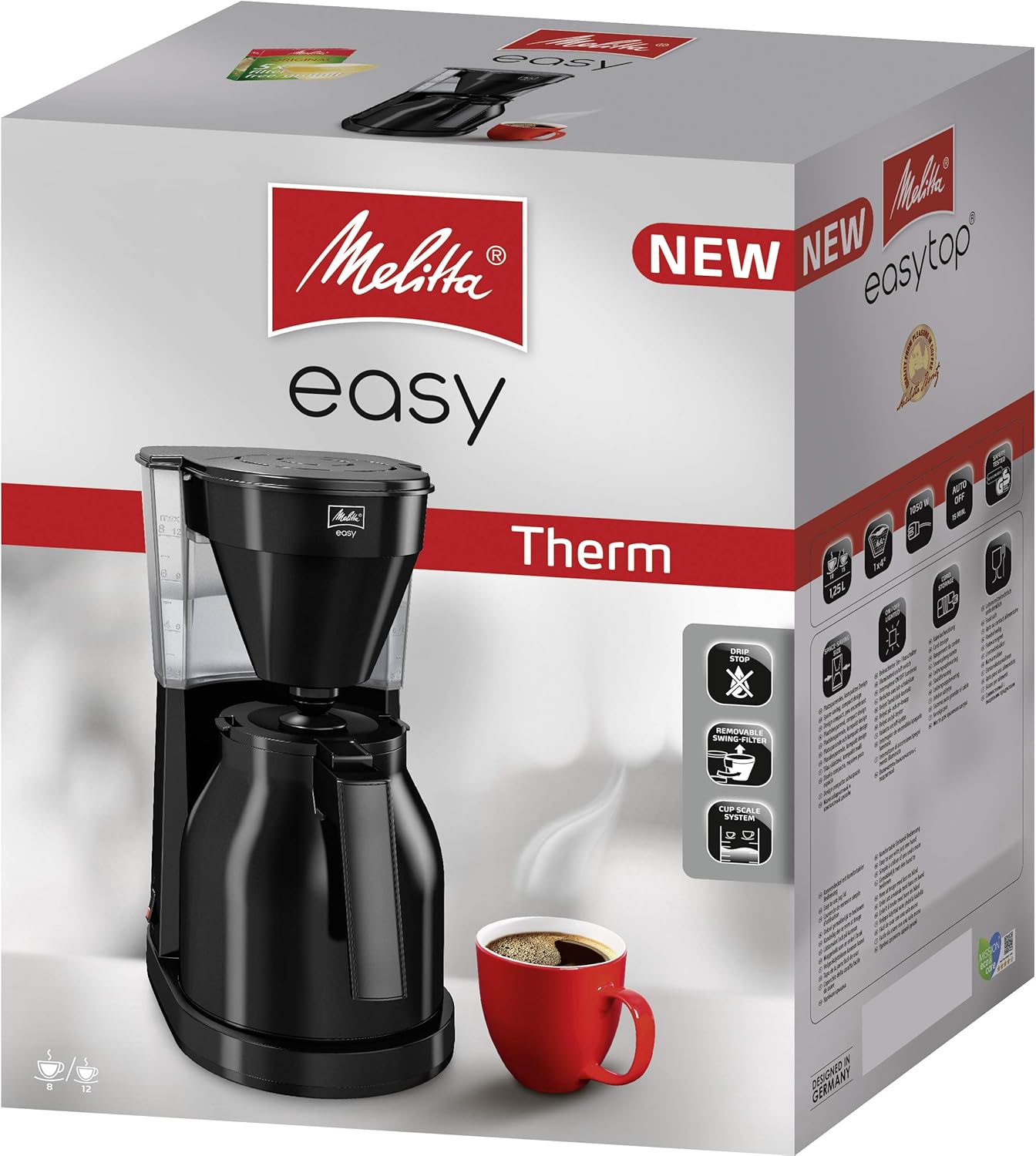
Figure 3: Dimensional diagram of the Melitta Easy Therm II coffee machine, illustrating its height, width, and depth.
Warranty and Support
Your Melitta Easy Therm II Filter Coffee Machine comes with a 2-year warranty from the date of purchase. This warranty covers manufacturing defects and material faults under normal household use.
For warranty claims, technical support, or spare parts, please contact Melitta customer service. Keep your proof of purchase for warranty validation.
For more information, visit the official Melitta website or contact their customer support line. Contact details can typically be found on the product packaging or the Melitta brand website.