
Introduction
The UNIKAMI Mini Camera SQ23 is a compact, high-definition camcorder designed for versatile use, including sports, home monitoring, and underwater activities. It records video footage in 1080p/30fps, features a 155° super wide-angle lens, enhanced night vision, and Wi-Fi connectivity for remote operation via the 'Sports DV' application. Its robust design includes a waterproof case, allowing for use in various environments.
What's in the Box
- 1 x UNIKAMI Mini Camera SQ23 Host
- 1 x User Manual
- 1 x USB Data Cable
- 1 x Camera Mount
- 1 x 360° Magnet Mount
- 1 x Waterproof Case
- 1 x Giftbox Packing

Figure 1: The UNIKAMI Mini Camera SQ23 shown with its standard accessories, including the waterproof case, magnetic bracket, USB cable, and user manual.
Product Overview
The SQ23 mini camera is designed for portability and ease of use. It features a compact cube shape with a lens on the front, control buttons on the top, and ports on the side. The camera is equipped with infrared LEDs for night vision and a built-in magnet for easy mounting.

Figure 2: A detailed view of the UNIKAMI Mini Camera SQ23, highlighting its compact design and the lens surrounded by infrared lights.
Setup
1. Charging the Camera
Before first use, fully charge the camera's internal Lithium Polymer battery. Connect the camera to a USB power source (e.g., computer USB port, wall adapter) using the provided USB cable. The indicator light will show charging status and turn off when fully charged.
2. Inserting the TF Card
The camera requires a TF (microSD) card for storing recordings. Insert the TF card into the designated slot until it clicks into place. Ensure the card is formatted to FAT32 for optimal performance. (TF card not included).
3. Powering On/Off
- To Power On: Press and hold the Power button until the indicator light illuminates.
- To Power Off: Press and hold the Power button until the indicator light turns off.
4. Wi-Fi Connection (for App Control)
The camera supports wireless connection to your smartphone via Wi-Fi. Download the 'Sports DV' application from your device's app store. Once installed, enable Wi-Fi on your phone and connect to the camera's Wi-Fi network. The camera's Wi-Fi signal has a barrier-free range of up to 20 meters and does not require a router.
Operating Instructions
1. Video Recording
The camera can record video in 1080p or 720p resolution. Refer to the user manual for specific button presses to switch between resolutions and start/stop recording. The 155° wide-angle lens captures a broad field of view.
2. Photo Mode
To take still photographs, switch the camera to photo mode. Press the designated button to capture images. The camera supports full HD image resolution.
3. Night Vision
The SQ23 features enhanced night vision with 6 IR LED lights. This allows for clear recording in low light conditions or total darkness. The night vision mode can be activated as per the instructions in the included user manual.
4. Motion Detection
Utilize the motion detection feature to automatically start recording when movement is detected within the camera's field of view. This is ideal for security monitoring.
5. Using the Waterproof Case
The included IP67 waterproof case protects the camera from water, sand, and scratches, allowing for underwater use up to 30 meters (98 feet). Ensure the case is properly sealed before submerging the camera.

Figure 3: The UNIKAMI Mini Camera SQ23 enclosed in its waterproof case, capturing underwater scenery.

Figure 4: An individual using the UNIKAMI Mini Camera SQ23 with its waterproof case during a diving activity.
6. Using the Magnetic Bracket
The camera features a built-in magnet and comes with a magnetic bracket, allowing for flexible placement on metallic surfaces. The bracket can rotate 360 degrees, providing versatile mounting options for home monitoring or other uses.
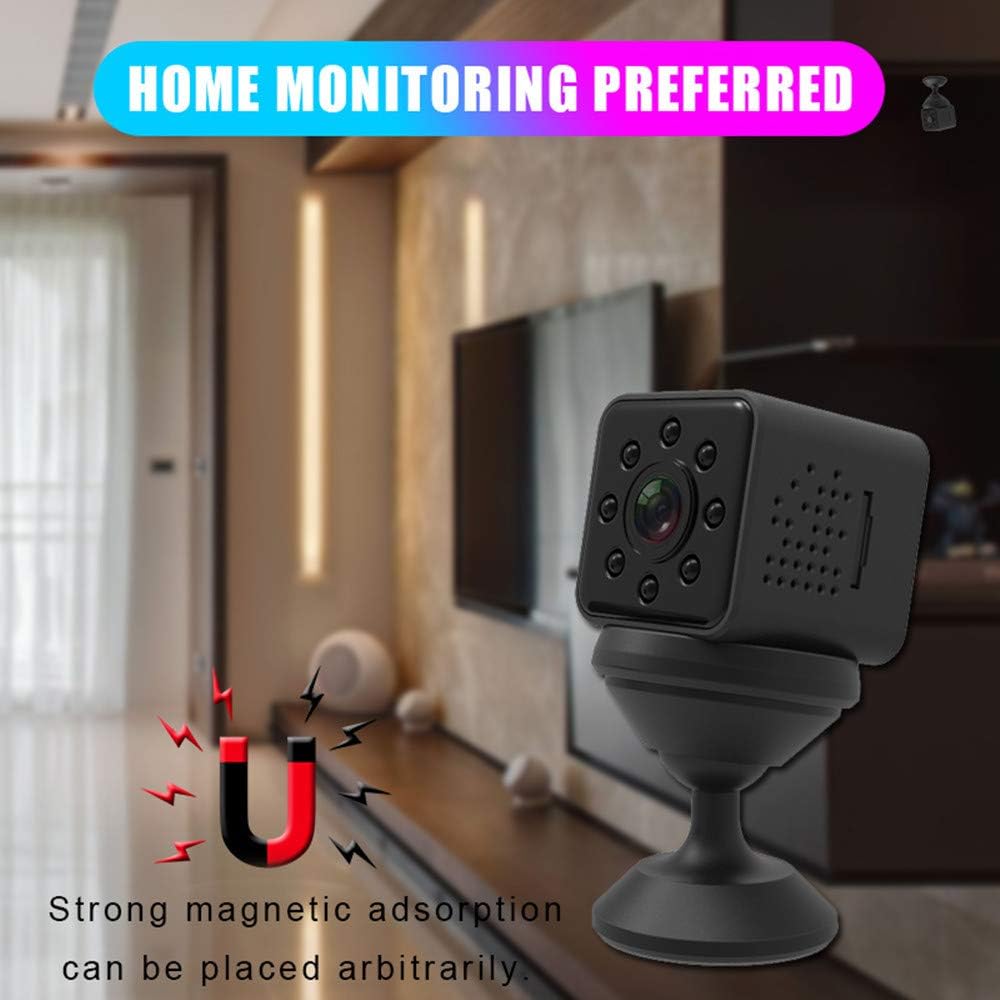
Figure 5: The UNIKAMI Mini Camera SQ23 mounted using its magnetic bracket, demonstrating its use for home monitoring.

Figure 6: An illustration showing the 360-degree rotational capability of the magnetic bracket, allowing for flexible camera positioning.
Maintenance
1. Cleaning
Use a soft, dry cloth to clean the camera body. For the lens, use a specialized lens cleaning cloth and solution to avoid scratches. Ensure the camera is powered off before cleaning.
2. Storage
Store the camera in a cool, dry place away from direct sunlight and extreme temperatures. When not in use for extended periods, ensure the battery is partially charged (around 50%) to prolong its lifespan.
3. Battery Care
To maintain battery health, avoid fully discharging the battery frequently. Recharge the camera regularly, even if not in constant use. Do not expose the battery to high temperatures.
Troubleshooting
| Problem | Possible Cause | Solution |
|---|---|---|
| Camera does not power on. | Battery is depleted. | Charge the camera for at least 2-3 hours. |
| Cannot record video/take photos. | No TF card inserted or card is full/corrupted. | Insert a TF card, format it, or delete existing files. |
| Wi-Fi connection issues. | Incorrect Wi-Fi password or too far from camera. | Ensure correct password, move closer to the camera, restart both devices. |
| Poor video quality. | Lens is dirty or insufficient lighting. | Clean the lens. Ensure adequate lighting or activate night vision. |
| Camera freezes. | Software glitch. | Press and hold the power button for 10 seconds to force a restart. |
Specifications
| Feature | Detail |
|---|---|
| Model Number | UNIKAMI Mini Camera SQ23 |
| Video Capture Resolution | 1080p, 720p |
| Video Capture Format | AVI |
| Lens Angle | 155° Wide Angle |
| Waterproof Rating | IP67 (with waterproof case, up to 30m) |
| Night Vision | 6 pcs IR LED lights |
| Connectivity Technology | Wireless (Wi-Fi) |
| Battery Type | Lithium Polymer (included) |
| Item Weight | 0.882 ounces |
| Product Dimensions | 1.2 x 1.2 x 1.2 inches |
| Color | Black |
Warranty and Support
This product comes with a 30-day money-back service. If you have any questions or require assistance before or after your purchase, please do not hesitate to contact our customer support team. Refer to your purchase documentation for specific contact details or visit the UNIKAMI official website for support information.