1. Introduction
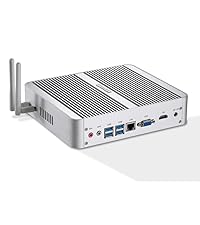
This manual provides essential information for the setup, operation, and maintenance of your KINGDEL NC780-8250U Mini Desktop Computer. This fanless nettop is designed for reliable performance with an Intel i5 8th Gen processor, 8GB DDR4 RAM, and a 250GB SSD, supporting 4K display output.
2. What's in the Box
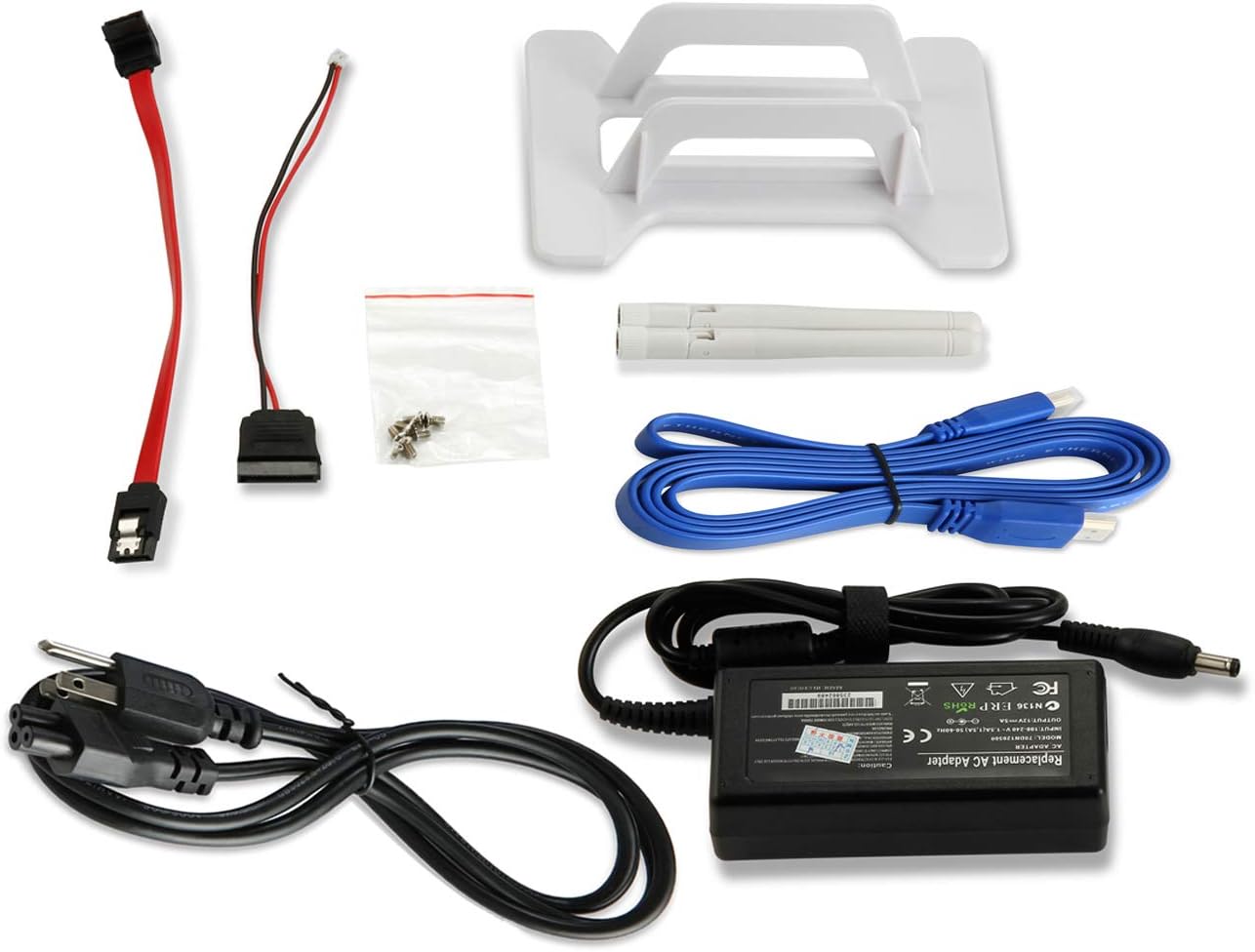
Carefully unpack the contents and ensure all items are present:
- Mini PC
- Power Adapter
- Power Cable
- Desktop Bracket Mount
- Antennas
- Screws
- HD Cable
3. Product Overview
The KINGDEL NC780-8250U features a robust full metal case and a fanless design for silent operation and reduced dust accumulation. Below are the key components and ports:
Front Panel
- 4x USB 3.0 Ports: For connecting high-speed peripherals.
- Power Button: To turn the device on/off.
- Power Indicator LED: Shows the power status of the device.

Rear Panel
- MIC Input: For microphone connection.
- SPK Output: For speaker or headphone connection.
- 2x USB 3.0 Ports: Additional high-speed USB ports.
- 2x USB 2.0 Ports: For standard USB devices.
- LAN Port: Gigabit Ethernet for wired network connection.
- VGA Port: For connecting to a display.
- HD Port (HDMI): For connecting to a high-definition display.
- DC-12V Input: Power input for the device.
- Antenna Connectors: For Wi-Fi antennas.


4. Setup Instructions
Follow these steps to set up your Mini PC:
- Connect Peripherals: Connect your monitor(s) to the HD (HDMI) and/or VGA ports. Connect your keyboard and mouse to any available USB ports.
- Connect Network: For a wired connection, plug an Ethernet cable into the LAN port. For wireless, attach the provided antennas to the rear connectors.
- Connect Power: Plug the power adapter into the DC-12V input on the rear panel, then connect the power cable to an electrical outlet.
- Power On: Press the power button on the front panel. The power indicator LED will illuminate.
- Initial Boot: The system will boot up. Follow any on-screen prompts for initial operating system setup if required.
- Dual Display Setup: The Mini PC supports dual display output via the HD and VGA ports. To configure, navigate to your operating system's display settings.

5. Operating Instructions
Your KINGDEL Mini PC comes pre-installed with an operating system (e.g., Windows 11 Pro or Linux, depending on your configuration). It is ready for immediate use after initial setup.
- Daily Use: Utilize the Mini PC for various tasks such as office work, web browsing, media consumption, and light gaming.
- 4K Display: Connect to a 4K compatible monitor via the HD port for high-resolution visual experiences.
- Fanless Operation: The fanless design ensures silent operation, making it suitable for environments where noise is a concern. The metal case acts as a heatsink, dissipating heat efficiently.
- Connectivity: Leverage the multiple USB 3.0 and USB 2.0 ports for various peripherals, and the Gigabit LAN or Wi-Fi for network access.


6. Maintenance
Proper maintenance ensures the longevity and optimal performance of your Mini PC:
- Cleaning: Regularly wipe the exterior of the device with a soft, dry cloth. Due to its fanless design, internal dust accumulation is minimal, but ensure ventilation slots are clear.
- Software Updates: Keep your operating system and drivers updated to ensure security and performance.
- Environmental Conditions: Operate the Mini PC in a well-ventilated area, away from direct sunlight, excessive heat, or moisture.

7. Troubleshooting
If you encounter issues with your KINGDEL Mini PC, consider the following general troubleshooting steps:
- No Power: Ensure the power adapter is securely connected to both the Mini PC and a working electrical outlet. Check the power cable for damage.
- No Display: Verify that the monitor is powered on and correctly connected to the Mini PC's HD or VGA port. Try a different cable or monitor if possible. Ensure the correct input source is selected on your monitor.
- No Internet Connection: For wired connections, check the Ethernet cable and router status. For Wi-Fi, ensure antennas are attached, Wi-Fi is enabled in the operating system, and you are connected to the correct network.
- Peripheral Not Detected: Try connecting the peripheral to a different USB port. Ensure drivers are installed if required by the peripheral.
- System Unresponsive: Perform a hard shutdown by pressing and holding the power button for 5-10 seconds, then restart the device.
8. Specifications
| Feature | Detail |
|---|---|
| Processor | Intel Core i5-8250U (8th Gen), 4 Cores 8 Threads, 1.6GHz Base / 3.4GHz Max Turbo, 6MB Cache |
| RAM | 8GB DDR4 3200MHz |
| Storage | 250GB SSD |
| Graphics | Intel UHD Graphics 620, 4K: 4096x2304@24Hz HD, 300MHz Base / 1.1GHz Max Dynamic Frequency |
| Display Output | 1x HD Port (HDMI), 1x VGA Port |
| USB Ports | 4x USB 3.0, 4x USB 2.0 |
| Network | 1x Gigabit LAN, 802.11a/b/g/n Wireless (with antennas) |
| Audio | Audio In/Out (MIC/SPK) |
| Operating System | OS (Pre-installed) |
| Dimensions (LxWxH) | 8.07 x 7.09 x 1.77 inches |
| Weight | 3.08 pounds |
| Case Material | Full Metal |
| Cooling | Fanless |
9. Warranty and Support
Your KINGDEL Mini Desktop Computer is backed by a two-year warranty and lifetime technical support. For any assistance or inquiries, please contact the seller through your Amazon account:
- Log in to your Amazon account.
- Navigate to 'Your Account' then 'Your Orders'.
- Locate your KINGDEL Mini PC order and select 'Ask Product Question' or 'Contact Seller'.