
VINABTY AKB73715603
VINABTY AKB73715603 Replacement Remote Control User Manual
For LG Plasma and LCD TVs
Introduction
This manual provides essential information for the proper use and maintenance of your VINABTY AKB73715603 replacement remote control. This remote is designed to function as a direct replacement for various LG Plasma and LCD TV models, requiring no complex programming for most compatible televisions. Please read these instructions carefully to ensure optimal performance and longevity of your remote control.
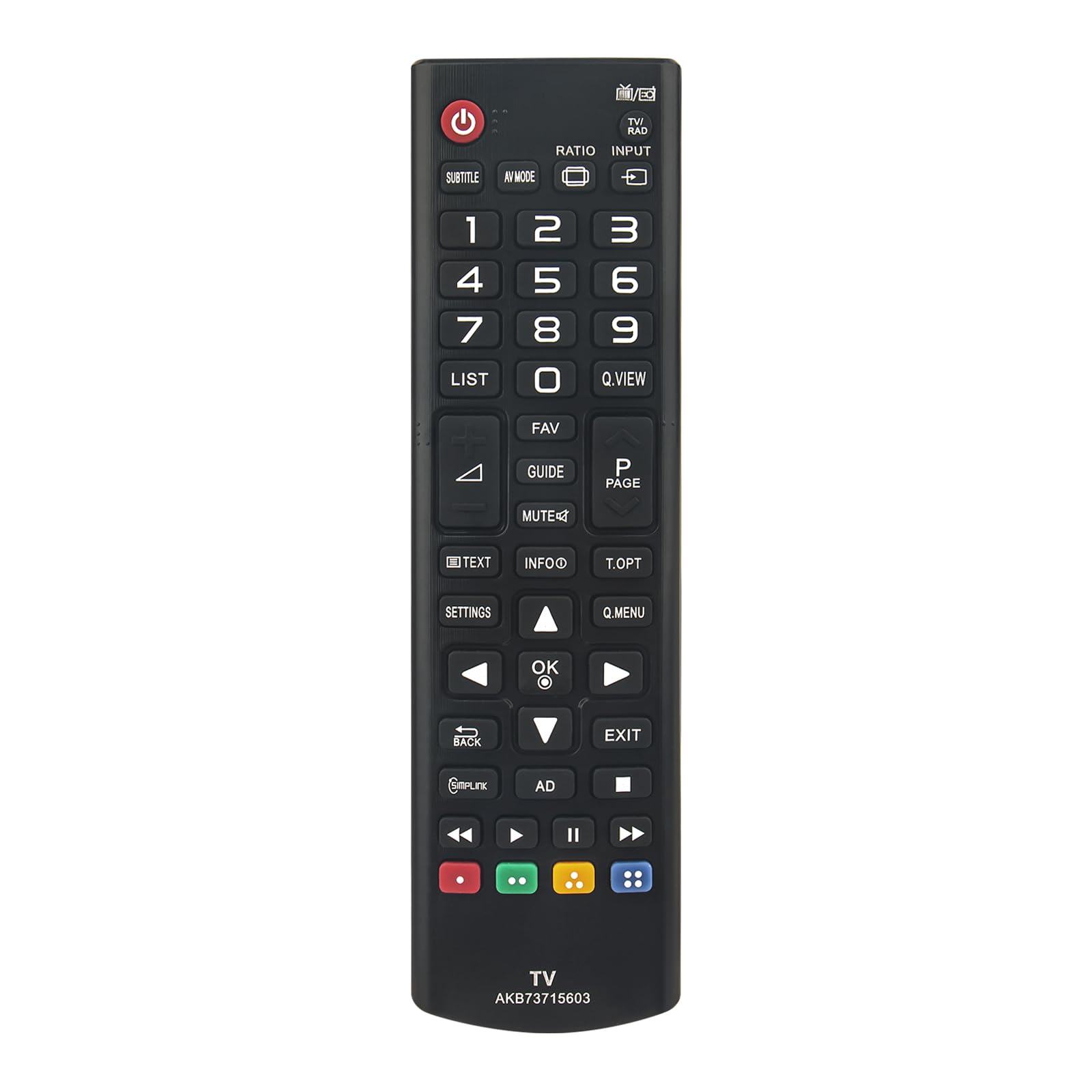
Image: Front view of the VINABTY AKB73715603 replacement remote control, showcasing its button layout.
Setup
Battery Installation
- Locate the battery compartment on the back of the remote control.
- Slide the battery compartment cover downwards or press the latch and lift to open.
- Insert two AAA batteries (not included), ensuring the positive (+) and negative (-) terminals align correctly with the indicators inside the compartment.
- Replace the battery compartment cover, ensuring it clicks securely into place.
Note: This remote control is a direct replacement and typically does not require any programming. Once batteries are installed, it should operate your compatible LG TV immediately.

Image: Rear view of the VINABTY AKB73715603 remote control, showing the battery compartment cover.
Operating Instructions
Point the remote control directly at your LG TV's infrared receiver. Ensure there are no obstructions between the remote and the TV.
Key Functions:
- Power Button (●): Turns the TV on or off.
- TV/RAD: Switches between TV and Radio modes (if supported by your TV).
- Subtitle: Activates or deactivates subtitles.
- AV MODE: Selects audio/video input modes.
- RATIO: Adjusts the screen aspect ratio.
- INPUT: Cycles through available input sources (HDMI, AV, Component, etc.).
- Number Buttons (0-9): Directly select channels.
- LIST: Displays the channel list.
- Q.VIEW: Returns to the previously viewed channel.
- FAV: Accesses favorite channels.
- GUIDE: Displays the electronic program guide (EPG).
- MUTE: Mutes or unmutes the TV sound.
- P PAGE (Page Up/Down): Navigates through pages in menus or teletext.
- TEXT: Activates or deactivates teletext.
- INFO: Displays information about the current program or input.
- T.OPT: Accesses teletext options.
- SETTINGS: Opens the TV's main settings menu.
- Navigation Buttons (Up, Down, Left, Right): Navigate through menus and options.
- OK: Confirms selections in menus.
- Q.MENU: Accesses the Quick Menu for common settings.
- BACK: Returns to the previous menu or screen.
- EXIT: Exits the current menu or function.
- Simplink: Controls compatible LG devices connected via HDMI (HDMI-CEC).
- AD: Audio Description button (if available on content).
- Colored Buttons (Red, Green, Yellow, Blue): Functionality varies depending on the TV model and current menu/application.
- Playback Controls (Play, Pause, Stop, Rewind, Fast Forward): Controls media playback.
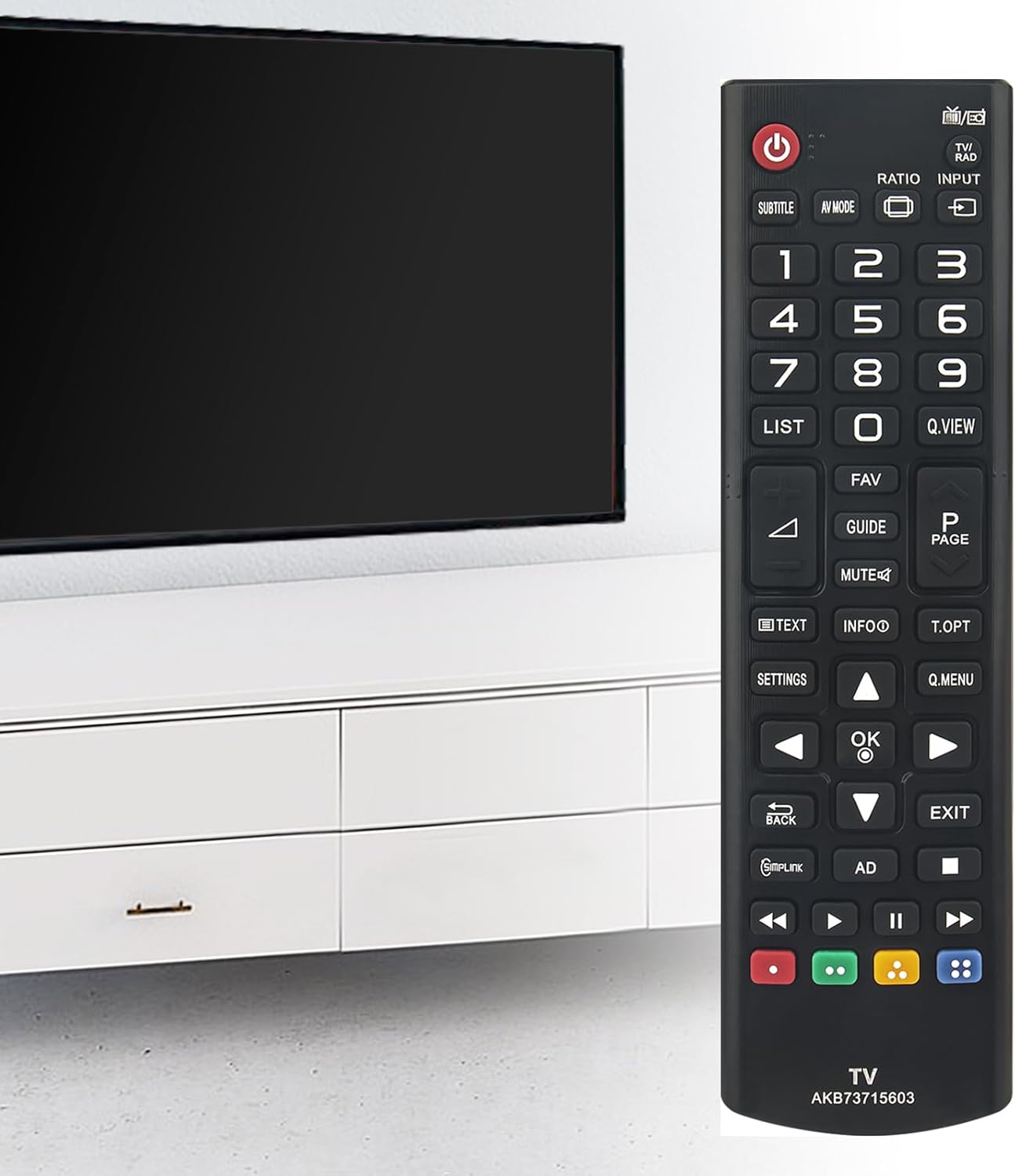
Image: A hand holding the VINABTY AKB73715603 remote control, pointing towards a television screen.
Maintenance
Cleaning:
- Wipe the remote control with a soft, dry cloth.
- For stubborn dirt, slightly dampen the cloth with water or a mild, non-abrasive cleaner. Do not spray cleaner directly onto the remote.
- Avoid using harsh chemicals, solvents, or abrasive cleaning pads, as these can damage the remote's surface and buttons.
Battery Replacement:
Replace batteries when the remote's response becomes sluggish or stops working. Always replace both batteries at the same time with new ones of the same type (AAA). Remove batteries if the remote will not be used for an extended period to prevent leakage.
Storage:
Store the remote control in a cool, dry place away from direct sunlight, extreme temperatures, and high humidity. Avoid dropping the remote or exposing it to liquids.
Troubleshooting
| Problem | Possible Cause | Solution |
|---|---|---|
| Remote not responding. |
|
|
| Some buttons not working. |
|
|
| Remote works intermittently. |
|
|
Specifications
- Model: AKB73715603
- Brand: VINABTY
- Compatible Devices: Television (LG Plasma and LCD TVs)
- Power Source: 2 x AAA Batteries (not included)
- Product Dimensions: 9 x 2 x 0.5 inches (approximately 22.86 x 5.08 x 1.27 cm)
- Item Weight: 2.39 ounces (approximately 67.75 grams)
- Special Feature: Ergonomic design
- Color: Black

Image: Front view of the VINABTY AKB73715603 remote control with its length (6.69 inches) and width (1.77 inches) indicated.
Compatible LG TV Models
This VINABTY AKB73715603 remote control is compatible with a wide range of LG Plasma and LCD TV models, including but not limited to the following series and specific models:
Plasma TV Series:
- 42PN45**, 50PN45**, 50PN65**, 60PN65** series
- Specific models: 42PN450B, 50PN450B, 50PN6500, 60PN6500
LCD/LED TV Series (LA61, LN54, LN53 Series):
- 32-inch Models: 32LN5400, 32LN540U, 32LN540B, 32LA613S-ZA, 32LA613V-ZA, 32LA6130-ZB, 32LA6134-ZB, 32LA6136-ZB, 32LA613S-ZB, 32LA613V-ZB, 32LA613V-ZF, 32LA613V-ZG, 32LA6150-ZB, 32LA6154-ZB, 32LA6156-ZB, 32LA615S-ZA, 32LA615S-ZB, 32LA615V-ZA, 32LA615V-ZB, 32LA615V-ZE, 32LA615V-ZF, 32LA616V-ZG, 32LN5400-ZA, 32LN5403-ZA, 32LN5404-ZA, 32LN5405-ZA, 32LN5406-ZA, 32LN540B-ZA, 32LN540R-ZA, 32LN540S-ZA, 32LN540U-ZA, 32LN540U-ZB, 32LN541U-ZB, 32LN540V-ZA, 32LN541V-ZC, 32LN542V-ZD, 32LN536B-ZA, 32LN536B-ZB, 32LN536B-ZG, 32LN536U-ZA
- 37-inch Models: 37LN540U, 37LN540B, 37LN5400-ZA, 37LN5403-ZA, 37LN5404-ZA, 37LN5405-ZA, 37LN5406-ZA, 37LN540B-ZA, 37LN540R-ZA, 37LN540S-ZA, 37LN540U-ZA, 37LN540U-ZB, 37LN541U-ZB, 37LN540V-ZA, 37LN541V-ZC, 37LN542V-ZD
- 39-inch Models: 39LN5400, 39LN5400-ZA, 39LN5403-ZA, 39LN5404-ZA, 39LN5405-ZA, 39LN5406-ZA, 39LN540B-ZA, 39LN540R-ZA, 39LN540S-ZA, 39LN540U-ZA, 39LN540U-ZB, 39LN541U-ZB, 39LN540V-ZA, 39LN541V-ZC, 39LN542V-ZD
- 42-inch Models: 42LN5400, 42LA613S-ZA, 42LA613V-ZA, 42LA6130-ZB, 42LA6134-ZB, 42LA6136-ZB, 42LA613S-ZB, 42LA613V-ZB, 42LA613V-ZF, 42LA613V-ZG, 42LA6150-ZB, 42LA6154-ZB, 42LA6156-ZB, 42LA615S-ZA, 42LA615S-ZB, 42LA615V-ZA, 42LA615V-ZB, 42LA615V-ZE, 42LA615V-ZF, 42LA616V-ZG, 42LN5400-ZA, 42LN5403-ZA, 42LN5404-ZA, 42LN5405-ZA, 42LN5406-ZA, 42LN540B-ZA, 42LN540R-ZA, 42LN540S-ZA, 42LN540U-ZA, 42LN540U-ZB, 42LN541U-ZB, 42LN540V-ZA, 42LN541V-ZC, 42LN542V-ZD
- 47-inch Models: 47LN5400, 47LA613S-ZA, 47LA613V-ZA, 47LA6130-ZB, 47LA6134-ZB, 47LA6136-ZB, 47LA613S-ZB, 47LA613V-ZB, 47LA613V-ZF, 47LA613V-ZG, 47LA6150-ZB, 47LA6154-ZB, 47LA6156-ZB, 47LA615S-ZA, 47LA615S-ZB, 47LA615V-ZA, 47LA615V-ZB, 47LA615V-ZE, 47LA615V-ZF, 47LA616V-ZG, 47LN5400-ZA, 47LN5403-ZA, 47LN5404-ZA, 47LN5405-ZA, 47LN5406-ZA, 47LN540B-ZA, 47LN540R-ZA, 47LN540S-ZA, 47LN540U-ZA, 47LN540U-ZB, 47LN541U-ZB, 47LN540V-ZA, 47LN541V-ZC, 47LN542V-ZD
- 50-inch Models: 50LN5400, 50LN5400-ZA, 50LN5403-ZA, 50LN5404-ZA, 50LN5405-ZA, 50LN5406-ZA, 50LN540B-ZA, 50LN540R-ZA, 50LN540S-ZA, 50LN540U-ZA, 50LN540U-ZB, 50LN541U-ZB, 50LN540V-ZA, 50LN541V-ZC, 50LN542V-ZD
If your LG TV model is not explicitly listed, but falls within the LA61, LN54, LN53, PN45, or PN65 series, this remote is likely compatible. For specific model compatibility, refer to your TV's original documentation or the product listing.