
1. Introduction
Welcome to the user manual for your new KINGDEL NC780 Fanless Mini PC. This compact and powerful desktop computer is designed for efficiency and silent operation, making it ideal for various applications from office work to multimedia. This manual provides essential information for setup, operation, maintenance, and troubleshooting to ensure optimal performance and longevity of your device.
2. Product Overview
Key Features
- Processor: 8th Generation Intel Core i5-8250U (4 Cores, 8 Threads, 1.6GHz Base, 3.4GHz Max Turbo, 6MB Cache)
- Memory & Storage: 16GB DDR4 3200MHz RAM, 250GB NVMe SSD
- Graphics: Intel UHD Graphics 620, supporting 4K (4096x2304@24Hz) via HD Port
- Design: Smart, Fanless, Full Metal Case for silent operation and dust resistance
- Connectivity: Integrated WiFi (2.4GHz/5GHz Dual Band) and Gigabit LAN
Ports and Connectors
Familiarize yourself with the various ports on your Mini PC for proper connection of peripherals.
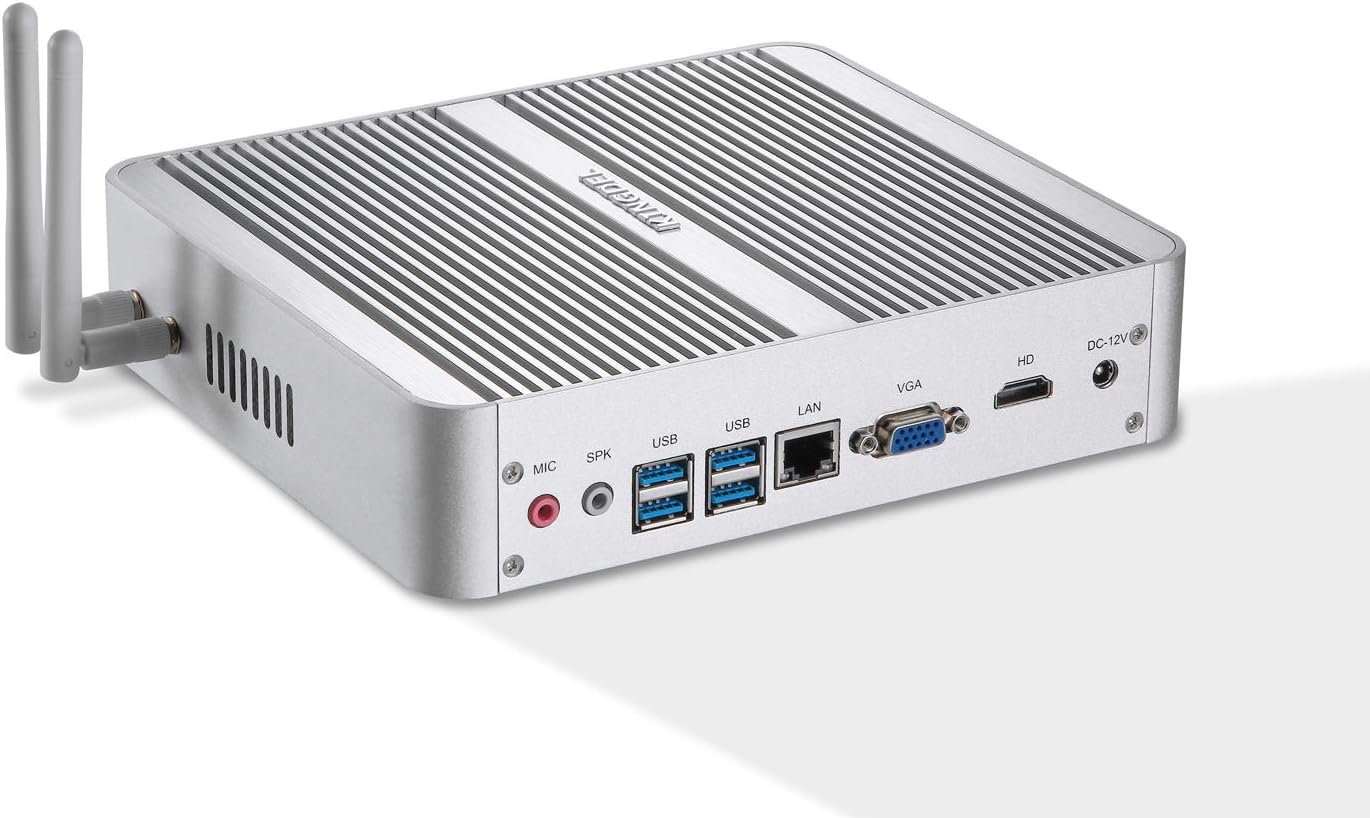
Image: Rear view of the KINGDEL NC780 Mini PC, highlighting the various input/output ports.
Rear Panel Ports:
- 2x USB 3.0 Ports
- 1x LAN Port (Gigabit Ethernet)
- 1x VGA Port
- 1x HD Port (HDMI compatible)
- 1x DC-12V Power Input
- 1x Microphone Input (MIC)
- 1x Speaker Output (SPK)
- 2x Antenna Connectors (for WiFi)
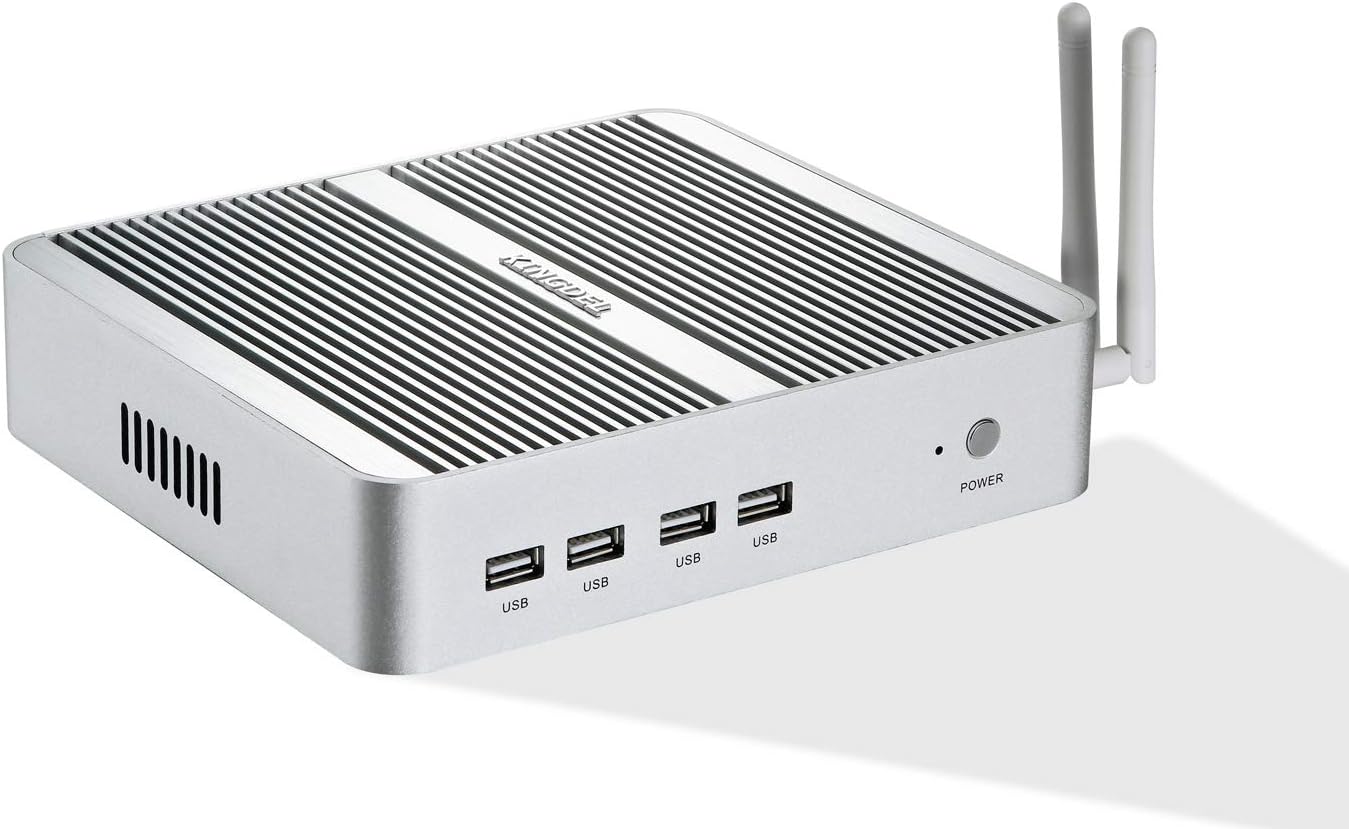
Image: Front view of the KINGDEL NC780 Mini PC, showing the USB ports and power button.
Front Panel Ports:
- 4x USB 2.0 Ports
- 1x Power Button
3. What's in the Box
Upon unboxing your KINGDEL NC780 Mini PC, please verify that all the following items are included:

Image: All components included in the KINGDEL NC780 Mini PC package.
- KINGDEL NC780 Mini PC Unit
- Power Adapter
- Power Cable
- Desktop Bracket Mount
- WiFi Antennas (2 units)
- Screws (for mounting or internal upgrades)
- HD Cable (HDMI compatible)
4. Setup
Follow these steps to set up your KINGDEL NC780 Mini PC:
- Connect Antennas: Screw the two WiFi antennas into the connectors on the rear panel of the Mini PC.
- Connect Display: Connect your monitor(s) to the Mini PC using the HD Port (HDMI compatible) or VGA port. For dual display, connect one monitor to each port.
- Connect Peripherals: Plug in your USB keyboard and mouse into the available USB ports on the front or rear panels.
- Connect Network (Optional): For a wired internet connection, connect an Ethernet cable from your router or modem to the LAN port on the rear panel. For wireless, ensure antennas are connected.
- Connect Power: Connect the power adapter to the DC-12V input on the rear panel, then plug the power cable into an electrical outlet.
- Power On: Press the power button on the front panel. The system will boot up.
Video: This video demonstrates the physical setup, initial boot process, and dual display configuration of the KINGDEL NC780 Mini PC.
5. Operating Instructions
Basic Operation
- Power On/Off: Press the power button on the front panel to turn the device on. To turn off, use the operating system's shutdown function or press and hold the power button for 5 seconds for a forced shutdown (not recommended for regular use).
- Operating System: Your Mini PC comes with a pre-installed operating system. Follow the on-screen instructions for initial setup if prompted.
- Fanless Design: The fanless design ensures completely silent operation and reduces dust accumulation, contributing to a longer lifespan and stable performance.
Dual Display Setup
The KINGDEL NC780 supports dual display output via its HD Port and VGA port. To configure dual displays:
- Connect both monitors to the respective ports on the Mini PC.
- Once the system boots, right-click on the desktop and select 'Display settings' (Windows) or navigate to your system's display configuration.
- You can then choose to extend your desktop across both screens, duplicate the display, or use only one display.
6. Maintenance
Proper maintenance ensures the longevity and optimal performance of your Mini PC.
Cleaning
- Exterior: Use a soft, dry cloth to wipe the exterior of the Mini PC. For stubborn marks, a slightly damp cloth can be used, ensuring no liquid enters the ports or vents.
- Ports: Periodically inspect ports for dust or debris. Use compressed air to gently clear any blockages.
Internal Components
The fanless design minimizes internal dust buildup. If internal access is required for upgrades or advanced maintenance, proceed with caution. Opening the case may void your warranty if not performed correctly.
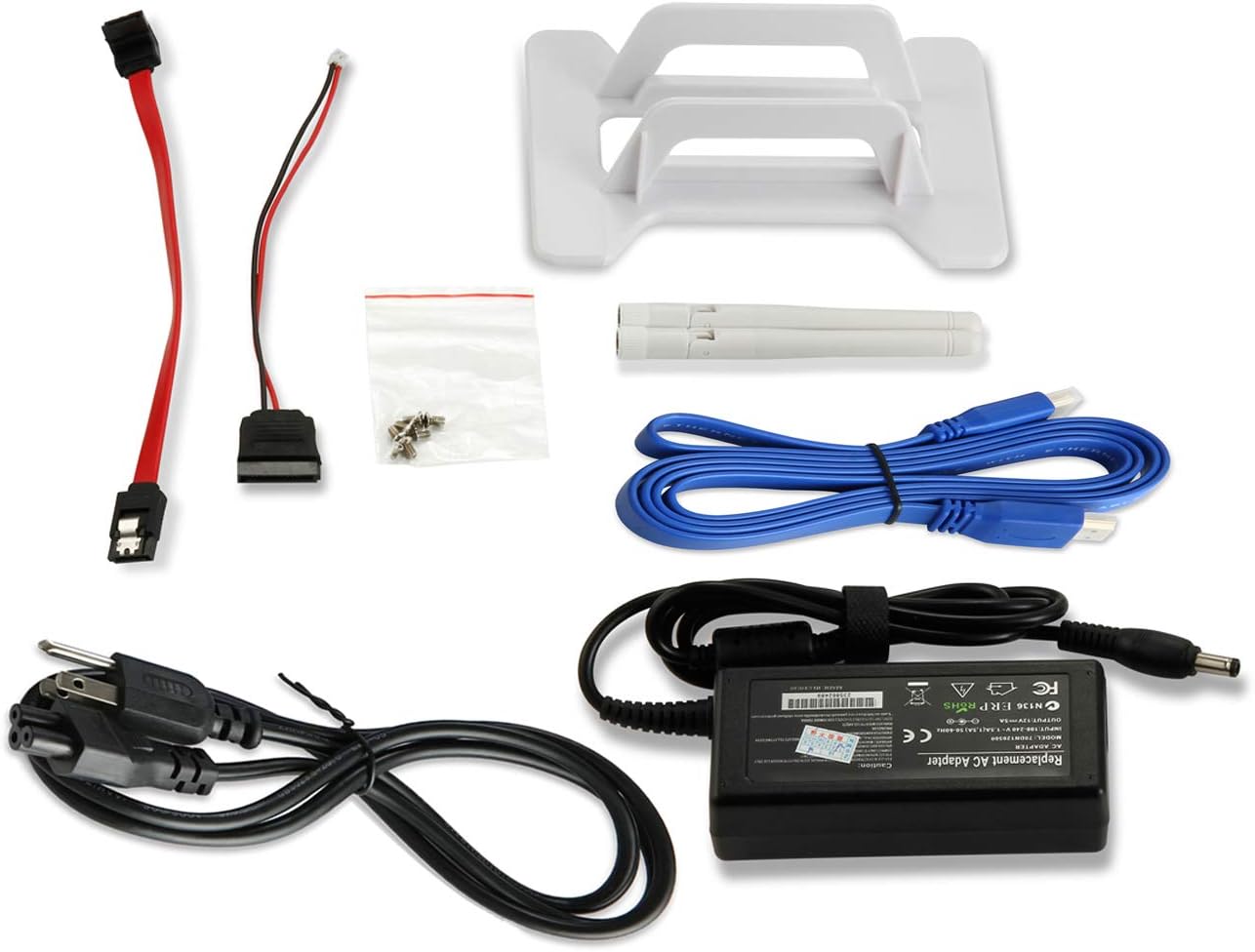
Image: Internal view of the KINGDEL NC780 Mini PC, showing the motherboard, RAM, and NVMe SSD slot.
7. Troubleshooting
If you encounter issues with your KINGDEL NC780 Mini PC, refer to the following common troubleshooting steps:
- No Power:
- Ensure the power adapter is securely connected to both the Mini PC and a working electrical outlet.
- Verify the power cable is not damaged.
- Try a different power outlet.
- No Display:
- Check that the monitor is powered on and the correct input source is selected.
- Ensure the HD or VGA cable is securely connected to both the Mini PC and the monitor.
- Try connecting to a different display or using a different cable.
- Peripherals Not Recognized:
- Try connecting the peripheral (keyboard, mouse, USB drive) to a different USB port.
- Restart the Mini PC.
- Ensure the peripheral drivers are installed (if required).
- System Slowdown:
- Close unnecessary applications running in the background.
- Check for available operating system updates.
- Ensure sufficient free space on the SSD.
If these steps do not resolve your issue, please contact customer support.
8. Specifications
| Feature | Detail |
|---|---|
| Processor | Intel Core i5-8250U (8th Gen, 4 Cores, 8 Threads, 1.6GHz - 3.4GHz) |
| RAM | 16GB DDR4 3200MHz SODIMM |
| Storage | 250GB NVMe SSD |
| Graphics | Intel UHD Graphics 620 |
| Max Resolution | 4096x2304@24Hz (HD Port) |
| Video Ports | 1x HD Port, 1x VGA |
| USB Ports | 4x USB 3.0, 4x USB 2.0 |
| Network | 1x Gigabit LAN, 2.4GHz/5GHz WiFi (802.11a/b/g/n) |
| Audio | Microphone Input, Speaker Output |
| Dimensions (LxWxH) | 8.07 x 7.09 x 1.77 inches |
| Weight | 3.08 pounds |
| Operating System | OS (Pre-installed) |
9. Warranty and Support
KINGDEL is committed to providing reliable products and excellent customer service.
Warranty Information
Your KINGDEL NC780 Mini PC comes with a Two-Year Warranty covering manufacturing defects and hardware malfunctions. Please retain your proof of purchase for warranty claims.
Technical Support
We offer lifetime technical support for your product. If you require assistance, have questions, or encounter any issues, please contact our support team:
- Online Chat: Log in to your Amazon account, navigate to 'Your Orders', and select 'Ask Product Question' for the KINGDEL NC780.
- Our support team is available to provide a reply within 24 hours.

Image: Information on how to contact KINGDEL customer service for support.