
1. Product Overview
The FULLOSUN Volleyball 3D Night Light is an innovative illusion lamp designed to create a vivid 3D visual effect, perfect for decorating bedrooms, living rooms, or themed spaces. It features 16 color options, multiple flash modes, and can be controlled via a touch button on the base or a remote control. This energy-efficient LED light offers both USB and battery power options, making it versatile for various settings.
2. What's in the Box
Please check the package contents to ensure all items are present:
- 1 x Acrylic Plate (Volleyball design)
- 1 x Light Base
- 1 x Remote Control
- 1 x USB Cable
Note: 3 AAA 1.5V batteries and a USB power adapter are not included.

Image: Contents of the product box, showing the acrylic plate, light base, remote control, and USB cable.
3. Setup Instructions
- Unpack Components: Carefully remove all items from the product packaging.
- Remove Protective Film: Before use, peel off the protective films from both sides of the acrylic plate. This ensures the best visual effect.
- Insert Acrylic Plate: Hold the edge of the acrylic plate and gently insert it into the slot on the light base. Ensure it is seated firmly.
- Power the Device: You have two options for powering your night light:
- Battery Power: Open the battery compartment on the bottom of the light base and insert 3 AAA 1.5V batteries, ensuring correct polarity. Close the compartment securely.
- USB Power: Connect the provided USB cable to the micro-USB port on the light base. Plug the other end of the USB cable into a 5V USB power adapter (not included) or a compatible USB port.

Image: Carefully peeling the protective film from the acrylic plate.

Image: Powering options for the light base, showing battery compartment and USB port.
Video: This video demonstrates the setup process, including battery installation and USB connection, along with the touch and remote control functions for changing colors, adjusting brightness, and setting timers.
4. Operating Instructions
Your FULLOSUN Volleyball 3D Night Light can be operated using the touch button on the base or the included remote control.
4.1. Touch Control
- Power On/Off: Tap the touch button on the light base to turn the light on or off.
- Change Colors: Tap the touch button repeatedly to cycle through 7 different colors (Red, Green, Blue, Yellow, Cyan, Pink, White).
4.2. Remote Control
The remote control provides full functionality, including 16 colors, brightness adjustment, and various modes.
- Power On/Off: Press the ON or OFF button to turn the light on or off.
- Change Colors: Press the individual color buttons (R, G, B, W, and other color swatches) to select one of 16 available colors.
- Adjust Brightness: Use the Brightness + and Brightness - buttons to increase or decrease the light intensity.
- Flash Modes: Press the FLASH button to activate different flashing or dynamic color-changing modes.
- Timer Function: Use the T15, T30, T60 buttons to set the light to automatically turn off after 15 minutes, 30 minutes, or 60 minutes, respectively. Other timer options may be available depending on the remote version.
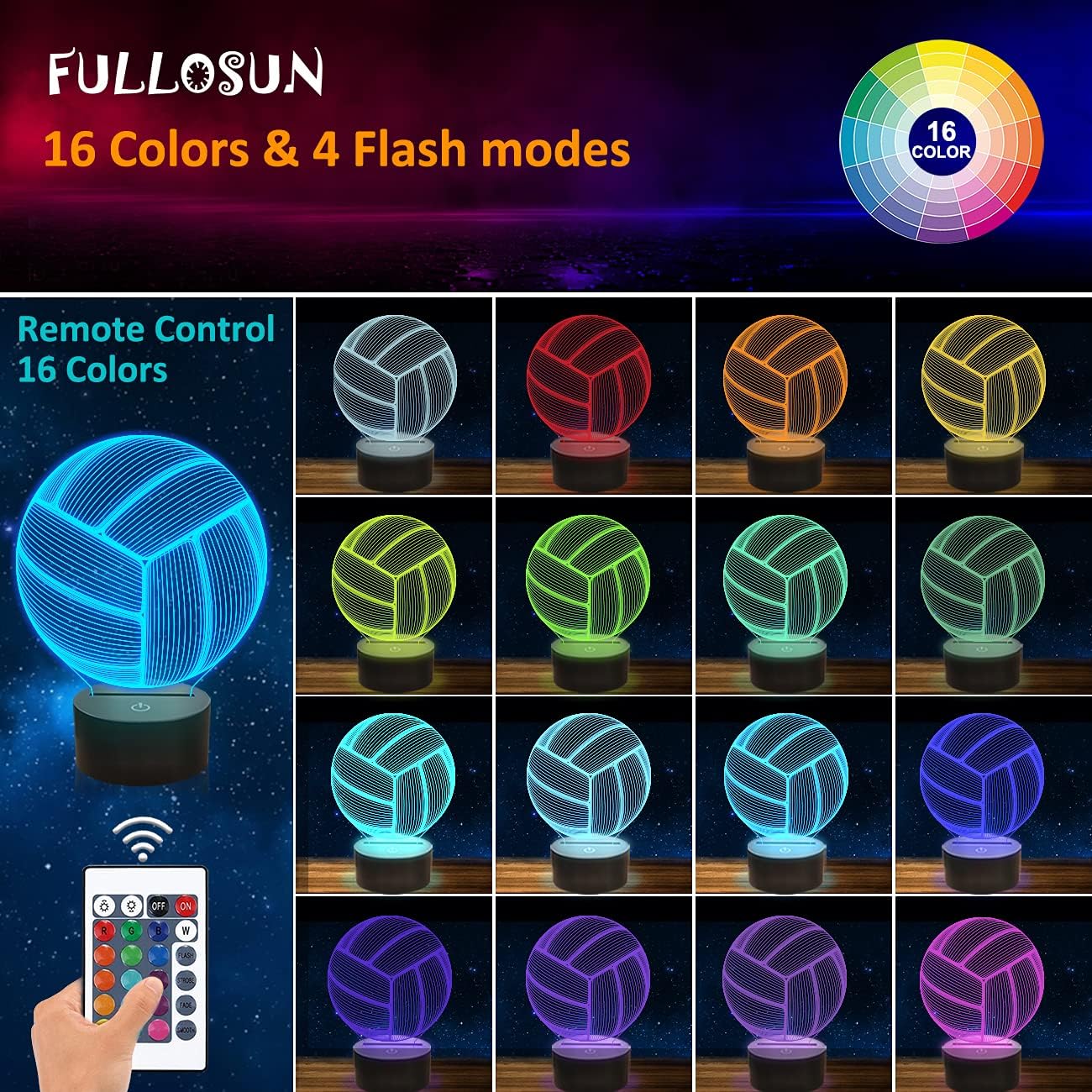
Image: The night light showcasing its 16 color options and remote control.

Image: The dimmable feature allows for adjustable brightness levels.

Image: Energy-saving auto-off timer options for convenient use.
Video: Watch this video to see the various color changes and dynamic lighting effects of the Volleyball 3D Night Light in action, showcasing both touch and remote control capabilities.
5. Features
- Creates a vivid 3D illusion effect.
- Offers 7 color changes via touch control and 16 colors via remote control.
- Powered by USB connection or 3 AAA batteries.
- Low power consumption: approximately 0.012 kWh per 24 hours.
- Long-lasting LED lifespan: up to 10,000 hours.
- Suitable for various applications: kids' rooms, living rooms, bedrooms, hallways, or themed decorations.
- Dimmable functionality to adjust light intensity.
- Includes auto-off timer options for energy saving.
6. Specifications
| Specification | Value |
|---|---|
| Brand | FULLOSUN |
| Model Number | FULLOSUN |
| Product Dimensions | 6.1"D x 6.1"W x 8.4"H |
| Item Weight | 9.9 ounces (280 Grams) |
| Material | Acrylic |
| Finish Type | Matte |
| Base Material | Acrylic |
| Lamp Type | Night Light |
| Shade Color | Multicolor |
| Switch Type | Touch |
| Style | Art Decor |
| Color | Blue-Volleyball (Offers 16 colors) |
| Special Feature | Dimmable |
| Light Source Type | LED |
| Room Type | Bedroom |
| Recommended Uses For Product | Decoration |
| Power Source | Battery Powered / USB |
| Shape | Bulb (Volleyball) |
| Number of Light Sources | 1 |
| Included Components | Remote Control |
| Is Waterproof | False |
| Mounting Type | Tabletop |
| Wattage | 2 watts |
| Number of Items | 1 |
| Lighting Method | Uplight |
| Control Method | Remote |
| Indoor/Outdoor Usage | Indoor |
| Water Resistance Level | Not Water Resistant |
| Installation Type | Tabletop |
| Efficiency | High Efficiency |
| Voltage | 0.5 Volts |
| Is Cordless? | Yes |
| UPC | 749789409177 |
| Battery Life | 10000 Hours (LED lifespan) |
| Sensor Technology | Remote Control |
| Light Output Maximum | 10 Lumens |
7. Maintenance
To ensure the longevity and optimal performance of your night light, follow these simple maintenance guidelines:
- Cleaning: Wipe the acrylic plate and light base with a soft, dry, lint-free cloth. Avoid using abrasive cleaners, solvents, or harsh chemicals, as these can damage the surface.
- Dust Removal: Regularly dust the unit to prevent accumulation that could affect light output.
- Storage: If storing the night light for an extended period, remove the batteries to prevent leakage and store it in a cool, dry place away from direct sunlight.
8. Troubleshooting
If you encounter any issues with your FULLOSUN Volleyball 3D Night Light, please refer to the following common solutions:
- Light Does Not Turn On:
- Ensure batteries are correctly installed with the correct polarity and are not depleted. Replace with fresh AAA batteries if necessary.
- If using USB power, verify the USB cable is securely connected to both the light base and a working 5V USB power source.
- Check if the remote control battery is working.
- Remote Control Not Responding:
- Ensure there is a clear line of sight between the remote control and the light base.
- Replace the remote control battery (typically a CR2025 coin cell battery).
- Make sure the light is powered on.
- Light Flickers or Dims Unexpectedly:
- This may indicate low battery power. Replace the AAA batteries or switch to USB power.
- Check for loose connections if using USB power.
- 3D Effect Appears Unclear:
- Ensure all protective films have been completely removed from both sides of the acrylic plate.
- Clean the acrylic plate with a soft, dry cloth to remove any dust or smudges.
9. Safety Information
Please read and adhere to the following safety precautions:
- This product is intended for indoor use only. Do not expose to rain or moisture.
- Keep the product out of reach of small children, especially the remote control and batteries, which may pose a choking hazard.
- Use only the specified power sources (3 AAA batteries or a 5V USB power adapter). Using incompatible power sources may damage the product or pose a safety risk.
- Do not attempt to disassemble, modify, or repair the product yourself. Contact customer support if service is required.
- Avoid placing the product in direct sunlight or near heat sources, as this may affect its performance and lifespan.
- Dispose of used batteries responsibly according to local regulations.
10. Warranty and Support
FULLOSUN offers a 12-month "SAFE BUY" policy. We are committed to providing high-quality products. If the 3D sport light does not meet your needs, you are protected by our return or refund policy.
For any questions, concerns, or support needs, please contact FULLOSUN customer service through the retailer where you purchased the product. Please have your purchase details and product model information ready when contacting support.