
1. Product Overview
The Generic Mini 360 DC-DC Step-Down Power Converter is a compact, non-isolated buck module designed for efficient voltage conversion. It takes a higher DC input voltage and converts it to a lower, adjustable DC output voltage. This module is suitable for various electronic projects requiring a stable and adjustable power supply.
Key Features:
- Module Properties: Non-isolated step-down (BUCK) converter.
- Rectification: Synchronous rectification for improved efficiency.
- Input Voltage Range: DC 4.75V to 23V.
- Output Voltage Range: DC 1.0V to 17V (adjustable).
- Output Current: Rated 1.8A, maximum 3A (not for prolonged use at max).
- Conversion Efficiency: Up to 96%.
- Switching Frequency: 340 KHz.
- Output Ripple: 30mV (no-load).
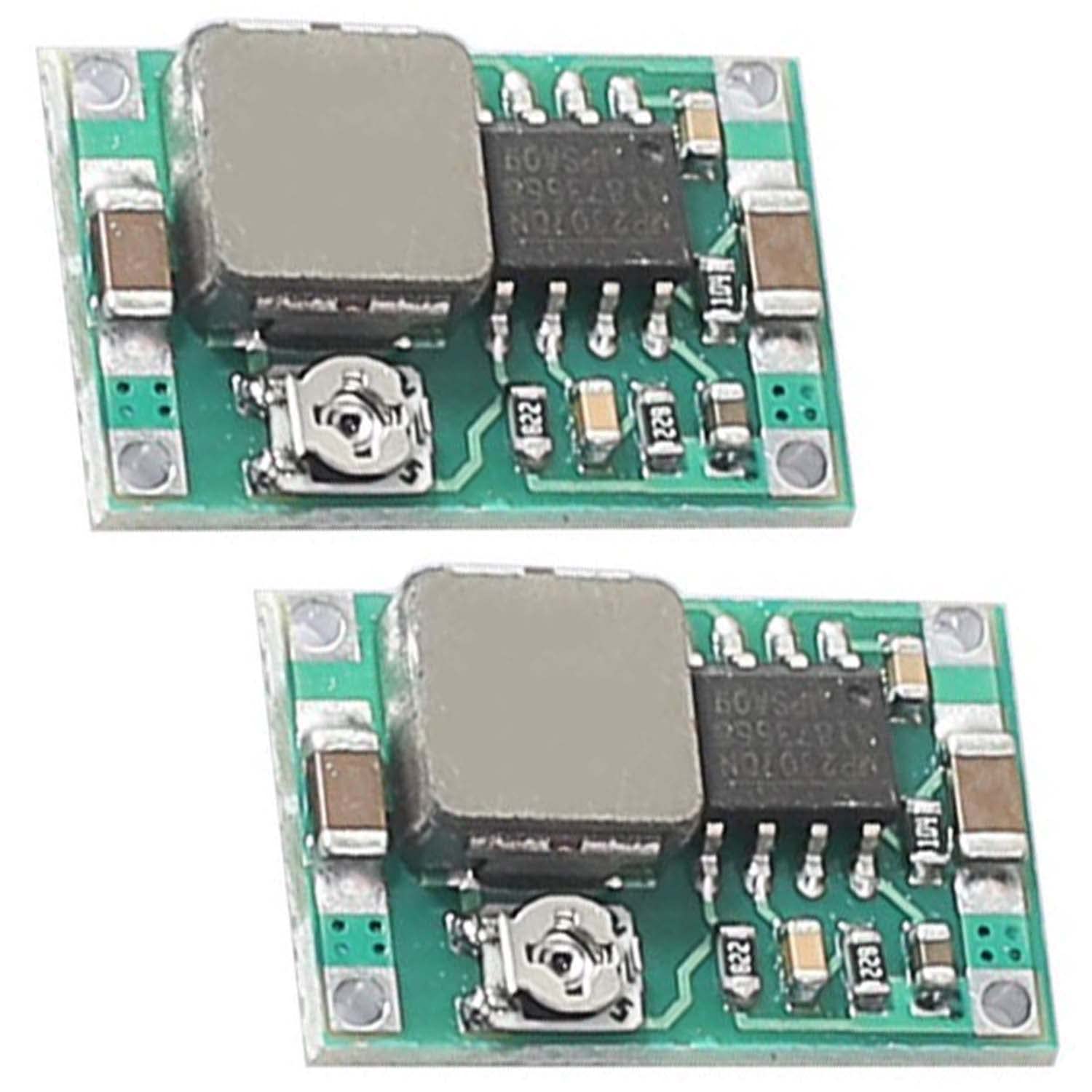
Figure 1: Top view of the Mini 360 module, highlighting its compact design and main components.
2. Specifications
| Parameter | Value |
|---|---|
| Module Type | Non-isolated Step-Down (BUCK) |
| Input Voltage | DC 4.75V - 23V |
| Output Voltage | DC 1.0V - 17V (Adjustable) |
| Output Current (Rated) | 1.8A |
| Output Current (Max) | 3A (short duration only) |
| Conversion Efficiency | Up to 96% |
| Switching Frequency | 340 KHz |
| Output Ripple | 30mV (no-load) |
| Mounting Type | PCB Mount |
| Dimensions | (Approximate, based on typical Mini 360 modules) 17mm x 11mm x 3.8mm |
3. Setup and Connections
Before connecting the module, ensure all power sources are disconnected. Observe proper polarity to prevent damage to the module and connected devices.
Connection Points:
- IN+: Positive input voltage connection.
- IN-: Negative input voltage connection (Ground).
- OUT+: Positive output voltage connection.
- OUT-: Negative output voltage connection (Ground).

Figure 2: Bottom view of the Mini 360 module, indicating the IN+ (input positive), IN- (input negative), OUT+ (output positive), and OUT- (output negative) terminals.
Installation Steps:
- Identify the input and output terminals on the module.
- Connect your DC power source (e.g., battery, power adapter) to the IN+ and IN- terminals. Ensure the input voltage is within the specified range of 4.75V to 23V.
- Connect your load (the device requiring power) to the OUT+ and OUT- terminals.
- Before applying power, double-check all connections for correct polarity and secure contact.

Figure 3: A pair of Mini 360 modules, illustrating their small size and the distinct top and bottom sides for connection.
4. Operating Instructions
The output voltage of the Mini 360 module is adjustable using the onboard potentiometer.
- With the input power connected and the load disconnected, apply power to the module.
- Use a multimeter to measure the voltage across the OUT+ and OUT- terminals.
- Carefully turn the small screw on the potentiometer (the small metallic component with a screw slot) using a precision screwdriver. Turning clockwise typically increases the voltage, while turning counter-clockwise decreases it.
- Adjust the potentiometer until the desired output voltage (between 1.0V and 17V) is achieved.
- Once the desired voltage is set, disconnect the input power, then connect your load to the output terminals. Reapply input power.
- Note: Do not exceed the maximum output current of 3A, and avoid prolonged operation above 1.8A to ensure module longevity. Ensure the input voltage is always higher than the desired output voltage for proper step-down operation.

Figure 4: A close-up of two Mini 360 modules, highlighting the adjustable potentiometer (silver screw) used for setting the output voltage.
5. Maintenance
The Mini 360 module is a low-maintenance electronic component. Follow these guidelines to ensure optimal performance and longevity:
- Keep Clean: Ensure the module is free from dust, dirt, and moisture. Use a soft, dry brush or compressed air for cleaning if necessary.
- Environmental Conditions: Operate the module within its specified temperature range. Avoid extreme heat, cold, or high humidity.
- Avoid Overload: Do not draw more current than the module's rated capacity (1.8A continuous, 3A peak). Overloading can lead to overheating and permanent damage.
- Secure Connections: Periodically check that all input and output connections are secure and free from corrosion.
- Physical Protection: Protect the module from physical impact or bending, which could damage the PCB or components.
6. Troubleshooting
| Problem | Possible Cause | Solution |
|---|---|---|
| No output voltage |
|
|
| Output voltage is incorrect or unstable |
|
|
| Module overheating |
|
|
7. Warranty and Support
This product is typically sold as a component for DIY electronics projects and may not come with an explicit manufacturer's warranty. For support regarding this product, please refer to the retailer or seller from whom it was purchased. Ensure you retain your proof of purchase for any potential inquiries.
For technical assistance, online communities and forums dedicated to electronics and DIY projects can be valuable resources for troubleshooting and application advice.


