
1. Introduction
This instruction manual provides essential information for the safe and effective use of your IFREQTECH CD-15A desktop rapid rate charger. This charger is designed for specific Lithium-Ion batteries used in compatible YAESU and Standard Horizon two-way radios. Please read this manual thoroughly before operation and retain it for future reference.
2. Safety Information
Observe the following safety precautions to prevent fire, injury, or damage to the charger or battery:
- Use only the provided AC adapter with the charger.
- Do not attempt to charge batteries other than those specified as compatible.
- Do not disassemble, modify, or repair the charger or adapter.
- Avoid exposing the charger to water, moisture, or extreme temperatures.
- Do not operate the charger if it appears damaged.
- Keep the charger out of reach of children.
- Ensure proper ventilation around the charger during use.
3. Package Contents
Verify that all items are present in your package:
- 1 x CD-15A Charger Cradle
- 1 x AC Power Adapter
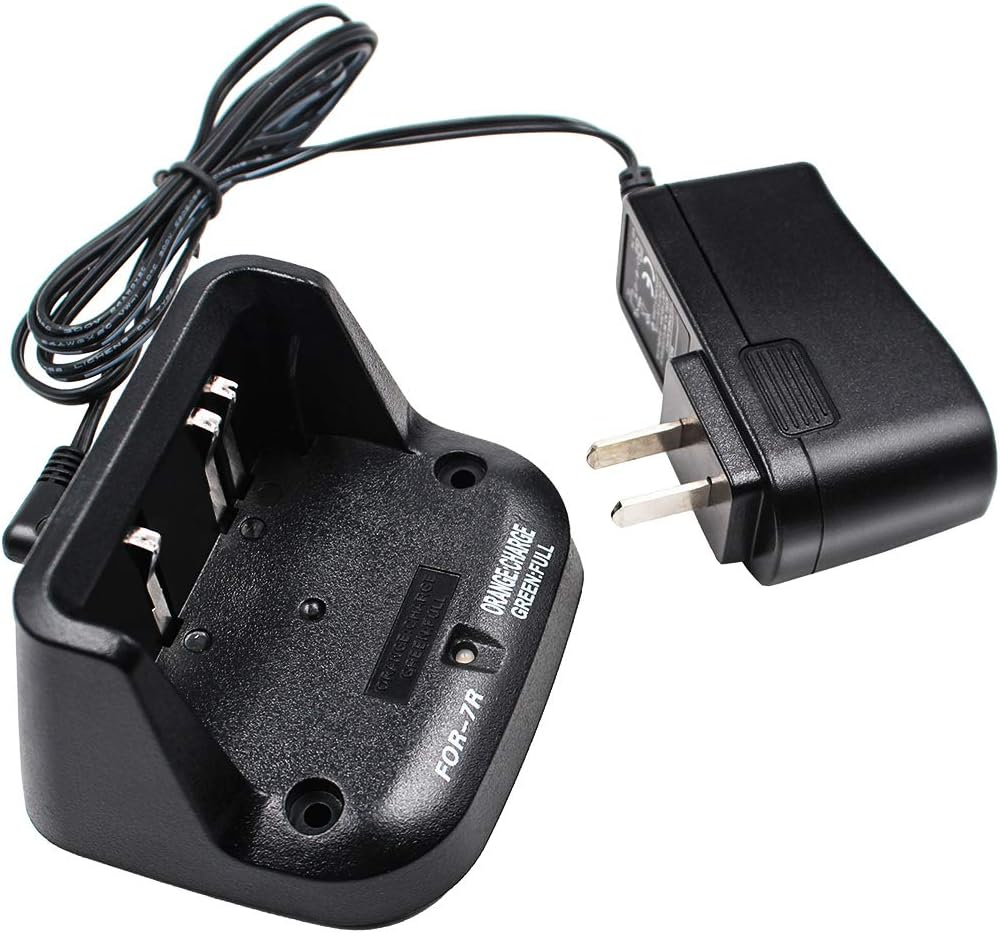
This image displays the IFREQTECH CD-15A charging cradle along with its accompanying AC power adapter. The charger is designed for desktop use, providing a stable platform for charging compatible radio batteries.
4. Specifications
| Feature | Specification |
|---|---|
| Model Number | CD-15A |
| Type | Desktop Rapid Rate Charger |
| Dimensions (Charger) | Approx. 10 x 10 x 5 cm (3.94 x 3.94 x 1.97 inches) |
| Material | ABS |
| Input (AC Adapter) | AC 100-240V, 50-60Hz, 500mA |
| Output (Charger) | DC 8.4V, 450mA |
| Compatible Battery Type | Lithium-Ion (Li-ion) |
| Color | Black |
| Item Weight | 6.7 ounces (approx. 190g) |
| Manufacturer | IFREQTECH |
| Item Model Number | gfhsezyuj-433 |

A detailed view of the AC power adapter's label, showing input specifications (AC 100-240V, 50-60Hz, 500mA) and output specifications (DC 8.4V, 450mA). This label confirms the power requirements and output of the charger.
5. Compatible Models
The CD-15A charger is compatible with the following radio models and battery types:
Compatible Battery Models:
- FNB-58
- FNB-58Li
- FNB-80
- FNB-80Li
Compatible Radio Models:
- Yaesu / Vertex: VX-5, VX-5R, VX-5RS, VX-6R/E, VX-7R, VX-7RB, VXA-700, VXA-710
- Standard Horizon: HX460, HX460S, HX460SB, HX460SS, HX471, HX471S, HX471SB, HX471SS
6. Setup
Follow these steps to set up your CD-15A charger:
- Place the charger cradle on a stable, flat surface away from direct sunlight and heat sources.
- Connect the small plug of the AC power adapter into the DC input jack located on the back of the charger cradle.
- Plug the AC power adapter into a standard wall outlet (AC 100-240V).
- The charger is now ready for use.

The IFREQTECH CD-15A charging cradle is depicted with its power cable connected to the AC adapter, illustrating how the unit receives power. The adapter is ready to be plugged into a standard wall outlet.
7. Operating Instructions
To charge a compatible battery or radio:
- Ensure the charger is properly set up and connected to power as described in Section 6.
- Carefully insert the compatible battery pack into the charging slot of the cradle. You may also insert the radio with the battery attached, ensuring it seats correctly.
- Observe the charging indicator light on the front of the cradle:
- Orange/Red Light: Indicates that the battery is currently charging.
- Green Light: Indicates that the battery is fully charged.
- No Light (when battery inserted): May indicate an issue with battery contact or incompatibility.
- Once the indicator light turns green, the battery is fully charged and ready for use. Remove the battery or radio from the charger.

A compatible lithium-ion battery is shown correctly inserted into the IFREQTECH CD-15A charging cradle. The battery fits securely into the designated slot, ready for the charging process.

This close-up shows the indicator labels on the IFREQTECH CD-15A charger base: 'ORANGE: CHARGE' and 'GREEN: FULL'. These labels guide the user on the charging status of the battery.
8. Maintenance
Proper maintenance ensures the longevity and optimal performance of your charger:
- Cleaning: Disconnect the charger from power before cleaning. Use a soft, dry cloth to wipe the exterior of the charger. Do not use liquid cleaners or solvents. Ensure charging contacts are free of dust and debris.
- Storage: When not in use, store the charger in a cool, dry place, away from direct sunlight and extreme temperatures.
- Inspection: Periodically inspect the power cord and charger for any signs of damage. If damage is found, discontinue use immediately.

This image provides a dual view of the IFREQTECH CD-15A charger. The top view highlights the charging contacts and indicator labels, while the side view shows the power input port and model markings.
9. Troubleshooting
If you encounter issues with your CD-15A charger, refer to the following table:
| Problem | Possible Cause | Solution |
|---|---|---|
| Charger indicator light does not illuminate or battery does not charge. |
|
|
| Charger light flashes green for a few seconds then goes black when battery is inserted. |
|
|
| Charger light remains orange/red indefinitely. |
|
|
10. Warranty and Support
For warranty information or technical support, please refer to the documentation provided at the time of purchase or contact your retailer. Keep your purchase receipt as proof of purchase.