Product Overview
The Link2Home Wireless Remote Control Outlet provides convenient remote operation for various household appliances. This system includes one compact side-plug outlet and one wireless remote control, pre-programmed for immediate use. It is designed to simplify control of hard-to-reach devices and enhance home convenience.

Image: The Link2Home wireless remote control outlet and its accompanying remote control. The outlet is white and rectangular with a side plug, and the remote is also white with clearly marked ON and OFF buttons.
Key Features:
- Compact Design: The side-plug design utilizes only one wall socket and allows furniture to sit flush against the wall.
- Wireless Control: Remotely control small appliances and decor with ease.
- Pre-programmed: Ready for immediate use right out of the box.
- Extended Range: Strong RF signal works up to 100 ft in line of sight, penetrating walls and doors without interference.
Setup and Installation
- Unpack Components: Carefully remove the wireless outlet and remote control from the packaging.
- Remote Battery Installation: The remote control comes with a CR2 battery included. Remove any protective tab from the battery compartment if present. The battery is pre-installed.
- Plug in the Outlet: Insert the Link2Home wireless outlet into a standard 2-hole wall socket. The compact side-plug design ensures it does not obstruct the second outlet.
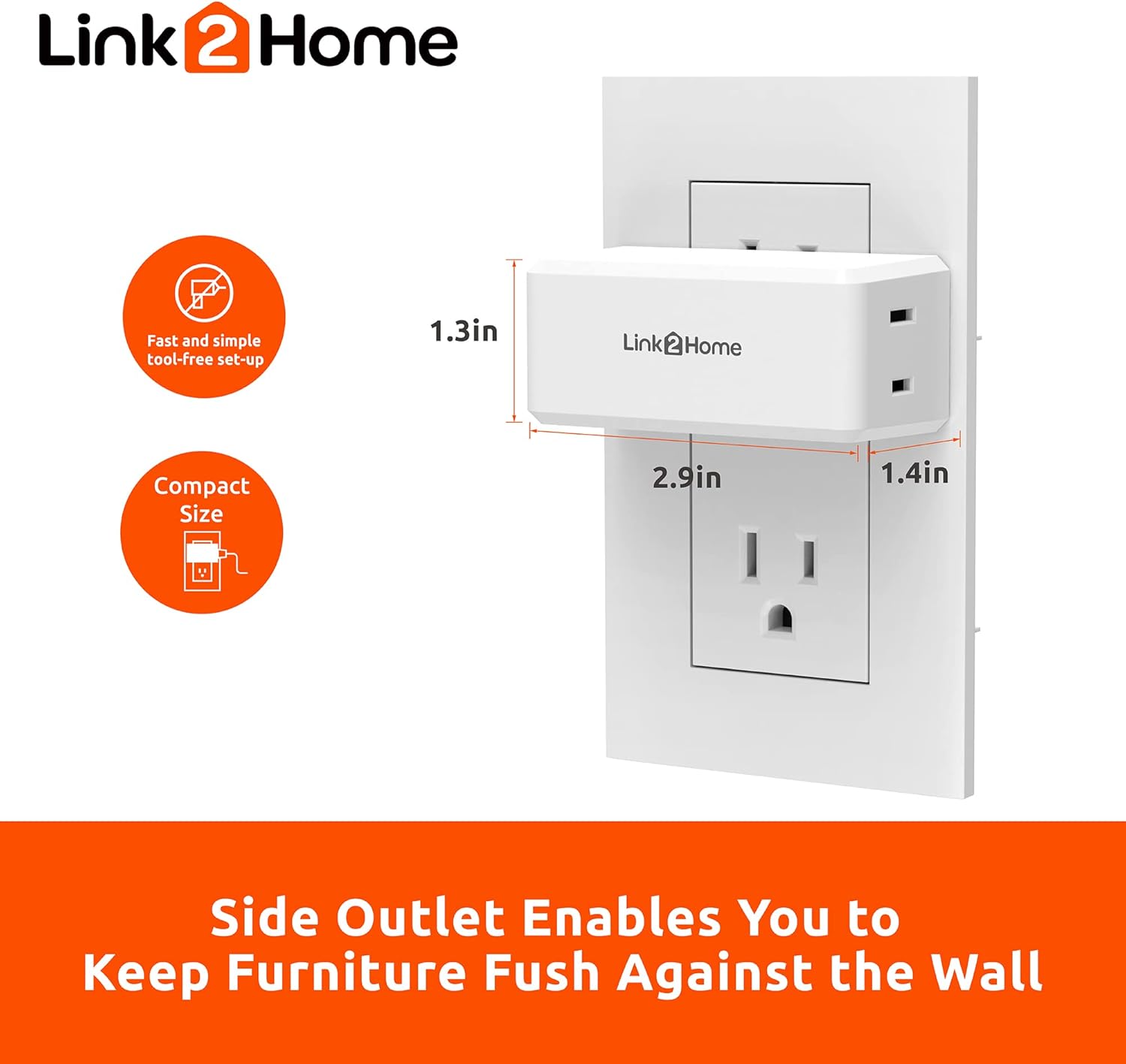
Image: The compact design of the Link2Home outlet, showing its dimensions (1.3in, 2.9in, 1.4in) and how its side plug allows furniture to be placed flush against the wall.
- Connect Appliance: Plug the appliance you wish to control into the polarized outlet on the Link2Home wireless unit. Ensure the appliance's plug is fully inserted.

Image: Diagram illustrating a standard 2-hole socket and compatible 2-prong plugs, indicating the type of connection for the outlet.
- Pre-programmed Operation: The outlet and remote are pre-programmed at the factory and should work immediately upon setup. No pairing is required.
Operating Instructions
The Link2Home Wireless Remote Control Outlet is designed for simple operation. Use the remote control to switch connected appliances on or off from a distance.
- Turning On: Press the "ON" button on the remote control to power on the appliance connected to the wireless outlet.
- Turning Off: Press the "OFF" button on the remote control to power off the appliance connected to the wireless outlet.
- Range: The remote control operates using a strong RF signal, providing a range of up to 100 feet in line of sight. This signal can pass through walls and doors, allowing control from different rooms.
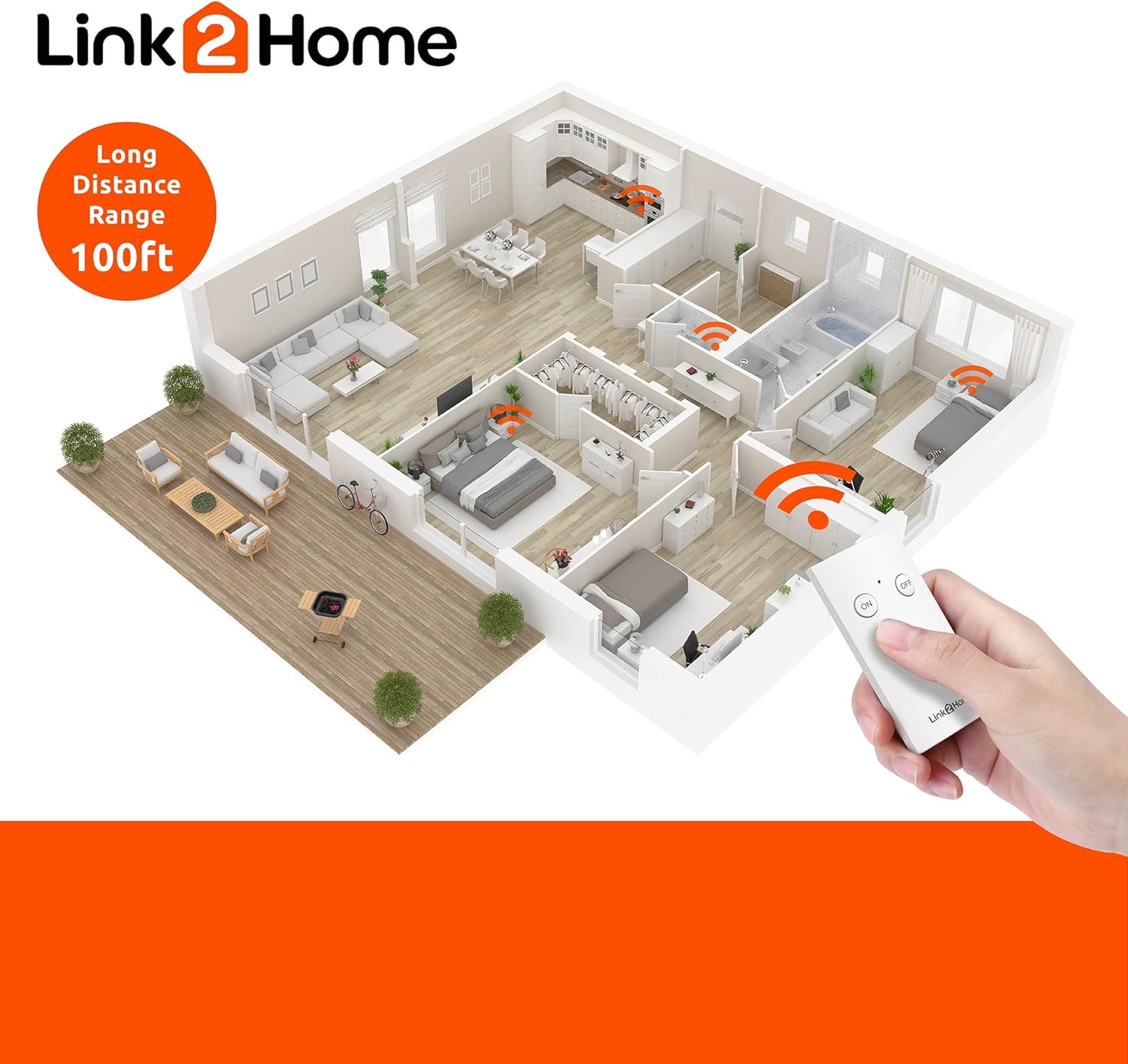
Image: An illustration demonstrating the 100-foot long-distance range of the Link2Home remote control within a typical home layout, showing the signal passing through walls.

Image: A collage showing various household items that can be controlled by the wireless outlet, including a toaster oven, a bedside lamp, a Christmas tree with lights, and a space heater.
Maintenance
To ensure optimal performance and longevity of your Link2Home Wireless Remote Control Outlet, follow these simple maintenance guidelines:
- Cleaning: Wipe the outlet and remote control with a soft, dry cloth. Do not use liquid cleaners or abrasive materials.
- Storage: When not in use for extended periods, store the unit in a cool, dry place away from direct sunlight and extreme temperatures.
- Battery Replacement: If the remote control's range or responsiveness decreases, it may be time to replace the CR2 battery. Refer to the remote's battery compartment for specific instructions on replacement.
Troubleshooting
If you encounter issues with your Link2Home Wireless Remote Control Outlet, please refer to the following common troubleshooting steps:
| Problem | Possible Cause | Solution |
|---|---|---|
| Appliance does not turn ON/OFF via remote. |
|
|
| Remote control buttons feel unresponsive. | Worn out battery or internal issue. | Replace the CR2 battery. If the issue persists, contact customer support. |
Specifications
| Attribute | Detail |
|---|---|
| Model Number | EM-RF100W |
| Part Number | RF101T1 + RF101R-US |
| Manufacturer | Everflourish |
| Product Dimensions | 2 x 2.9 x 1.3 inches |
| Item Weight | 4.8 ounces |
| Color | White |
| Wattage | 1250 watts |
| Mounting Type | Plug-In Mount |
| Certification | CSA Certified, FCC |
| Batteries Required | Yes (1 CR2 battery included for remote) |
| Wireless Range | Up to 100 ft (line of sight) |
Warranty Information
The Link2Home Wireless Remote Control Outlet is covered by a 1-Year Limited Warranty from the date of purchase. This warranty covers defects in materials and workmanship under normal use. For warranty claims or further details, please retain your proof of purchase and contact Link2Home customer support.
Customer Support
For any questions, technical assistance, or support regarding your Link2Home Wireless Remote Control Outlet, please visit the official Link2Home website or contact their customer service department. Refer to the product packaging or the Link2Home brand store for the most current contact information.
You can also visit the Link2Home Store on Amazon for more product information and resources.


