1. Introduction
The LemoVoz LV-03 is a compact and portable digital voice recorder designed for capturing audio in various environments such as lectures, meetings, and interviews. Its small size and simple operation make it a convenient tool for discreet audio recording. This manual provides essential information for setting up, operating, and maintaining your device.

Image 1.1: The LemoVoz LV-03 Digital Voice Recorder. This compact, hexagonal device is black with reflective facets, designed for portability and discreet use.
2. Product Overview
The LemoVoz LV-03 features a minimalist design with essential functionalities for audio recording and playback.
Key Features:
- Compact Design: Ultra-small dimensions for easy portability.
- Internal Memory: 8GB storage capacity.
- Long Battery Life: Up to 28 hours of continuous recording on a full charge.
- Simple Operation: One-switch recording and saving.
- Versatile Playback: Listen via headphones or computer.

Image 2.1: Size comparison of the LemoVoz LV-03. The recorder is shown next to a US quarter coin, illustrating its compact and miniature form factor.

Image 2.2: Dimensional view of the LemoVoz LV-03. The diagram indicates the device measures 31mm in width, 31mm in length, and 11mm in thickness.
3. What's in the Box
Upon unboxing your LemoVoz LV-03 Digital Voice Recorder, you should find the following items:
- 1 x LemoVoz LV-03 Digital Voice Recorder (8GB)
- 1 x USB Data Cable
- 1 x Earphone
- 1 x Instruction Manual
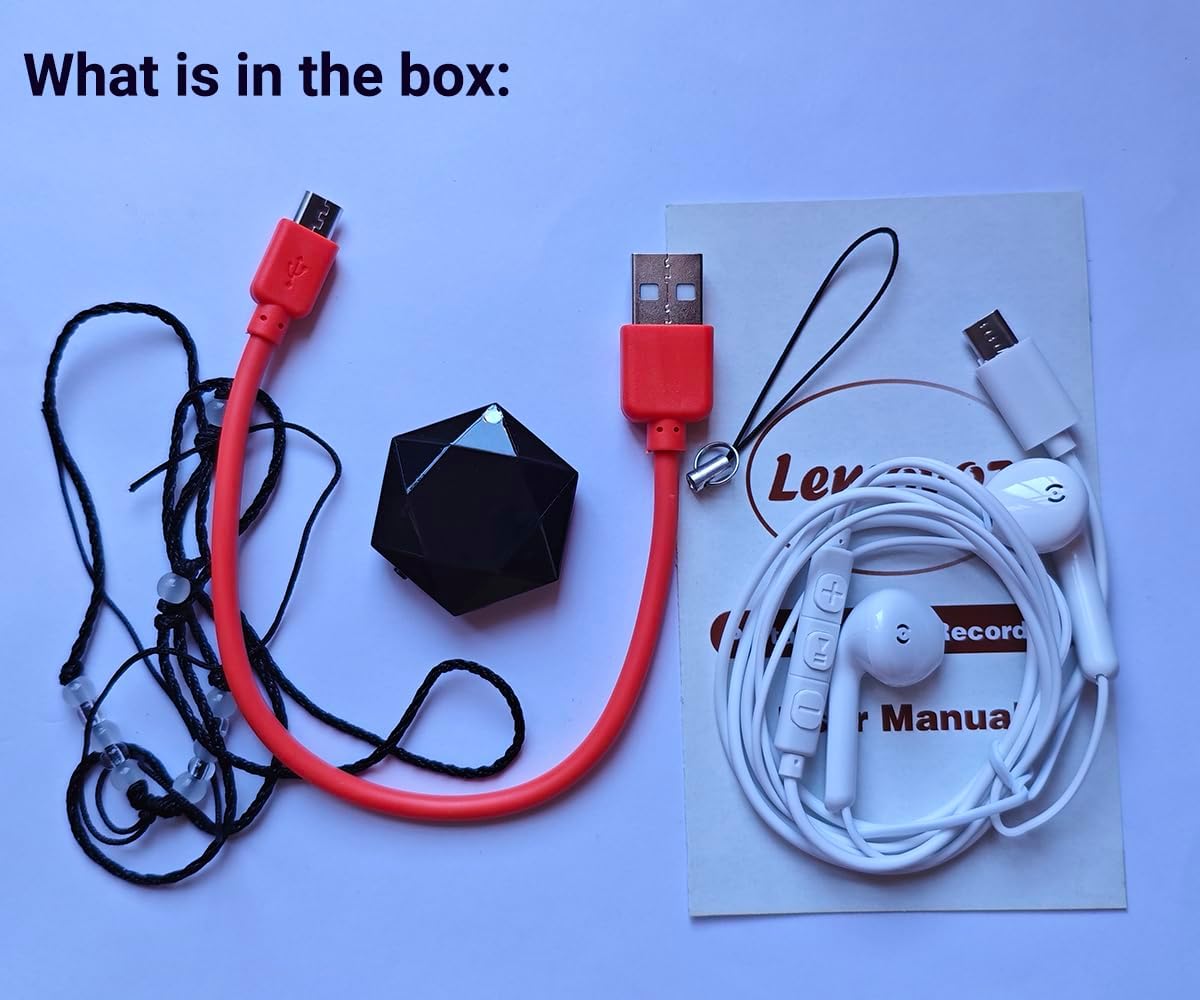
Image 3.1: Package contents. This image displays all items included with the LemoVoz LV-03: the recorder, a red USB data cable, white earphones, and the instruction manual.
4. Setup
Initial Charging
Before first use, fully charge the device for approximately 1 hour. Use the provided USB data cable to connect the recorder to a computer's USB port or a compatible USB wall adapter.
Important: Do not charge the device for an extended period beyond the recommended time, as this may damage the battery and casing.

Image 4.1: Connecting the recorder for charging or data transfer. The LemoVoz LV-03 is shown connected to a laptop's USB port using its USB cable.
5. Operating Instructions
5.1 Recording Audio
- Ensure the earphones are not inserted into the device.
- Locate the ON/OFF switch on the side of the recorder.
- Slide the switch to the "ON" position. A red LED indicator will light up briefly and then blink before turning off. This indicates that the device has begun recording.
- To stop recording and save the file, slide the switch back to the "OFF" position.

Image 5.1: Recording operation. This image highlights the ON/OFF switch on the side of the recorder, indicating how to initiate and stop recording.
5.2 Playback Audio
You can play back recorded files using headphones or by connecting the device to a computer.
Playback via Headphones:
- Insert the provided earphones into the Micro USB port of the recorder.
- The device will automatically enter playback mode. Use the controls on the earphone cable (if available) to manage playback (e.g., play/pause, skip tracks).

Image 5.2: Playback with headphones. The recorder is shown with white earphones plugged into its Micro USB port, ready for listening to recordings.
Playback via Computer:
- Connect the recorder to your computer using the USB data cable.
- The device will appear as a removable storage drive.
- Navigate to the drive and locate your recorded audio files (typically in WAV or MP3 format).
- Open the files using your computer's media player.
Playback via Mobile Phone (with OTG adapter):
If you have an OTG (On-The-Go) adapter compatible with your mobile phone, you can connect the recorder to your phone to play back files directly.
6. Maintenance
- Charging: Always use the provided USB cable for charging. Avoid overcharging the device to prolong battery life.
- Cleaning: Wipe the device with a soft, dry cloth. Do not use liquid cleaners or solvents.
- Storage: Store the recorder in a cool, dry place away from direct sunlight and extreme temperatures.
- Data Management: Regularly transfer important recordings to your computer to prevent data loss and free up storage space.
7. Troubleshooting
Device Not Turning On:
- Ensure the device is fully charged. Connect it to a power source for at least 1 hour.
- Verify the ON/OFF switch is in the correct position.
No Recording or Poor Audio Quality:
- Check if the device has sufficient storage space. Transfer old files to a computer if necessary.
- Ensure the recording environment is not excessively noisy.
- Confirm the ON/OFF switch was correctly moved to "ON" and then to "OFF" to save the recording.
Cannot Connect to Computer:
- Try a different USB port on your computer.
- Ensure the USB cable is securely connected to both the recorder and the computer.
- Test with a different USB data cable if available.
8. Specifications
| Feature | Specification |
|---|---|
| Model Number | LV-03 |
| Brand | LemoVoz |
| Product Dimensions | 31mm x 31mm x 11mm (approx. 1.22" x 1.22" x 0.43") |
| Item Weight | 7.5g (0.26 oz) |
| Memory Storage Capacity | 8 GB |
| Battery Life | Up to 28 Hours |
| Charging Time | Approx. 1 Hour |
| Digital Recording Time | Approx. 100 hours (at 256kbps) |
| Hardware Interface | Micro USB 2.0 Type A |
| Audio Format | MP3, WAV |
| Headphones Jack | Micro USB |
9. Warranty and Support
For information regarding warranty coverage, technical support, or service inquiries, please refer to the documentation provided with your purchase or contact the LemoVoz customer support directly through their official channels. Specific warranty terms may vary by region and retailer.