1. Introduction
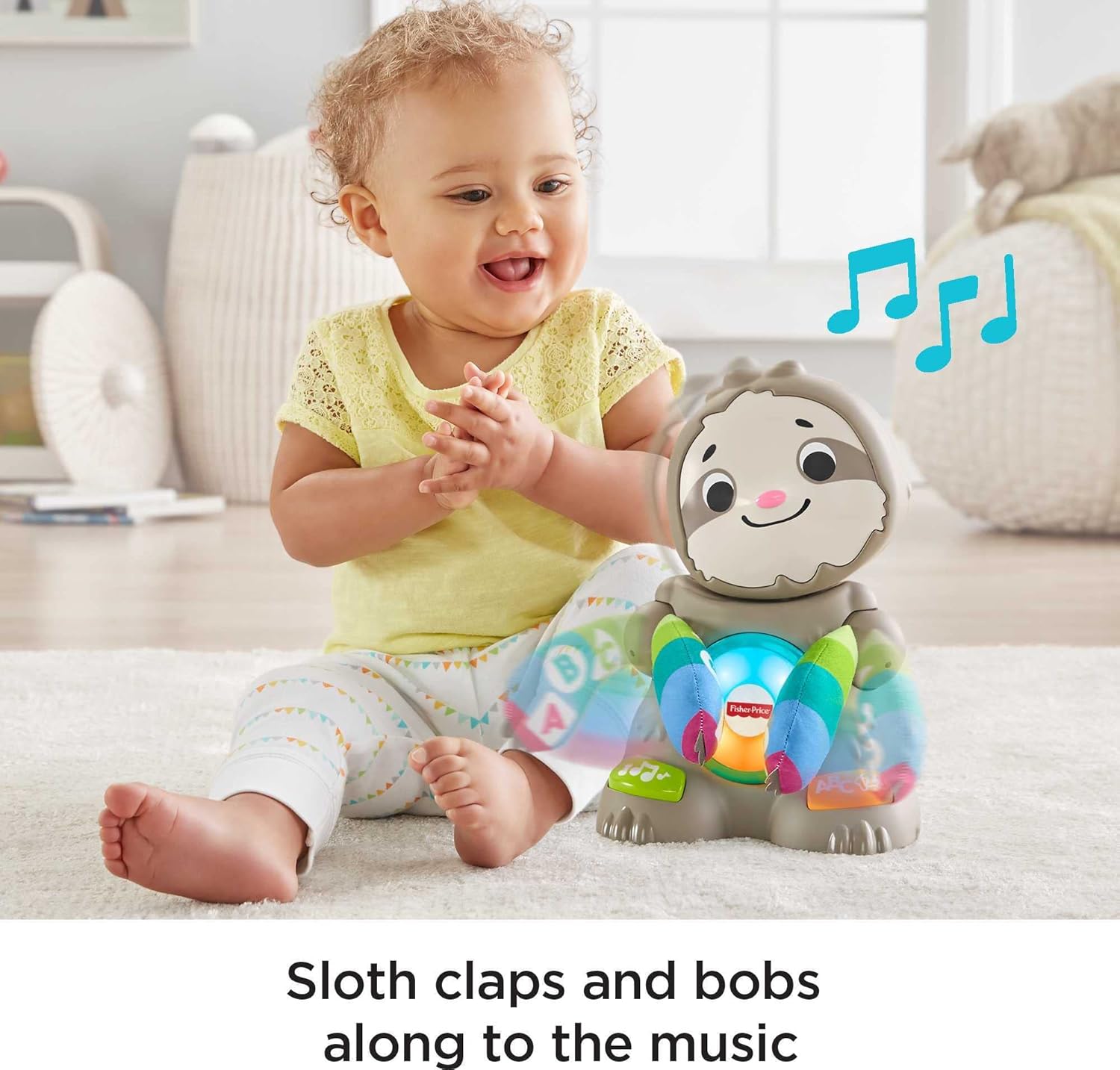
The Fisher-Price Linkimals Smooth Moves Sloth is an interactive learning toy designed to engage infants aged 9 months and older. This toy features exciting lights, music, songs, and dynamic dance moves to encourage baby's development. By pressing the buttons on the sloth's feet, children can explore numbers, colors, and the alphabet. The sloth claps its hands and bobs its head, providing an engaging and educational experience. This manual provides essential information for the safe and effective use of your Smooth Moves Sloth.
2. Product Features
- Interactive Sloth Design: A sloth-themed toy that claps its hands and bobs its head in response to lights, songs, and music.
- Learning Buttons: Press the buttons on the sloth's feet to activate songs and phrases related to the alphabet, numbers, opposites, and colors.
- Sensory Engagement: Features colorful lights on its belly and soft, textured arms for tactile exploration.
- Linkimals Compatibility: Designed to interact with other Fisher-Price Linkimals toys (sold separately), creating a synchronized light, sound, and movement experience.
- Developmental Benefits: Aids in fostering sensory development and gross motor skills for infants and toddlers.

3. What's in the Box
Your Fisher-Price Linkimals Smooth Moves Sloth package includes:
- 1 x Fisher-Price Linkimals Smooth Moves Sloth Toy
- 4 x AA Batteries (pre-installed)

4. Setup
4.1 Battery Installation
- Locate the battery compartment on the back or bottom of the Smooth Moves Sloth.
- Using a Phillips head screwdriver, loosen the screw on the battery compartment cover and remove the cover.
- Insert 4 AA (LR6 alkaline) 1.5V batteries, ensuring correct polarity (+/-) as indicated inside the compartment. The toy comes with batteries included, but they may need replacement over time.
- Replace the battery compartment cover and tighten the screw.
4.2 Power On/Off
- Locate the power switch, usually on the back or bottom of the toy.
- Slide the switch to the "ON" position to activate the toy.
- To conserve battery life, slide the switch to the "OFF" position when the toy is not in use.
5. Operating Instructions
5.1 Basic Play
- Press the buttons located on the sloth's feet to activate various songs, sounds, and phrases.
- The sloth will clap its hands and bob its head in sync with the audio.
- The colorful lights on its belly will illuminate and change patterns, enhancing visual engagement.

5.2 Learning Modes
The Smooth Moves Sloth offers different learning content:
- Alphabet: Learn letters through engaging songs and phrases.
- Numbers & Counting: Discover numbers and practice counting.
- Colors & Opposites: Explore different colors and basic opposites.
6. Linkimals Interaction
The Fisher-Price Linkimals Smooth Moves Sloth is designed to interact with other Linkimals friends (each sold separately). When multiple Linkimals toys are in proximity and activated, they will:
- Synchronize Lights: Their lights will flash and change colors together.
- Sing & Talk: They will sing songs and speak phrases in unison or in response to each other.
- Play Together: This creates an immersive and expanded learning experience for your child.
Note: Fisher-Price Linkimals toys are only compatible with other Fisher-Price Linkimals toys.

6.1 Official Product Videos
7. Care and Maintenance
- Cleaning: Wipe the toy with a damp cloth and mild soap. Do not immerse the toy in water.
- Storage: Store the toy in a cool, dry place away from direct sunlight when not in use.
- Battery Care: Remove batteries if the toy will not be used for an extended period to prevent leakage. Dispose of used batteries responsibly.
8. Troubleshooting
| Problem | Possible Cause | Solution |
|---|---|---|
| Toy does not turn on or respond. | Batteries are low or incorrectly installed. | Check battery polarity. Replace with fresh 4 AA batteries. Ensure the power switch is in the "ON" position. |
| Sound is distorted or too low. | Low batteries. | Replace with fresh 4 AA batteries. |
| Linkimals toys are not interacting. | Toys are too far apart or not all powered on. | Ensure all Linkimals toys are within close proximity and powered on. Check batteries in all interacting toys. |
9. Specifications
- Model Number: GLK16
- Product Dimensions: 6.37 x 7.25 x 10.5 inches
- Item Weight: 2.12 pounds
- Recommended Age: 9 months - 4 years
- Batteries: 4 AA batteries (included)
- Manufacturer: Fisher-Price
- Release Date: June 1, 2019
- UPC: 0887961842906
10. Warranty and Support
For warranty information, product registration, or customer support, please visit the official Fisher-Price website or contact their customer service department. Keep your purchase receipt as proof of purchase for any warranty claims.
Manufacturer: Fisher-Price (a brand of Mattel)
Website: www.fisher-price.com


