
Introduction
This manual provides instructions for the Calvas USARMT LTV-914 Universal Remote Control, designed for use with various LG TV models, including AKB73715634, AKB73715679, and 3D Smart TV LN577S. This remote operates via infrared (IR) technology and is intended as a direct replacement, requiring no programming for most compatible LG televisions.
Package Contents
- 1 x USARMT LTV-914 Universal Remote Control
Specifications
- Model Number: LTV-914
- Brand: Calvas
- Type: TV Remote Control
- Communication: Infrared (IR)
- Frequency: 433 MHz
- Channels: 1
- Power Source: 2 x AAA Alkaline Batteries (not included)
- Material: ABS
- Compatible Devices: LG Televisions (e.g., AKB73715634, AKB73715679, 3D Smart TV LN577S)
- Special Feature: Universal compatibility
Setup
Installing Batteries
- Locate the battery compartment on the back of the remote control.
- Slide the battery compartment cover downwards or press the latch and lift to open.
- Insert two (2) AAA alkaline batteries, ensuring the positive (+) and negative (-) terminals align correctly with the markings inside the compartment.
- Replace the battery compartment cover by sliding it back into place until it clicks securely.

Image: Back of the remote control with the battery compartment open, illustrating battery insertion.
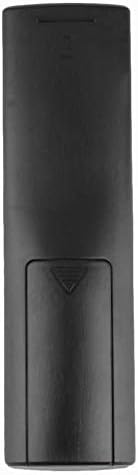
Image: Rear view of the remote control with the battery cover closed.
Operating Instructions
Initial Use
The Calvas USARMT LTV-914 remote control is designed to work directly with most compatible LG TV models without requiring any programming. Simply insert the batteries and point the remote towards your television.
Direct Use and Basic Functions
Most functions, such as power on/off, volume control, channel selection, and navigation, should operate immediately upon pointing the remote at your LG TV.

Image: Front view of the remote control, displaying the button layout.
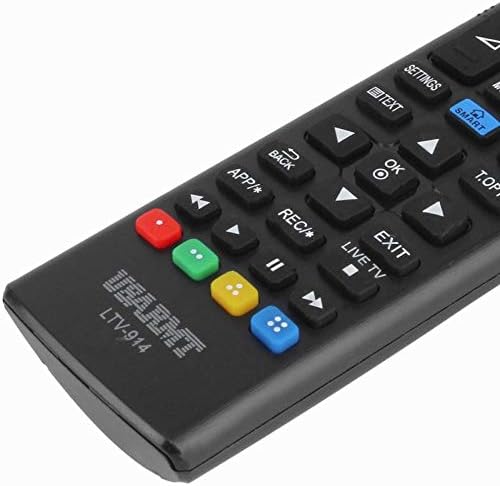
Image: Close-up of the remote's buttons, showing details of the control interface.
Factory Reset / Reconfiguration (If direct use fails)
In rare cases, if the remote does not operate your TV directly, you may need to perform a factory reset or attempt a reconfiguration.
- To reset to factory settings: Press and hold the POWER button and the number 0 button simultaneously for a few seconds.
- To attempt re-pairing (if applicable, though typically not required for this universal remote): Press and hold the POWER button and the number 1 button simultaneously for a few seconds.
After performing either of these steps, release the buttons and test the remote's functionality with your TV.
Troubleshooting
- Remote not responding:
- Check if the batteries are inserted correctly with the correct polarity.
- Replace old or depleted batteries with new AAA alkaline batteries.
- Ensure there are no obstructions between the remote control and the TV's IR receiver.
- Make sure you are within the effective range of the TV's IR receiver.
- Some functions not working:
- While this is a universal remote, some advanced or specific smart TV functions might not be fully supported on all LG models.
- Try the factory reset/reconfiguration steps mentioned in the "Operating Instructions" section.
- Remote LED indicator not lighting up:
- This usually indicates dead batteries or incorrect battery insertion. Replace batteries.
Maintenance
- Keep the remote control dry. Avoid exposure to liquids.
- Do not drop or subject the remote to strong impacts.
- Clean the remote with a soft, dry cloth. Do not use abrasive cleaners or solvents.
- If the remote will not be used for an extended period, remove the batteries to prevent leakage.
Warranty and Support
Specific warranty information for this product is not provided in the available data. For support or warranty inquiries, please contact your retailer or the manufacturer, Calvas.