Product Overview
The Pioneer DMH-C5500NEX is an 8-inch digital multimedia receiver designed to enhance your in-car entertainment experience. It features a vibrant capacitive touchscreen and offers seamless integration with smartphones via wired Apple CarPlay and Android Auto. Enjoy crystal-clear visuals, high-quality audio, and advanced sound tuning capabilities. The unit also includes built-in Bluetooth for hands-free calling and audio streaming, and Amazon Alexa integration via a companion app. Its sleek design and user-friendly interface ensure intuitive operation.
This multimedia receiver provides expandability options, allowing connection of additional accessories such as a rear-view camera for improved safety and convenience.
What's in the Box
- Touchscreen monitor
- Chassis body (10A fuse)
- Wiring harness
- AV/Preout harness
- (2) Mounting brackets
Setup and Installation
For detailed installation instructions, refer to the specific installation videos provided by Pioneer or consult a professional installer. Ensure all wiring connections are secure and correctly matched to your vehicle's electrical system.
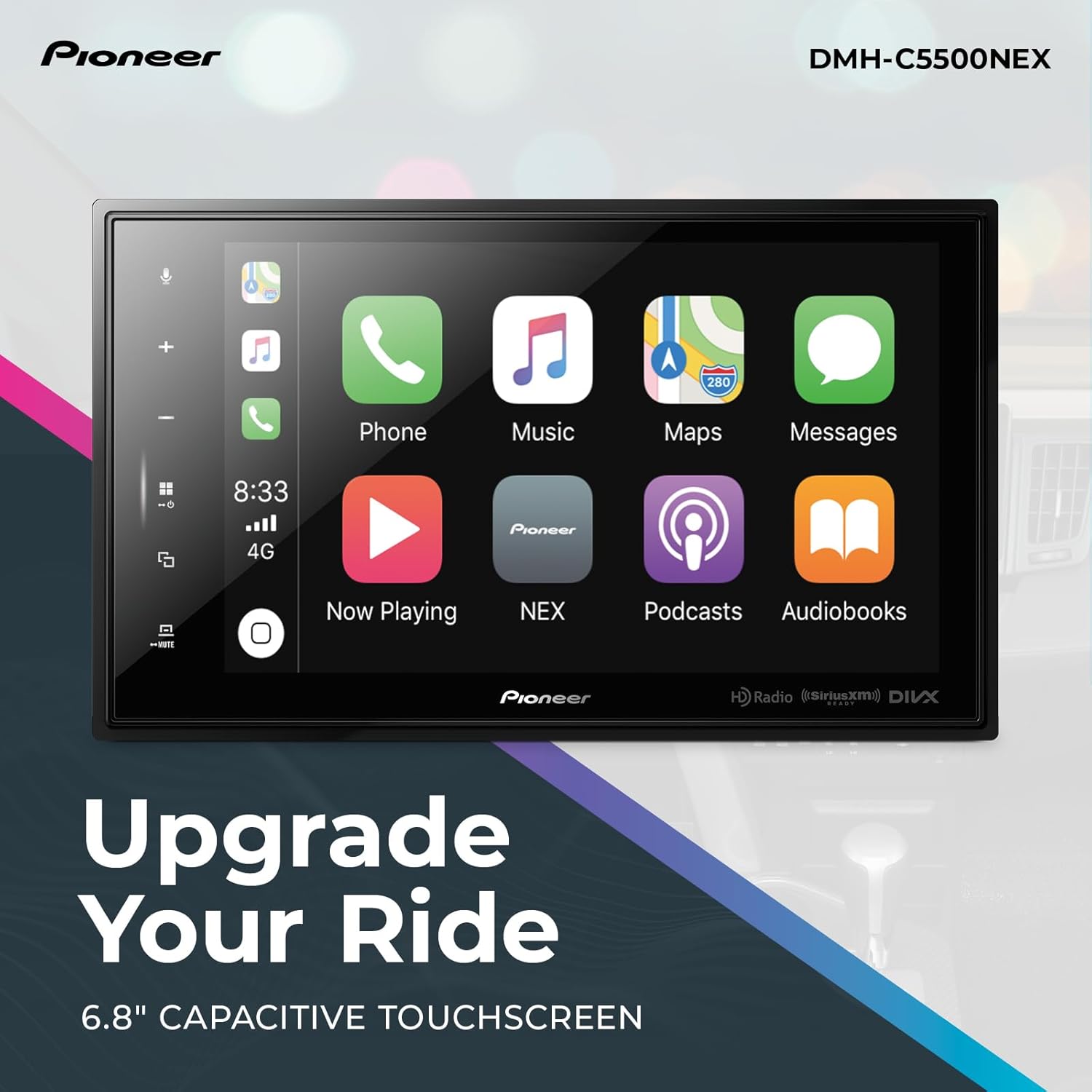
Image: The Pioneer DMH-C5500NEX digital multimedia receiver, showcasing its 8-inch touchscreen display.
Video: An official product overview of the Pioneer DMH-C5500NEX, detailing its features and design.
Wiring Connections
- Power/Ground: Connect the main power and ground wires to the vehicle's electrical system.
- Speaker Outputs: Connect to your vehicle's speakers.
- Accessory/Ignition: Connect to a switched 12V source.
- Parking Brake: Connect to the parking brake signal wire for safety features.
- Reverse Gear: Connect to the reverse light signal for automatic rear-view camera activation.
Operating Instructions
Smartphone Integration (Apple CarPlay / Android Auto)
Connect your compatible smartphone via a USB cable to enable Apple CarPlay or Android Auto. This allows you to safely access navigation, music, messages, phone calls, and voice commands directly from the receiver's touchscreen.

Image: The DMH-C5500NEX display showing Apple CarPlay and Android Auto interfaces, highlighting seamless smartphone integration.
Bluetooth Functionality
Pair your Bluetooth-enabled device with the receiver for hands-free calling and wireless audio streaming. Access your phone's contacts and call history directly from the unit.
Amazon Alexa Integration
Download the Vozsis and Weblink apps on your iOS or Android device to enable Amazon Alexa functionality. Use voice commands for navigation, music playback, and other smart features.
Rear View Camera
If a rear-view camera is installed, the display will automatically switch to the camera view when the vehicle is put into reverse gear, providing a clear view of the area behind your vehicle.

Image: The DMH-C5500NEX display showing a rear-view camera feed with parking guidelines, indicating its camera-ready feature.
Maintenance
- Screen Cleaning: Use a soft, dry cloth to clean the touchscreen. Avoid abrasive cleaners or solvents.
- Software Updates: Periodically check the Pioneer website for firmware updates to ensure optimal performance and access to new features.
- General Care: Keep the unit free from dust and moisture. Avoid exposing it to extreme temperatures.
Troubleshooting
- No Power: Check the vehicle's fuse box and the unit's 10A fuse. Ensure all power connections are secure.
- No Audio: Verify speaker connections and audio settings. Check the volume level and ensure the unit is not muted.
- Bluetooth Connection Issues: Ensure Bluetooth is enabled on both the receiver and your device. Try unpairing and re-pairing the device.
- CarPlay/Android Auto Not Launching: Ensure your smartphone is compatible and connected with a high-quality USB cable. Restart both the phone and the receiver.
Specifications
| Feature | Value |
|---|---|
| Product Dimensions | 1.18 x 8.75 x 5.17 inches |
| Item Weight | 4.2 pounds |
| Item Model Number | DMH-C5500NEX |
| Connectivity Technology | Bluetooth, USB |
| Controller Type | Google Assistant |
| Special Feature | Apple CarPlay |
| Compatible Devices | Apple iPhone, Smartphone |
| Connector Type | RCA |
| Audio Encoding | Stereo |
| Audio Output Mode | Surround |
| Surround Sound Channel Configuration | 6.1 |
| Video Encoding | AVI, MPG/MPEG, DIVX, MP4, 3GP, MKV, MOV, FLV, WMV/ASF, M4V, H.263, H.264 |
Warranty and Support
For detailed warranty information and technical support, please refer to the official owner's manual included with your product or visit the Pioneer Electronics USA Inc. website. You can also find installation videos for specific vehicle models on their official channels.
Video: Installation guide for the DMH-C5500NEX in a 2011-2017 Jeep Wrangler, provided by Pioneer Electronics USA Inc.
Video: Installation guide for the DMH-C5500NEX in a 2015-2017 Ford F-150, provided by Pioneer Electronics USA Inc.