
Product Overview
The Sony SRS-XB12 is a compact and portable wireless speaker designed for on-the-go audio. Featuring EXTRA BASS technology, it delivers powerful sound despite its small size. Its updated IP67 waterproof and dustproof design makes it suitable for various environments, from the beach to the shower. With up to 16 hours of battery life, it ensures extended listening pleasure.

Figure 1: Front view of the Sony SRS-XB12 Mini Bluetooth Speaker in black. The "SONY" logo is prominently displayed vertically on the side.
What's in the Box
- Sony SRS-XB12 Bluetooth portable speaker
- Attached carry strap
- USB charging cable
- Warranty Card
Setup
Charging the Speaker
Before initial use, fully charge the speaker. Connect the supplied USB charging cable to the speaker's DC IN 5V port and to a USB power source. The charging indicator will illuminate during charging and turn off when complete. A full charge takes approximately 16 hours.

Figure 2: Rear view of the Sony SRS-XB12 Mini Bluetooth Speaker, highlighting the DC IN 5V micro-USB charging port and the AUDIO IN port, both protected by a rubber flap.
Pairing with a Bluetooth Device
- Turn on the speaker by pressing and holding the (power) button until the (Bluetooth) indicator flashes quickly in blue.
- On your Bluetooth device (smartphone, tablet, etc.), enable Bluetooth and search for available devices.
- Select "SRS-XB12" from the list of found devices.
- Once connected, the (Bluetooth) indicator will stop flashing and remain steadily lit.

Figure 3: Top view of the Sony SRS-XB12 Mini Bluetooth Speaker, displaying the control panel with power, volume, play/pause, and ADD buttons.
Speaker Add Function (Stereo Pairing)
You can connect two SRS-XB12 speakers wirelessly to enjoy stereo sound. This function requires two identical SRS-XB12 models.
- Place the two speakers within 1 meter (3.3 feet) of each other.
- Turn on both speakers.
- On one of the speakers, press the ADD button. The L/R indicators will flash.
- Repeat step 3 for the second speaker.
- The speakers will automatically connect. The L indicator will light up on the left channel speaker and the R indicator on the right channel speaker.
- Connect your Bluetooth device to either of the paired speakers.
Operating Instructions
Basic Controls
- Power On/Off: Press the (power) button.
- Volume Control: Press the + or - buttons.
- Play/Pause: Press the (play/pause) button.
- Answer/End Call: Press the (call) button.
Waterproof and Dustproof Features
The SRS-XB12 has an IP67 rating, meaning it is waterproof and dustproof. It can be immersed in water up to 1 meter (3.3 feet) for up to 30 minutes and is protected against dust ingress. Ensure the cap covering the USB and AUDIO IN ports is securely closed before exposing the speaker to water or dust.
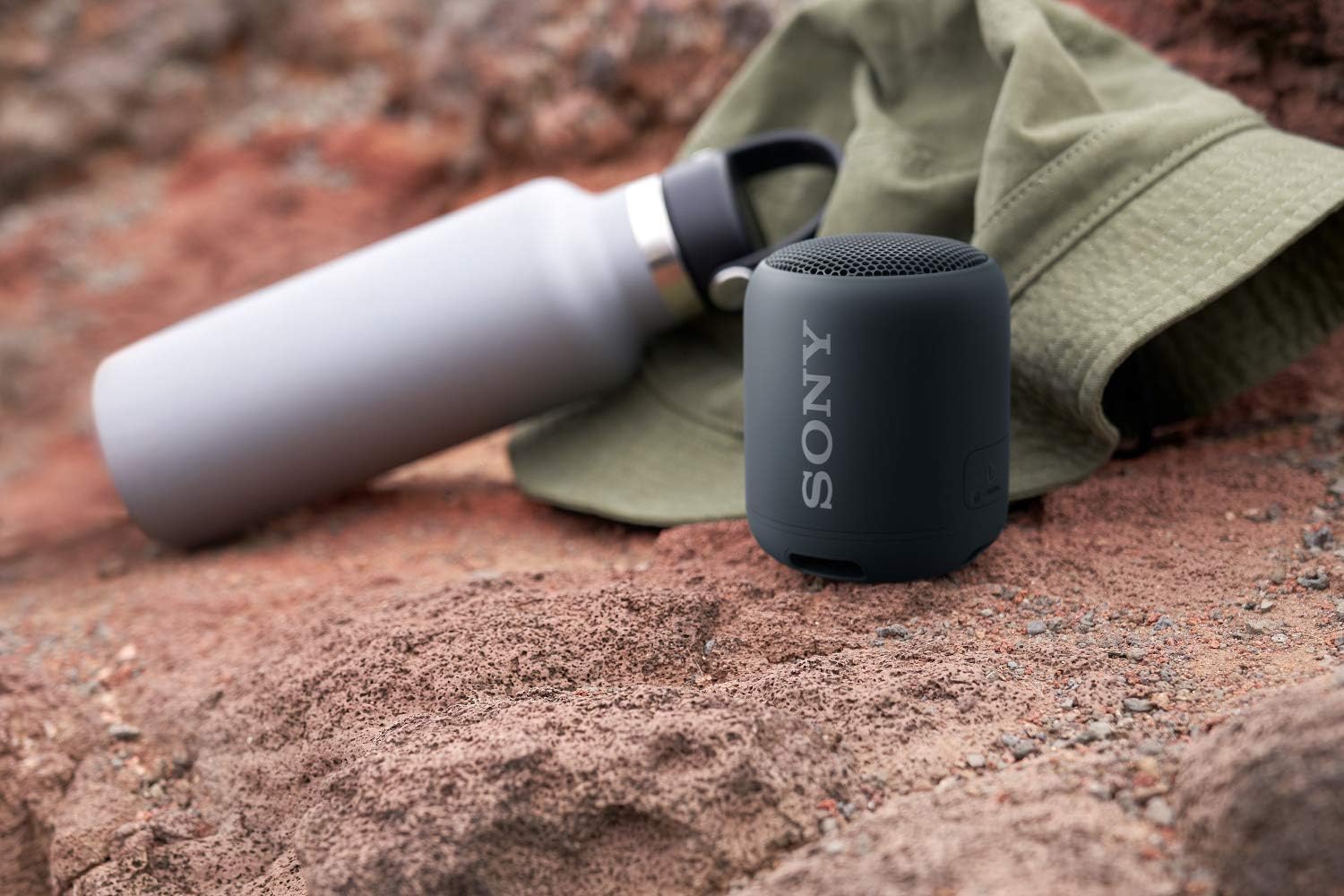
Figure 4: The Sony SRS-XB12 Mini Bluetooth Speaker floating partially submerged in a swimming pool, demonstrating its waterproof capability.
Battery Life
The speaker offers up to 16 hours of continuous playback on a full charge. Actual battery life may vary depending on volume level, music content, and usage conditions.
Maintenance
- Cleaning: Wipe the speaker with a soft, dry cloth. For stubborn stains, use a mild detergent solution and then wipe dry. Do not use abrasive cleaners or solvents.
- Water Exposure: After exposure to water, wipe off any moisture with a soft, dry cloth. Do not dry the speaker with hot air from a hair dryer or other appliance, as this may deform the speaker or cause a malfunction.
- Storage: Store the speaker in a cool, dry place away from direct sunlight and extreme temperatures.
Troubleshooting
| Problem | Solution |
|---|---|
| Cannot power on the speaker. | Charge the speaker fully. Ensure the USB cable is securely connected. |
| Cannot pair with a Bluetooth device. | Ensure the speaker is in pairing mode (Bluetooth indicator flashing rapidly). Turn off Bluetooth on other nearby devices that might be trying to connect. Move the speaker closer to the Bluetooth device. |
| No sound or low volume. | Increase the volume on both the speaker and the connected Bluetooth device. Ensure the speaker is not muted. |
| Sound skips or is distorted. | Move the speaker closer to the Bluetooth device. Avoid obstacles between the speaker and the device. Turn off other wireless devices that may cause interference. |
| Speaker Add function not working. | Ensure both speakers are SRS-XB12 models. Place them close to each other. Follow the pairing steps carefully. |
Resetting the Speaker
If the speaker malfunctions, you can reset it. Open the cap on the rear of the speaker. Use a thin object (like a paperclip) to press the RESET button. This will clear all pairing information and settings.
Figure 5: Rear view of the Sony SRS-XB12 Mini Bluetooth Speaker, showing the recessed RESET button next to the charging and audio input ports.
Specifications
- Model Name: SRS-XB12/B
- Speaker Type: Outdoor, Portable Bluetooth Speaker
- Connectivity Technology: Bluetooth, USB
- Wireless Communication Technology: Bluetooth
- Special Feature: EXTRA BASS Technology; Water and Dustproof (IP67); Up to 16 Hours of Battery Life; Light and Compact Design
- Battery Life: 16 Hours
- Charging Time: Approximately 16 Hours (from empty)
- Product Dimensions: 3"D x 3"W x 3.63"H
- Item Weight: 8.6 Ounces
- Power Source: Battery Powered
- Audio Output Mode: Stereo (with Speaker Add Function)
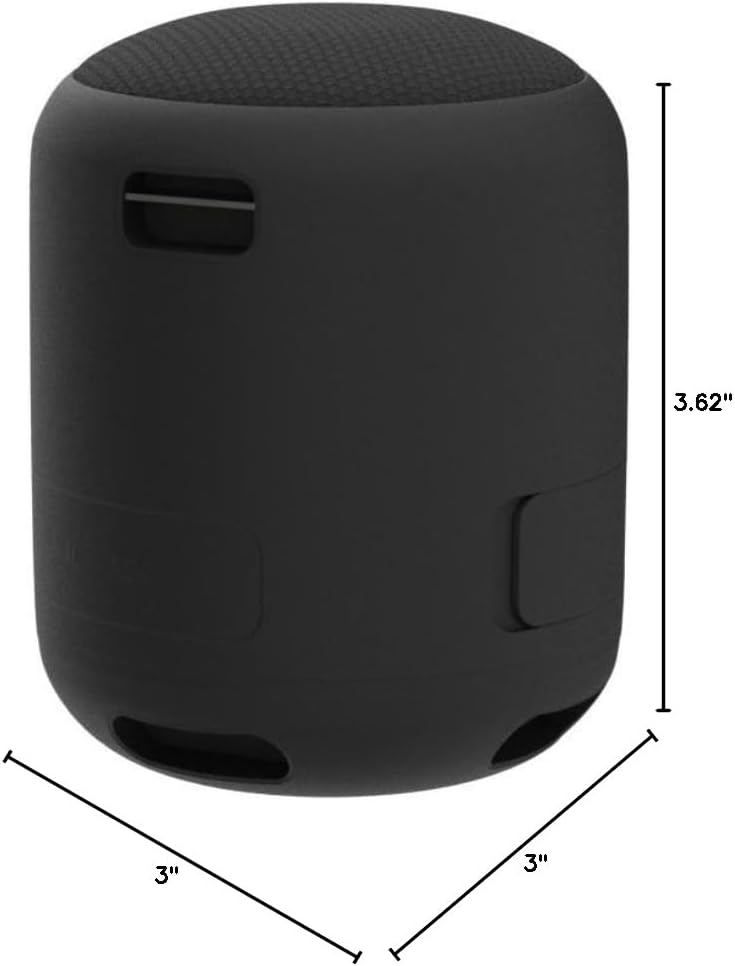
Figure 6: The Sony SRS-XB12 Mini Bluetooth Speaker with its approximate dimensions labeled: 3 inches in diameter and 3.62 inches in height.
Warranty and Support
The Sony SRS-XB12 Mini Bluetooth Speaker comes with a Limited Warranty. Please refer to the included Warranty Card for detailed terms and conditions. For technical support, product registration, or further assistance, please visit the official Sony support website or contact their customer service.
You can find more information and support at the Sony Store on Amazon.